
×

Switching

A switch is a network device which is used to connect multiple devices (routers, computers) inside the LAN (Local Area Network). It operates at Data Link Layer (Layer 2) of the OSI reference model.
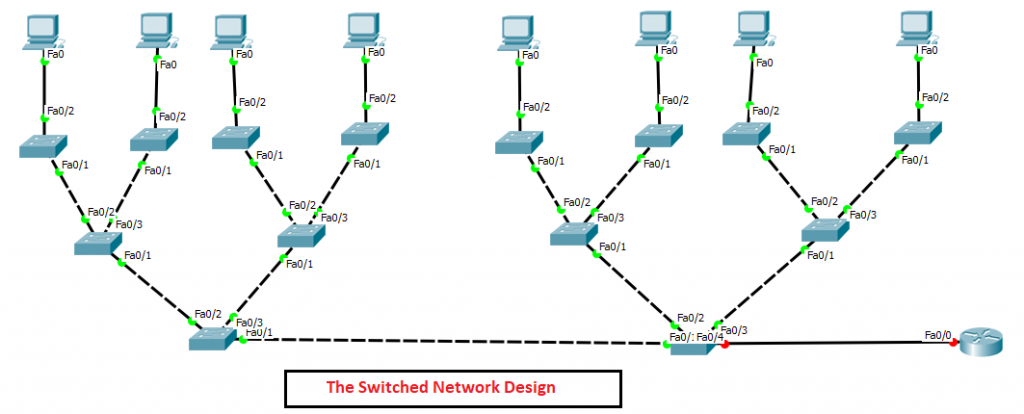
Functions of a switch

A list of functions of switches is given below:

  • It operates at the data link layer (Layer 2) of the OSI reference model.
  • It operates in the full-duplex mode.
  • Learning the MAC addresses.
  • Preventing and forwarding the frames.
  • Filtering and forwarding the frames.

Advantages of Switches

There are the following advantages of Switches –

  • Switches increase available network bandwidth.
  • Switches increase network performance.
  • Switches divide a network into many isolated channels.
  • Switches help in logical segmentation by supporting VLAN.

Disadvantages of Switches

There are the following disadvantages of Switches –

  • Switches are more expensive as compared to bridges.
  • Network connectivity issues are difficult to understand.
  • Only used for LAN networks.

Types of Switching

There are mainly three types of switching –

Circuit Switching

  • In circuit switching, a transmission mode involves in setting up a dedicated end to end connection between two communicating devices.
  • It is a connection-oriented switching technique.
  • It is commonly used in Telephone systems.

Message Switching

  • In message switching, there is no dedicated end to end connection between two communicating devices.
  • It treats each message as an independent unit and includes its own destination and source address.
  • It reduces network traffic congestion.
  • The main disadvantage of message switching is that there occur some delay in forwarding the messages.

Packet Switching

  • In packet switching, a message is broken up into the packets.
  • Individual packets take a different route to reach the destination.
  • It reduces the required bandwidth.
  • In packet switching, if the link fails, it chooses a different route for the remaining packets.

Switching Methods

A switch can forward frames using the following switching methods –

1. Store and Forward

In Store and Forward method, a switch copies each frame completely into the switch memory and computes a CRC (Cyclic Redundancy Check) mechanism for checking the errors. If it founds any errors, the frame is discarded. This method ensures error-free network traffic, but the delay is increased due to the inspection of each frame completely. This method also implies more memory and CPU power to carry out the processing.

2. Cut-Through

In Cut-Through switching method, the switch only copies the destination MAC address which is located in the first six bytes of the frame and forwards the frame immediately after it finds an outgoing port for the MAC address in the CAM (Content Addressable Memory) table.

3. Fragment-Free

The Fragment-Free method is a combination of both Store and forward, and Cut-Through switching methods. It provides a low latency error-free switching.

In this method, the switch will copy only the first 64 bytes of the frame and check errors caused due to a collision before forwarding it.  

Difference between Bridge and Switch

Bridge Switch
The bridge is based on software. The switch is based on hardware.
The bridge has a lesser number of ports. The switch has a higher number of ports.
The bridge operates at half-duplex mode. The switch operates at the half and full-duplex mode.
The bridge contains only one instance of spanning tree. The switch contains many instances of spanning tree.

Difference between Router and Switch

Router Switch
It transmits data in the form of packets. It transmits data in the form of frames.
It is used for both WAN and LAN networks. It is only used for the LAN networks.
It uses an IP address for the purpose of data transmission. It uses MAC address for the purpose of data transmission.
Routers can perform NAT (Network Address Translation) Switches cannot perform NAT (Network Address Translation)

Related Topics

Configure IP Routing

IP Routing stands for “Internet Protocol Routing.”It is the process of sending packets (data) from a source network to a destination network.In IP Routing, routers select the best route for a data packet from the...

2 minutes read.

Ethernet Networks in Review

Ethernet Networks in Review Today, Ethernet is the most used technology for the LANs. It is described as IEEE 802.3 standard. Ethernet is a connection-based media access method i.e., Carrier Sense...

2 minutes read.

Routing Basics

Routing is the process of delivering a message across one or more networks by choosing the most appropriate path.It is performed by many kinds of networks like telephone network (Circuit Switching), electronic data networks...

2 minutes read.

Configure Hostname

Configure a hostname on a router A hostname is a unique name given to a device (router or switch) on a network and is used to identify one device from another on a specific...

1 minute read.

Configuring OSPF

Consider the topology given below – The initial IP configuration table is given below: Devices Interface IP address Router1 ...

2 minutes read.

Configure DHCP

 DHCP DHCP stands for Dynamic Host Configuration Protocol.It is a client server-based architecture which involves DHCP client and DHCP server.It is a messaging system for the communication between the DHCP server and DHCP client.It...

3 minutes read.

Classes of IP Addresses

Classes of IP Addresses There are following five classes of IP Addresses: Class A – It is used for allocating an IP address.Class B - It is used for allocating an IP address.Class C – It...

6 minutes read.

Configuring Catalyst Switches

When you power on a new purchased Switch for the first time, it runs a series of Power-On Self Tests (POSTs) operations. A  POST is designed to verify the basic operations of the...

3 minutes read.

Variable Length Subnet Masks (VLSMs)

Variable Length Subnet Masks (VLSMs) A VLSM is a process of allocating IP addresses to the subnets according to the user’s need.VLSM is introduced to avoid the wastage of IP addresses.It allows you to...

3 minutes read.

Spanning Tree Protocol (STP)

Spanning Tree Protocol (STP) is a Data link layer (layer 2) protocol that is used to discover and maintain a valid loop-free path for the switched network. It is also used to analyze...

4 minutes read.

TCP/IP and DoD Model

Introduction to TCP/IP Model TCP/IP model was introduced in 1974. TCP/IP stands for Transmission Control Protocol/Internet Protocol. TCP/IP is an underlying communication protocol used by internet and commercial networks. The Transmission Control Protocol (TCP)...

10 minutes read.

Routing Information Protocol

Routing Information Protocol (RIP) Routing Information Protocol is a distance-vector routing protocol. It uses hop count to determine the best way for the remote network. By default, it has a maximum hop count 15. In...

5 minutes read.

CCNA Tutorial

What is CCNA? CCNA stands for Cisco Certified Network Associate. It is a certification course offered by Cisco. CCNA improves your understanding of the internet working and how different network topologies work...

3 minutes read.

Configure IP address to Router and PC in Packet Tracer

Configure IP address to Router and PC in Packet Tracer As a Network Engineer, it is compulsory to know how to configure an IP Address on networking devices like Router, Switch, PC, and Server.Assigning...

3 minutes read.

Configure Password

Password configuration is an in-built feature of Cisco devices.Each Cisco device uses a password to authenticate users for accessing the device and also provides security to the Cisco devices. There are five types of the...

2 minutes read.

Checking Network Connectivity and Troubleshooting

As a Network Engineer, you must know that how to check network connectivity and troubleshoot a network. There are following commands are used in the network to check and troubleshoot the network connectivity – 1)...

3 minutes read.

The OSI Reference Model

OSI Reference Model OSI stands for Open System Interconnection. OSI provides a framework for creating and implementing networking standards, devices, and internetworking schemes. The following devices operate at the OSI model: Network...

6 minutes read.

Saving, Erasing, and Verifying Configuration

Saving Configuration Cisco device store commands information into two configuration files: running configurationstartup configuration running configuration In the running configuration, you can manually save the data from RAM to NVRAM by typing the copy running-config startup-config command. When you...

3 minutes read.

Static Routing

Static Routing Static Routing is the process in which static routes are manually added to the routing table through the direct configuration. Static routing is configured in the global configuration mode using syntax: Router(config)#ip route...

3 minutes read.

IP Addressing

IP Addressing IP Addressing is designed to allow hosts on a network to communicate with another host on a different network. There are two types of IP address: IPv4 IPv4 addresses are 32-bits long. It allows...

2 minutes read.