React Animation
React Animation
The animation is a procedure in which an image is manipulated to appear as a moving image. It is widely used to create an interactive web application. In React, we have to use an explicit group of components known as the React Transition Group for adding the transition.
The transition group is an add-on component to manage the component states and used for defining the entering andthe exiting transitions. React transition group exposes transition states, manage classes and the elements of the group, and also manipulates the DOM.
The react transition group includes two APIs for creating transitions. These are:
- ReactTransitionGroup: It is used as a low-level API for animation.
- ReactCSSTransitionGroup: It is used as a high-level API to implement the basic animations and transitions in CSS.
React Transition Group components
The React Transition Group API gives three main components:
- Transition
- CSSTranstion
- TransitionGroup
Transition
It is a simple component API for describing a transition from one component state to another. It is used for animating the mounting and unmounting of a component.
There are four states for accessing the transition component:
- entering
- entered
- exiting
- exited
CSSTransition
This component uses CSS stylesheet classes for writing the transition and creates animations. It inherits all the props of the transition component.
There are three states of the CSSTransition that are listed as follows:
- Appear
- Enter
- Exit
The CSSTransition component applies to a pair of class names to the child components. The first class is the name-stage and the second class is the name-stage-active.
For example: Suppose you are giving the name as fade, and when it is in the ‘enter’ stage, then the classes will be fade-enter and fade-enter-active.
TransitionGroup
It is used for managing the set of transition components (Transition and CSSTransition) in the list. It is a state machine used to control the mounting and unmounting of components. The “TransitionGroup” component has different animations within a component.
Now, understand how to use the TransitionGroup.
Step by step installation for React Transition Group
Step1: Install React CSS Transition Group
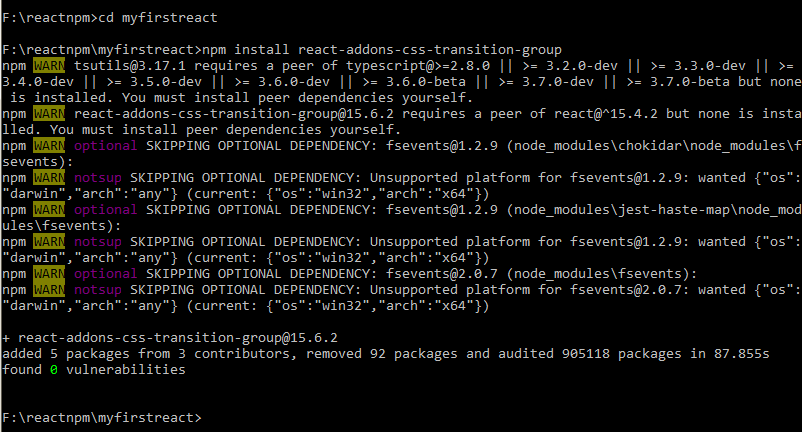
First, we require installing the CSS transition group. This is a React add-on that is used to create basic CSS transitions and animations. You have to run the following command in your command prompt window for installing it.
npm install react-addons-css-transition-group
Step2: Add a CSS file
Now, you have to add a new CSS file appnew.css and to use it in the app; you need to link it with the head element in index.html.
Index.html
<!DOCTYPE html>
<html lang="en">
<head>
<meta charset="utf-8" />
<link rel="icon" href="%PUBLIC_URL%/favicon.ico" />
<link rel="stylesheet" type="text/css" href="./appnew.css">
< meta name ="viewport" content ="width = device-width, initial-scale = 1"/>
<meta name="theme-color" content="#000000" />
<meta name="description" conten<pre class="wp-block-preformatted"><!DOCTYPE html>
<html lang="en">
<head>
<meta charset="utf-8" />
<link rel="icon" href="%PUBLIC_URL%/favicon.ico" />
<link rel="stylesheet" type="text/css" href="./appnew.css">
< meta name ="viewport" content ="width = device-width, initial-scale = 1"/>
<meta name="theme-color" content="#000000" />
<meta name="description" content="Web site created using create-react-app" />
<link rel="apple-touch-icon" href="logo192.png" />
<link rel="manifest" href="%PUBLIC_URL%/manifest.json" />
<title>React App</title>
</head>
<body>
<noscript>You have to enable JavaScript to run this app.</noscript>
<div id="root"></div>
</body>
</html> </pre>t="Web site created using create-react-app" />
<link rel="apple-touch-icon" href="logo192.png" />
<link rel="manifest" href="%PUBLIC_URL%/manifest.json" />
<title>React App</title>
</head>
<body>
<noscript>You have to enable JavaScript to run this app.</noscript>
<div id="root"></div>
</body>
</html>
Step3: Now Appear Animation
Here, we are creating a basic React component. The ReactCSSTransitionGroup element will be treated as a wrapper of the animated component. It will also use the transitionAppear and the transitionAppearTimeout, while transitionEnter and transitionLeave are false.
App.js
importReactfrom'react';
varReactCSSTransitionGroup=require('react-addons-css-transition-group');
classAppextendsReact.Component{
render(){
return(
<div>
<ReactCSSTransitionGrouptransitionName="element" transitionAppear={true}transitionAppearTimeout={5000} transitionEnter={false}transitionLeave={false}>
<h1>HelloWorld:):)</h1>
</ReactCSSTransitionGroup>
</div>
);
}
}
exportdefaultApp;
appnew.css
.element-appear {
opacity: 0.09;
}
.element-appear.element-appear-active {
opacity: 3;
transition: opacity 10000s ease-in;
}
Once the application gets started, the element starts to fade in. It is clear from the output given below:
Output:

After seconds, the output will be:

Now, let us see another example of a transition group in which we will show the Enter and Leave animations in the form of inserting and deleting the elements from the list.
Example:
App.js
import React, { Component } from 'react';
import { CSSTransitionGroup } from 'react-transition-group';
class App extends React.Component {
  constructor(props) {
  super(props);
  this.state = {names: ['Akash', 'Anup', 'Anil', 'Pawan']};
  this.insert = this.insert.bind(this);
  }
  insert() {
  const newInsertednames = this.state.names.concat([
  prompt('Enter Name of the Employee')
  ]);
  this.setState({names: newInsertednames});
  }
  delete(i) {
  let newInsertednames = this.state.names.slice();
  newInsertednames.splice(i, 1);
  this.setState({names: newInsertednames});
  }
  render() {
  const names = this.state.names.map((item, i) => (
  <div key={item} onClick={() => this.delete(i)}>
  {item}
  </div>
  ));
  return (
  <div>
  <h1>Animation Example</h1>
  <button onClick={this.insert}>Insert the name of Employees</button>
  <CSSTransitionGroup transitionName="element" transitionEnterTimeout={800} transitionLeaveTimeout={600}>
  {names}
  </CSSTransitionGroup>
  </div>
  );
  }
 }
 export default App;
appnew.css
.element-enter {
opacity: 0.03;
}
.element-enter.element-enter-active {
opacity: 1;
transition: opacity 500ms ease-in;
}
.element-leave {
opacity: 1;
}
.element-leave.element-leave-active {
opacity: 0.02;
transition: opacity 300ms ease-in;
}
Output:
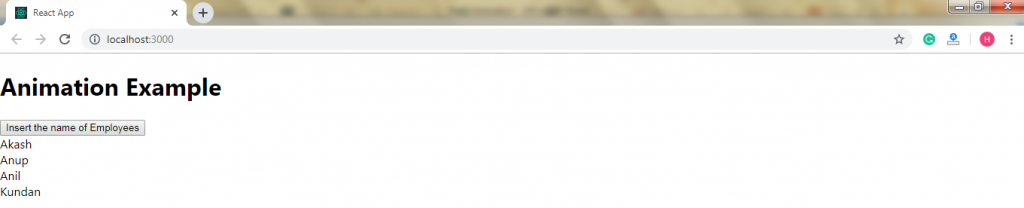
After the execution of the above program, you will get the following output:
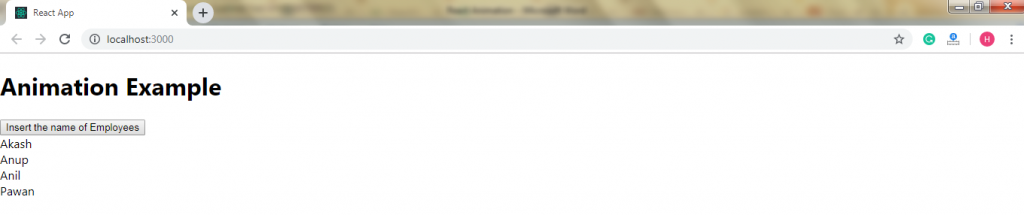
After the clicking of the button, the prompt will appear and requires the input.
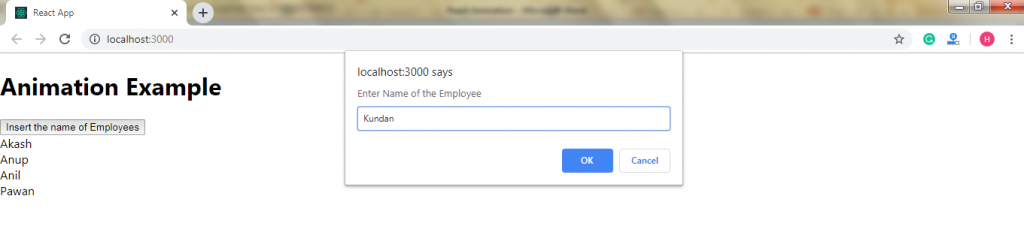
After clicking the OK button, you will see that the new element will fade in.
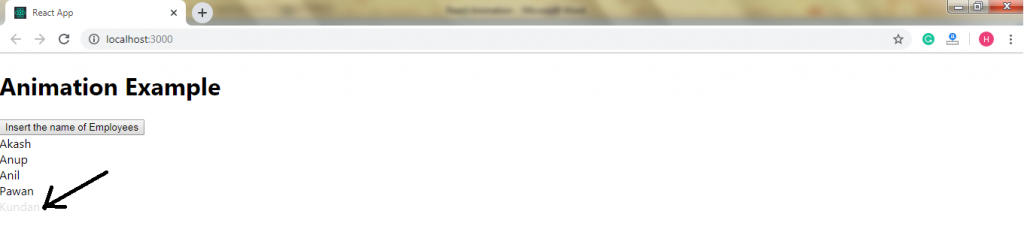
After the seconds, the element will be inserted completely.
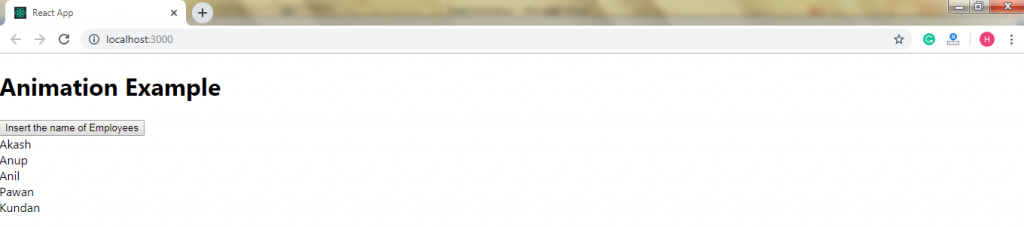
If you click on the specific element (as element3…), then the corresponding element will fade out from the list.
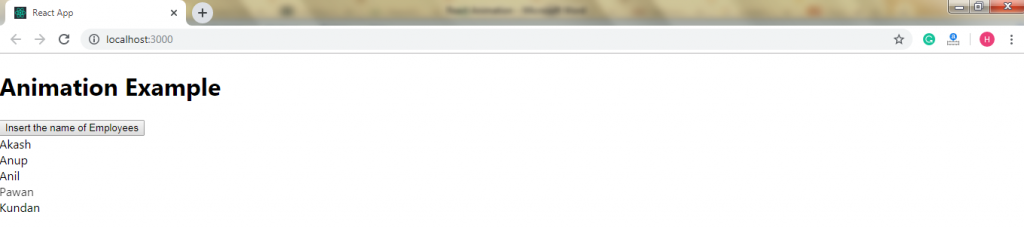
When the item gets completely disappear, then the list will be: