React Component Life-Cycle
React Component Life-Cycle
In ReactJS, the creation process of every component includes several lifecycle methods. These methods, together stated as component's lifecycle. Four phases of the component's life cycle are as follows:
- Initial Phase
- Mounting Phase
- Updating Phase
- Unmounting Phase
There are some methods in every phase of the lifecycle. Let us elaborate on these phases one by one:
Initial Phase
It is termed as the birth phase of the lifecycle of a ReactJS component. In this phase, the component includes the initial state and default props. These default properties happen in the component’s constructor. This phase occurs only once and includes the following methods:
- getDefaultProps()
It is used for specifying the default value of this.props. It invokes before the creation of the component.
- getInitialState()
It is used for specifying the default value of this.state.
Mounting Phase
In this phase, there is the creation of a component's instance and inserted it into the DOM. It includes the following methods:
- componentWillMount()
It invokes immediately before the rendering of a component into the DOM. If there is a case that you are calling setState() inside this method, the component will not be re-render.
- componentDidMount()
It invoked immediately after the rendering of a component and placed on the DOM. Now, you can perform any DOM querying operations.
- render()
It is defined in every component. It is responsible for returning the single root HTML node element. If you don’t want to render anything, you can create a null or false value.
Updating Phase
It is the next phase of the React component lifecycle. Here, we get new Props and change State. This phase also allows you to handle the interaction with the user and provide communication with the hierarchy of components. The main aim of this phase is ensuring that the component is displaying its latest version.
As a difference from the Birth or Death phase, this phase repeats again and again. It includes the following methods:
- componentWillReceiveProps()
It invokes when a component receives new props. If you require the updation of the state in response to prop changes, you have to compare this.props and nextProps for performing the state transition by using this.setState() method.
- shouldComponentUpdate()
It invokes whenever a component decided to change/update to the DOM. It allows you to control the behavior of the component and to update itself. The component will update when this method returns true. Otherwise, the component will skip updating.
- componentWillUpdate()
It invokes just before the occurring of component updation. Here, you cannot change the state of the component by invoking this.setState() method. It will not be called if the method shouldComponentUpdate() returns false.
- render()
It invokes for the examining of this.props and this.state and returns the types like React Elements, Arrays, and Fragments, Booleans or null, String, and Number. If the method shouldComponentUpdate() returns false, the code inside render() will be invoked again to ensure that the component displays itself properly.
- componentDidUpdate()
It invokes immediately after the occurring of the component's updating. In this method, you can put any code inside it which you want to execute once the occurring of updating. This method does not invoke the initial render.
Unmounting Phase
It is the final phase of the React component lifecycle. This method is called whenever the instance of the component is destroyed and unmounted from the DOM. This phase includes only one method which is given below:
- componentWillUnmount()
This method immediately invokes before a component is permanently destroyed and unmounted. It performs any necessary cleanup related tasks such as invalidating timers, event listener, canceling network requests, or cleaning up the elements of DOM. If the instance of the component is unmounted, it will not be possible to mount it again.
Example:
import React, { Component } from 'react';

class App extends Component {
  constructor(props) {
    super(props);
    this.state = { world: "World" };
    this.changeState = this.changeState.bind(this);
  }

  render() {
    return (
      <div>
        <h2>Example of ReactJS Components Lifecycle</h2>
        <p>Hello {this.state.world}</p>
        <button onClick={this.changeState}>Click Here!</button>
      </div>
    );
  }

  componentWillMount() {
    console.log('ComponentWillMOUNT!');
  }

  componentDidMount() {
    console.log('ComponentDidMOUNT!');
  }

  changeState() {
    this.setState({
      world: "All!! - It's an example of ReactJS component lifecycle."
    });
  }

  componentWillReceiveProps(newProps) {
    console.log('ComponentWillReceiveProps!');
  }

  shouldComponentUpdate(newProps, newState) {
    return true;
  }

  componentWillUpdate(nextProps, nextState) {
    console.log('ComponentWillUPDATE!');
  }

  componentDidUpdate(prevProps, prevState) {
    console.log('ComponentDidUPDATE!');
  }

  componentWillUnmount() {
    console.log('ComponentWillUNMOUNT!');
  }
}

export default App;
Output:
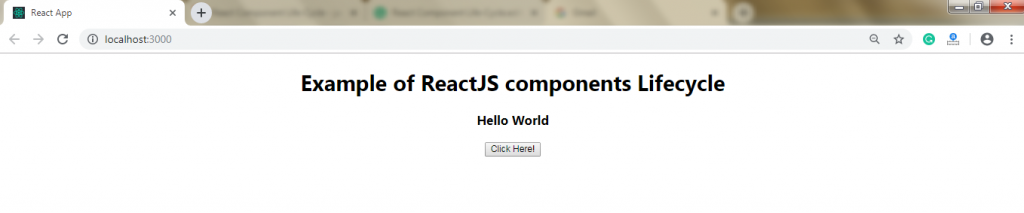
When you will click on the button, you will get the following output: