
×

React Events

React Events

An event is an action that triggers a response of the user action or system-generated event. As HTML, React can also perform actions based on user events. React has the same events as HTML: change, mouse over, click, etc.

React has its event handling system, which is much similar to handling the events on DOM elements. This React event handling system is called as Synthetic events.
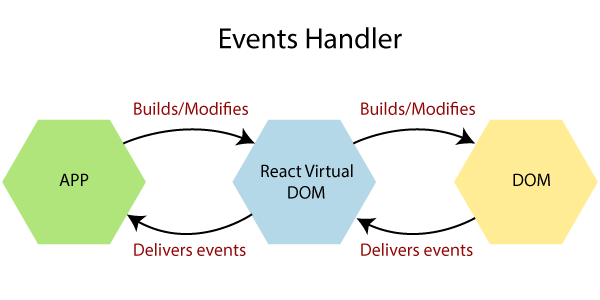
React Events

There are some differences between handling the events with react and handling the events with DOM. These are:

  1. The naming convention of the React event is in camelCase instead of lowercase.

For example:

onClick instead of onclick.

  • With JSX, a function is treated as an event handler instead of a string. 

For example:

React event handlers are written in the curly braces:

onClick= {show} instead of onclick=”show()”.

  • Declaration of Event in HTML:
 
  • Declaration of Event in React:
 
  • In react, we cannot return the false for preventing the default behavior, rather than we have to call preventDefault event for preventing the default behavior.

For example:

  • In HTML, for preventing the default link behavior to open a new page, we write as:

Hello
 
  • In React, it can be written as:
function ActionLink() {
function handleClick(e) {
e.preventDefault();
console.log('You visited a Link.');
}
return (

Hello

);
}  

Event Handler Example

The below example defines how to generate an event in React.

import React, { Component } from 'react';
class App extends React.Component {
hello() {
alert("!!!!! Hello World !!!!!");
}
render() {
return (

Event Handler Example

Click the following button to generate the event

); } } export default App;

Output:
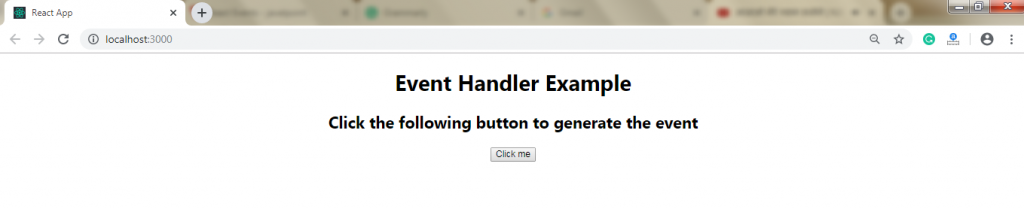
Event Handler Example

Once you click on the button, you will get the following output.
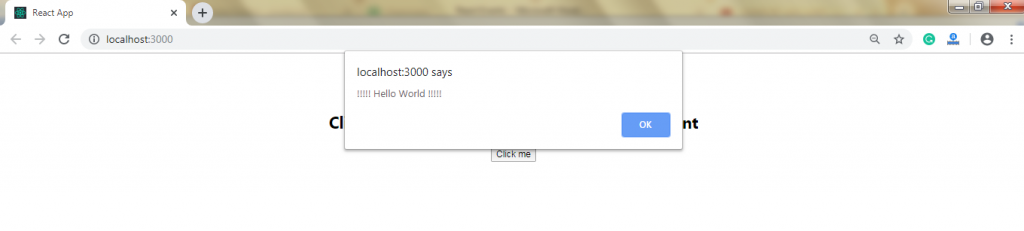
Event Handler Example

Child Event

When we require updating the state of the parent component from its child, we can create an event handler (updateState) inside the parent component, and it will pass as a prop (updateStateProp) to the child component where we can call it.

import React from 'react';
class App extends React.Component {
constructor(props) {
super(props);
this.state = {
data: 'Hello World!!!!'
} 
this.updateState = this.updateState.bind(this);
};
updateState() {
}
render() {
return (
); } } class Hello extends React.Component { render() { return (

Child Event Example

{this.props.myDataProp}

); } } export default App;

Output:

After compiling the above code, you will get the following output:

Child Event

Once you click on the button, you will get the following output:
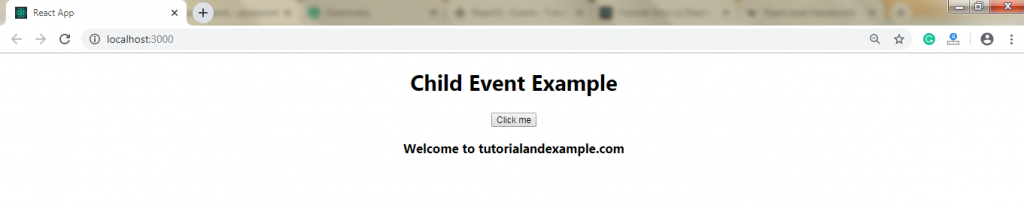
Child Event

Related Topics

React Environment Setup Step by Step

React Environment Setup This section will provide you the information about how to set up an environment for the successful development of ReactJS application: Pre-Requisite for ReactJS NodeJS and NPMReact and React DOMWebpackBabel There are two...

5 minutes read.

React Redux

How to Use Redux with React Hooks It is an open-source library of JavaScript which is used for managing the application state. React uses the Redux to build the user interface....

5 minutes read.

React CSS

What is React CSS React CSS is used to provide the style to the React applications. The style attribute adds dynamically-computed styles at render time, and it is one of the most used...

5 minutes read.

Difference between Controlled and Uncontrolled component in ReactJs

Controlled Component In the controlled component, the input of the form element is handled by the component rather than the DOM. Controlled components have the functions that govern the data, which...

2 minutes read.

React Fragments

React Fragments The fragments in React are introduced from the 16.2 and above versions. Fragments allow you to group a list of child elements without adding any extra node in the DOM. In React,...

2 minutes read.

React Code Splitting

React Code Splitting React Code Splitting is the procedure of splitting the bundle files by which the files get easily loaded on the webpage. The react application bundles the files by using...

4 minutes read.

React Table

React Table The table represents an arrangement that organizes the information in the form of rows and columns. The table is mainly used for storing and displaying the data within a structured format. Features of...

2 minutes read.

React Events

React Events An event is an action that triggers a response of the user action or system-generated event. As HTML, React can also perform actions based on user events. React has the...

2 minutes read.

Pros and Cons of ReactJS

Pros and Cons of ReactJS There are various advantages, and disadvantages of ReactJS are as follows: Benefits of ReactJS 1. Easy to Learn and Use: ReactJS is very easy to use and learn. It has a good...

3 minutes read.

React Component Life-Cycle

React Component Life-Cycle In ReactJS, the creation process of every component includes several lifecycle methods. These methods, together stated as component's lifecycle. Four phases of the component's life cycle are as...

4 minutes read.

ReactJS Tutorial

ReactJS Introduction React Tutorial helps you to understand the basic and some advanced concepts of ReactJS. As of now, it is the essential front-end library that is developed by a...

3 minutes read.

ReactJS vs AngularJS

Difference between ReactJS and AngularJS AngularJS AngularJS is the JavaScript framework that is open source, and it is also used to build a dynamic web application. It is developed in 2009 by...

5 minutes read.

ReactJS Versions

ReactJS Versions The Complete set of release history of ReactJS is elaborated as follows. The complete set of full documentation of recent releases is on GitHub. S.noVersionRelease DateExplanation1.0.3.029/05/2013Initially released for public.2.0.4.029/07/2013Supporting comments...

4 minutes read.

React Native vs ReactJS

Difference between React Native and ReactJS React Native React Native is also an open-source JavaScript framework that is used for the development of a mobile application for iOS Android and Windows. It...

6 minutes read.

Difference Between State and Props in React

Comparison between State and Props State The state is an updatable structure which is used for containing data or information about the component. The state in a component can be changed over...

2 minutes read.

React Component API

React Component API It is a top-level API. It provides reusability to the code in the application and makes it completely individual. It has several methods for: Creating Elements.Transforming Elements.Fragments. Now, we are explaining the three...

2 minutes read.

React Hooks

React Hooks The Hooks were introduced in React 16.8. By using React Hooks, you can use the state and other features of the React without writing a class. Hooks do not work within the classes....

5 minutes read.

React State

React State The state is an updatable structure which is used for containing data or information about the component. The state in a component can be changed over time. The change...

3 minutes read.

React Higher-Order Components

React Higher-Order Components In short form, Higher-Order Components are represented as HOC. The Higher-order component is an advanced technique to use component logic. HOC is a function that takes the component and returns the new...

2 minutes read.

React Components

React Components Former, the developers used to write more than thousands of lines of code to develop a single-page application. These applications follow the structure of traditional DOM, and it was very challenging to make...

2 minutes read.