×

Angular 8 App Loading

How an Angular 8 app loaded and started

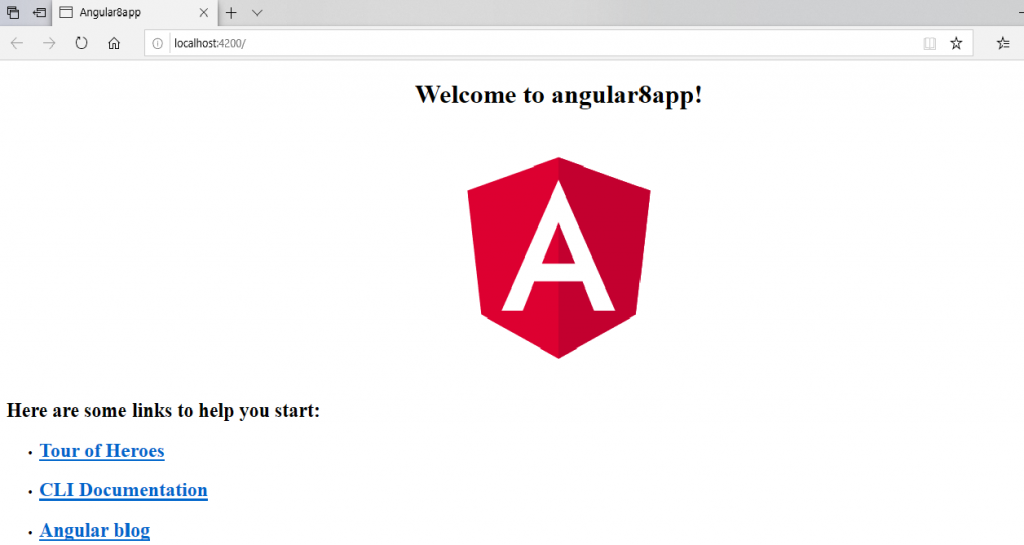
When we create an Angular app and run it by using ng serve command, it looks like the below screenshot.
Angular 8 App Loading

It is a simple Angular app created by using ng new app-name command and no editing in the app. The name of the app is angular8app.

Now, we will see how the Angular’s app is loaded and started.

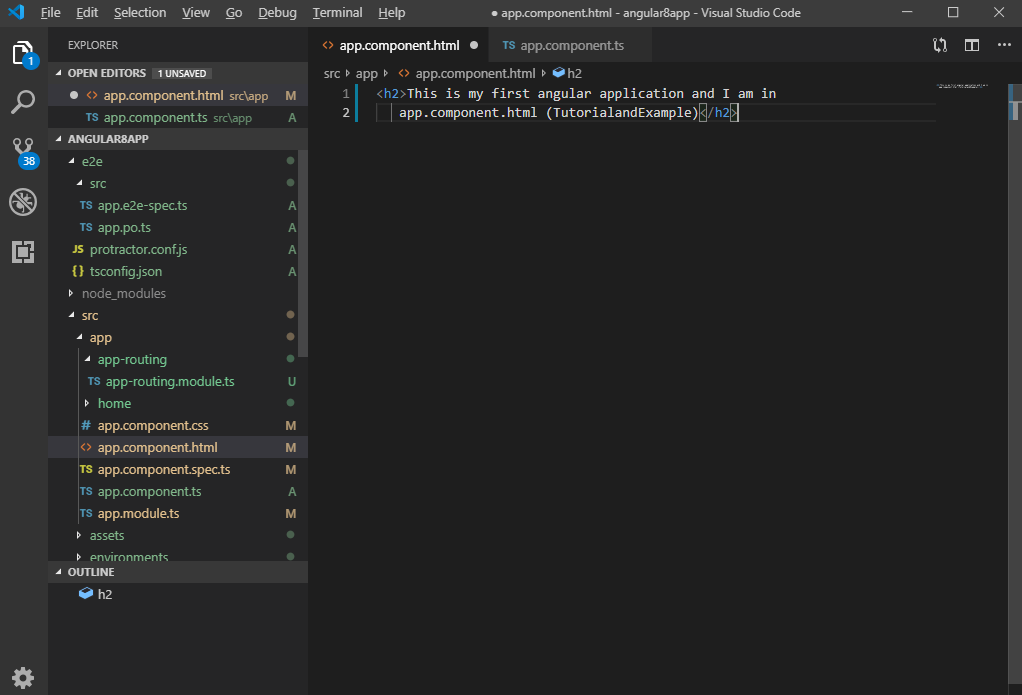
Remove all the code from the app.component.html file and write some necessary HTML code. 

For example:

<h5>This is my first angular application, and I
am in app.component.html (TutorialandExample)</h5>

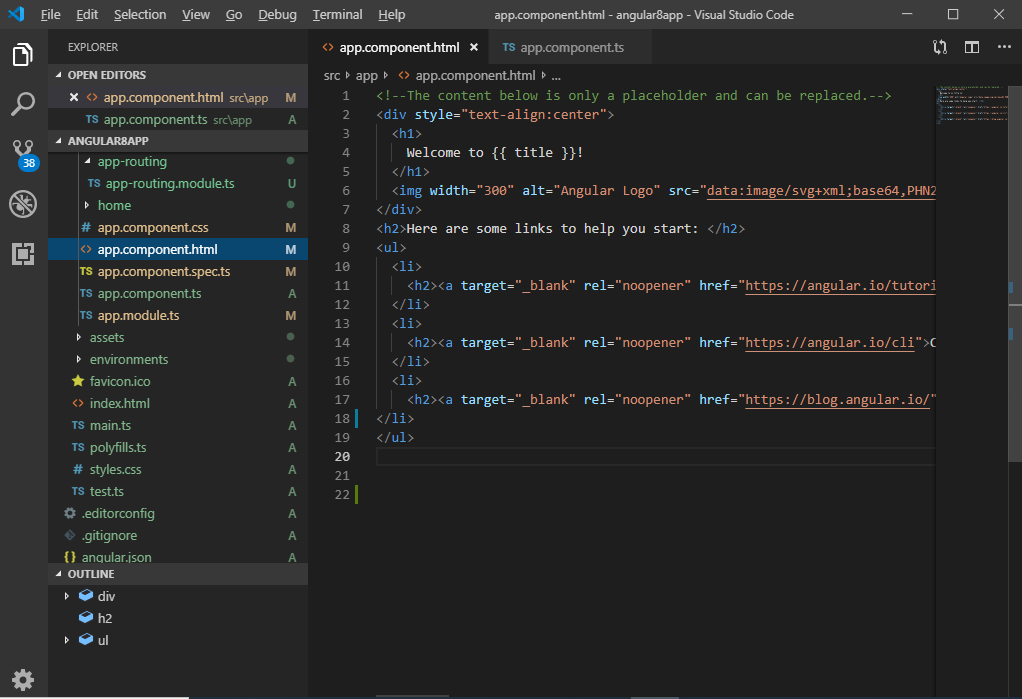
This is the default code in the app.component.html file.

When
Angular 8 App Loading

When we update it by the given code:

Angular 8 app load 2

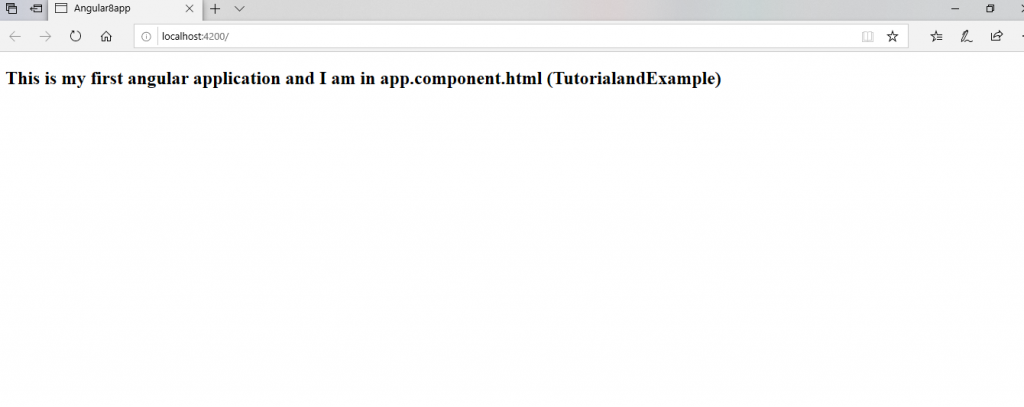
We can see it on the browser.

First angular app

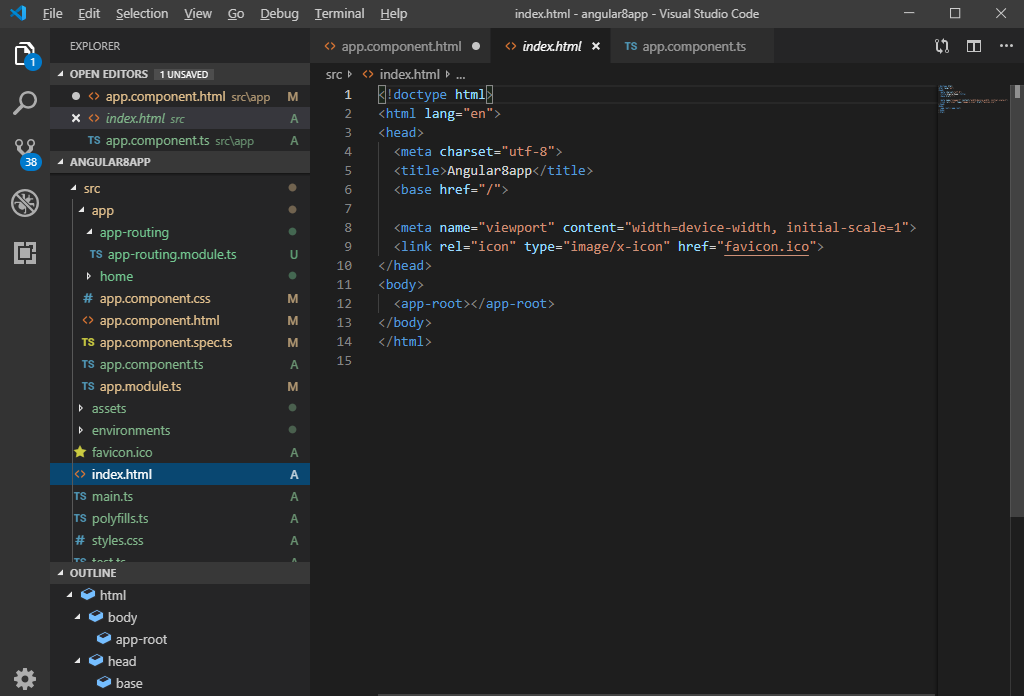
Here, the file is not served by the server. The server served an index.html file.
creating first angular 8 apps

Angular is a framework which allows creating "single-page applications," and here the index.html is a single page which was produced by the server line.

Index.html:

<!doctype html>
 <html lang="en">
 <head>
   <meta charset="utf-8">
   <title>Angular8firstapp</title>
   <base href="/"> 
   <meta name="viewport" content="width=device-width, initial-scale=1">
   <link rel="icon" type="image/x-icon" href="favicon.ico">
 </head>
 <body>
   <app-root></app-root>
 </body>
 </html> 

The above code look like a normal HTML code and here the <title> tag shows the same title in the browser as the app's title. But the <body> code is different from normal HTML code.

We can see "<app-root>” tag which is provided by the CLI. We can say that, whenever we create a project from the CLI, by default, one component is created, i.e., "app component".

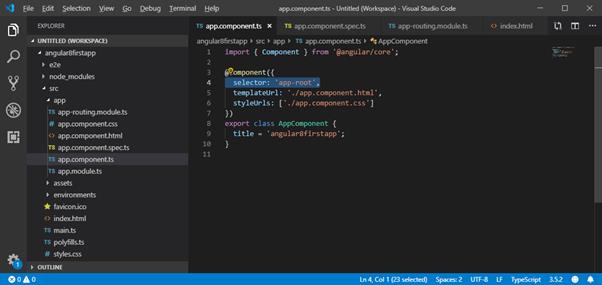
See the “app.component.ts” file. It is a Typescript file. Here, we see the “selector” property.

import { Component } from '@angular/core';
 @Component({
   selector: 'app-root',
   templateUrl: './app.component.html',
   styleUrls: ['./app.component.css']
 }) 
 export class AppComponent {
   title = 'angular8firstapp';
 } 
Creating Angular 8 APP 2

We can see that the selector property contains the string as index.html file. This information is required the Angular to place this part into an index.html file with the template of a component.

The template of the component is "./app.component.html," so, Angular includes this part into the index.html file.

Now, we see how an “app-root” is included in index.html file.

How does angular triggers?

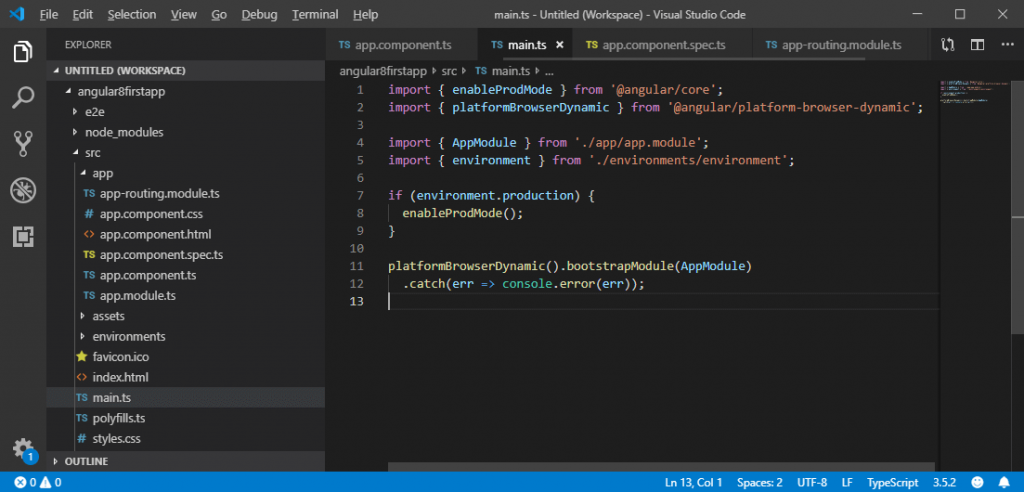
When ng-serve builds the application, it creates “bundles" and automatically adds these to index.html file at runtime. So, from these bundles, the first code has to be executed from "main.ts," i.e., "main.ts” file is the main file from where the execution of an angular application starts.

main.ts file:

import { enableProdMode } from '@angular/core';
import { platformBrowserDynamic } from '@angular/platform-browser-dynamic';
import { AppModule } from './app/app.module';
import { environment } from './environments/environment';
if (environment.production) {
  enableProdMode(); 
} 
platformBrowserDynamic().bootstrapModule(AppModule) 
  .catch(err => console.error(err)); 
angular

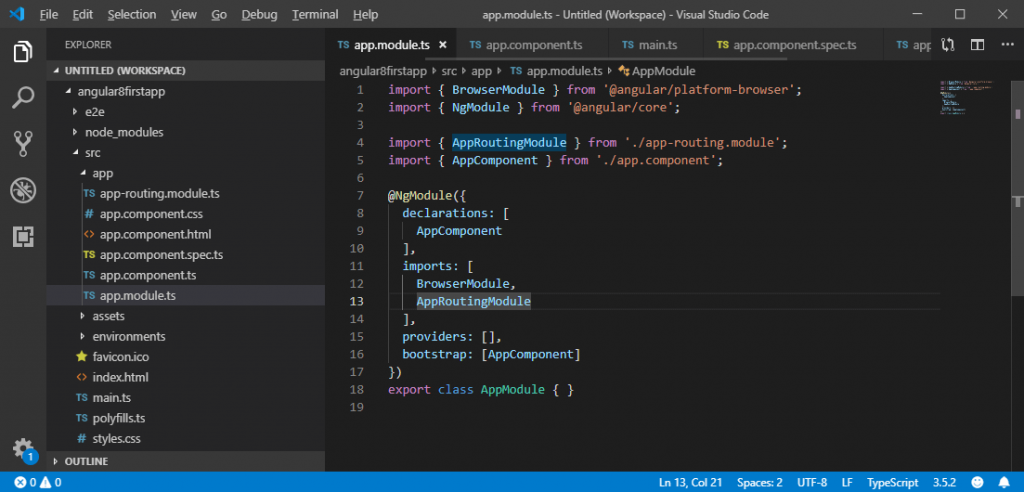
Here, the bootstrap method starts the Angular application. It refers to AppModule, which looks in the app folders. We can see in the “app.module” file that bootstrap array which is basically a list of all the components analyses the index.html file.

app.module.ts file:

import { BrowserModule } from '@angular/platform-browser';
import { NgModule } from '@angular/core';
import { AppRoutingModule } from './app-routing.module';
import { AppComponent } from './app.component'; 
@NgModule({
  declarations: [
    AppComponent
  ], 
  imports: [
    BrowserModule,
    AppRoutingModule
  ], 
  providers: [],
  bootstrap: [AppComponent]
})
export class AppModule { } 
angular app loading

Now, we can see that the angular application gets loaded as;

main.ts  >>   app.Module.ts  >> app.component.ts  >>  index.html >>  app.component.html


Related Topics

Angular 8 ngIf Directive

ngIf Directive is the part of structural directives.The NgIf is the most straightforward structural Directive and comfortable to understand. The ngIf Directives is used to add and remove HTML elements according to...

2 minutes read.

Creating first APP in Angular 8

Firstly, we have to open Git Bash and, then we have to write the following command in it. ng new my -app The project has been created now so that now we have to go...

2 minutes read.

Two-way Data Binding in Angular 8

Two-way Data Binding in Angular 8 Two-way data binding is a synchronization between the model and the view. We can use the ngModel directive in two-way data binding. Custom two-way data binding is useful...

2 minutes read.

Angular 8 Animation

What is Animation? The animation is a process of drawing, designing, making layouts, and preparation of photographic sequences which are integrated into the multimedia and gaming products. A reflection of movement created for displaying...

5 minutes read.

ngSwitch Directive in Angular 8

Angular 8 ng-Switch Directive The ng-Switch Directive hides and shows the HTML elements depending on an expression. Child elements with the ng-switch-when directive will be displayed if it gets a match; otherwise, the component and...

2 minutes read.

Angular 8 Libraries

Angular libraries are built a solution of general problems like presenting a unified user interface, presenting data, and allowing the data entry. Developers can create standard solutions for particular domains...

3 minutes read.

Angular 8 File Structure

File Structure in Angular 8: A file structure contains the files for one or more projects. A project is the set of files that comprise an application on a shareable...

3 minutes read.

History and Versions of Angular 8

Introduction to Angular JS Misko created Angular JS and the first version of Angular also name as "Angular 1". He built a framework to handle the downfalls of HTML. The first...

3 minutes read.

Dependency Injection in Angular 8

Dependency injection (DI), is an essential application design pattern. Angular 8 has its own DI framework, which used in the design of Angular application to increase efficiency and portability. Dependencies are the services that...

7 minutes read.

Angular 8 *ngFor Directive

Angular 8ngFor Directive The *ngFor directive is used to repeat to repeat a portion of HTML template once per each item from an iterable list (collection). The ngFor is an Angular...

2 minutes read.

Angular 8 changes and new features

The angular version number indicates the level of changes introduced by the release. The use of semantic versioning helps us understand the potential impact of updating to a new version. Angular is the...

5 minutes read.

Angular 8 universal

Angular 8 universal Angular Universal is a technology that allows server-side rendering for Angular apps. An angular app is a single-page app, and it runs in a client-side browser. Rendering pages in the DOM is...

6 minutes read.

Angular 8 Directives

Angular 8 Directives: Directives are instructions in the DOM (Document Object Model). It specifies how to place our business logic in Angular. The directive is markers on a DOM element...

3 minutes read.

Installation of Angular 8

Installation Guides to Angular 8 step by Step Angular combines declarative templates, dependency injection and, end to end tooling to solve development challenges. Angular empowers developers to build an application that lives on the...

4 minutes read.

Angular 8 Observables

Observables provide support for passing messages between publisher and subscription in our application. The observables can deliver the multiple values of any type like literal, messages, depending on the content. It is an...

6 minutes read.

Advantages | Disadvantages of Angular 8

Advantages of Angular 8 There are some Advantages of angular 8 which are given below: It offers clean code developmentHigher PerformanceAn angular framework can take care of routing, which...

1 minute read.

Difference between Angular and React

Difference between Angular and React Parameters AngularReactType Angular is a complete framework. React is a JavaScript library, and much older compared...

2 minutes read.

What is AOT and JIT Compiler in Angular

A program written in a high-level language is translated into machine code or a low-level language by a piece of software called a compiler. HTML templates are the primary building...

3 minutes read.

Data Binding in Angular 8

What is Binding? Binding is the process which generates the connection between the application UI and the data which comes from the business logic. In Angular, it is called the automatic synchronization of...

3 minutes read.

Scalability and Validation Forms in Angular 8

Form Validation Validation is an essential part of managing any set of forms. If we are checking for required fields or querying an external API for a username. Angular 8 provides a set of...

1 minute read.