Struts 2 Date Validator
In the struts web application, a date validator is used to check whether the entered date is within the specified range. Three parameters defined with date validator are:
- fieldName: It is used to specify the name of the field which is to be validated.
- min: This parameter is used to describe the minimum date allowed.
- max: This parameter is used to describe the maximum date allowed.
Struts Bundled Validators - date Example:
To get input from the user create the index.jsp file:
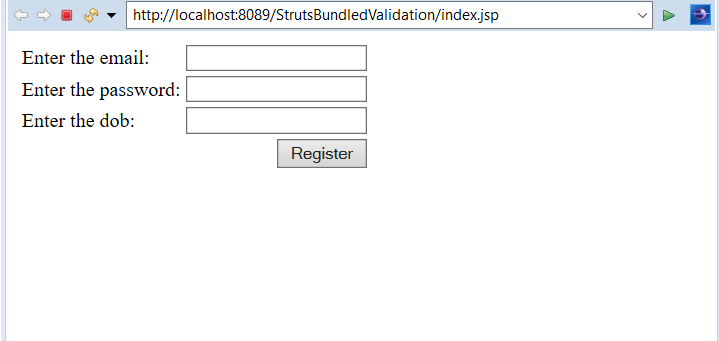
The index.jsp page takes the input from the user. The user will enter the email, password and the Date of Birth. Then after clicking on the Register button, it will redirect to the next resource. It contains three textfield and one button on the form with the link to LoginAction class
<%@ page language="java" contentType="text/html; charset=ISO-8859-1"
    pageEncoding="ISO-8859-1"%>
    <%@ taglib uri="/struts-tags" prefix="s" %>

<!DOCTYPE html PUBLIC "-//W3C//DTD HTML 4.01 Transitional//EN" "http://www.w3.org/TR/html4/loose.dtd">
<html>
<head>
<meta http-equiv="Content-Type" content="text/html; charset=ISO-8859-1">
<title>Login Page</title>
</head>
<body>
<s:form action="login">
<s:textfield name="email" label="Enter the email"></s:textfield>
<s:textfield name="pwd" label="Enter the password"></s:textfield>
<s:textfield name="dob" label="Enter the dob"></s:textfield>


<s:submit value="Register"></s:submit>
</s:form>
</body>
</html>
Create welcome.jsp file to denote success:
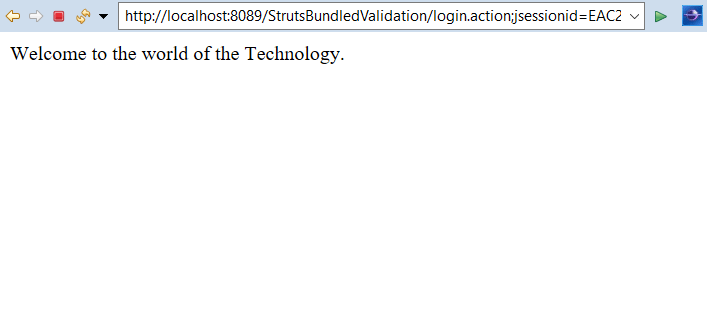
The welcome.jsp page displays Welcome to the world of the Technology when execute method return success string.
<%@ page language="java" contentType="text/html; charset=ISO-8859-1"
    pageEncoding="ISO-8859-1"%>
<!DOCTYPE html PUBLIC "-//W3C//DTD HTML 4.01 Transitional//EN" "http://www.w3.org/TR/html4/loose.dtd">


<html>
<head>
<meta http-equiv="Content-Type" content="text/html; charset=ISO-8859-1">
<title>Welcome page</title>
</head>
<body>
Welcome to the world of the Technology.
</body>
</html>
Create error.jsp file to denote failure:
The error.jsp page displays Sorry wrong Email, Password or DOB!!! on failure. When the execute() method returns an error, this page executes.
<%@ page language="java" contentType="text/html; charset=ISO-8859-1"
    pageEncoding="ISO-8859-1"%>
<!DOCTYPE html PUBLIC "-//W3C//DTD HTML 4.01 Transitional//EN" "http://www.w3.org/TR/html4/loose.dtd">
<html>
<head>
<meta http-equiv="Content-Type" content="text/html; charset=ISO-8859-1">
<title>Error page</title>
</head>
<body>
Sorry wrong Email, Password or DOB !!!
</body>
</html>
Create the action class LoginAction.java:
The Action class LoginAction.java contains three fields email, dob, and password with their getter and setters. It contains the execute method. On success, it will go to the welcome.jsp page otherwise on error it will redirect to error.jsp.
import java.util.Date;


import com.opensymphony.xwork2.ActionSupport;


public class LoginAction extends ActionSupport
{
private String email;
private String pwd;
private Date dob;

public String getEmail() {
return email;
}
public void setEmail(String email) {
this.email = email;
}
public String getPwd() {
return pwd;
}
public void setPwd(String pwd) {
this.pwd = pwd;
}
public Date getDob() {
return dob;
}
public void setDob(Date dob) {
this.dob = dob;
}

@Override
public String execute() throws Exception {
return "success";
}
}
web.xml file is created inside WEB-INF folder in WebContent folder:
The web.xml file defines how elements are processed. The entry of FilterDispatcher is done in the web.xml file. This file is created in WebContent->WEB-INF folder. /* specifies all urls will be parsed. This task is done by struts filter.
<?xml version="1.0" encoding="UTF-8"?>
<web-app xmlns:xsi="http://www.w3.org/2001/XMLSchema-instance" xmlns="http://java.sun.com/xml/ns/javaee" xsi:schemaLocation="http://java.sun.com/xml/ns/javaee http://java.sun.com/xml/ns/javaee/web-app_3_0.xsd" id="WebApp_ID" version="3.0">
  <display-name>StrutsBundledValidation</display-name>
  <welcome-file-list>
    <welcome-file>index.html</welcome-file>
    <welcome-file>index.htm</welcome-file>
    <welcome-file>index.jsp</welcome-file>
    <welcome-file>default.html</welcome-file>
    <welcome-file>default.htm</welcome-file>
    <welcome-file>default.jsp</welcome-file>
  </welcome-file-list>
  <filter>
    <filter-name>struts2</filter-name>
    <filter-class>
    org.apache.struts2.dispatcher.ng.filter.StrutsPrepareAndExecuteFilter
   </filter-class>
  </filter>
  <filter-mapping>
    <filter-name>struts2</filter-name>
    <url-pattern>/*</url-pattern>
  </filter-mapping>
</web-app>
Construct struts.xml file:
In the struts.xml file, make the entry of the action class LoginAction and link for it and result pages. The result determines what browser will display after the execution of the action. Results have optional names like success, input and error.
<?xml version="1.0" encoding="UTF-8" ?>
<!DOCTYPE struts PUBLIC "-//Apache Software Foundation//DTD Struts
Configuration 2.1//EN" "http://struts.apache.org/dtds/struts-2.1.dtd">
<struts>
<package name="default" extends="struts-default">

<action name="login" class="LoginAction">
<result name="success">welcome.jsp</result>
<result name="error">error.jsp</result>
<result name="input">index.jsp</result>
</action>
</package>
</struts>
Create the validation file:
Create the LoginAction-Validation.xml file to validate email, DOB, and password length. It allows the date to be entered between a specified range.
<?xml version="1.0" encoding="UTF-8"?>

  <!DOCTYPE validators PUBLIC
        "-//OpenSymphony Group//XWork Validator 1.0.2//EN"
        "http://www.opensymphony.com/xwork/xwork-validator-1.0.2.dtd">

        <validators>

        <field name="email">
        <field-validator type="requiredstring">
        <message>Email can not be blank</message>
        </field-validator>
        <field-validator type="email">
        <message>Email entered is wrong...Please, Enter correct email.</message>
        </field-validator>
        </field>

        <field name="pwd">
        <field-validator type="requiredstring">
        <message>Password can't be blank</message>
        </field-validator>
        <field-validator type="stringlength">
        <param name="minLength">6</param>
        <param name="maxLength">10</param>
        <message>Password must be greater than or equal to 6 and less than or equal to 10</message>
        </field-validator>
        </field>

          <field name="dob">
        <field-validator type="date">
        <param name="min">01/01/1950</param>
        <param name="max">01/01/2002</param>

        <message>Date of Birth must be between ${min} to ${max}</message>
        </field-validator>
        </field>


        </validators>
Output:
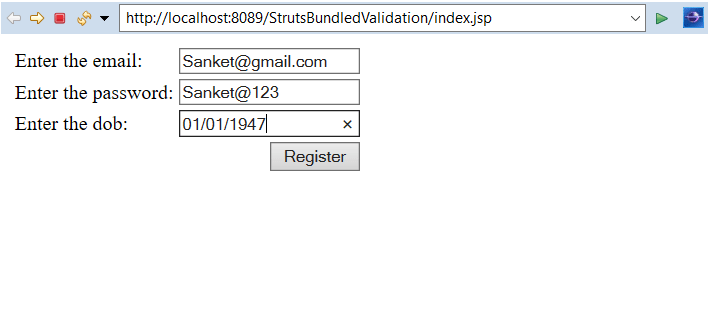
In order to run the application, right-click on the project -> Click on the option Run As -> then select Run on Server. It will show three labels for entering the email, DOB and password, and the Register button.
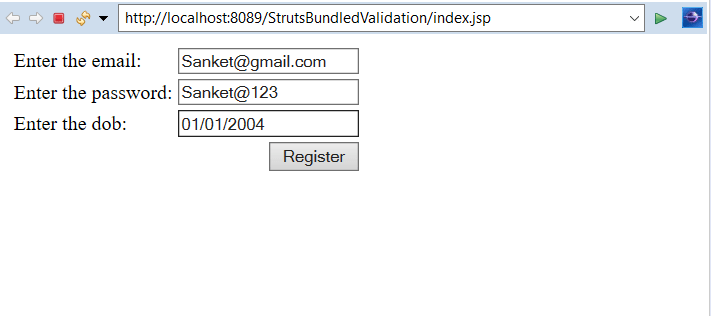
Enter any email and enter the password whose length is between 6 and 10 and date after 01/01/2002
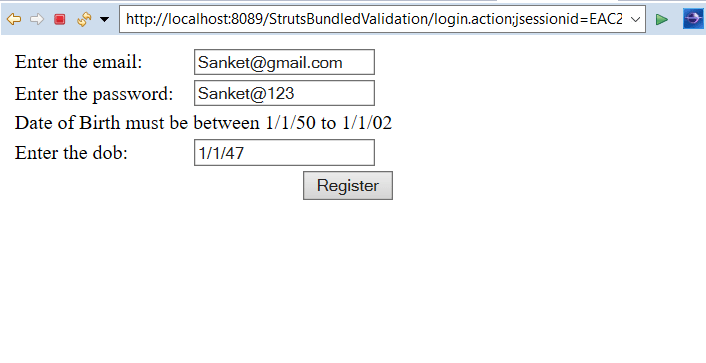
As the date is not within the range, the error message will display.
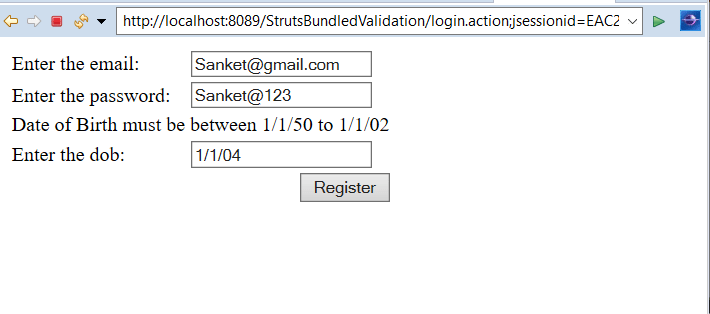
Again run the application. This time enter any email, password and enter the date before 01/01/1950
As the date is not within the range, the error message will display.
Again run the application. This time enter any email and enter a password whose length is greater than 6 and less than 10. Enter the date within the range 01/01/1950 to 01/01/2002
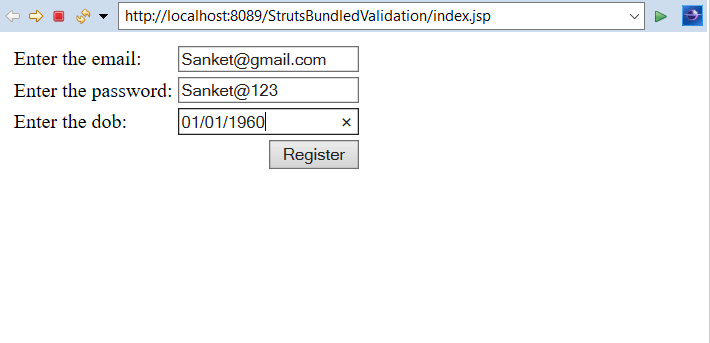
As the email, DOB and password are entered correctly, execute method will return a success string. It will redirect to page welcome.jsp and display a Welcome message.