Struts 2 Generator tag
The generator tag in struts is used to iterate over the collection of elements provided by the val attribute. It allows us to iterate through every element and perform the required operation on each element like printing each element.
Struts Control tags- Generator tag Example:
To get input from the user create the index.jsp file:
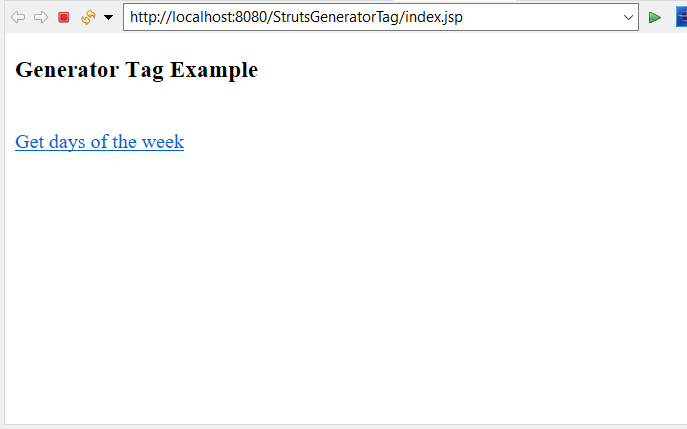
The index.jsp page has heading Generator Tag Example to view days of the week with display name Get days of the week after clicking on the link it will redirect to GeneratorTag class having execute() method.
<%@ page language="java" contentType="text/html; charset=ISO-8859-1"
    pageEncoding="ISO-8859-1"%>
<!DOCTYPE html PUBLIC "-//W3C//DTD HTML 4.01 Transitional//EN" "http://www.w3.org/TR/html4/loose.dtd">
<html>
<head>
<meta http-equiv="Content-Type" content="text/html; charset=ISO-8859-1">
<title> Index page </title>
</head>
<body>
<h3> Generator Tag Example </h3>
<br>
<a href="hello"> Get days of the week </a>
</body>
</html>
Create welcomes.jsp file to denote success:
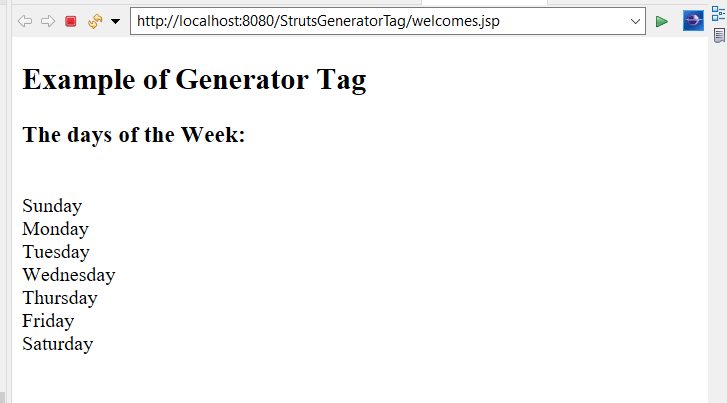
The welcome.jsp page is used to display All days of the week according to the specified count. The val attribute specifies days of the week and display each of them on next line separated by ,
<%@ page language="java" contentType="text/html; charset=ISO-8859-1"
    pageEncoding="ISO-8859-1"%>
<!DOCTYPE html PUBLIC "-//W3C//DTD HTML 4.01 Transitional//EN" "http://www.w3.org/TR/html4/loose.dtd">
<html>
   <head>
      <title> welcome page </title>
   </head>

   <body>
      <h2> Example of Generator Tag </h2>
      <h3> The days of the Week : </h3>


      <s:generator val = "%{'Sunday, Monday, Tuesday, Wednesday, Thursday, Friday, Saturday'}" count = "7" separator = ",">
         <s:iterator>
            <s:property />
           <br/>
         </s:iterator>
      </s:generator>

   </body>
</html>
Create error.jsp file to denote failure:
The error.jsp page will display Sorry something went wrong !!! if something went wrong.
<%@ page language="java" contentType="text/html; charset=ISO-8859-1"
    pageEncoding="ISO-8859-1"%>
<!DOCTYPE html PUBLIC "-//W3C//DTD HTML 4.01 Transitional//EN" "http://www.w3.org/TR/html4/loose.dtd">
<html>
<head>
<meta http-equiv="Content-Type" content="text/html; charset=ISO-8859-1">
<title> Insert title here </title>
</head>
<body>
Sorry something went wrong !!!
</body>
</html>
Create the class to include execute method:
The GeneratorTag class contains execute() method which returns a success string if all the things are executed properly.
public class GeneratorTag
{

public String execute() throws Exception
{
      return "success";
}
}
Construct struts.xml file:
In the struts.xml file, make the entry of the action class and link for it and result pages. The result determines what browser will display after the execution of the action. Results have optional names like success and error. On success, it will redirect to welcome.jsp page and on error, it will redirect to error.jsp page.
<?xml version="1.0" encoding="UTF-8" ?>
<!DOCTYPE struts PUBLIC "-//Apache Software Foundation//DTD Struts Configuration 2.1//EN" "http://struts.apache.org/dtds/struts-2.1.dtd">
<struts>
   <constant name = "struts.devMode" value = "true" />
   <package name = "helloworld" extends = "struts-default">

      <action name = "hello"
         class = "GeneratorTag"
         method = "execute">
         <result name = "success"> /welcomes.jsp </result>
          <result name = "error"> /error.jsp </result>

      </action>
   </package>
</struts>
web.xml file is created inside WEB-INF folder in WebContent folder:
The web.xml file in the WEB-INF folder specify how elements are processed. The entry of FilterDispatcher is done in the web.xml file. /* specifies all urls will be parsed. This task is done by struts filter.
<?xml version="1.0" encoding="UTF-8"?>
<web-app xmlns:xsi="http://www.w3.org/2001/XMLSchema-instance" xmlns="http://java.sun.com/xml/ns/javaee" xsi:schemaLocation="http://java.sun.com/xml/ns/javaee http://java.sun.com/xml/ns/javaee/web-app_3_0.xsd" id="WebApp_ID" version="3.0">
  <display-name>StrutsDatabase</display-name>
  <welcome-file-list>
    <welcome-file>index.html</welcome-file>
    <welcome-file>index.htm</welcome-file>
    <welcome-file>index.jsp</welcome-file>
    <welcome-file>default.html</welcome-file>
    <welcome-file>default.htm</welcome-file>
    <welcome-file>default.jsp</welcome-file>
  </welcome-file-list>
  <filter>
    <filter-name>struts2</filter-name>
    <filter-class>
    org.apache.struts2.dispatcher.ng.filter.StrutsPrepareAndExecuteFilter
   </filter-class>
  </filter>
  <filter-mapping>
    <filter-name>struts2</filter-name>
    <url-pattern>/*</url-pattern>
  </filter-mapping>
</web-app>
Output:
In order to run the application, right-click on the project -> Click on the option Run As -> then select Run on Server. It will show a heading Generator Tag Example and link to view all days of the week with the display name Get days of the week.
After Clicking on the Get days of the week link it will show all the days of the week as we have mentioned the count as 7. It will display Sunday, Monday, Tuesday, Wednesday, Thursday, Friday, Saturday on a separate line. As the execute method returns the success string, welcomes.jsp page gets executed and along with heading, Example of Generator Tag, The days of the week are displayed by using iterator.
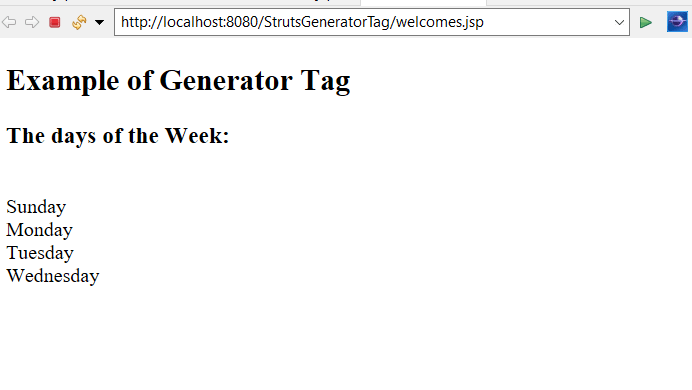
Again run the application and this time mention the count in welcomes.jsp page as 4. Then it will show the first four days of the week as Sunday, Monday, Tuesday, Wednesday.
Modify the generator tag in welcomes.jsp page as,
<s:generator val = "%{'Sunday, Monday, Tuesday, Wednesday, Thursday, Friday, Saturday'}" count = "4" separator = ",">
         <s:iterator>
            <s:property />
           <br/>
         </s:iterator>
      </s:generator>
The output will show only 4 days of the week.