Excel VBA: If … ElseIf … Else statement
If … ElseIf … Else statement
This function enables you to check two conditions and, based on that, then run one of the three statement blocks present. If the ‘IF’ condition is TRUE, IF statement and condition will run if it is FALSE, then the program will check the ‘ELSEIF’ condition. If it is also false, i.e., not applicable, the else statement will come in the loop. This statement will always have a closing ‘END IF’ statement else, VBA will give an error.
Syntax
If <Condition1> Then
     <Statements1>
 ,
 ElseIf <Condition2> Then
     <Statement2>
 ,
 Else
     <Statement>
 ,
 End If
Example 1: Write a macro, to check whether the user number entered by the user is positive, negative or equal to zero.
Sub If_ElseIf_Else_Example1()
     'Variable declaration
     Dim Number As Integer
     'Accepting the number by the user
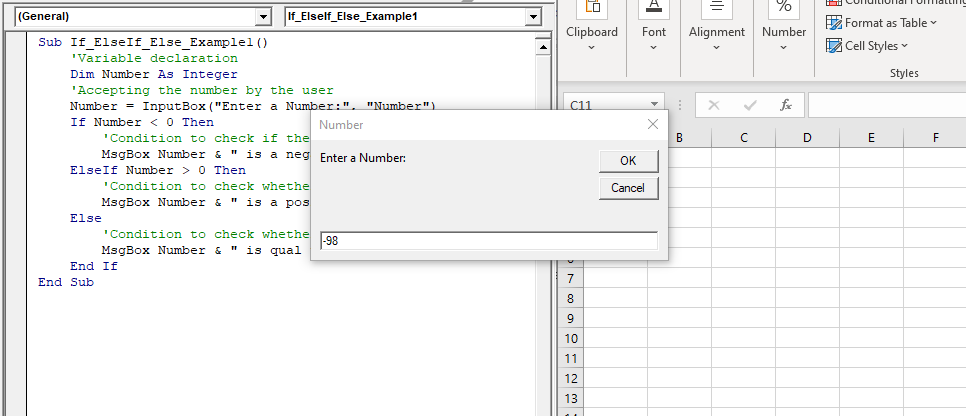
     Number = InputBox("Enter a Number:", "Number")
     If Number < 0 Then
         'Condition to check if the number is negative i.e., less than zero
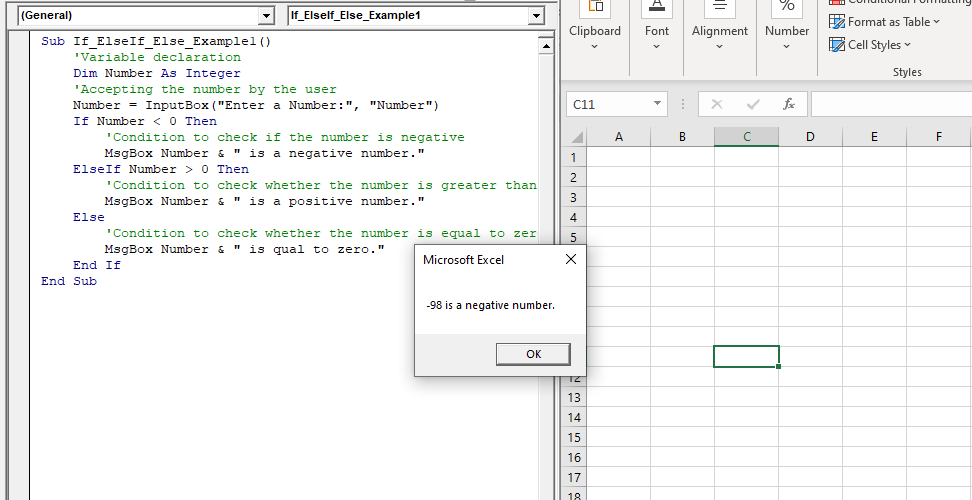
         MsgBox Number & " is a negative number."
     ElseIf Number > 0 Then
         'Condition to check whether the number is greater than zero
         MsgBox Number & " is a positive number."
     Else
         'Condition to check whether the number is equal to zero
         MsgBox Number & " is equal to zero."
     End If
 End Sub
Output
Example 2
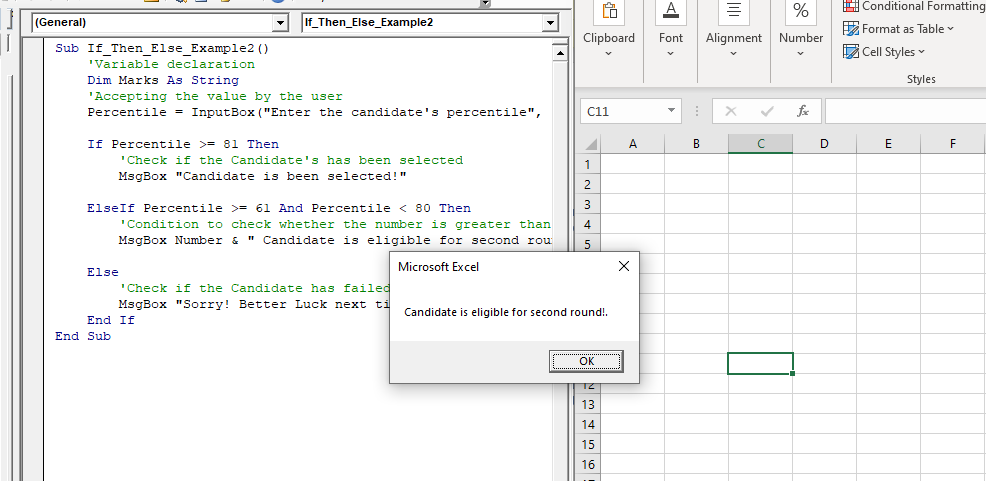
Sub If_Then_Else_Example2()
     'Variable declaration
     Dim Marks As String
     'Accepting the value by the user
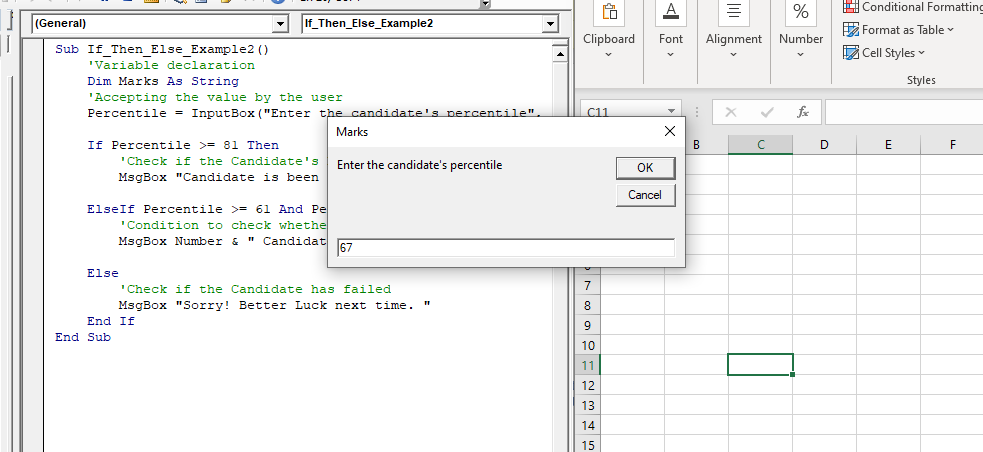
     Percentile = InputBox ("Enter the candidate's percentile", "Marks")
     If Percentile >= 81 Then
         'Check if the Candidate's has been selected
         MsgBox "Candidate is been selected!"
     ElseIf Percentile >= 61 And Percentile < 80 Then
         'Condition to check whether the number is greater than zero
         MsgBox Number & " Candidate is eligible for second round!."
     Else
         'Check if the Candidate has failed
         MsgBox "Sorry! Better Luck next time. "
     End If
 End Sub
Output