
Node.js Console
Node.js Console: Like the JavaScript console mechanism, a console module is designed for Node.js that provides a debugging console for writing or printing messages.
Usually, in JavaScript, a console mechanism is used to write or print messages in console to understand specific functionality. Like this, we have a console module designed for Node.js to trace the functionality of specific activity by printing messages at discrete points.
There are two specific components exported by the console module, which are as follows:
- Console class: A console class contains methods that can be used to write any Node.js stream. These methods include console.log(), console.error(), and console.warn().
- Global console: A global console object is designed to write stdout and stderr. It can be utilized without calling require('console'). The writes of the Global console object's methods can vary from synchronous to asynchronous liable on what the stream is connected to and whether the operating system used is Windows or POSIX.
Global Console Instance in Node.js
Let us understand the concept behind the Node.js Console Object with an example. Here, we have made a simple logging program called 'global_console.js' to understand the global console's functioning.
File: global_console.js
console.log('hello world');
// Prints: hello world, to stdout
console.log('hello %s', 'world');
// Prints: hello world, to stdout
console.error(new Error('System has detected an Error'));
// Prints: [Error: System has detected an Error], to stderr
const name = 'Suhail Khan';
console.warn(`Danger ${name}! Danger!`);
// Prints: Danger Suhail Khan! Danger!, to stder
As we can observe from the above code, we've written messages to node.js stream by utilizing global console object methods, which include console.log(), console.error(), and console.warn(). Here, we are retrieving the global console object deprived of being imported using the require() directive.
To see the output of the above program, we'll be using a Node.js Interpreter and navigate it to the folder containing our 'global_console.js' file and type –
node file_name.js
(e.g., node global_console.js)
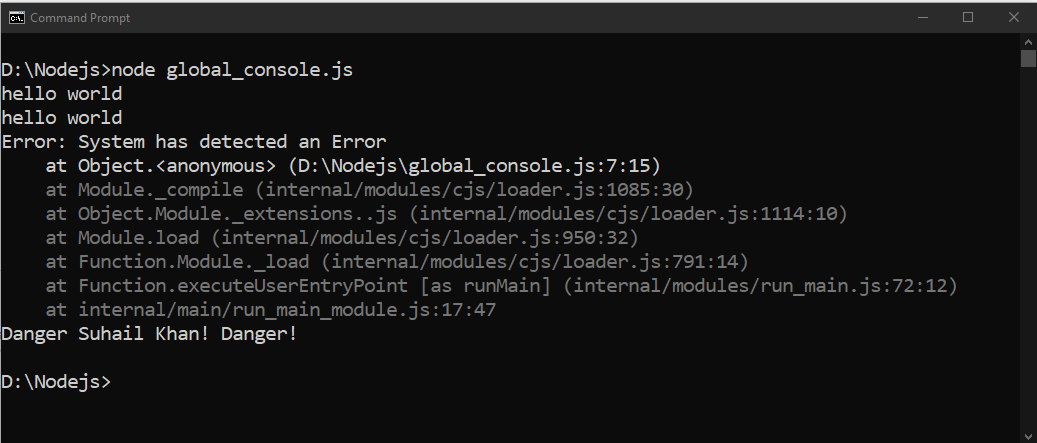
As we can observe that we can write the required messages to node.js stream by utilizing the global console instance to trace down the functionality of any required activity.
Console Class in Node.js
The Console class of Node.js can be utilized to design a simple logging program with configurable output streams and can be retrieved by utilizing either 'require('console').Console' or 'console.Console'.
Let us understand this concept of using Console class with an example given below. Here, we've created a .js file called 'console_class.js' and type the following program.
File: console_class.js
const fs = require('fs')
const out = fs.createWriteStream('./stdout.log');
const err = fs.createWriteStream('./stderr.log');
const myConsole = new console.Console(out, err);
myConsole.log('hello world');
// Prints: hello world, to out
myConsole.log('hello %s', 'world');
// Prints: hello world, to out
myConsole.error(new Error('An Unexpected Error occurs'));
// Prints: [Error: An Unexpected Error occurs], to err
const name = 'Suhail Khan';
myConsole.warn(`Danger ${name}! Danger!`);
// Prints: Danger Suhail Khan! Danger!, to err
In above code, we've created a Console class using 'console.Console'. Now, we will run the 'console_class.js' file in node.js interpreter to see the output.
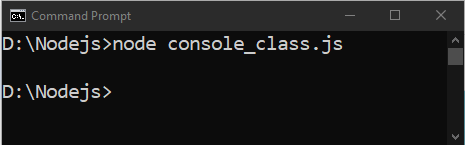
The following node.js example will make the log files (stdout and stderr) in the folder where the 'console_class.js' file is present with the messages entered demonstrated as follows:

Console Methods in Node.js
Apart from console.log(), console.error(), and console.warn(); there is a list of methods available in Node.js with the global console instance.
| S.No. | Method | Description |
| 1 | console.log([data][, …]) | It is used to print the messages on the console. It prints stdout with a newline. |
| 2 | console.info([data][, …]) | It is also used to write the messages on the console, and the purpose is an alias for console.log(). |
| 3 | console.error([data][, …]) | It is used to display the error messages on the console and prints to stderr with a newline. |
| 4 | console.warn([data][, …]) | It is used to display the warning messages on the console and prints to stderr with a newline. |
| 5 | console.dir(obj[, …]) | It uses util.inspect() method on obj and prints the resulting string to stdout. |
| 6 | console.time(label) | It begins the time to compute the duration of an operation. |
| 7 | console.timeEnd(label) | It ends the time that is formally begun by console.time(). |
| 8 | console.trace(message[, …]) | It is utilized to stack trace to the present location in the code and prints strerr the string 'Trace: ', followed by the formatted message. |
| 9 | console.assert(value[, …]) | It is used to write a message if a value is false or omitted. |
| 10 | console.clear() | It is used to clear the history of the console. |