JSP Custom Tag

JSP custom tag provides flexibility to programmers, to declare their own tag. Thus, a user-defined tag can be created through custom tags to perform various operations.

These custom tags behave as operations on tag handler when JSP page is translated into servlet. These operations are invoked by web container when servlet of JSP page is executed.

How to create Custom Tag?

These are the steps that you need to follow to create custom tag: -

  • Tag Handler class – Create a tag handler class with .java extension. This class is used to perform operations of custom tag.
  • JSP file – Create a JSP file and include a tag library in it.
  • TLD file – It is required to create tag library file (i.e. TLD file) in WEB-INF directory of your project. This file is represented by .tld extension.

It is required to add both external jars i.e. jsp-api.jar and servlet-api.jar in classpath of your project before deploying the application.

Example of JSP Custom Tag

In this example,

customTagHandler.java

package com.tutorialandexample;
import javax.servlet.jsp.tagext.*;
import javax.servlet.jsp.*;
import java.io.*;
public class CustomTagHandler extends SimpleTagSupport {
public void doTag() throws JspException,IOException
{
JspWriter jw=getJspContext().getOut();
jw.println("JSP Custom Tag"); } }

Here, javax.servlet.jsp.tagext.* package contains all the classes that support custom tags and the role of SimpleTagSupport is to provide methods through which JSPWriter object can be accessed.

index.jsp  

<%@ taglib uri="WEB-INF/xyz.tld" prefix="m" %>

xyz.tld


1.0
2.0
MyCustom

message
com.tutorialandexample.CustomTagHandler
empty

Here, the name of tag (message) is given within the tag and the full name of class is given within the tag. The value “empty” given within means it doesn’t contain any body.

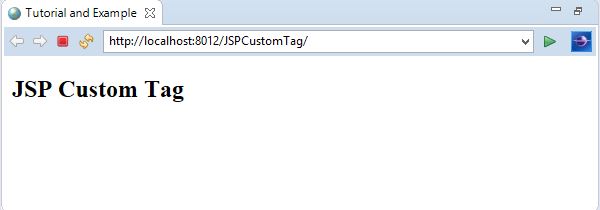
Output

Note – We can also provide body and attribute within custom tags.


Related Topics

JSP Implicit Objects

In JSP, implicit objects are pre-defined objects, created by the web container. These objects are created during the translation phase from JSP to Servlet. JSP allows you to call these...

1 minute read.

JSP Life Cycle

JSP life cycle The life cycle of JSP page internally implemented as a Servlet. These are the following stages through which a JSP page has to pass: Translation – This is an...

2 minutes read.

JSP Comments

JSP provides separate tag for comment section. The content inside these tag is completely ignored by JSP engine.    The syntax of comment tag is mentioned below. <%-- This is a comment...

1 minute read.

JSP Scriptlet Tag

JSP scriptlet tag allows you to insert programming logic inside JSP page. Hence, you can put valid Java code within scriptlet tags. Each Java statement must be followed by a...

1 minute read.

JSTL Formatting Tags

In JSTL, the role of formatting tag is to specify the type of format that represents date and time. The following syntax represent the URL of formatting tag: - <%@ taglib...

1 minute read.

JSP Tutorial

Java Server Pages (JSP) is a server-side technology used to create static and dynamic web applications. The static content is expressed by text-based format files such as HTML, XML, SVG...

2 minutes read.

JSP Include Directive

As the name implies, include directive is used to include the content of other files such as HTML, JSP, text into the current JSP page. These files are included during...

1 minute read.

JSP session

In JSP, session object is used to establish a connection between a client and a server. It maintains the state between them so that server recognize the user easily. The session...

1 minute read.

JSP Declaration Tag

JSP declaration tag is used to declare variables and methods in JSP page. Unlike scriptlet tag, JSP container placed the content of declaration tag outside the jspService() method. So, variables...

1 minute read.

JSP config

JSP config object is used to send the configuration information to JSP page. Here, config is an instance of servlet's ServletConfig interface. In this case, the information is send to...

1 minute read.

JSP exception

Like Java, exceptions can also be occurred in JSP. To handle these exceptions, JSP exception object is used. Handling exceptions in JSP using exception object is much easier approach. This...

1 minute read.

JSP out

In JSP, out is an implicit object that is associated with the response object. This object is used to write content to the output stream. Methods of JSP out Following are...

1 minute read.

JSP Expression Tag

JSP expression tag allows you to place the result of Java expression in a convenient way. It can be seen as an alternative of out.print() method. Thus, if we want to...

1 minute read.

JSP application

JSP application object is an instance of servlet's ServletContext interface. It is used initialize parameter of one or more JSP pages in an application. Thus, the scope of application object...

1 minute read.

JSP Page Directive

JSP page directive provides various attributes with unique properties. These attributes can be applied to an entire JSP page. The syntax of Page directive is as follows: - <@page attribute="value"> Page directive...

3 minutes read.

JSP Custom Tag

JSP custom tag provides flexibility to programmers, to declare their own tag. Thus, a user-defined tag can be created through custom tags to perform various operations. These custom tags behave as...

2 minutes read.

JSP page

In JSP, the purpose of page object is to create the servlet instance. The role of page object is similar to this keyword in Java. The page object represents the entire...

1 minute read.

JSP Expression Language

JSP introduced the concept of expression language (EL) in JSP 2.0 version. The purpose of expression language is to access and manipulate data easily without using any type of scriptlet. Why...

1 minute read.

Scripting in JSP

JSP scripting provides an easy and efficient way to insert Java programming language in JSP pages. Here, Java is a default language. JSP also allows you to use any other...

1 minute read.

JSTL Core Tags

In JSTL, core tags are most frequently used tags that provides variable support, manages URL and control the flow of JSP page. To use JSTL it is required to associate...

2 minutes read.