Struts 2 exception Interceptor
In the struts web application, an exception may occur at any point. This exception should be handled properly. The global exception handling feature is provided by struts. With the help of this, we can display the global result to the user. It will redirect to an error page, when an exception is occurred.
Struts exception Interceptor Example:
In order to get input from the user create index.jsp file:
The index.jsp page is created in order to take input from user. User have to enter the name and password and then after clicking on the login button, it will redirect to the next resource.
<%@ taglib uri="/struts-tags" prefix="s"  %>
<s:form action="login">
<s:textfield name="name" label="Enter Name"></s:textfield>
<s:password name="password" label="Enter Password"></s:password>
<s:submit value="login"></s:submit>
</s:form>
Create login-success.jsp file to denote success:
login-success.jsp page displays welcome and username on success.
<%@ taglib uri=”/struts-tags” prefix="s"  %>


Welcome, <s:property value="name"/>
Create login-error.jsp file to denote failure:
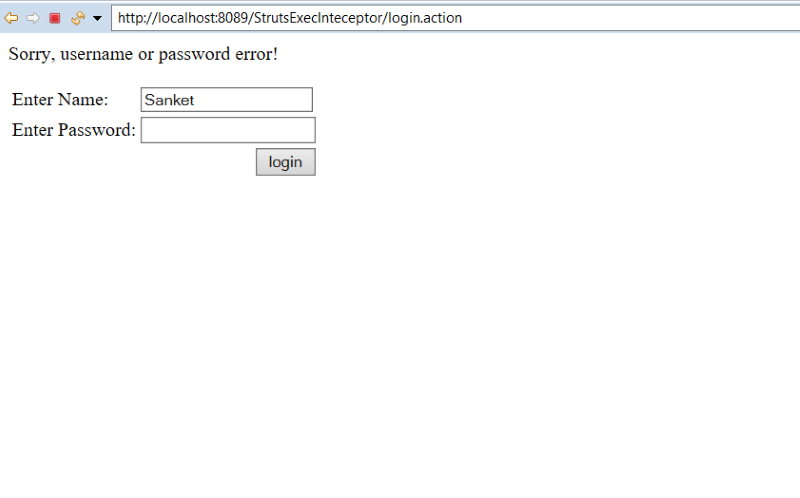
login-error.jsp page displays Sorry, username or password error! on failure.
<p>Sorry, username or password error!</p>
<jsp:include page="index.jsp"></jsp:include>
Create exceptionhandler.jsp file for exception handling:
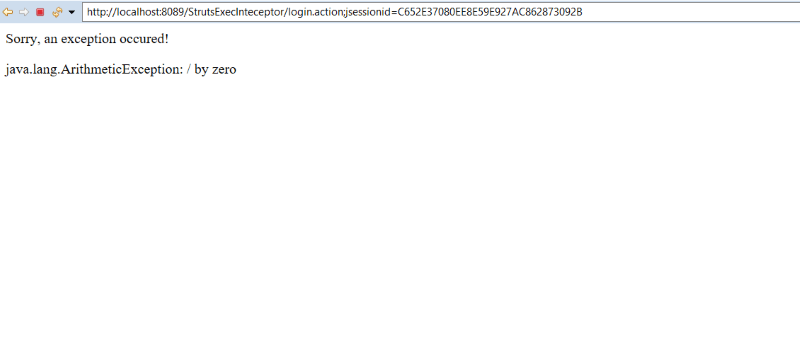
This is the global result jsp page that displays the exception handling message along with Sorry, an exception occured! Message. When an exception occurs automatically this page is called.
<p>Sorry, an exception occured!</p>
<%@ taglib uri="/struts-tags" prefix="s" %>
<s:property value="exception"/>
Create the action class Login.java:
This is the action class. It contains two fields name and password with their getter and setters. It contains the execute method which includes code throwing the exception that is divide by zero exception. On success when the password matches it will redirect to login-success.jsp page otherwise on error it will redirect to login-error.jsp.
public class Login
{
        private String name,password;


         public String getName()
        {
             return name;
        }


        public void setName(String name)
       {
  this.name = name;
        }


        public String getPassword()
       {
return password;
        }


        public void setPassword(String password)
       {
this.password = password;
        }
        public String execute()
        {
             int a=10/0;
  if(password.equals("admin"))
            {
return "success";
  }
             else
            {
return "error";
}
       }


}
web.xml file is created inside WEB-INF folder in WebContent folder:
J2EE configuration file i.e., web.xml file defines how elements are processed. The entry of FilterDispatcher is done in the web.xml file. This file is created in WebContent->WEB-INF folder. /* specifies all urls will be parsed. This task is done by struts filter.
<?xml version="1.0" encoding="UTF-8"?>
<web-app xmlns:xsi="http://www.w3.org/2001/XMLSchema-instance" xmlns="http://java.sun.com/xml/ns/javaee" xsi:schemaLocation="http://java.sun.com/xml/ns/javaee http://java.sun.com/xml/ns/javaee/web-app_3_0.xsd" id="WebApp_ID" version="3.0">
  <display-name>StrutsExecInteceptor</display-name>
  <welcome-file-list>
    <welcome-file>index.html</welcome-file>
    <welcome-file>index.htm</welcome-file>
    <welcome-file>index.jsp</welcome-file>
    <welcome-file>default.html</welcome-file>
    <welcome-file>default.htm</welcome-file>
    <welcome-file>default.jsp</welcome-file>
  </welcome-file-list>
      <filter>
  <filter-name>struts2</filter-name>
   <filter-class>
    org.apache.struts2.dispatcher.ng.filter.StrutsPrepareAndExecuteFilter
   </filter-class>
  </filter>
  <filter-mapping>
   <filter-name>struts2</filter-name>
    <url-pattern>/*</url-pattern>
  </filter-mapping>

</web-app>
Construct struts.xml file:
In the struts.xml file, make the entry of the exception handling code. Also, specify the action class Login and link for it and result pages. The result determines what browser will display after the execution of the action. Results have optional names like success and error. The global-result specifies the global result. The global-exception-mappings show exception mapping for each action.
<?xml version="1.0" encoding="UTF-8" ?>
<!DOCTYPE struts PUBLIC "-//Apache Software Foundation//DTD Struts
Configuration 2.1//EN" "http://struts.apache.org/dtds/struts-2.1.dtd">
<struts>
<package name="abc" extends="struts-default">


<global-results>
<result name="exhandler">exceptionhandler.jsp</result>
</global-results>


<global-exception-mappings>
<exception-mapping result="exhandler" exception="java.lang.Exception"></exception-mapping>
</global-exception-mappings>


<action name="login" class="Login">
<result name="success">login-success.jsp</result>
<result name="error">login-error.jsp</result>
</action>


</package>
</struts>
Output:
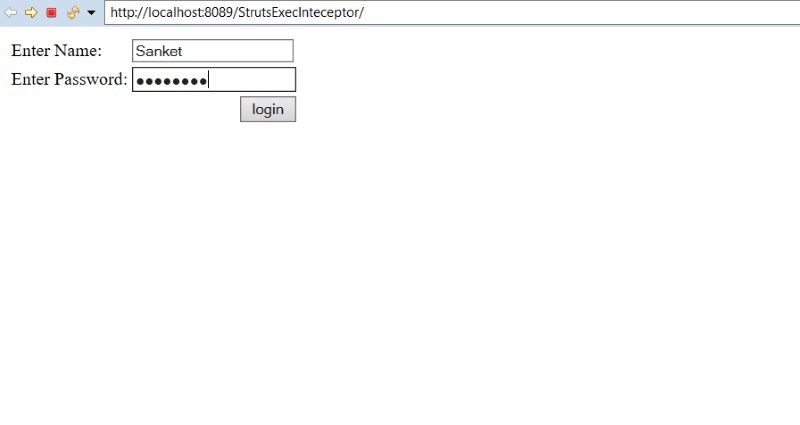
In order to run the application, right-click on the project -> Click on the option Run As -> then select Run on Server. It will show two labels for entering the name and password and the login button. Enter the name and password admin and then click on the login button.
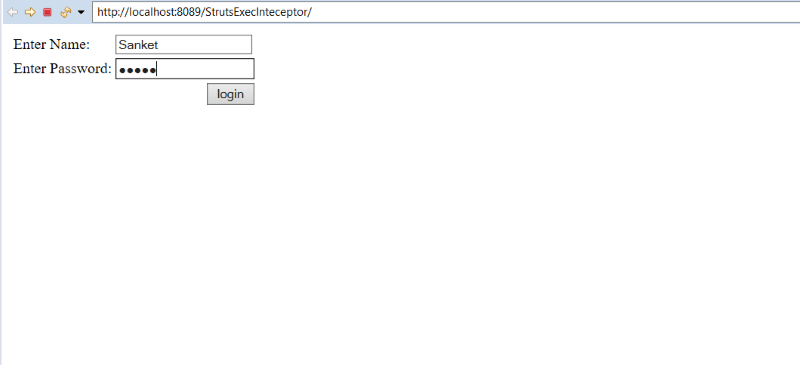
As the name is Sanket and the password is admin it will return success. But in execute method an exception occurs by the code int a= 10/0. This will generate an exception and then it will redirect to exceptionhandler.jsp which will display Sorry, an exception occurred! and it will return exception / by zero i.e., Arithmetic Exception.
Then comment the code generating exception i.e., int a= 10/0, and run the application. Enter any name and password as admin. Click on the login button.
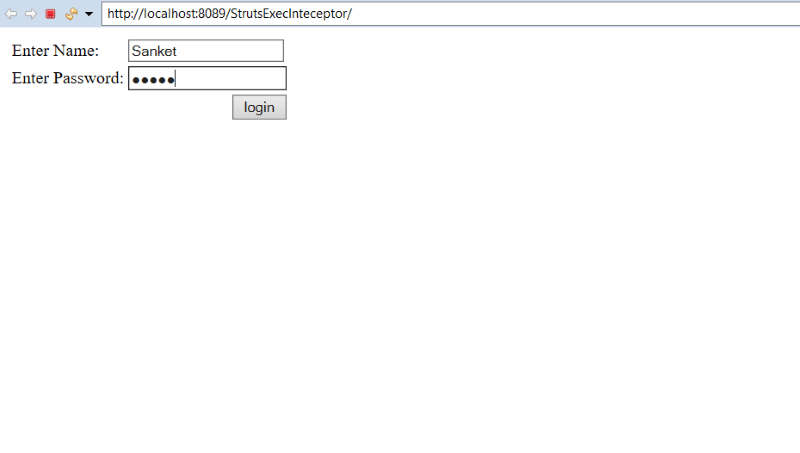
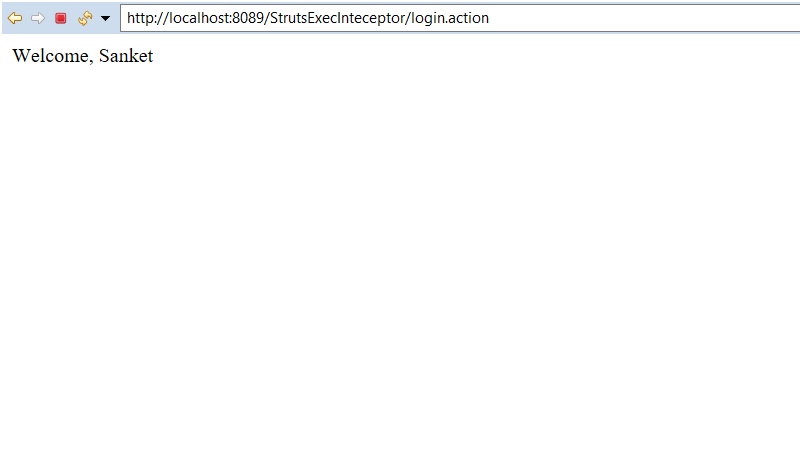
As the correct name and password are entered by the user, execute method will return success and redirect to the login-success.jsp page and display Welcome, name.
Again run the application. This time enter any name and wrong password 12345678.
As the password is wrong, it will return an error and redirect to login-error.jsp and display a message Sorry, username or password error! and again display textfield to enter name and password.