HTML Lists
HTML List
HTML lists are used to specify data sets. All lists can include one or more elements from the list. HTML lists are available in three different types:
- Ordered List or numbered List (ol)
- Unordered List or Bulleted List (ul)
- Description List or Definition List (dl)
Ordered List or numbered List
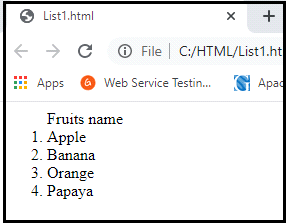
All list items in the ordered HTML lists are marked with numbers by default. It is also known as a numbered list. The ordered list starts with the < ol > tag and the list item starts with the < li > tag.
Example
<html>
<body>
<ol>
<tr> Fruits name </tr>
 <li>Apple</li>
 <li>Banana</li>
 <li>Orange</li>
 <li>Papaya</li>
</ol>
</body>
</html>
Output
HTML Unordered List or Bulleted List
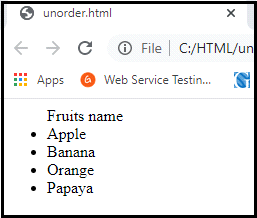
All the list items are marked with bullets in the HTML Unordered list. It is also referred to as a bulleted list. The Unordered list starts with the < ul > tag. The < li > tag starts with the list item.
Example
<html>
<body>
<ul>
<tr> Fruits name </tr>
 <li>Apple</li>
 <li>Banana</li>
 <li>Orange</li>
 <li>Papaya</li>
</ul>
</body>
</html>
Output
HTML Description List or Definition List
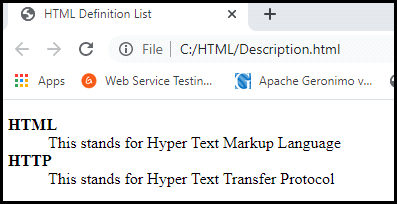
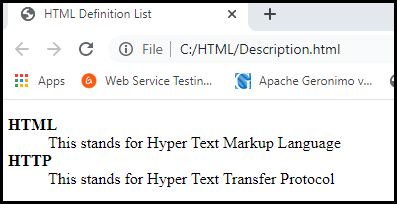
HTML Description list is also a list style that is supported by HTML and XHTML. It is referred as a definition list where the entries are listed as a dictionary or encyclopedia.
The definition list is useful when we want to present a glossary, a list of terms or another name-value list.
The HTML definition list contains three tags:
<dl> tag: Defines the starting of the list.
<dt> tag: Defines a term.
<dd> tag: Defines the term definition(description).
Example
<html>
   <head>
      <title>HTML Definition List</title>
   </head>
   <body>
      <dl>
         <dt><b>HTML</b></dt>
         <dd>This stands for Hyper Text Markup Language</dd>
         <dt><b>HTTP</b></dt>
         <dd>This stands for Hyper Text Transfer Protocol</dd>
      </dl>
   </body>
</html>
Output
HTML Nested List
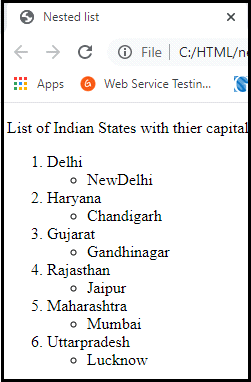
A list within another list is called a nested list. If you want a bullet list inside a numbered list, this type of list will be called a nested list.
Example
<html>
<head>
            <title>Nested list</title>
</head>
<body>
            <p>List of Indian States with thier capital</p>
<ol>
            <li>Delhi
                        <ul>
                                    <li>NewDelhi</li>
                        </ul>
            </li>
            <li>Haryana
                        <ul>
                                    <li>Chandigarh</li>
                        </ul>
            </li>
            <li>Gujarat
                        <ul>
                                    <li>Gandhinagar</li>
                        </ul>
            </li>
            <li>Rajasthan
                        <ul>
                                    <li>Jaipur</li>
                        </ul>
            </li>
            <li>Maharashtra
                        <ul>
                                    <li>Mumbai</li>
                        </ul>
            </li>
            <li>Uttarpradesh
                        <ul>
                                    <li>Lucknow</li></ul>
            </li>
</ol>
</body>
</html>
Output
HTML Unordered List or HTML Bulleted List
The HTML Unordered List or Bulleted lists can display bulleted items. We can use an unordered list to display the items in any random order. The HTML ul tag is used in the unordered list.
There may be 4 types of bulleted list:
- disc
- circle
- square
- none
There are 4 types of attributes in the < ul > tag to represent different ordered lists.
| Type | Description |
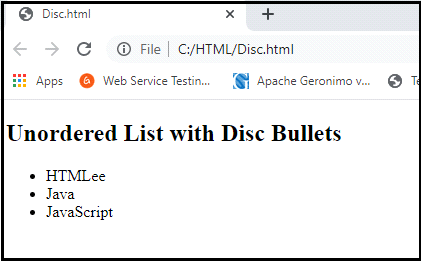
| “disc” | It's the default style. In this style, the items of the list are marked with bullets. |
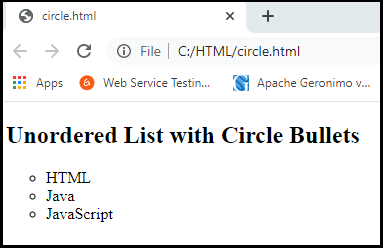
| “circle” | The items in the list are marked with circles. |
| “square” | The list items in the list are marked with squares. |
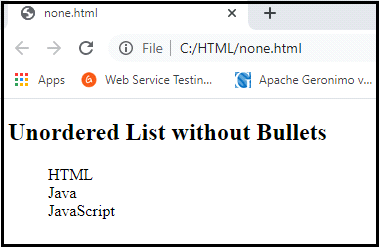
| “none” | The list items are not marked here. |
Unordered List Example
<html>
<body>
<ul>
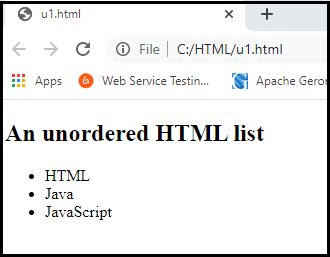
 <li>HTML</li>
 <li>Java</li>
 <li>JavaScript</li>
 <li>SQL</li>
</ul>
</body>
</html>
Output
ul type="disc"
Example
<html>
<body>
<h2>Unordered List with Disc Bullets</h2>
<ul style="list-style-type:disc;">
  <li>HTMLee</li>
  <li>Java</li>
  <li>JavaScript</li>
</ul>
</body>
</html>
Output
ul type="circle"
<html>
<body>
<h2>Unordered List with Circle Bullets</h2>
<ul style="list-style-type:circle;">
  <li>HTML</li>
  <li>Java</li>
  <li>JavaScript</li>
</ul>
</body>
</html>
Output
ul type="square"
Example
<html>
<body>
<h2>Unordered List with Square Bullets</h2>
<ul style="list-style-type:square;">
  <li>HTML</li>
  <li>Java</li>
  <li>JavaScript</li>
</ul>
</body>
</html>
Output
ul type="nono"
Example
<html>
<body>
<h2>Unordered List without Bullets</h2>
<ul style="list-style-type:none;">
  <li>HTML</li>
  <li>Java</li>
  <li>JavaScript</li>
</ul>
</body>
</html>
Output
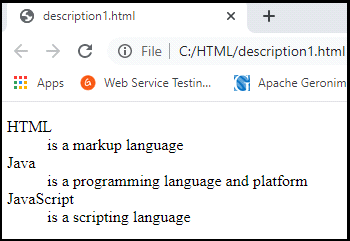
HTML Description List | HTML Definition List
HTML Description List or Definition List shows elements like a dictionary in description form. The < dl >, < dt > and < dd > tags are used to define the set of descriptions.
There are three types of description list tags given below:
- <dl>tag: Defines the list of definitions.
- <dt>tag: Defines data term.
- <dd>tag: Defines data definition (description).
Example
<html>
<body>
<dl>
  <dt>HTML</dt>
  <dd>is a markup language</dd>
  <dt>Java</dt>
  <dd>is a programming language and platform</dd>
 <dt>JavaScript</dt>
 <dd>is a scripting language</dd>
  </dl>
</body>
</html>
Output