×

Kernel in OS

What is Kernel in OS?

The kernel is the core component in the operating system. The job of the kernel is to handle the communication between the hardware and the software. 

In other words, a kernel is defined as the computer program, which is like a heart or nucleus of the computer operating system along with full control over everything in the system. On most of the systems, a kernel is the first program that is loaded on start-up (after the boot-loader) and also controls the remaining other start-ups and requests of Input/output from software, converting them into the data-processing instructions for the CPU.

It manages peripherals devices such as Monitors, keyboards, speakers, and Printer. The kernel is the deepest part of the operating system.

The kernel handles the following:

  1. Resource management
  2. Device management
  3. Memory management
  4. CPU/GPU
  5. Input/output device
  6. System calls
  7. Memory

The processes of the user can access the space of the kernel with the help of system calls only. If a program wants to access the area of kernel directly, then it will result in a fault.

Features of Kernel

The features of the kernel are:

  • Inter-process communication
  • Context switching
  • Low-level scheduling of processes
  • Process synchronization

Types of Kernel

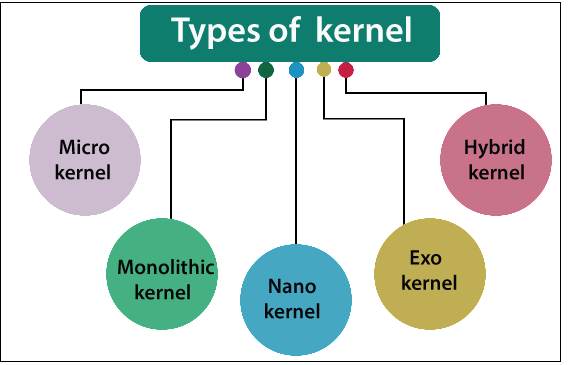
There are various types of the kernel:

  1. Microkernel
  2. Monolithic kernel
  3. Nano kernel
  4. Exo kernel
  5. Hybrid Kernel
What is Kernel

Monolithic Kernel: - In a monolithic kernel, the kernel and operating system, both run in the same memory, and it is mainly used where security is not a major concern. The result of the monolithic kernel is fastly accessible. But in some situations, like if a device driver has a bug, then there may be chances of a whole system crash.                    

Microkernel: - A Microkernel is the derived version of the monolithic kernel. In microkernel, the kernel itself can do different jobs, and there is no requirement of an additional GUI.

Nano kernel: - Nano kernel is the small type of kernel which is responsible for hardware abstraction, but without system services. Nano kernel is used in those cases where most of the functions are set up outside.

Exo kernel: - Exo kernel is responsible for resource handling and process protection. It is used where you are testing out an inhouse project, and in up-gradation to an efficient kernel type.

Hybrid kernel: - Hybrid kernel is a mixture of microkernel and monolithic kernel. The Hybrid kernel is mostly used in Windows, Apple’s macOS. Hybrid kernel moves out the driver and keeps the services of a system inside the kernel.


Related Topics

Look Disk Scheduling

Look Disk Scheduling Look disk scheduling is another type of disk scheduling algorithm. Look scheduling is an enhanced version of SCAN disk scheduling. Look disk scheduling is the same as SCAN disk scheduling,...

4 minutes read.

Scheduling Algorithms in OS

There are various types of scheduling algorithm which are used by the operating system to schedule the process on the processor. Objective of Scheduling Algorithms There are the following objectives of Scheduling Algorithms: Fare allocation...

2 minutes read.

Partitioning Algorithms

Partitioning Algorithms There are various types of Partitioning Algorithm: First-Fit AlgorithmNext-Fit AlgorithmBest-Fit AlgorithmWorst-Fit AlgorithmQuick-Fit Algorithm 1. First-Fit Algorithm: - In the First-Fit Partitioning algorithm, first, the linked list is scan, and when it...

3 minutes read.

Difference between C-LOOK and C-SCAN Disk Scheduling Algorithm

Disk scheduling is used by operating systems to arrange the arrival of I/O requests to the disc. I/O scheduling is another name for disc scheduling. Disk scheduling is necessary because...

4 minutes read.

Android Operating System

What is Android Operating System? Android is a Linux-based and open-source operating system mainly established for mobile devices like tablet computers and Smartphones. The Android operating system was established by the...

5 minutes read.

Simple Structure in Operating System

An operating system is a piece of software that lets the user applications talk to the hardware of the system. Because it is such a complicated structure, the operating system...

3 minutes read.

Multi-user Operating Systems

Introduction Since only one user may interact with the computer at any given time, the operating system we use on our personal computers, laptops, tablets, and phones is sometimes referred to...

8 minutes read.

Difference between Multi-programming and Multitasking

Difference between Multiprogramming and Multitasking         Multiprogramming  Multitasking In Multiprogramming, at the same time, we can run the multiple processes concurrently on one...

2 minutes read.

Booting Process in Operating System

What is Booting? Booting is defined as the term which says that the process of loading the operating system into the memory. The process of booting begins when we switch on...

4 minutes read.

Free Space Management in Operating System

What is Free Space Management? The system always keeps the records of the free disks blocks for allocating space to files when they are created. To use the space free from...

4 minutes read.

Linux Operating System

What is Linux? The Linux operating system is used on various devices, including cellphones, automobiles, supercomputers, household gadgets, personal computers, and business servers. You can find Linux on your phones, thermostats, vehicles,...

8 minutes read.

Batch Operating System

Computers were once quite huge devices that operated from a console. Tape drives, punch cards, line printers were often utilized for the output, and tape drivers or card readers for...

4 minutes read.

Difference between SSTF and LOOK Disk Scheduling Algorithm

Shortest Seek Time First / SSTF Shortest Seek Time First (SSTF) is an acronym for "shortest seek time first." The task request that is closest to the present position of the...

4 minutes read.

Memory Management in Operating System

The term "Main Memory" refers to the computer's internal physical memory. It is distinguished from external mass storage devices like disk drives by using the term "main." RAM is another...

4 minutes read.

How to implement Monitors using Semaphores

Monitors Monitor is a type of synchronization device designed to solve difficulties caused by semaphores, such as timing errors. Monitors are the type of data types that are abstract by nature...

2 minutes read.

Deadlock Prevention in Operating System

Deadlock Prevention The conditions which we used for deadlock prevention are: Mutual ExclusionHold and WaitNo PreemptionCircular Wait 1. Mutual Exclusion: - From the resource point of view, the mutual exclusion means that simultaneously more...

4 minutes read.

Deadlock Avoidance

Deadlock Avoidance In an operating system, for deadlock avoidance, we perform the following: We only grant the request of the resources if the resulting state of the system will not cause any deadlock in the...

3 minutes read.

Difference between Process and Program in the Operating System

What is a process in the Operating System? A process is a program that is going through the execution. It also helps us to execute all the lines of code in...

4 minutes read.

Types of Operating System

There are various types of operating system: Simple Batch Operating SystemMultiprogramming batch Operating SystemTime-sharing Operating SystemMultiprocessor Operating SystemDistributed Operating SystemNetwork Operating SystemReal-time Operating SystemMobile Operating System Simple Batch operating system In the simple batch operating system, there is no direct communication between...

6 minutes read.

Non-Contiguous Memory Allocation in Operating System

Memory is nothing but a storage space where various data are stored. We can store data in temporary and permanent memory as per our future requirements for data. We can...

9 minutes read.