
Commercial Mobile Operating Systems
Introduction to Commercial Mobile Operating Systems
A computer program's common services are managed by an operating system (OS), which also handles computer hardware and software resources. The user can communicate with the computer through this interface between hardware and user without being aware of how the hardware functions. An OS's typical activities include controlling input and output devices, scheduling tasks, handling network interactions, and managing memory. The machine wouldn't be able to run applications, retrieve data, or even start up without an OS. It serves as a conduit between the user and the hardware, giving the user a simple way to communicate with the device.
Additionally, it offers programs and application services, including memory management, multitasking, device drivers, and network access. An operating system offers authentication and access control tools to prevent unwanted access to the system. Along with capabilities to recover from system crashes, it also offers tools to identify viruses and other harmful applications. Each of these has its advantages and disadvantages as well as characteristics that make them more suitable for particular jobs. For instance, Linux was created for system administrators and developers, but Windows was created for the common user.
It serves as a conduit between the user and the hardware, presenting an intuitive user interface and offering services to programs and applications. It is also in charge of security, including systems for access control and authentication to stop unauthorized access to the system.
Overview of Commercial Mobile Operating Systems:
A commercial mobile operating system is a software platform created expressly for mobile devices, including smartphones and tablets, to execute applications. Commercial mobile operating systems are similar to desktop operating systems in terms of features and functionality. There are some differences, though. Mobile operating systems are made to be more user-friendly and to make the most of the touch-screen and smaller displays that come with mobile devices.
These operating systems are also built to use less power and support various hardware devices, including cameras, GPS, Wi-Fi, and Bluetooth. The most widely used commercial mobile operating system is Android. It was created by Google and is utilized by numerous businesses, including wireless providers. Because this operating system is open source, programmers can alter it to suit the requirements of their devices. Google Maps and the Google Play Store are only two of the many programs and services available. It supports various hardware elements, including cameras, GPS, and Wi-Fi. It provides electricity to the iPod touch, iPhone, and iPad.
- Additionally, it supports a variety of hardware parts, including the camera, GPS, and Wi-Fi. Microsoft's Windows Phone is the third most popular commercial mobile operating system.
- It offers various programs, including the Windows Store and Xbox Live, and features an easy-to-use, intuitive user interface.
- Additionally, it supports a variety of hardware elements, including Bluetooth, Wi-Fi, and GPS.
- Commercial mobile operating systems offer users a safe and convenient setting to interact with applications and services.
- These operating systems are ideal for various user types due to their unique features and functionalities.
- These operating systems give users access to various services and capabilities on their devices, including texting, web browsing, media playing, applications, and more.
- Apple's exclusive mobile operating system is called iOS.
- It only works with Apple's iPhone, iPad, and iPod Touch gadgets.
- Direct manipulation and many touches are the foundation of the user interface.
- It has functions like iCloud, Siri speech recognition, FaceTime, iMessage, and more.
- Google's open-source mobile operating system is called Android.
An operating system for mobile devices enables users to use other application software on their phones, tablets, etc. Additionally, it is a particular category of operating system created especially for smartphones, tablets, smartwatches, etc. Additionally, they combine PC operating systems with some mobile-specific functionality. They are also rather lightweight and simple.
Additionally, it manages all communications between the hardware and software. Before learning about various mobile operating systems, let's examine several of their functions.
Functions of operating systems
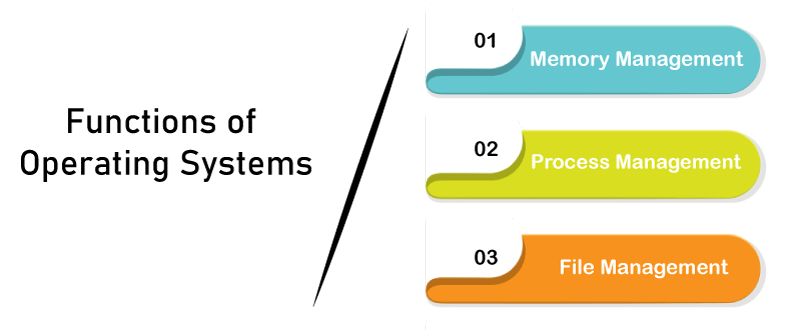
An operating system carries out various duties. Let's research them. These are a few of the OS's features:
Memory management
It is the control of the major or main memory. Furthermore, the main memory must contain the application that is being run. Consequently, more than one program may be active at once. Consequently, managing the RAM is necessary.
- The operating system manages memory allocation and deallocation.
- Distributes memory while using several processors.
Process management
The OS:
- Assigns and removes CPU resources to the processes. So, CPU Scheduling is another term for it.
- Records the state of the CPU.
- Device management
- The OS assigns and releases resources to various processes.
The processes may call for certain devices in order to function. The OS is responsible for managing this.
- Maintain track of the gadgets.
File management
A system's files are kept in several folders.
- The OS maintains track of the location and status of files.
- Allocates and deals with resource allocation.
Other functions
- Error detection is one of the OS's additional capabilities.
- Documenting system performance.
- Interoperability of various software, etc.
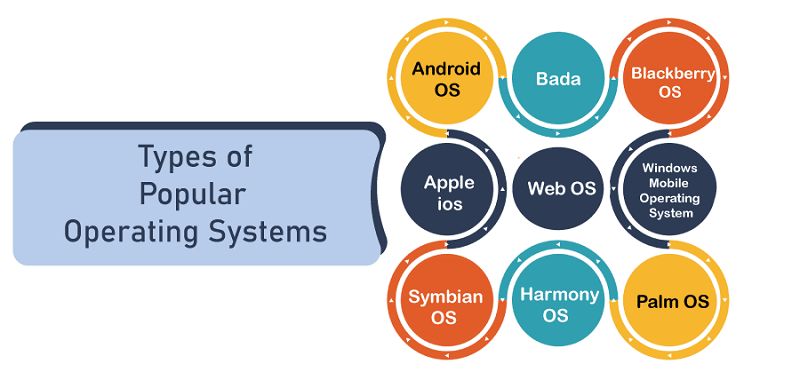
Types of popular operating systems
Android OS
Among mobile operating systems, the Android OS is the most widely used. Furthermore, Android was created by Google. Additionally, it is a free and open-source operating system. The kernel of this operating system is Linux. Every new update has a name based on a "dessert," such as Cupcake, Donut, Eclair, Oreo, Kitkat, etc.
Bada
The company that launched this operating system is Samsung. In 2010, it first hit the market. Additionally, it has capabilities like multipoint touch, 3-D graphics, and program installation.
Blackberry OS
It was created especially for BlackBerry-compatible smartphones. Additionally, business users find it handy.
Apple ios
It is one of the most widely used OSes after Android. It is made to work with Apple products, including iPhones, iPad tablets, and other mobile devices. The app store is also a feature of Apple iOS. Additionally, it contains several robust security measures.
Windows mobile operating system
Microsoft created this operating system. It is intended for cell phones and small PCs. Additionally, it incorporates elements from the Windows OS for computers and other functionality for mobile devices.
Symbian OS
Symbian Ltd. also developed this OS; Nokia was the first to implement it in its mobile phones. Additionally, it offers communication at a high degree of integration. Java is the foundation of this OS.
Harmony OS
Additionally, Huawei is its creator. It is the newest OS. It is intended primarily for usage in IoT devices.
Palm OS
Garnet OS is another name for it.
Web OS
Palm Ltd is the company behind it. Additionally, it is built on the Linux kernel, and HP employs it in their touchpads and mobile devices.
Features of mobile operating system
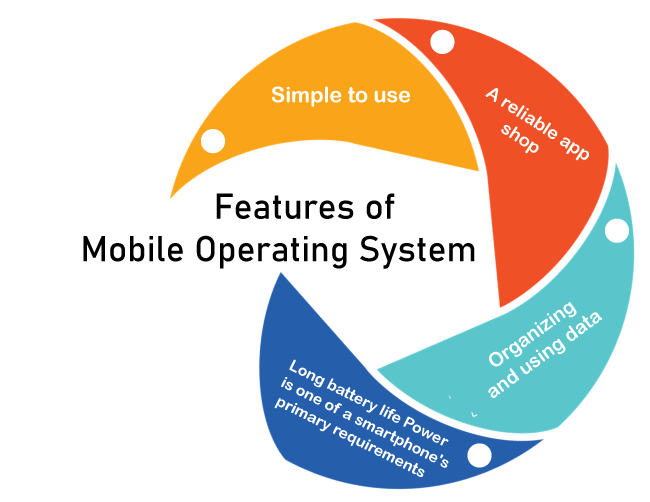
- Easy to use
- Good app store
- Good battery life
- Data usage and organization
Simple to use
- The visuals ought to be appealing.
- The features and buttons should be simple to use. Additionally, the features should be simple enough.
- Features must be strong and practical.
A reliable app shop
- An OS's fundamental component is its app store.
- A crucial component of an OS is good and practical applications.
Long battery life Power is one of a smartphone's primary requirements.
- They need power for sensors, CPUs, etc. As a result, the battery plays a crucial part.
- Because smartphones use more power than ever, having a reliable battery backup is crucial.
Organizing and using data
- The main goal of an operating system should be to manage network and data utilization. It ought to maintain the restriction and prerequisite in mind.
- A decent OS should keep this data in a highly safe and orderly manner. Additionally, the data must be simply and immediately accessible.
Components of mobile operating system
A mobile OS has the same components as a standard OS. These are the components:
1. Kernel
An OS's kernel is its brain or heart.
2. Activity Execution
For the statements to run and connect the application software to the hardware, the OS runs several processes. Every time a process runs, it consumes resources such as memory, space, and others.
3. Interrupt
Hardware devices mostly use to interact with the CPU. Essentially, it is a signal the device sends to ask the CPU for something. Additionally, if an interrupt happens, the CPU momentarily halts the execution of the current process.
4. Memory Control
It is the control of the major or main memory. Furthermore, the main memory must contain the application that is being run. Consequently, more than one program may be active at once. Consequently, managing the RAM is necessary.
- The operating system manages memory allocation and deallocation.
- Distributes memory while using several processors.
5. Multitasking
It is carrying out many things concurrently. The OS allows the user to operate several processes at once without any issues.
6. User Interface
GUI, or graphic user interface, stands for. As the name implies, it gives the user a graphical interface to communicate with the computer. Icons, menus, and other user-interaction tools are used. Furthermore, by clicking these elements, the user may engage easily.
7. Kernel
An OS's kernel is its brain or heart. It has all the tools and features needed to control how OS operates.
8. Activity Execution
For the statements to run and connect the application software to the hardware, the OS runs several processes. Every time a process runs, it consumes resources such as memory, space, and others.
9. Interrupt
Hardware devices mostly use to interact with the CPU. Essentially, it is a signal the device sends to ask the CPU for something. Additionally, if an interrupt happens, the CPU momentarily halts the execution of the current process.
10. Memory Control
It is the control of the major or main memory. Furthermore, the main memory must contain the application that is being run. Consequently, more than one program may be active at once. Consequently, managing the RAM is necessary.