Salesforce Loops in Apex
Loops in Apex
Looping is a feature that makes the execution of a set of functions multiple times, although some condition evaluates to true.
There are 3 types of loops:
- While loop
- For loop
- Do-while loop
While loop:
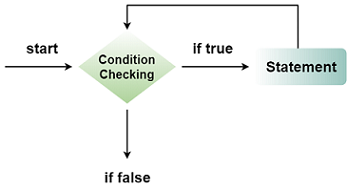
A while loop is a control flow statement that allows code to be executed many times based on a given boolean condition. The while loop can be thought as a repeating if statement.
Syntax:
while (Boolean condition)
{
          Loop statements…
}
If the Boolean condition is true, then the loop statement will get executed, and if the boolean condition is false, then the control will come out outside of the loop.
Example1:
integer i=1;
while(i<=10)
{
    System.debug('Javatpoint');
    i++;
}
Output:
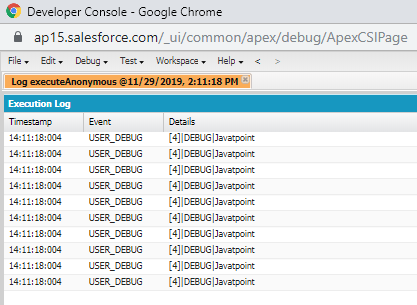
In the above example, we have created a variable called (i) and initialized the value of the variable to 1, then, it checks while 1 is less than or equals to 10(condition is true). Now it will display “Javatpoint” on the screen. The increment operator (i++) will increase the value of (i) by 1.
Example2:
integer i=1;
while(i<=10)
{
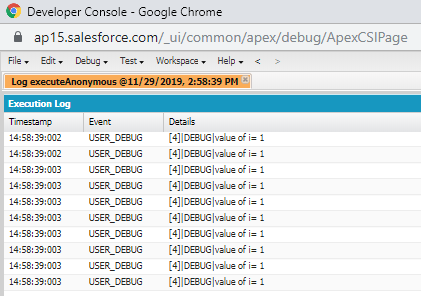
    System.debug('value of i= '+1);
    i++;
}
Output:
Example3:
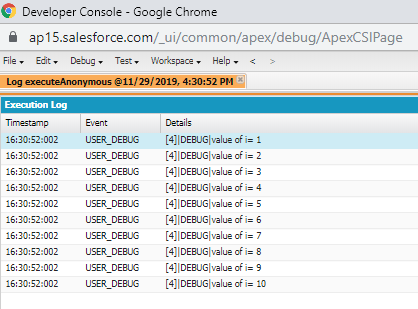
integer i=1;
while(i<=10)
{
    System.debug('value of i= '+i);
    i++;
}
Output:
Example4:
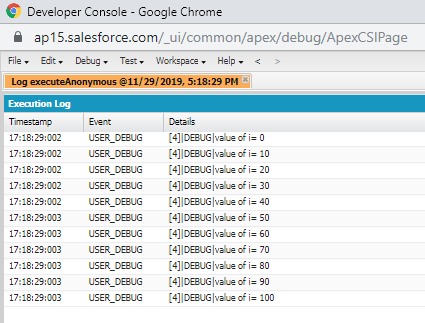
integer i=0;
while(i<=100)
{
    System.debug('value of i= '+i);
    i+=10;
}
Output:
Example5:
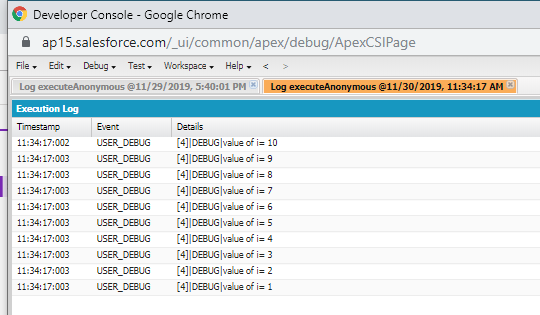
integer i=10;
while(i>=1)
{
    System.debug('value of i= '+i);
    i--;
}
Output:
For loop:
A for loop statement consumes the initialization, condition, and increment/decrement in one line by providing a shorter, easy to debug structure of looping.
Syntax:
for(initialization condition; testing condition; increment/decrement)
{
        statement(s)
}
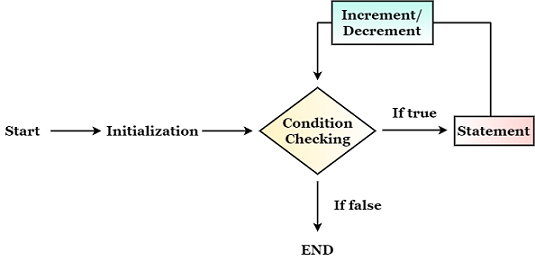
The initialization will only get executed once.
The condition and increment/decrement will be executed again.
Once it initialized, it will check for the condition, if the condition is true, then the statement will get executed, and again it will increment/decrement.
Once it increment/decrement, then again we check for the condition, if the condition is still true, it will get executed.
Once the condition becomes false, then the loop will stop further execution.
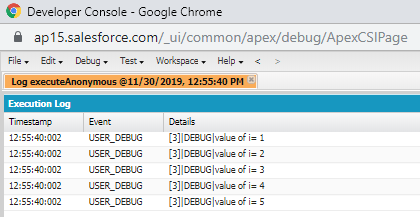
Example7:
for(integer i=1;i<=5;i++)
{
    System.debug('value of i= '+i);
}
Output:
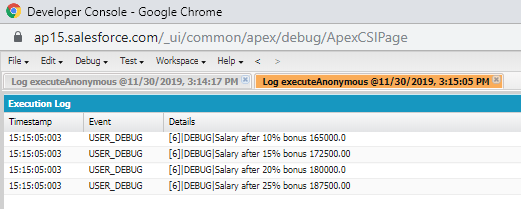
Example8:
integer salary=150000;
Decimal bonus,salary_after_bonus;
for(bonus=10;bonus<=25;bonus+=5)
{
    salary_after_bonus=salary+(salary*(bonus/100));
    System.debug('Salary after '+bonus+ '% bonus '+salary_after_bonus);
}
Output:
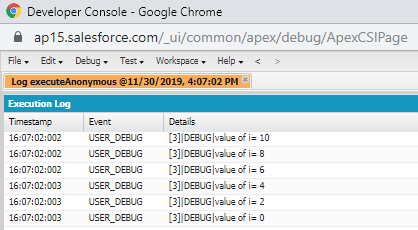
Example9: Even no. in reverse order.
for(integer i=10;i>=0;i=i-2)
{
    System.debug('value of i= '+i);
}
Output:
Three different types of for loop in Apex:
- Traditional for loop
Syntax:
for (init_stml; ext_condition; increment_stmt)
{
          code_block
}
- Set iteration for loop
Syntax:
for (variable : list_or_set)
{
       code_block
}
- SOQL for loop
Syntax:
for (variable : [soql_query ])
{
       code_block
}
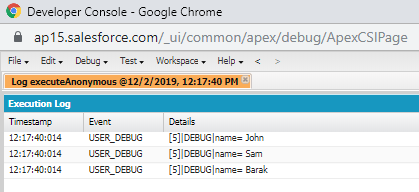
Example10:
List<String> stuNames=new List<String>
{'John', 'Sam', 'Barak'};
    for(String stuName:stuNames)
{
    System.debug('name= '+stuName);
}
Output:
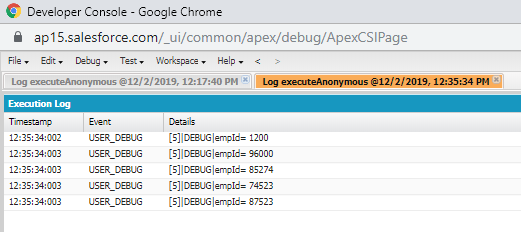
Example11:
List<Integer> empIds=new List<Integer>
{1200,96000,85274,74523,87523};
    for(Integer empId:empIds)
{
    System.debug('empId= '+empId);
}
Output:
Break and Continue Statement:
Break statement: The break statement is used to jump out of a loop.
Continue statement: The continue statement breaks one iteration in the loop (it will just skip the particular statement).
Example12:
for(integer i=1;i<=20;i++)
{
    if(i==10)
    {
        break;
   }
    System.debug('value of i= '+i);
}
Output:
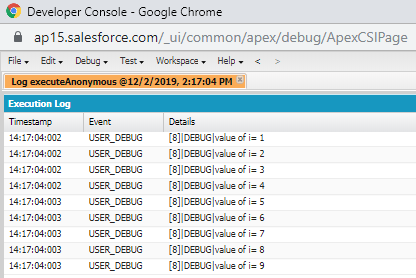
In the above example, the break statement will come out of the loop once it hit the value 5.
Example13:
for(integer i=1;i<=20;i++)
{
    if(i==10)
    {
        continue;
   }
    System.debug('value of i= '+i);
}
Output:
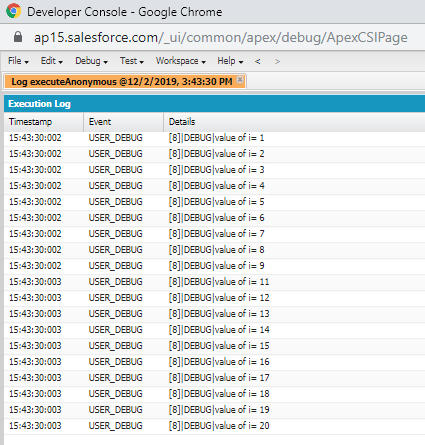
In the above example, the continue statement skips the iteration (10) and jump to the next iteration.
Nested Loop:
Placing a loop inside another loop is called a nested loop.
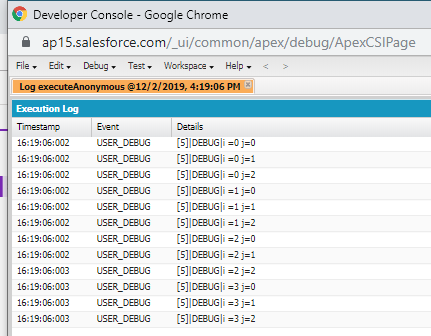
Example14:
for(integer i=0;i<=3;i++)
{
    for(integer j=0;j<=2;j++)
    {
        System.debug('i ='+i+' j='+j);
    }
}
Output:
Example15:
for(integer i=1;i<=5;i++)
{
    for(integer j=1;j<=i;j++)
    {
        System.debug(i);
    }
}
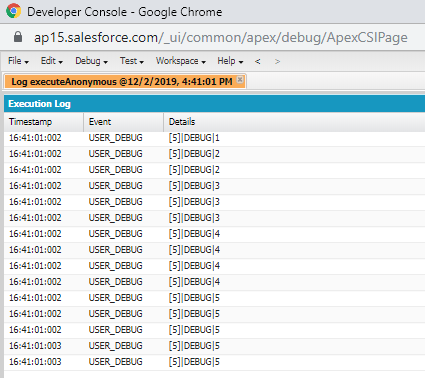
Output: