
×

JavaScript p5.js

Introduction to p5.js

P5.js is a JavaScript library for creative programming. It is built on Processing, a coding environment for creativity. Processing's major goal is to make it as simple as possible for newcomers to learn how to build interactive, graphical programs, and to make a programming language more user-friendly by visualizing it.

The benefit of adopting the JavaScript programming language is its widespread availability and widespread support: every web browser has a JavaScript interpreter, which means that p5.js programs may be launched on any web browser.

Processing is a programming language that stresses the ability of programmers to quickly construct software prototypes in order to test a new concept or check if anything works. As a result, processing (p5.js) programs are sometimes referred to as "sketches."

Editors of Preference The official p5.js documentation proposes using Bracket or Sublime and then includes the JavaScript files, which will eventually lead us to operate like any other programming language. However, the online p5.js Web Editor is the best option. It is built on a programming environment that is accessible over the internet.

What is the difference between P5.js and JavaScript?

JavaScript is a fundamental language that provides all of the ingredients (features) needed to construct any functionality into browsers. You may make use of Loop, Function, Conditional, DOM Manipulation, events, canvas, and so forth. As a result, we may use JavaScript to create and construct any library or framework that can address any problem.

P5.js is a JavaScript library. P5.js is written entirely in JavaScript. It includes various functions that make the life of a JavaScript user easier to sketch in the web.

If we wanted to draw something in pure JavaScript, we would have to write 100 lines, but using p5.js, we could accomplish it in a few lines.

Finally, P5.js is a JavaScript library. JavaScript is used as a stand-alone language in this case.

Is it worthwhile to use p5.js?

It's one of several Canvas API frameworks/libraries.

Canvas works fine on its own, but a framework or task-specific library is an excellent option if you want to make routine tasks easier and write less boilerplate. There are a plethora of them, each specializing in a distinct area, such as data visualization or gaming.

Example

function setup() {
  createCanvas(600, 600); //Canvas size 600*600
}
  
function draw() {
  background('red'); //background color red
}

Output:

What is P5.js

setup(): It is the setup() function's statements. When the software starts, it just runs once. The first statement must be createCanvas.

draw(): The draw() commands are performed until the programme is terminated. Each sentence is run in order, and once the last line is read, the first line is run again.

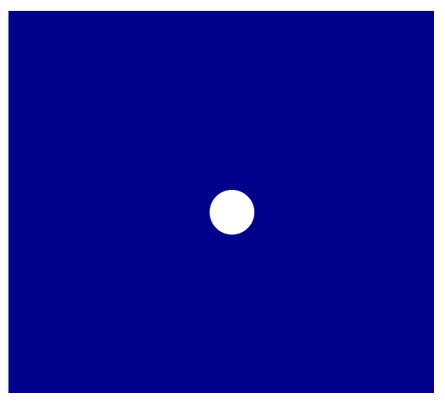
Making a Circle

  • The canvas size is determined by the creativeCanvas function, which are the width of the canvas and the height of the canvas.
  • The background() method determines the color of the canvas we create. We utilize the color parameter here, but other parameters can be used as well.
  • The noStroke() method indicates that there is no ellipse outline.
  • The ellipse is drawn using the ellipse(x position of the ellipse, y position of the ellipse, width of the ellipse, height of the ellipse) function.
function setup() {
	createCanvas(500, 450); 
	background(‘darkblue’);
	noStroke();
	ellipse(width/2, height/2, 50,50);
}
What is P5.js

What is the purpose of p5.js?

It's simply a Processing port that runs in the HTML5 canvas element. Even the 2D canvas context employs hardware level rendering, thus many things are paradoxical to folks accustomed to user-friendly graphics tools. When writing a canvas-based implementation of Peter Henderson's functional geometry, one example that took through nearly a half-dozen design iterations was first transforming the context and then drawing to it, which overturns control flow from the more instinctive (and compositional) order of instantiating and then applying transitions to it.

Processing.js is to blame for a lot of the p5.js misunderstanding. The former is a legal port, but the later parses Java code using regular expressions. Processing.js is still widely used. Quil for ClojureScript is still built on top of it. When it comes to totally restructuring libraries like that, there appears to be an element of sloth. And p5 didn't appear to have any promotion behind it, which may be a problem. To be honest, graphics programming is challenging, and there are few high-level libraries with truly high-quality implementations.

Summary

Hence, p5.js is a JavaScript framework that takes Processing's initial goal—making coding accessible to artists, designers, educators, and beginners—and reinterprets it for today's web.

p5.js includes a comprehensive set of sketching capability, based on the original idea of a software sketchbook. We are not confined to the sketching canvas; but we may consider the whole browser page to be our sketch! p5.js offers add-on libraries that let us to interface with additional HTML5 objects such as text, input, video, camera, and sound. It is a fresh interpretation under active development, not an emulator or port.


Related Topics

Javascript If Else

Introduction The if-else statement is an important control structure for decision-making in code based on some conditions. It gives programmers the ability to add decision-making functionality into their programs. Using if-else,...

6 minutes read.

Javascript Event

Events are things that happen, usually user action, that are associated with an object. All object have properties and methods. Some objects also have events. The event handler is a command that is...

1 minute read.

Javascript Cookies

Cookie is a piece of data which is sent from a website and stored locally by the user's browser. Cookie is needed because HTTP is stateless protocol. Today most of...

1 minute read.

Javascript Number

The Number object is a wrapper object which allows you to work with numerical values. The number object is created using the Number() constructor.It may be integer or floating-point. Syntax var n=new Number(value); Examples <!DOCTYPE html>   <html>   <body>   <script>   var x=100;//integer value   var y=100.7;//floating point value   var z=12e5;//exponent value, output: 1200000   var n=new Number(20);//integer value by number object     document.write(x+" "+y+" "+z+" "+n);   </script>   </body>   </html> Try Now Output 100 100.7 1200000 20 Description The primary...

1 minute read.

Synchronous and Asynchronous in JavaScript

JavaScript is a powerful and versatile language that is used all over the web, from small websites to large applications. It is essential for developers to understand the differences between...

9 minutes read.

Javascript Example

What is JavaScript? JavaScript is a highly versatile programming language. It provides the capability to add interactivity to static web pages, which are designed with HTML and CSS. It also provides...

5 minutes read.

Javascript Find Object In Array

What is find() method? It returns the value of the first element in the given array that fulfils the given testing function. However, if no values from the array are able...

3 minutes read.

Javascript Document Object

Document object represents the whole HTML documents. When HTML document is loaded in browser it becomes the document object. It is the root elements that represent the HTML documents. With the help of...

2 minutes read.

Array to String in JavaScript

As a web developer, you often have to deal with multiple data types in a single application. How to convert an array to a string in JavaScript is essential for...

19 minutes read.

JavaScript focus on input

In JavaScript, the elements can be focused using either focus() method or onfocus() event. What is focus() method? When we want to focus on an element (if it can be focused) or...

4 minutes read.

Javascript Password Validation

Here we see that how to validate any password field. Like password field can be blank and length of password is minimum 8 characters. Example <!DOCTYPE html>   <html>   <head>   <script>   functionpass_validation()   {     var password=document.myform.password.value;     if (password==null || password=="")   {     alert("password can't be blank");     return false;     }   else if(password.length<8)   {     alert("Password must be at least 8 characters long.");     return false;       }     }     </script>   </head>   <body>   <form name="myform" method="post" action="register.php" onsubmit="return pass_validation()" >   Password: <input type="password" name="password">   <input type="submit" value="submit">   </form>   </body>   </html> Try Now ← Prev Next → ...

1 minute read.

Javascript Date

In JavaScript Date Object is data type build into the JavaScript language. Data object are created with the new Date(). JavaScript Date instance that represents a single moment in time. JavaScript...

2 minutes read.

Functional Programming in JavaScript

Most developers work with object-oriented programming while developing their applications, but sometimes they need to change their approach to solve some specific tasks. Although mostly we tend to go for...

6 minutes read.

Javascript Email Validation

We can validate the email with the help of JavaScript. Here we check the condition related to any email id, like email it must have "@" and "." sign and...

2 minutes read.

Javascript Dialog Box

A JavaScript dialog box is predefined function which is used to perform different task. Some functions are used in JavaScript Dialog box. FunctionDescriptionalert()To give alert message to userprompt()To input value from...

2 minutes read.

What is Ternary Operator in JavaScript?

In some cases, a ternary operator can be used instead of an if-else expression. A ternary operator examines a condition and then runs a block of code in response to...

4 minutes read.

JavaScript p5.js

Introduction to p5.js P5.js is a JavaScript library for creative programming. It is built on Processing, a coding environment for creativity. Processing's major goal is to make it as simple as...

4 minutes read.

JavaScript Arrays

JavaScript Arrays: JavaScript Arrays are a type of variables that allows us to store the individual or the group of values under a single variable. What is an Array in JavaScript? The array...

6 minutes read.

JavaScript radio button checked value

What are radio buttons? A radio button is defined as an icon that is used to take input from the user. The user can choose only one option(value) from the group...

5 minutes read.

Javascript Switch Statement

Introduction Conditional statements are simple building blocks in programming languages and are utilized fairly frequently. This portion of Developing Conditional Statements in JavaScript talks about how to utilize the if, else,...

5 minutes read.