XAMPP Installation

install xampp on windows

How to Install XAMPP on Windows

XAMPP is a free & open-source stack package which is developed by Apache, mainly it consists of Apache HTTP server, Maria DB database for scripts written in the PHP and Perl programming languages.

XAMPP makes the deployment easy that means a WAMP or LAMP.

The Stack can be installed quickly on an operating system by a developer. It has the advantage of a number of common add-in applications like WordPress and Joomla which can be installed by using Bitnami.

The XAMPP can be broken or divided down as follows:

X: It refers to the cross-platform

A: Apache

M: Maria DB (MySQL)

P: PHP

P: Perl

Installation Guides to XAMPP Step by Step:

 The steps for downloading and installing XAMPP server are given below:

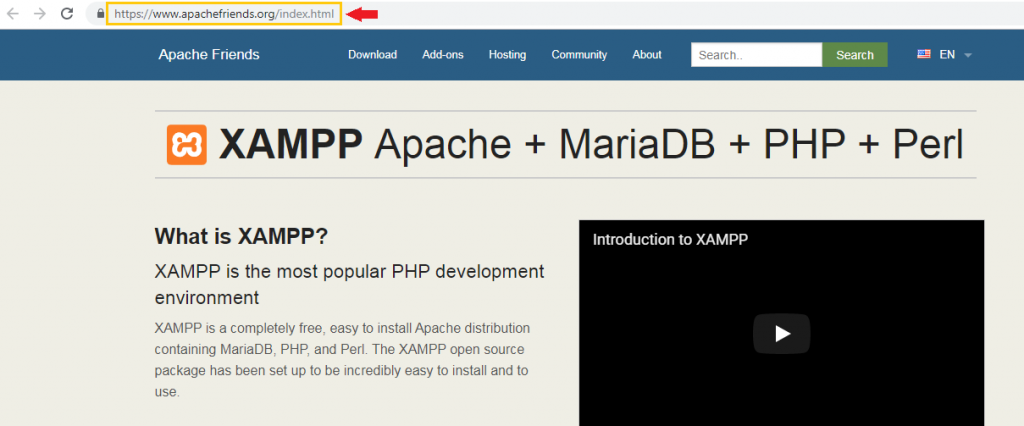
  1. For downloading XAMPP server, go to the XAMPP website https://www.apachefriends.org/index.html in computer`s browser.
Installation Guides to XAMPP on Windows 1
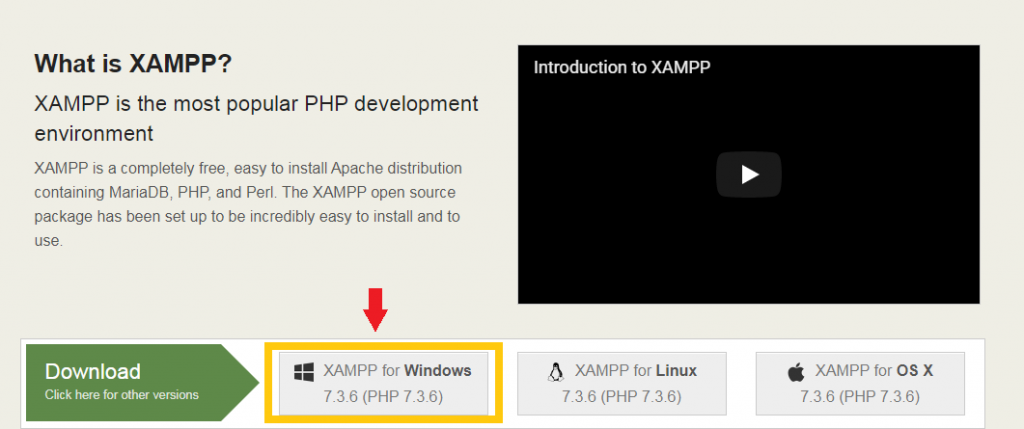
  • Click on the XAMPP for windows button.
Installation Guides  to XAMPP Step 2
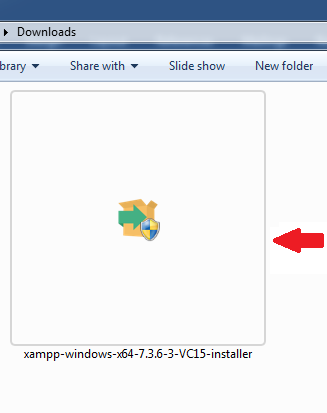
  • In the next step, double-click on the downloaded file. The file name should be something like xampp-windows-x64-7.3.6-3-VC15-installer, and we will find it in the default location “download”.
Installation Guides  to XAMPP Step 3
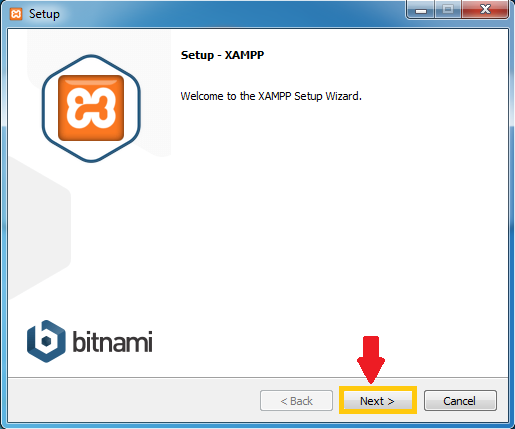
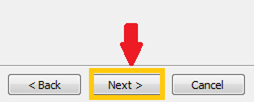
  • Click on the Next at the bottom of the setup window.
Installation Guides to XAMPP Step 4
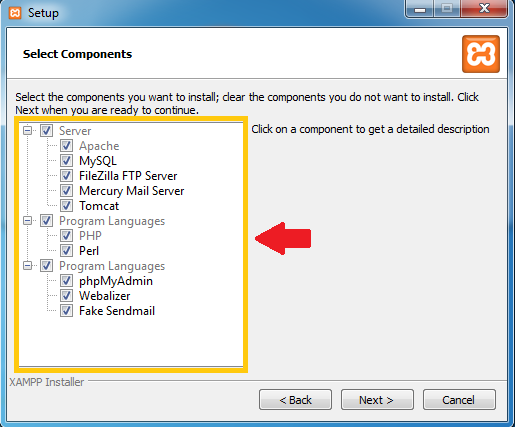
  • Review the list of XAMPP attributes on the left side of the window, select outlook of XAMPP to install. If we see an attribute which we do not want to install for the XAMPP, we can uncheck its box, by default, all the attributes are included in the XAMPP installation.
Installation Guides  to XAMPP Step 5
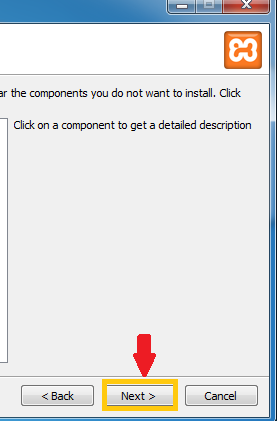
  • Click on the Next button at the bottom of the window.
Installation Guides  to XAMPP Step 6
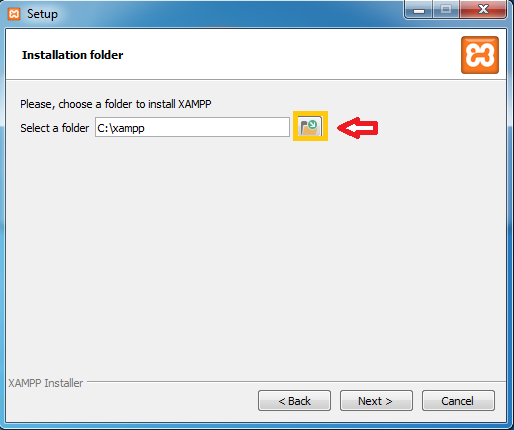
  • Click on the folder-shaped icon at the right of the installation window, then click on a folder where we want our XAMPP to be installed.
Installation Guides  to XAMPP Step 7
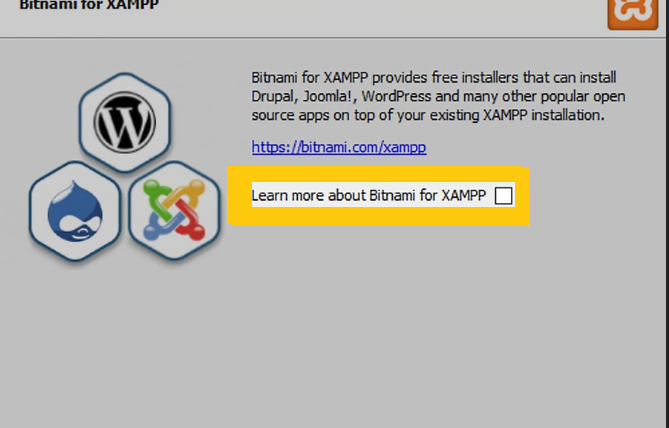
  • Uncheck the “Learn more about bitnami” box, then click on the Next button.
Installation Guides  XAMPP Step 8
Installation Guides to XAMPP
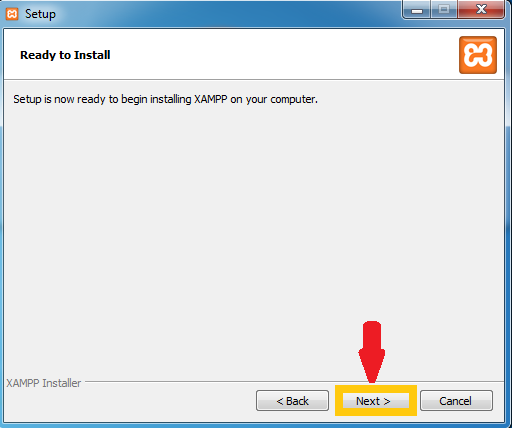
  • Begin the installation by clicking on the Next button at the bottom of the Setup window.
Installation Guides  to XAMPP Step 9
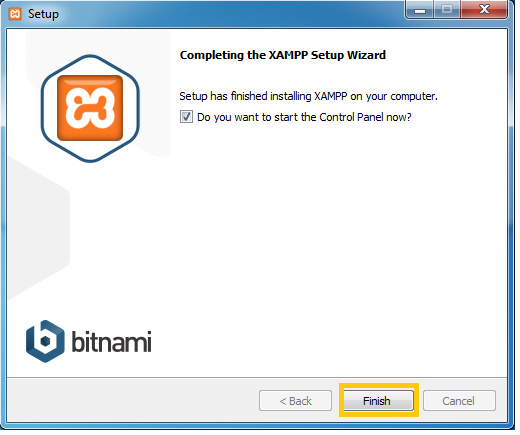
  1. Once the installation completed, click on the Finish button. Doing this will close the setup window and open the XAMPP control panel.
Installation Guides  to XAMPP Step 10
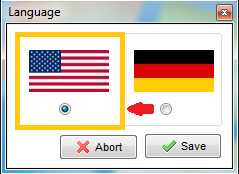
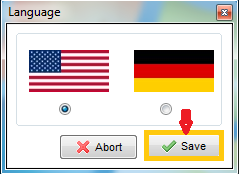
  1. Select a Language. Check the Box according to our Language, American flag for English and Germany flag for German.
Installation Guides  to XAMPP Step 11
  1. Click on the Save button, then the Control Panel page is opened.
Installation Guides  to XAMPP Step 12
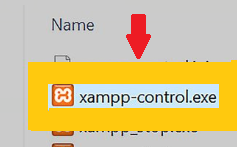
  1. If the control panel does not open automatically, then go to the Start Menu, double click on the XAMPP icon to open XAMPP Control Panel.
Installation Guides to XAMP Step 13
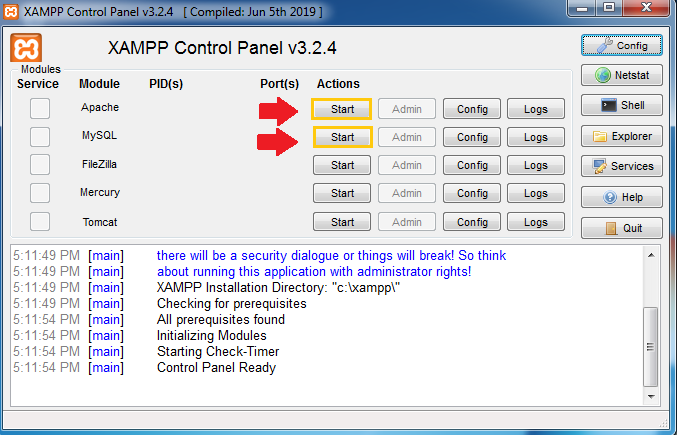
  1. Once the Control Panel opens, click on the start buttons of the Apache and MySQL server.
Installation Guides  to XAMPP Step 14
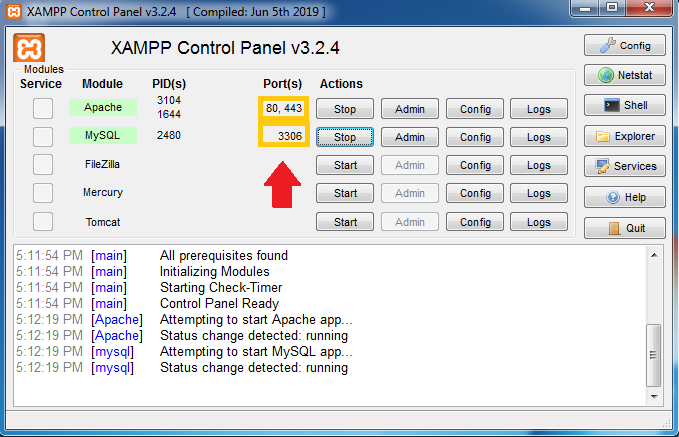
  1. After Apache and MySQL server started, and it will return the Port(s) number by which we get to know that our Apache and MySQL server are successfully started.
Installation Guides  to XAMPP Step 15

Related Topics

Laravel First Packages

First Packages  Laravel provides the following ready to use packages: Cashier: It was introduced in Laravel 4.2 version, it provides an interface for managing subscription billing service, like handling coupons and generating invoices. SSH: It was...

2 minutes read.

Laravel Route Parameters

Required Parameters: We need to capture segments of the URI within our route. We are going to see how to pass parameters through two or many views inside the closure function. Route::get('/home',...

2 minutes read.

Laravel Tutorial

Laravel Tutorial is a PHP based web-framework; it is used for developing high-end web applications by using significant syntax's. It has a substantial collection of tools and provides application architecture....

5 minutes read.

Laravel Authentication

Authentication is a process of identifying user credentials. Laravel makes implementing authentication very simple. The authentication configuration file is located at config/auth.php that contains various documented options for adjusting the behavior of the authentication...

4 minutes read.

Laravel Validation

Laravel provides a different way to validate the application`s incoming data. Laravel base controller class uses a ValidatesRequests that provides an easy method to validate incoming HTTP request with many powerful validation rules. Defining the...

5 minutes read.

Laravel Uploading Files

Retrieving Uploaded Files We can access files from an Illuminate\Http\Request. By using the file method or using the dynamic properties. The file method returns an instance of the Illuminate\Http\UploadedFile class that extends the...

2 minutes read.

Laravel Displaying Data

Display data that is passed to our Blade views by enclosing the variable in curly braces. The following route is given below: Route::get('greeting', function () { return view('welcome', ['name' => 'rafia']); }); We display...

2 minutes read.

Laravel Forms

CSRF Field For defining an HTML form in our application, we should include a hidden CSRF token field in the form, so that the CSRF protection middleware can validate the request. We use the...

3 minutes read.

XAMPP Installation

install xampp on windows XAMPP is a free & open-source stack package which is developed by Apache, mainly it consists of Apache HTTP server, Maria DB database for scripts written in the...

2 minutes read.

Raw SQL Queries

Raw SQL Queries: Laravel interact with databases by the variety of database back-ends with raw SQL, the fluent query builder, and the Eloquent ORM. Laravel supports four types of databases: MySQLPostgreSQLSQLiteSQL Server Configuration The database...

3 minutes read.

CSS Icons

CSS Icons       CSS icons are specified like a symbol or image used inside a computer interface assign to any element. CSS icons are the graphical depiction of any program or...

4 minutes read.

Laravel History and Versions

Laravel History Taylor Otwell created the Laravel; it was created as an attempt to provide an advanced alternative to the CodeIgniter framework. The CodeIgniter does not provide several features such as built-in support for...

3 minutes read.

Laravel Templating Inheritance

Introduction: The Blade is a PHP Templating Engine. It grabs the PHP code and makes it easy for us to implement in HTML. The Blade is a simple, and powerful Templating Engine provided by...

4 minutes read.

How to Install Git on Windows

Git Installation Git is a distributed version control system. It is used for tracking changes in source code during development. The goals include speed, data integrity, non-linear workflows, etc. Git was developed in 2005. It is free...

3 minutes read.

Database Migrations

Database Migrations in Laravel Introduction Migrations are version control for our database. It allows our team to modify and share the application`s database. Migrations are paired with schema builder to build an application`s database...

2 minutes read.

Laravel Advantages

Top 8 Advantages of Laravel The following advantages that Laravel offers, it is based upon designing a web application:- 1. Powerful Authentication: The Laravel PHP framework was developed with a purpose that can help...

2 minutes read.

Laravel Controller Middleware

Controller Middleware Middleware can be assigned to the controller`s routes in our route files: Route::get(‘profile’, ‘UserController@show’) ->middleware(‘auth’); It is more convenient to specify middleware within our controller`s constructor. Using the middleware method from our controller`s constructor,...

1 minute read.

Laravel Basic Controllers

Controllers group relate request handling logic into a single class. They are stored in the app/Http/Controllers directory. Basic Controllers Defining Controllers: The controllers extend the base controller class included with Laravel. The base class...

2 minutes read.

Features of Laravel Framework

Top 8 Laravel Features Laravel has a very rich set of features that makes the speed of web development faster. The following features that serve the Laravel`s key points: Bundles: Bundles provide us a Modular Packaging...

2 minutes read.

Laravel Basic Routing

Basic Routing The basic Laravel routes accept a URI and a Closure, providing a straightforward method for defining routes: Route::get('/', function () { return view('welcome') }); E.g.: Route::get('/', function () { return "Hello Laravel"; }); Output: We...

3 minutes read.