
Cookies in ES6
Cookies in ES6
The cookies are an old client-side storage technique produced in a server-side scripting language such as Php and ASP etc. The cookie can be defined as a small module of text which a browser stores in the client’s system. The cookies are used to keep records such as user preference for personalizing the web page when the user again visits the website.
We can also access, create, modify cookies directly with the help of ES6, but sometimes it is complicated to perform.
Need of Cookies
The server and the clients (browsers) use the HTTP (HyperText Transfer Protocol) protocol for communication. HTTP is a stateless protocol. It means after the deal with the client’s request for once it does not store any information on client-side. It treats every request independently. The server does not keep records of information after sending it on the web browser.
The request-response cycle between server and client can be defined as a session. The cookies are referred to as a procedure used by web browsers for storing the data related to the user’s session.
Important Point: It is not safe to save confidential data like password, debit card data in cookies.
How Do the Cookies Works
The web server delivers some information to the user’s browser in the form of a cookie. The browser obtains the cookie. If the browser accepts the cookie, it gets stored in the form of plain text on the user’s hard drive. The browser uses the same cookie to the web server for retrieval when the users access the other web pages of the same website. When the cookie is retrieved, the related web server remembers the previously stored data.
The cookies are referred to as the plain-text record of the information. It consists of the following five length-variable fields.
Value and Name: The cookies are set and accessed in the form of a key-value pair.
Path: It involves a directory or web page that sets a cookie. The directory or web page may be blank if we need to access the cookie from any web page or directory. By default, its value is the current page.
Secure: If this field includes the word secure, it means the cookie may be accessed with a secure server. If this field contains a null value, there is no restriction required.
Domain: It contains the domain name of the website.
Expires: It is the cookie expiry date. If the value of this field is blank, then the cookie will expire as soon the user close the browser.
In JavaScript, the cookie can be manipulated by the cookie property of the document object. The cookies are constructed for Common Gateway Interface (CGI) programming. The information in the cookie is easily transmitted between a web browser and a web server. Thus, the CGI programming read and writes cookie values on the server, but it is stored on the client-side.
Expires attribute of a cookie
We can specify the expiry time of a cookie by using the expires attribute. This attribute provides a facility to build a persistent cookie. The date and time of a cookie represent the effective period of a cookie. When the given time is over, then the cookie will get deleted automatically.
For Example
document.write = “username=abc;expires=Tue, 23 July 2050 11:00:00 UTC”
Max-age attribute of cookies
We can create a cookie that endures beyond the current browser’s session by defining its lifetime (In seconds). We can determine it with the help of the max-age attribute. This attribute defines how long a cookie remains on the system before deletion. It is an alternative of expires attribute, which defines the expiration of a cookie in the form of seconds. When the max-age attribute contains negative or zero value, it means the cookie is deleted.
For Example
document.cookie=“username=abc;max-age=” +(60*60*24*30) + “;”
The lifetime of the above cookie is 30 days.
Storing Cookie
It is easy to create and store a cookie by assigning a string value to the document.cookie object like the below given example.
“document.cookie = ”key1 = value1; key2 =value2; expires = date”;
The expires attribute is not mandatory for the above syntax. If we manually define the date and time of the cookie, the cookie will expire on the fixed date and time.
The cookie cannot contain semicolons, commas, and whitespaces. So, we need to use escape () function to encode the value that includes these characters before storing it in a cookie. Similarly, we also need to use unescape () function to read the value of a cookie.
document.cookie = “name= ” + escape(“abc”);
Example of storing a cookie
Here, we have an example to understand the setting up of a cookie.
<html>
<head>
<title>Example of Cookie</title>
</head>
<body style="text-align:center;">
    <form name = "form" action = " ">
        Enter Your Name: <input type="text" name="ename" >
<input type="button" value="setCookie" onclick="setCookie()">
   </form>
 <script>
    function setCookie()
    {
        if(document.form.ename.value == ""){
            alert("Please Enter the Name");
            return;
        }
        value =  escape(document.form.ename.value) + ";";
        document.cookie = "name = " + value;
        document.write ("Cookie: " + "name = " + value);
    }
</script>
</body>
</html>
Output
After the execution of the above example, we got the following output:
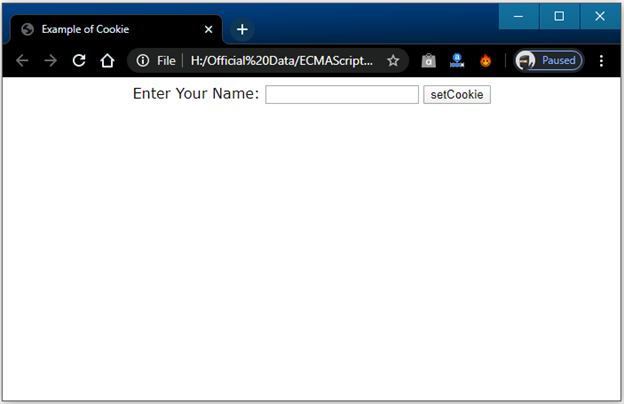
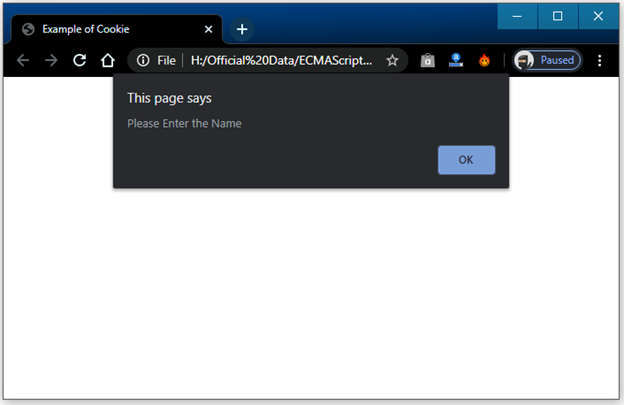
If we don’t fill the text field and click on the setCookie button, we will get an alert message as follows.
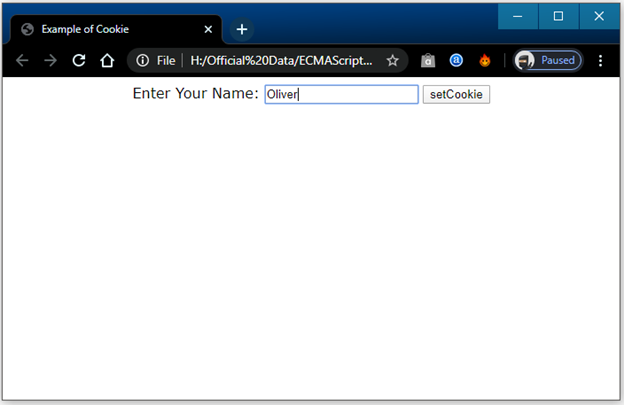
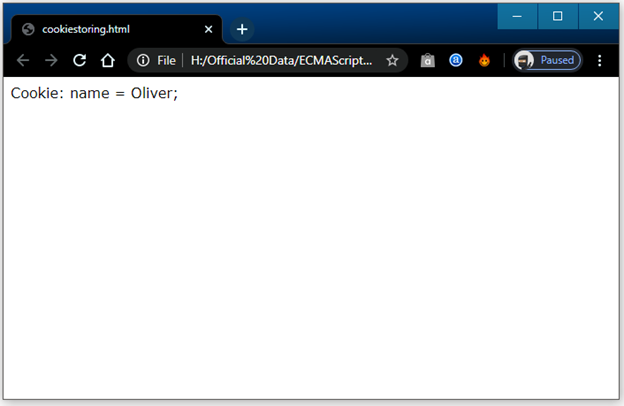
If we give Oliver as an input name in the text field and click on the setcookie button, we will get the following output.
It returns the name of the cookie after the click on the setCookie button.
Reading Cookie
The reading of a cookie is slightly complicated as compared to set cookie. It is a cause of document.cookie object that returns a string that includes semicolon and space individual list of cookies. We can use that string if we need to retrieve a cookie.
If we want to access a cookie from the list, then we can use the split() function. It is used to break strings in the value and key form.
Example
Here, we have an example to understand the following concept:
function getcookie()
{
          var cookieval = document.cookie;
          document.write (“Cookie : ” + cookieval );
}
array = cookievalue.split (‘;’);                  // To get all cookie pairs in an array
for(var a = 0; a<array.length; a++)        // To take key value pairs out of the array
{
          name = array[a].split(‘=’)[0];
          value = array[a].split(‘=’)[1];
}
Updating Cookie
In ES6, we can modify the cookie similarly as we constructed it. We can assign a new value to the cookie to update it. The only method to update a cookie is to make a new cookie.
Example
Here, we illustrate for the same.
// Creating the cookie
document.cookie = “name=PQR;path=/;max-age=” + 365*24*60*60;
// Updating the cookie
document.cookie = “name=PQR;path=/;max-age=” + 30*24*60*60;
Deleting Cookie
If we want to delete a cookie, then it is easy to perform. There is no need to determine the value of a cookie to delete it. To delete a cookie, we need to set the value of expire attribute to a previous date.
Example
We have an illustration for the same in below given code.
document.cookie = “name=value; expires= Wednesday, 22 June 2022 18:00:00UTC; path=/ ”