
Dialog box in ES6

Dialog box in ES6

A dialog box can be defined as a regular type of window in the Graphical User Interface (GUI) of the operating system. It is also spelled as a dialogue box. It is prompt to provide the select commands and information.

There are three types of dialog boxes used in ES6 such as-

  • Prompt Dialog Box
  • Confirmation Dialog Box
  • Alert Dialog Box

 The dialog boxes are used to perform the following specific tasks-

  • To take input from the user  
  • To raise an alert message
  • To take confirmation on input and event

Here, we will try to elaborate each type of dialog box in detail.

Prompt Dialog Box

The prompt dialog box is used when we need to pop-up a text box to take input from user side. It enables us to interact with the user. The prompt dialog box contains two buttons- Ok and Cancel.

If the user requires providing input to the textbox, click Ok. When the user clicks on the Ok button, then the dialog box interprets the value and returns it to the user. If the user click on the Cancel button, the prompt method () return the null value.

Syntax

prompt(message, default_string);   

Example

Here, we have an example to understand the prompt dialog box.

<html>  
<head>   
    <script type="text/javascript">  
        function display() {  
            var value = prompt("Enter the Name : ", "Enter the name");  
            document.write("The Name is : " + value);  
        }  
    </script>  
</head>  
<body>  
    <center>  
        <h1>Hello ES6</h1>  
        <h2>Welcome to ES6</h2>  
        <p>Click on the button </p>  
        <input type="button" value="Click Me" onclick="display();" />  
    </center>  
</body>  
</html>

Output

After the execution of the code, we got the following output:
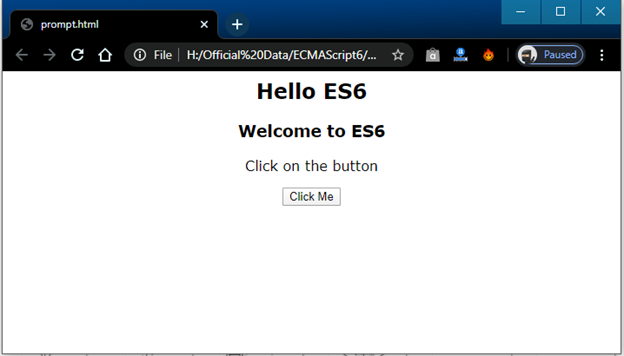
Dialog box in ES6

After the clicking on the button, we got the following output:
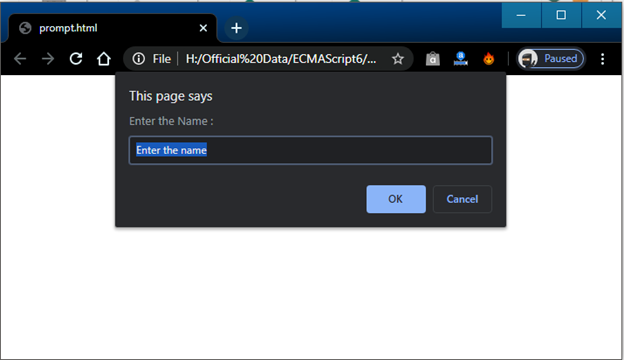
Dialog box in ES6

When we entered the name and click, OK, we got the following output:.
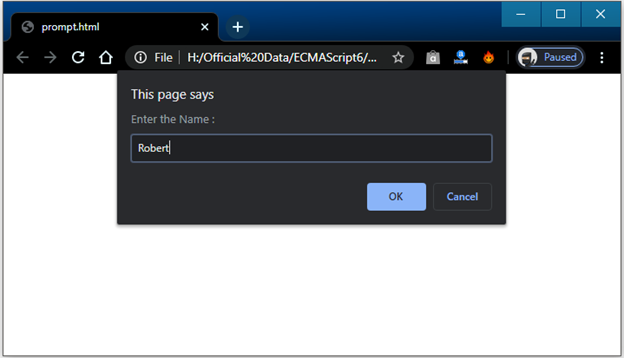
Dialog box in ES6

As shown in the snippet above, we entered Robert after the click on OK button we got the following output.
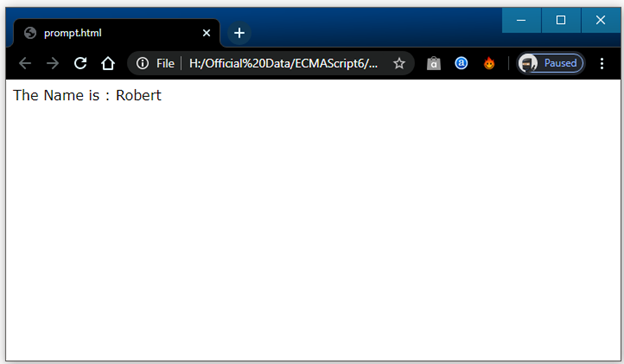
Dialog box in ES6

Confirmation Dialog Box

The confirmation dialog box is used, when we require taking the consent on any option from the user side. The confirmation dialog box also contains two buttons- Ok and Cancel.

It has a confirm method (). If the user clicks on the Ok button, the confirm method () returns true. But if the user clicks on the cancel button, the method returns false. For Example- If a user wants to delete some data, the page can confirm it with the help of a confirmation box.

Syntax

confirm(message);

Example

Here, we have an example to understand the above dialog box.

<html>  
<head>   
    <script type="text/javascript">  
        function display() {  
            var c = confirm ("Do you want to continue ?");  
            if(c == true) {  
                document.write ("We Want to continue");  
            }   
            else {  
                document.write ("We does not want to continue");  
            }  
        }  
    </script>  
</head>  
<body>  
    <center>  
        <h2>Hello ES6</h2>  
        <h3>Welcome to ES6</h3>  
        <p>Click on the button </p>  
        <input type="button" value="Click Me" onclick="display();" />  
    </center>  
</body>  
</html> 

Output

After the successful execution of the code, we got the following output:
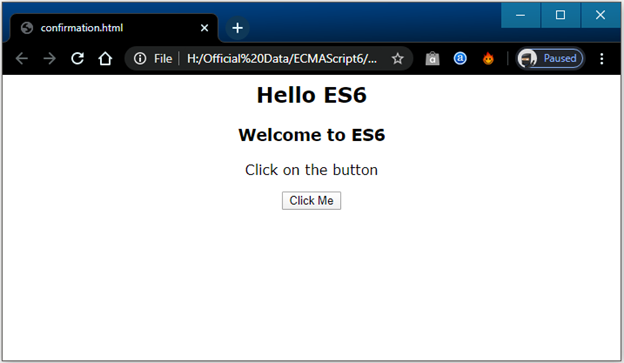
Dialog box in ES6

When we click on the button, then we will get the following output.
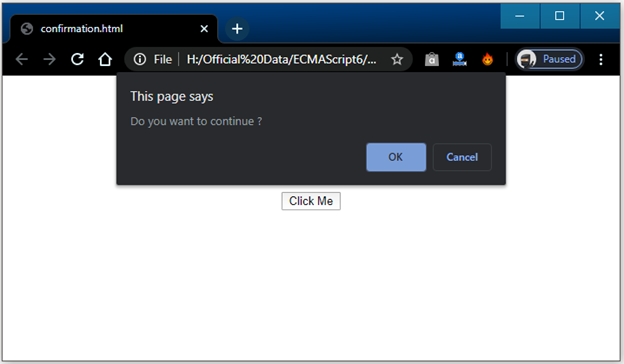
Dialog box in ES6

Now, if we click on Ok, we got the following output:
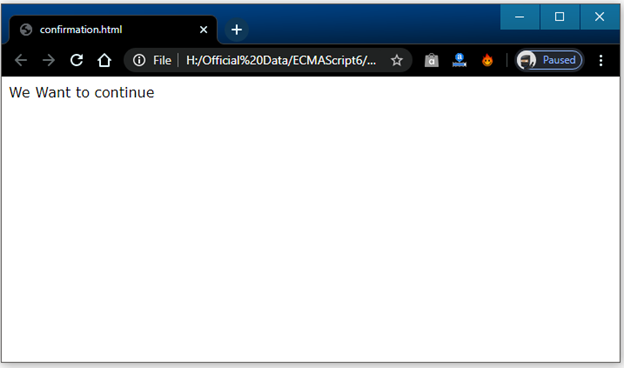
Dialog box in ES6

If we click on the Cancel option, then we will get the following output.
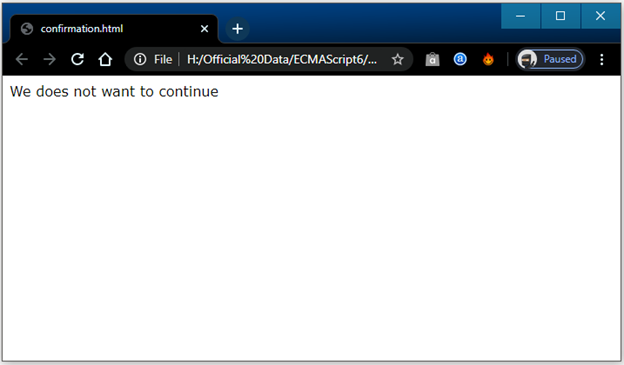
Dialog box in ES6

Alert Dialog Box

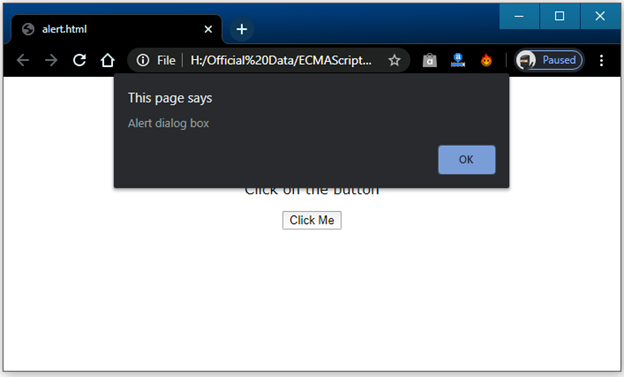
The alert dialog box is used when the system needs to send a warning message to the user. It is a commonly used dialog box in ES6. The alert dialog box only contains OK button to select the next task and continue. For example, if an input area requires to be filled, but the user skips that input area, then the alert dialog box is used to show a warning message to the user.

Syntax

Alert(message);

Example

An example is given below to understand the alert dialog box.

<html>  
<head>  
    <script type="text/javascript">  
        function display() {  
            alert("Alert dialog box");  
        }  
    </script>  
</head>  
<body>  
    <center>  
        <h2>Hello User</h2>  
        <h3>Welcome ES6</h3>  
        <p>Click on the button </p>  
        <input type="button" value="Click Me" onclick="display();" />  
    </center>  
</body>  
</html>

Output

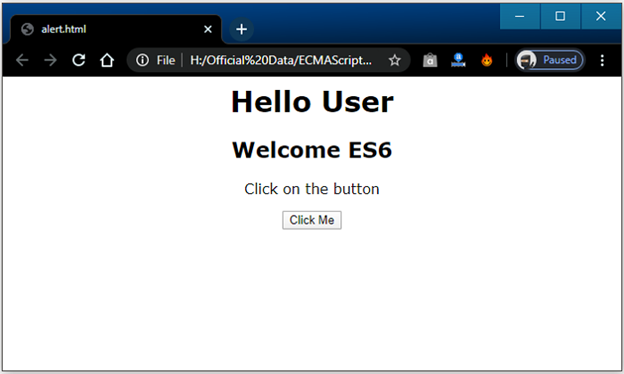
We will get the following output, after the successful execution of the code.
Dialog box in ES6

When we click on the button, we got the following output:
Dialog box in ES6

Related Topics

Spread Operator in ES6

Spread Operator in ECMAScript 6 The term 'Spread Operator' can be defined as an operator that allows expending the array into separate elements. Three dots (…) isthe syntax of the Spread Operator.The Spread operator...

5 minutes read.

String in ES6

String in ES6 The term string can be defined as an object used to represent the sequence of the characters. The string is widely used to store a text-based value like...

9 minutes read.

Object in ES6

Object in ES6 The term object can be defined as an instance that contains the group of key-value pairs. We can modify it using the life cycle of an object in...

6 minutes read.

Functions in ES6 | ECMAScript 6

Functions in ECMAScript 6 In ECMAScript programming language, the term ‘function’ can be defined as a collection or group of input statements, used to perform particular computational calculations and generate the output...

9 minutes read.

Operators in ES6 | ECMAScript 6

Operators in ECMAScript 6 The term Operator is refers to a symbol that is used to instruct the computer system to perform a specific operation. The ECMAScript 2015 supports a rich set of operators....

11 minutes read.

Generator in ES6 | ECMAScript 6

ECMAScript 6 recommends a new way of working with iterators and functions. The way is named as generator or generator function. The ES 6 generator is a distinct type of function that...

5 minutes read.

Module in ES6

Module in ES6 In ES6, the modules can be defined as a small chunk of program code stored in a file. The modules are used to modularize the source code with...

6 minutes read.

Environment Set up in ES6

Environment Set up in ES6 JavaScript is a portable language. It can execute on any browser or any host, and any operating system. Before the use of JavaScript, we need to...

5 minutes read.

Class in ES6

Class in ES6: The Class is a basic term in object-oriented programming (OOPs). A class helps to determine the prototype for modeling in real-world objects. It is used to formulate...

4 minutes read.

Types of Inheritance in ES6

Types of Inheritance The term inheritance can be divided into following three parts- Single-level InheritanceMultiple InheritanceMulti-level Inheritance Single-level Inheritance The single-level inheritance can be defined as an inheritance in which the child class can...

5 minutes read.

Array in ES6

Array in ES6 The array can be defined as an object that is used to display the set of homogenous type of elements in ECMAScript 6. The array provides the facility to store...

5 minutes read.

Number in ES6

Number in ES6 In ES6, we have various methods and properties to implement numeric functions such as floating-point, integers, date, etc. The numbers in ES6 enable us to work with number...

7 minutes read.

Array Destructuring in ES6

Array Destructuring in ES6 The term ‘Destructuring’ is defined as dividing the complicated data structure into easier modules. The Destructuring syntax helps to extract the small segments from an array and the objects....

3 minutes read.

Cookies in ES6

Cookies in ES6 The cookies are an old client-side storage technique produced in a server-side scripting language such as Php and ASP etc. The cookie can be defined as a small...

6 minutes read.

Loop Control Statement in ES6

Loop Control Statement in ECMAScript 6 The loop control statements can be defined as a set of conditions that control the execution of the loop. It executes the loop until the condition becomes false....

6 minutes read.

ES6 | ECMAScript 6 Syntax

The term 'syntax' defines the grammar and spelling of any programming language. In Computer science, “Term syntax is a collection of some rules and regulations that determines the group of symbols used in...

8 minutes read.

Object Destructuring in ES6

Object Destructuring in ES6 The term destructuring is referred to as the breakdown of the complex entities into simpler parts. It works like array destructuring. In the array destructuring, the values...

3 minutes read.

Loops in ES6 | ECMAScript 6

Loops in ECMAScript 6 A Loop statement can be defined as a group of instructions that are always repeated. In the computer programming language, the loops help us to execute a collection of instructions...

8 minutes read.

Decision-Making in ES6 | ECMAScript 6

Decision-Making in ECMAScript 6 The Decision-making structure or statements are used to determine one or more than one condition to be evaluated or tested. The Decision-making statement helps us to decide...

7 minutes read.

ES6 Tutorial

Introduction of ES6 The ECMAScript 6 is a scripting language specification institutionalized by ECMA International. ECMA, named in 1994, is an international organization, related to information and communication system. ECMA stands for “European Computer Manufacturers...

8 minutes read.