Validation in ES6
Validation in ES6
The term validation can be defined as a mechanism to check the information given by the user is correct or not according to the requirements. If the data provided by the front-end user is incorrect or undefined, the web server sends it back to the user. The server also requests to resubmit the form that contains the correct information.
The validation process is done at the web server end. The server sends the validation to the client. It is a time taken to process for both users as well as for the web server. ES6 provides a facility to the user to validate the data form before sending it to the web server.
There are following two functions of form validation. They are-
Basic Validation: It is a process of checking that all the essential fields are filled or not.
Data Format Validation: It helps us to make sure that the input data is correct or not. The data form validation process involves a convenient logic for data testing.
syntax
<script>
function abc()
{
          // validation code
}
</script>
<form action=“page redirection” name=“form name” onsubmit= “return function()”>
<! - - form - - >
</form>
The above syntax contains the following parameters.
action=“page redirection”: It is used to redirect the current page to next page if the input information is correct.
Onsubmit= “return function()”: When the user clicks on the submit button, then this parameter invokes the validate function.
Name=“form name”: The name parameter helps us to access the value from the form.
Here, we will try to elaborate on each validation in detail.
Basic Form Validation
This type of form validation is used to check all essential input fields whether filled or not.
Here, we have an example to understand the above validation.
Example
<!DOCTYPE html>
<html>
<head>
    <title>Basic form Validation</title>
    <script>
        function validateBasic()
{
            var name1 = document.basic.name.value;
            var cour1 = document.basic.cour.value;
            var phone1 = document.basic.phone.value;
            if (name1 == "")
{
             alert("Enter Your Name");
                return false;
            }
            if (cour1 == "") {
             alert("Enter Your Course");
                return false;
            }
            if (phone1 == "") {
             alert("Enter Your Phone Number");
                return false;
            }
        }
    </script>
</head>
<body>
    <center>
        <h1>Basic Form Validation</h1>
        <form name="basic" action="#" onsubmit="return validateBasic()">
            <table cellspacing = "2" cellpadding = "2" border = "1">
            <tr>
                <td>Name: </td>
                <td><input type="text" name="name"></td>
            <tr>
            <tr>
               <td> Course: </td>
               <td><input type="text" name="cour"></td>
            </tr>
            <tr>
                <td>Phone no.:</td>
                <td><input type="text" name="phone"></td>
            </tr>
        </table>
        <input type="submit" value="Submit">
    </form>
       <p id="d1"></p>
    </center>
</body>
</html>
Output
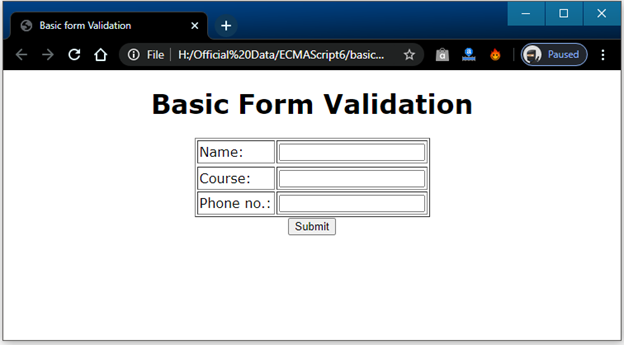
After the successful execution of the above example, we got the following output:
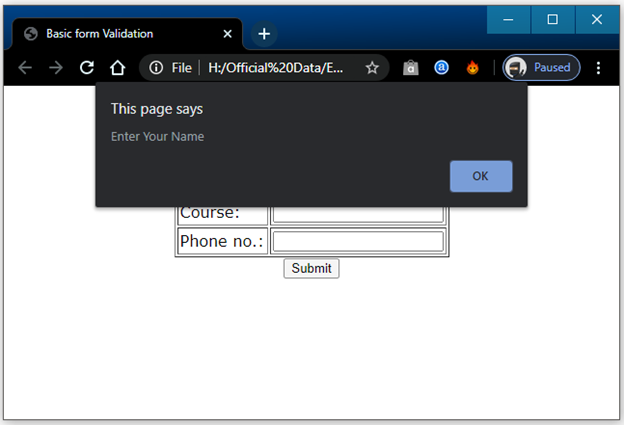
If we click on the submit button without entering the data in text fields, it will show the following alert message.
Data Format Validation
In the data format validation, we have to check that the input data having correct value or not. It validates the already filled input fields to check if the provided information is correct or not.
Here, we have an example to understand the above validation.
Example
<!DOCTYPE html>
<html>
<head>
    <title>Example of Data format Validation</title>
    <script>
        function validateBasic() {
            var name1 = document.basic.name.value;
            var cour1 = document.basic.cour1.value;
            var phone1 = document.basic.phone.value;
            var id = document.basic.em.value;
            if (name1 == "") {
             alert("Enter Your Name");
                return false;
            }
            if(name1.length<5){
                alert("Username should be atleast 5 characters");
                return false;
            }
            at = id.indexOf("@");
         dot = id.lastIndexOf(".");
         if (at < 1 || ( dot - at < 2 )) {
            alert("Incorrect Email-ID")
            return false;
         }
            if (cour1 == "") {
             alert("Enter Your Course");
                return false;
            }
            if (phone1 == "") {
             alert("Enter Your Phone No.");
                return false;
            }
            if(phone1.length<10 || phone1.length>10){
                alert("Mobile number should be of 10 digits");
                return false;
            }
        }
 </script>
</head>
<body>
    <center>
        <h1>Data Format Validation</h1>
        <form name="basic" action="#" onsubmit="return validateBasic()">
            <table cellspacing = "2" cellpadding = "2" border = "1">
            <tr>
                <td>Name: </td>
                <td><input type="text" name="name"></td>
            </tr>
                <tr>
                    <td>Email: </td>
               <td><input type="email" name="em"></td>
                </tr>
            <tr>
               <td> Course: </td>
               <td><input type="text" name="cour"></td>
            </tr>
            <tr>
                <td>Phone no.:</td>
                <td><input type="number" name="phone"></td>
            </tr>
        </table>
        <input type="submit" value="Submit">
    </form>
       <p id="d1"></p>
    </center>
</body>
</html>
Output
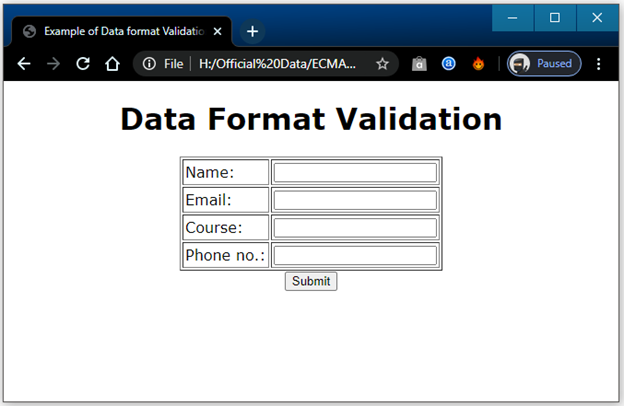
After the execution of the above example, we got the following output:
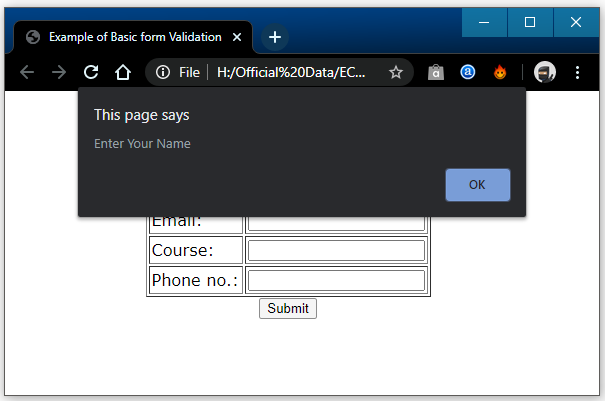
If we click on the submit button without entering the data, then we will get the following alert message.