
Array Destructuring in ES6

Array Destructuring in ES6

The term ‘Destructuring’ is defined as dividing the complicated data structure into easier modules. The Destructuring syntax helps to extract the small segments from an array and the objects. We can also use it for value assignment and variable declaration.

In other words, the process of Destructuring is an effective way for extracting values from data stored in an object or an array. When we are destructuring an array, we have to use the address at the time of the assignment.

Example

Here, we have an example to understand this concept.

var array = [“Welcome”, “ECMAScript 6”]
 var [primary, secondary] = array;                          // Destructuring assignment
 console.log(primary);
 console.log(secondary);    

Output

After the execution of the code, we will get the following output.

Array Destructuring in ES6

We have another example of Array Destructuring given below-

Example

var animals = [“Cow”, “Elephant”, “Dog”, “Cat”, “Tiger”];
 var [animal1, animal2, animal3] = animals;    // Destructuring assignment
 console.log(animal1);
 console.log(animal2);
 console.log(animal3); 

Output

After the execution of the code, we got the following output:

Array Destructuring in ES6

In the above example, we declared an array named animals containing five values. But we select the three random values that are Cow, Elephant, Dog, addressed at positions 1, 2, 3.

Important Point: If we use any number for array destructuring, then it will return an error because numbers do not have the variable name.

Array Destructuring with Default Values

If the value of any variable is undefined or unassigned in an array, then it will execute with a default value.

Example

Here, we have an example to illustrate the above concept.

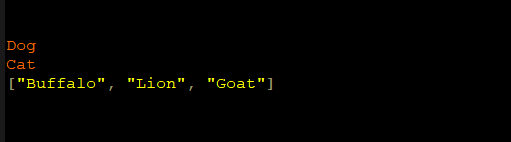
var p, q;
 [p = 10, q = 20] = [30];
 console.log(p);
 console.log(q); 

Output

After the execution of the code, we got the following output:
Array Destructuring in ES6

Array Destructuring with rest operator

The rest operator(…) in the array destructuring helps to store the enduring elements in a new array.

Here, we have an example to understand this concept.

Example

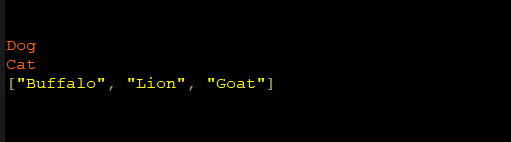
var animals = [“Dog”, “Cat”, “Buffalo”, “Lion”, “Goat”];
 var [p, q,…args] = animal;                                // Destructuring assignment
 console.log (p);
 console.log (q);
 console.log (args); 

Output

After the successful execution of the code, we got the following output:
Array Destructuring in ES6

Variable Swapping

We can swap the values of two variables within the single destructuring expression. We can easily swap the values of variables without any temporary variables.

Example

Here, we have an example of variable swapping.

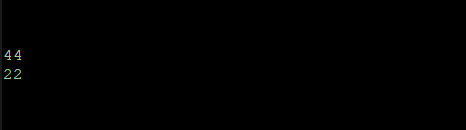
var r = 22, s = 44;
 [r, s] = [s, r];
 console.log (r);
 console.log (s); 

Output

After the execution of the example, we got the following output:
Array Destructuring in ES6

Parsing return array from a function

In the programming, a function is used to return the values of an array. We can easily get an array with the help of a function. The array destructuring helps to define this whole process concisely.

Example

We have an example to understand this concept.

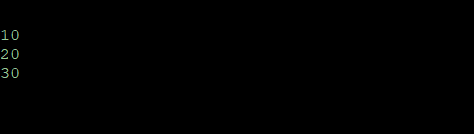
function arr()
 {
           return [10, 20,30]; 
 }    
 var [p, q, r] = arr();
 console.log (p); 
 console.log (q);
 console.log (r); 

Output

After the execution of the code, we got the following output:
Array Destructuring in ES6

Related Topics

Template Literals in ES6

Template Literals in ES6            ES6 introduced a new feature called template literals. It facilitates us to define a multiline string and executes the string interpolation. The template literals are referred to...

3 minutes read.

Boolean in ES6

Boolean in ES6 In ES6, the Boolean object is used to show two values either it may be true or false. In JavaScript, we can use the Boolean object as a...

4 minutes read.

Promises in ES6

Promises in ES6 A promise is used to represent some aspects that are finally fulfilled. It can also be resolved or discarded according to the operational output. In ES6, a promise...

8 minutes read.

Class in ES6

Class in ES6: The Class is a basic term in object-oriented programming (OOPs). A class helps to determine the prototype for modeling in real-world objects. It is used to formulate...

4 minutes read.

Spread Operator in ES6

Spread Operator in ECMAScript 6 The term 'Spread Operator' can be defined as an operator that allows expending the array into separate elements. Three dots (…) isthe syntax of the Spread Operator.The Spread operator...

5 minutes read.

Types of Inheritance in ES6

Types of Inheritance The term inheritance can be divided into following three parts- Single-level InheritanceMultiple InheritanceMulti-level Inheritance Single-level Inheritance The single-level inheritance can be defined as an inheritance in which the child class can...

5 minutes read.

Variables in ES6 | ECMAScript 6

Variables in ECMAScript 6 A Variable is a place in memory used to store a value. There are some rules for declaration of the variable- Variable Initialization Initialization is a process of locating and storing the initial...

4 minutes read.

Decision-Making in ES6 | ECMAScript 6

Decision-Making in ECMAScript 6 The Decision-making structure or statements are used to determine one or more than one condition to be evaluated or tested. The Decision-making statement helps us to decide...

7 minutes read.

ES6 Tutorial

Introduction of ES6 The ECMAScript 6 is a scripting language specification institutionalized by ECMA International. ECMA, named in 1994, is an international organization, related to information and communication system. ECMA stands for “European Computer Manufacturers...

8 minutes read.

Features of ES6 | ECMAScript 6

The ES6 or ECMAScript 2015 came with various exiting and new features. These features make it a more robust and updated programming language than ES5. Some of these new promising features are Const...

6 minutes read.

Arrow Function in ES6

Arrow Function in ES6  An Arrow function is a new concept recommended in ECMAScript 2015. It is also called “Fat Arrow Function.” It helps us to write the function more accurately. This function...

5 minutes read.

Map Object in ES 6

Map Object in ES 6 ES 6 introduced a new feature that is included in JavaScript. In the previous versions of ECMAScript, if we want to perform mapping on values and...

5 minutes read.

Cookies in ES6

Cookies in ES6 The cookies are an old client-side storage technique produced in a server-side scripting language such as Php and ASP etc. The cookie can be defined as a small...

6 minutes read.

Operators in ES6 | ECMAScript 6

Operators in ECMAScript 6 The term Operator is refers to a symbol that is used to instruct the computer system to perform a specific operation. The ECMAScript 2015 supports a rich set of operators....

11 minutes read.

Array Methods in ES6

Array Methods in ES 6 ES 6 introduced the various new methods such as Array,from(), Array,of(). Here, we have the various array methods used in JavaScript, they are given below in the table...

10 minutes read.

Array Destructuring in ES6

Array Destructuring in ES6 The term ‘Destructuring’ is defined as dividing the complicated data structure into easier modules. The Destructuring syntax helps to extract the small segments from an array and the objects....

3 minutes read.

Void Keyword in ES6

Void Keyword in ES6 In ES6, the void keyword is referred to as a function return type, but it does not return any value. It classifies the expression and returns the...

2 minutes read.

Environment Set up in ES6

Environment Set up in ES6 JavaScript is a portable language. It can execute on any browser or any host, and any operating system. Before the use of JavaScript, we need to...

5 minutes read.

Loops in ES6 | ECMAScript 6

Loops in ECMAScript 6 A Loop statement can be defined as a group of instructions that are always repeated. In the computer programming language, the loops help us to execute a collection of instructions...

8 minutes read.

Dialog box in ES6

Dialog box in ES6 A dialog box can be defined as a regular type of window in the Graphical User Interface (GUI) of the operating system. It is also spelled as...

5 minutes read.