Codeigniter Session Library
Session Library
The session is an essential part of any application. It contains various functions to manage the users' status and track their activity while browsing on the site.
For example, when a user logs into any web application, it creates a global session for that user, tracking their activity and status until the user logs out of an application.
Load a Session Library
Before using the Session library in the Codeigniter application, you must load this library in the controller file.
Syntax
$this->load->library( ‘session’);
When the session library is loaded, you can simply use the session object to execute their function:
$this->session
Class Reference
- A userdata() function is used to fetch only a specified data item form the session.
Syntax
userdata ([$key = NULL]);
$key: It defines the session items key or null.
- As the name defines, an all_userdata() function is used to fetch all “userdata” items stored in the session.
Syntax
all_userdata( $array);
- It is used to check whether the defined item exists in $_SESSION or not.
Syntax
has_userdata ($key);
$key: It defines the session key item.
- As the name suggests, a set_userdata() function is used to set the data items to the $_SESSION superglobal.
Syntax
set_userdata ($data [, $value = NULL ]);
It has two parameters
$data: You can define an array of key/value pairs or a single key item to set as session data.
$value: In this field, you can set the value for a specific session item.
- An unset_userdata() function is used to remove the specified key value or array of multiple keys from the stored $_SESSION value.
Syntax
unset_userdata( $key);
$key: It defines the key or array of multiple key to unset data item.
- A sess_destroy() function is used to destroy the current session.
Syntax
sess_destroy();
- A sess_regenerate() function is used to regenerate the session id. It also provides an optional parameter to determine whether you want to destroy the current session’s data.
Syntax
sess_regenerate( [$destroy = FALSE]);
$destroy: It uses a Boolean value to destroy session data.
- It is a magic method that enable you to fetch data items by using $this->session->data instead of $_SESSION[‘data’].
- It is also a magic method that enables you to set data items to $_SESSION by accessing them as $this->session properties:
Syntax
_set ($key, $value)
It has two parameters:
$key: It defines the session item key.
$value: It defines the value which you want to assign to the session item key.
Functions of Session Library
- Add session data
In this topic, we will understand how we can add data to the session class. For example, when you log into a site, it authenticates you by taking ‘username’ and ‘email’ address as an input to create a session on the site.
Case1. Add multiple items in an associative array.
Syntax
$array_name = array(
                         ‘username’ => ‘James’,
                         ‘password’ => ‘james@123’
                         );
 $this->session->set_userdata($array_name);
Case2. When you want to add one value at a time in a set_userdata() function.
Syntax
$this->syntax->set_userdata(‘username’, ‘John’);
Create a Session_controller.php controller file and save it to the following path application/controller/Session_controller.php folder. After that, write the following program in the controller file.
Session_controller.php
 <?php
 defined( 'BASEPATH ') OR exit( 'No direct script access allowed');
 class Session_controller extends CI_Controller
 {
     public function _construct()
     {
      parent::_construct();
         $this->load->library('session');
     }
     public function set_session()
     {
 echo"<title> Tutorial and Example </title>";
         $this->session->set_userdata('name', 'Tutorial and Example');
         $this->session->set_userdata('email2', 'tutorialandexample@gmail.com');
         $this->session->set_userdata('password', 'mytutorialandexample');
         $newdata = array(
             'username'  => 'peter',
             'email'     => 'peter@tutorialandeaxmple.com',
             'mobile'    => '1234567890'
     );
     $this->session->set_userdata($newdata);
     $this->load->view('session_view');
 }
 }
 ?>
Create a session_view.php view file and save it to the following path application/views/session_view.php folder. After that, write the following statement to show a message.
Session_view.php
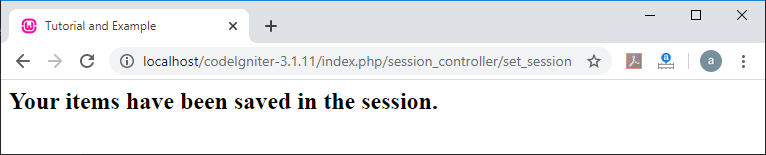
<h2> Your items have been saved in the session. </h2>
To run the program in the localhost by invoking the URL localhost/CodeIgniter-3.1.11/index.php/Session_controller/set_session function; it shows the output, as shown below.
- Read SESSION DATA
Now in this topic, we will understand how we can retrieve a piece of information from the session that is available through the $_SESSION. It contains various methods to fetch particular data or an array of data items from the session.
Case1. Retrieve a single item to the session such as;
$_SESSION[‘name’];
Or through the magic getter:
$this->session->item_name;
Case2. Retrieve a single item or an array of data to the session.
$data = $_SESSION[‘name’];
 //or
 $data = $this->session->name;
 // or
 $data = $this->session->userdata(‘name’); // fetch a particular item
 // or
 $data = $this->session->all_userdata($name); // fetch an array.
Example: Create a Session_controller.php controller file and save it to the following path application/controller/Session_controller.php folder. After that, write the following program in the controller file.
Session_controller.php
<?php
 defined( 'BASEPATH ') OR exit( 'No direct script access allowed');
 class Session_controller extends CI_Controller
 {
     public function _construct()
     {
      parent::_construct();
         $this->load->library('session');
     }
 public function readSession()
 {
     echo "<title> Tutorial and Example </title>";
 //$this->load->library('session');
 echo "<h2> These are the functions of READ SESSION VALUES </h2>";
 // userdata() function
 $data = $this->session->userdata();
 print_r($data);
 echo "<br/>";
 // all_userdata() function
 $data2= $this->session->all_userdata();
 print_r($data2);
 echo "<br>";
 // session->item_name
 echo $this->session->password;
 echo"<br>";
 // call individual item
 echo $this->session->userdata('username');
 echo "<br>";
 // call using $_SESSION['item'];
 $info = $_SESSION['email2'];
 echo $info;
 }
 }
 ?>
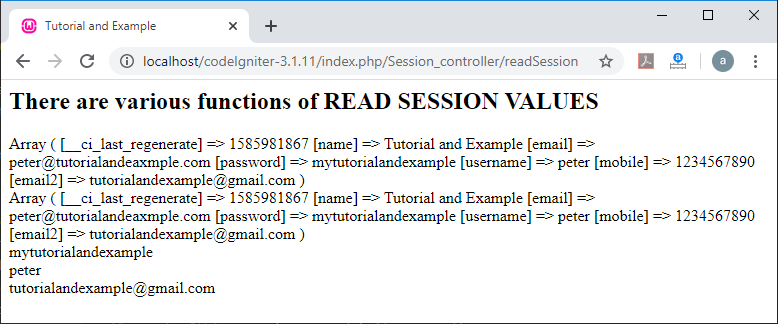
To run the program in the localhost by invoking the URL localhost/CodeIgniter-3.1.11/index.php/Session_controller/readSession function; it shows the output, as shown below.
- Check an Items from Session
In this method, you can check the session value is exists or not, by using the following syntax, as shown below:
- isset($_SESSION[‘data_name’]);
If the defined item is not existing in the session, it returns FALSE or NULL; otherwise, it shows TRUE.
- Or you can all has_userdata() function to check the data item in the session.
if($this->session->has_userdata(‘data_name’]))
 {
 echo “item exist”;
 }
 else
 “Not exist”;
Create a Session_controller.php controller file and save it to the following path application/controller/Session_controller.php folder. After that, write the following program in the controller file.
Session_controller.php
<?php
 defined( 'BASEPATH ') OR exit( 'No direct script access allowed');
 class Session_controller extends CI_Controller
 {
     public function _construct()
     {
      parent::_construct();
         $this->load->library('session');
     }
 public function check()
 {
     echo "<title> Tutorial and Example </title>";
     if(isset($_SESSION['username']))
         {
             echo "item exist";
         }
         else
          {
         echo "not exist";
          }
   }
 }
 ?>
To run the program in the localhost by invoking the URL localhost/CodeIgniter-3.1.11/index.php/Session_controller/check function; it shows the output, as shown below.

- Remove Session Data
In this topic, we will understand how we can remove or unset a value in $_SESSION with the help of unset() function. An unset() function can reset more than one data item in $_SESSION.
There are following method available in remove session to unset the data:
- unset single item
unset($_SESSION[ ‘item_name’ ]);
- unset multiple data: You can define multiple data items in $_SESSION to reset the stored data value in the session class.
unset(
                   $_SESSION[‘item_name’],
                   $_SESSION[‘another_name’]
       );
- unset_userdata(): An unset_userdata() function is also used to remove a specific item or an array of data from the stored session.
For example:
$this->session->unset_userdata(‘item_name);
 // or multiple data item
 $array_item =  array(‘nam’, ‘email’, ‘password’);
 $this->session->unset_userdata($array_item);
Create a Session_controller.php controller file and save it to the following path application/controller/Session_controller.php folder. After that, write the following program in the controller file.
Session_controller.php
<?php
 defined( 'BASEPATH ') OR exit( 'No direct script access allowed');
 class Session_controller extends CI_Controller
 {
     public function _construct()
     {
      parent::_construct();
         $this->load->library('session');
     }
 public function remove()
 {
     echo "<title> Tutorial and Example </title>";
 unset($_SESSION['email']); // for single item
 unset(
         $_SESSION['username'],
         $_SESSION['password']         // for multiple data items
 );
 $data = array('username', 'email');
 echo $this->session->unset_userdata($data);   // for multiple data item
 $this->load->view('remove_view');
  }
 }
 ?>
Create a remove_view.php view file and save it to the following path application/Views/remove_view.php. After that, write the following statement to show a message.
remove_view.php
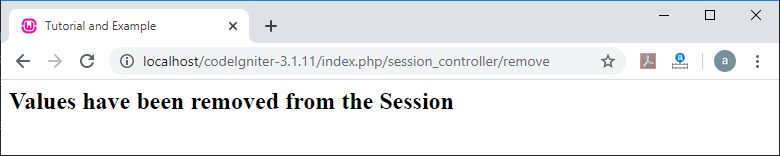
<h2> Values have been removed from the Session </h2>
To run the program in the localhost by invoking the URL localhost/CodeIgniter-3.1.11/index.php/Session_controller/remove function; it shows the output, as shown below.
- Destroy a Session
If you want to clear the current session in any site (for example, during logout), you can directly use the below syntax as shown below:
Syntax
session_destroy();
 // or
 $this->session->sess_destroy();
Create a Session_controller.php controller file and save it to the following path application/controller/Session_controller.php folder. After that, write the following program in the controller file.
Session_controller.php
<?php
 defined( 'BASEPATH ') OR exit( 'No direct script access allowed');
 class Session_controller extends CI_Controller
 {
     public function _construct()
     {
      parent::_construct();
         $this->load->library('session');
     }
 public function destroy()
 {
 session_destroy(); // destroy current session.
 $this->load->view(‘destroy_view’);
 }
 }
 ?>
Create a destroy_view.php view file and save it to the following path application/Views/destroy_view.php. After that, write the following statement to show a message.
destroy_view.php
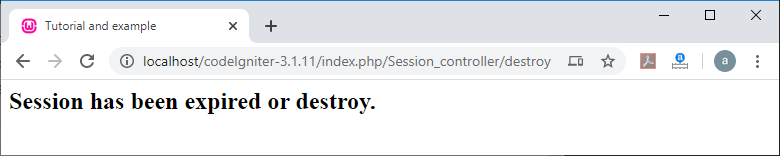
<h2> Session has been expired or destroy. </h2>
To run the program in the localhost by invoking the URL localhost/CodeIgniter-3.1.11/index.php/Session_controller/destroy function; it shows the output, as shown below.
- Flashdata
A Flashdata is an important part of a web application that displays flash messages on a web site. In Flashdata, we need to store some data that is only available to display an error message or notification message once. When a new request for the application arrives, it is automatically deleted.
- Add Flash message
There are two ways to add flashdata to the session.
- mark_as_flash(): It is used to add flash messages or to mark an existing item as flashdata. To store a single value, it requires only one argument as ‘item_name’, and if you want to store multiple values, you can use an array.
Syntax
// mark single parameter
 $_SESSION[‘item’] = ‘Success’;
 $this->session->mark_as_flash(‘item’);
 // mark multiple items as flashdata
 $this->session->mark_as_flash(array( ‘item_name’, ‘item_name2’);
- set_flashdata(): As the name suggests, a set_flashdata() function is also used to set flash messages. It takes two argument ‘name’ and ‘value’ of the flashdata to store a single item, as shown below. You can also pass an array to set_flashdata() function.
Syntax
$this->session->set_flashdata(‘item’, ‘value’);
- Retrieve Flashdata
If you want to fetch or display a particular message to the application, you can use a flashdata() function that takes one argument to be fetched from a flash session, as shown below.
Syntax
$this->session->flashdata( ‘item’ );
NOTE: If you have not passed any argument to the flashdata() function, it returns an array with the same function.
Example: Create a Session_controller.php controller file and save it to the following path application/controller/Session_controller.php folder. After that, write the following program in the controller file.
Session_controller.php
<?php
 defined( 'BASEPATH ') OR exit( 'No direct script access allowed');
 class Session_controller extends CI_Controller
 {
     public function _construct()
     {
      parent::_construct();
         $this->load->library('session');
     }
 public function index()
 {
     //load flashdata_home page
     $this->load->view('flashdata_home');
  }
  public function add() {
     //Load URL Helper
     $this->load->helper('url');
     // add flash messages
     $_SESSION['item'] = 'Welcome To The Tutorial and Example';
     echo $this->session->mark_as_flash('item');
     $this->session->set_flashdata('data','Flash Data');
     // redirect to Session_controller.php
     redirect('Session_controller');
  }
 }
 ?>
Create a flashdata_home.php view file and save it to the following path application/Views/flashdata_home.php. After that, write the following program in the view file.
flashdata_home.php
<!DOCTYPE html>
 <html>
    <head>
       <title>Tutorial and Example </title>
    </head>
    <body>
       Example of Flash Data
       <h2><?php echo $this->session->flashdata('data'); ?></h2>
       <h2><?php echo $this->session->flashdata('item'); ?></h2>
       <a href = 'Flash_controller/add'>Click Here</a> to add flash message.
    </body>
 </html>
To run the program in the localhost by invoking the URL localhost/CodeIgniter-3.1.11/index.php/Session_controller, it shows the output, as shown below.
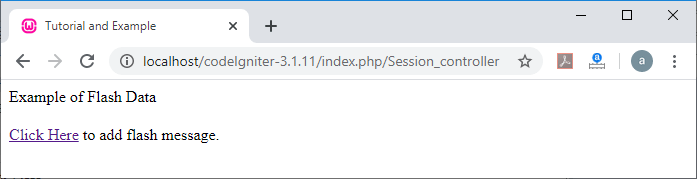
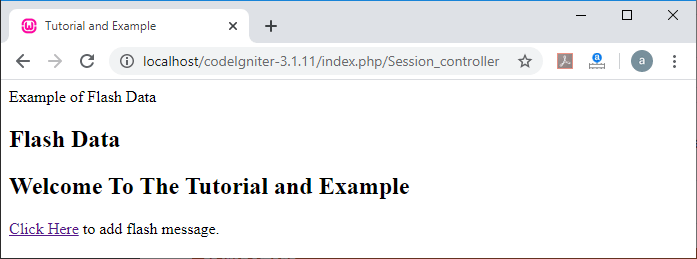
As you click on the ‘Click Here’ link, it displays a given below image. In this image, you can see there are two flash messages on the screen. When you refresh this page, it automatically removes the flash messages from your screen, and it will show you as an above screen.
- Tempdata
A Codeigniter provides a tempdata functionality used to remove the value of an item with a specific expiration time that is stored in a session. When the expiration time expires, the value is automatically removed or removed from the session.
There are the following functions available in the tempdata:
Add message using Tempdata
- mark_as_temp(): It is used to add temp message or to mark an existing item as tempdata with its key and expiry time (in second). It takes two arguments ‘item_name’ and the expiration ‘time’ for the values to be stored in session tempdata. You can also define an array to store multiple values in the session.
Syntax
// for single instances
 $_SESSION[‘item’] = ‘Welcome’;
 $this->session->mark_as_temp(‘item’, 240); //expire in 4 minutes
 /* define multiple instances that will be expire at same time (after 300 second or 5 minutes). */
 $this->session->mark_as_temp(array( ‘data’, ‘data2’, ‘data3’), 300);
 // define multiple instances with different expiration time
 $this->session->mark_as_temp(array (
                                                 ‘item’ => 120, // it expires in 2 minutes
                                                 ‘item2’ => 180 // it expires in 3 minutes
                                                 ));
- set_tempdata(): As the name suggests, a set_tempdata() function is also used to set temp messages with a defined expiration time (in seconds). After that, it automatically removes from the session. It takes three arguments, such as:
- The First parameter takes the key as an ‘item_name’.
- The second parameter requires the ‘value’ of a defined key name.
- And the last parameter takes the expiration time (in second).
Example
$this->session->set_tempdata(‘item’, ‘value’, 240 );
 Or you can use array to set_tempdata()
 $data = array( ‘name’ => ‘Welcome’, ‘’text’ => ‘Nice to meet you’ );
 $expire = 300;
 $this->session->set_tempdata( $data, NULL, $expire);
Read Tempdata Message
If you want to read a template message from the session, you can use the tempdata() function. It allows you to read a single item as well as multiple existing tempdata from the session.
Example:
Read single item:
$this->session->tempdata(‘item); // return only specific item
Read multiple data:
$this->session->tempdata(); // returns all existing data
Removes Tempdata
A tempdata can be removed automatically from the session after the completion of the expiration time. If you want to remove temp messages before its expiration time, you can use unset_tempdata() function., which takes only one argument of the item to be removed. Furthermore, if you want to remove multiple values, you can leave unset_tempdata() function to blank.
Example:
$this->session->unset_tempdata(‘item);
 // remove multiple values
 $this->session->unset_tempdata();
Create a Session_controller.php controller file and save it to the following path application/controller/Session_controller.php folder. After that, write the following program in the controller file.
Session_controller.php
<?php
 defined( 'BASEPATH ') OR exit( 'No direct script access allowed');
 class Session_controller extends CI_Controller
 {
     public function _construct()
     {
      parent::_construct();
         $this->load->library('session');
     }
 public function index_home()
  {
      // load view file
  $this->load->view('tempdata_home');
 }
 public function add_temp() {
    $expire = 20;  // it remains for 20 seconds
       $show = array (
       'error' => 'Some error has been occurred',
       'success' => 'Nice Give Your Best!'
  );
 $this->session->set_tempdata($show, NULL, $expire);  /* it remains active for 20 seconds. */
    // Load URL helper
    $this->load->helper('url');
    $_SESSION['item'] = 'Welcome To The Tutorial and Example';
    echo $this->session->mark_as_temp('item', 10); // it disappear after 10 second
    // redirect to the Session_controller
    redirect('Session_controller/index_home');
 }
 }
 ?>
Create a tempdata_home.php view file and save it to the following path application/Views/tempdata_home.php. After that, write the following program in the view file.
tempdata_home.php
<!DOCTYPE html>
 <html>
    <head>
       <title>Tutorial and Example </title>
    </head>
    <body>
       Example of TEMP Data
       <h2><?php echo $this->session->tempdata('success'); ?></h2>
       <h2><?php echo $this->session->tempdata('error'); ?></h2>
       <h2><?php echo $this->session->tempdata('item'); ?></h2>
       <a href = 'add_temp'>Click Here</a> to add Temp message for certain period.
    </body>
 </html>
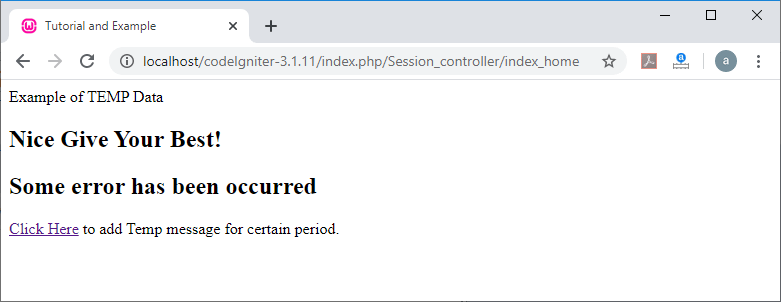
To run the program in the localhost by invoking the URL localhost/CodeIgniter-3.1.11/index.php/Session_controller/index_home, it shows the output, as shown below.
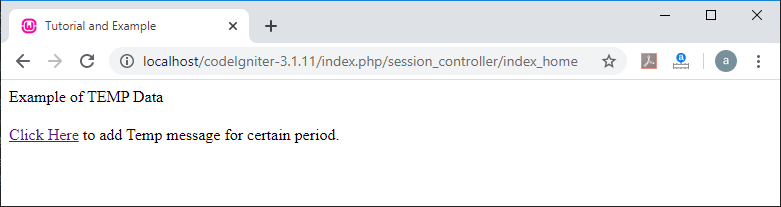
As you click on the ‘Click Here’ link, it displays a given below image. In this image, there are three temp messages which are available for 10 and 20 seconds.
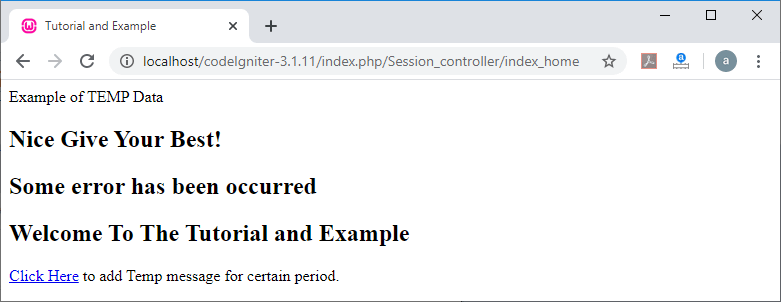
After refreshing the web page in 10 seconds, you will find a below image. In this image, you can see, a third temp message – ‘Welcome To The Tutorial and Example’ has been disappeared due to the completion of the defined expiration time. Similarly, when the 20 seconds have been passed, the remaining messages will also be removed, and it redirects you to the main page of the tempdata.