
CodeIgniter ZIP Encoding Class
ZIP Encoding Class
The CodeIgniter provides a Zip encoding class that are used to compress a large file into a Zip archives. And this archives files can be downloaded either to your desktop or saved to a defined directory.
Loading a Zip Encoding Class
Like most other library classes in CodeIgniter application you must load a Zip class in the controller file such as:
Syntax
$this->load->helper(‘text’);
Once the class has been loaded, you can use the zip library object as shown:
$this->zip
Class reference
There are various class references available in the Zip class:
- $compression_level: As the name suggests, $compression_level is used to compress it to what level to reduce their size. Its range starts from 0 to 9, where 0 disable the compression, and 9 means highly compression of the file.
$this->zip->compression_level = 5;
- add_data(): An add_data() function is used to add file contents to a defined single file name.
Syntax
add_data ($filepath [, $data = NULL ])
It has two parameters:
$filepath: It defines the file path or file name that contain your file contents.
$data: In this parameter, you can define the file contents that you want to store in the defined filename.
Example: Create a Zip_controller.php controller file and save it to the following path application/controller/Zip_controller.php folder. After that, write the following program in the controller file.
Zip_controller.php
<?php
 defined('BASEPATH') OR exit('No direct script access allowed');
 class Zip_controller extends CI_Controller
 {
     public function add()
     {
       echo "<title> Tutorial and Example </title>";
         $this->load->library('zip');
         $filename = 'myfile.txt';
         $data = 'Welcome to the Tutorial and example';
         $this->zip->add_data($filename, $data);  /* define filename and the content which     you want to write. */
         if($this->zip->archive('Files/mydata.zip')) // it is an archive function.
         {
             echo ' Zip file has been created';
         }
         else
        {
             echo 'Failed to create';
         }
     }
 }
 ?>
To run the program in the localhost by invoking the URL localhost/CodeIgniter-3.1.11/index.php/Zip_controller/add function; it shows the output,as shown below.
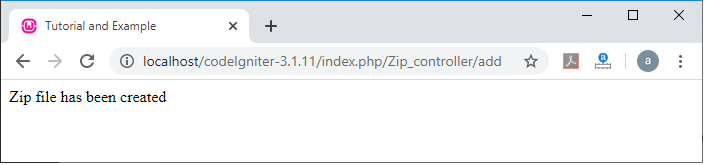
If you verify that your zip file has been created in your application, follow this path:
C:\wamp64\www\CodeIgniter-3.1.11\Files, and it shows a zip file with a name ‘mydata’ in the defined folder.

Alternatively, if you want to add multiple files, you can use an array where the first parameter should contain file => content and the second parameter canbe ignored, as shown below:
$file = array(
             ‘myfirst.txt’ => ‘Codeigniter is a PHP framework’,
             ‘mysecond.text’ => ‘Codeigniter is an easy to learn’
             );
 $this->zip->add_data($file);   // it will add the content to their respective file.
- add_dir(): An add_dir() function is used to create a directory that contains your data files.
Syntax
add_dir ($directory)
Example:
$this->zip->add_dir(‘folder_name’); // It creates ‘folder_name’ as directory name
- read_file(): As the name suggests, a read_file() function enables you to compress a file that already exists on a defined folder, so you have to pass a file path, the zip class will read a defined file and add it to archive.
Syntax
read_file ($path [, $archive_filepath = FALSE ])
It has two parameters:
$path: It contains the file path, where the Zip file is stored.
$archive_filepath: It defines whether you want to maintain the original file path (using Boolean) or create a new file name/path (in string).
Example: Create a Zip_controller.php file to the following path application/controller/Zip_controller.php folder. After that, write the following program in the controller file.
Zip_controller.php
<?php
 defined('BASEPATH') OR exit('No direct script access allowed');
 class Zip_controller extends CI_Controller
 {
 public function read()
     {
         echo "<title> Tutorial and Example </title>";
         $this->load->library('zip');
         $this->load->helper('file');
         $new_path = 'images/Folder/file2.txt';
         $path = 'Files/mydata/myfile.txt';
         if($this->zip->read_file($path, $new_path))
         {
             echo "<h4> Your File Content is here... </h4>".read_file($path);
         }
         else
         {
            echo "Can't be Read";
         }
     }
 }
 ?>
To run the program in the localhost by invoking the URL localhost/CodeIgniter-3.1.11/index.php/Zip_controller/add function; it shows the output,as shown below.
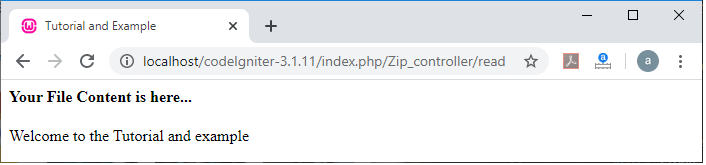
- read_dir(): This function is similar to read_dir () except that it is used to compress a directory that already exists on your application. This requires a directory path, which the zip class can read and recreate it as a zip archive.
Syntax
read_dir ($path [, $preserve_filepath = TRUE [, $root_path = NULL ] ])
$path: It define the path to directory.
$preserve_filepath (bool): It defines whether you want to maintain the original path.
$root_path: It defines which part of the directory path to exclude from the archive directory.
Example:
$source = ‘uploads/directory_name/’;
$this->zip->read_dir($source); // read a directory name
$this->zip->download(‘myfile.zip’); /* download a zip file to your desktop as myfile.zip. */
- archive(): An arhive() function is used to create a Zip-encoded file from a target directory ending with the file name.
Syntax
archive ($filepath)
$filepath: It defines the target zip folder.
Example:
$this->zip->archive( ‘/path/to/archivefile.zip’); /* creates an archive file with a name archivefile.zip */
- download(): As the name suggests, a download () function is used to download the zip file from the server. For this, you have to provide a name in the function, which you call a zip file.
Syntax
download ($filename = ‘backup.zip’)
$filename: You can pass an archive file name.
Example: Create a Zip_controller.php file to the following path application/controller/Zip_controller.php folder. After that, write the following program in the controller file.
Zip_controller.php
<?php
 defined('BASEPATH') OR exit('No direct script access allowed');
 class Zip_controller extends CI_Controller
 {
 public function index()
     {
         $this->load->view('zip_view'); // load a view file
     }
         public function downloadZip()
         {
             $this->load->library('zip');
             $path = 'Files/mydata/myfile.txt';
             if($this->zip->read_file($path))
             {
              $data = $this->zip->download('compress.zip'); /* it download a zip file with a name compress.zip */
             }
             else
             {
                echo "File cannot be download";
             }
         }
 }
 ?>
Create a zip_view.php file to the following path application/views/zip_view.php folder. After that, write the following program in the view file.
Zip_view.php
<html>
 <head>
 <title> Tutorial and Example </title>
 </head>
 <body>
 <h2> Example of download a zip file </h2>
 <a href ="<?php echo base_url('index.php/Zip_controller/downloadZip'); ?>" > Click here </a> to download a Zip file.
 </body>
 </html>
To run the program in the localhost by invoking the URL localhost/CodeIgniter-3.1.11/index.php/Zip_controller; it shows the output,as shown below.
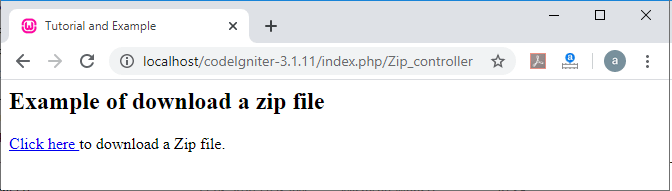
Click on the click here link, it will download a Zip file from your server, as shown in below image.
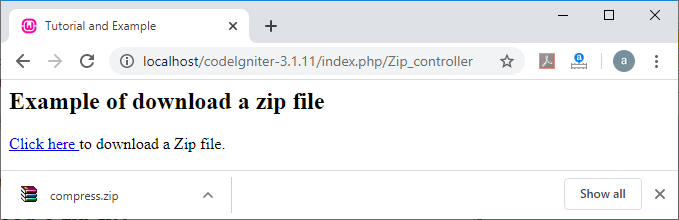
- get_zip(): A get_zip() function is used to return the Zip compressed file data.
Example:
$filename = ‘my_file.txt’;
$data = ‘Welcome to the world’;
$this->zip->add_data ($filename, $data);
$zip_file = $this->zip->get_zip();