
How to delete Snapchat Account?

What is Snapchat?

Snapchat is a social networking app, which is developed by Snap Inc. It is created by Even Spiegel, Bobby Murphy, and Reggie Brown. Snapchat was launched in September 2011. It is a different type of social media app compare to others because its photos disappear after a few seconds. It allows users to use the various types of filters in the photos and short videos. It is a new kind of photo app that allows you to connect with your friends and the world. Over 210 million users use the Snapchat every day to talk, play games, take pictures, and make the story.

In this article, we are going to learn how we can delete the Snapchat account from Google.

How to delete Snapchat Account?

If you deactivate your account from Snapchat, you can't be able to connect with your friends on Snapchat. Once your account is deactivated from Snapchat, it gives the 30-day timeline to reactivate your account by the login. After 30 days, your Snapchat account, including photos, chats, stories, location data, and friends in your database will be deleted permanently. It cannot be recovered again in the future. You can delete the Snapchat account only on the Snapchat account portal.

You can use the following steps to delete your Snapchat Account:

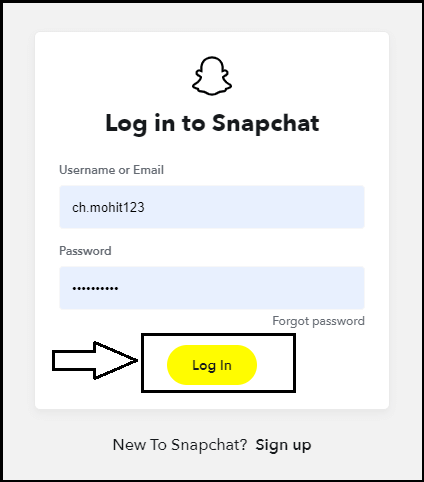
Step 1: Go to the Snapchat account portal and enter the username and password to login to the account and go to the next step. You can use this https://accounts.snapchat.com/accounts/login link to access the login page of Snapchat directly.
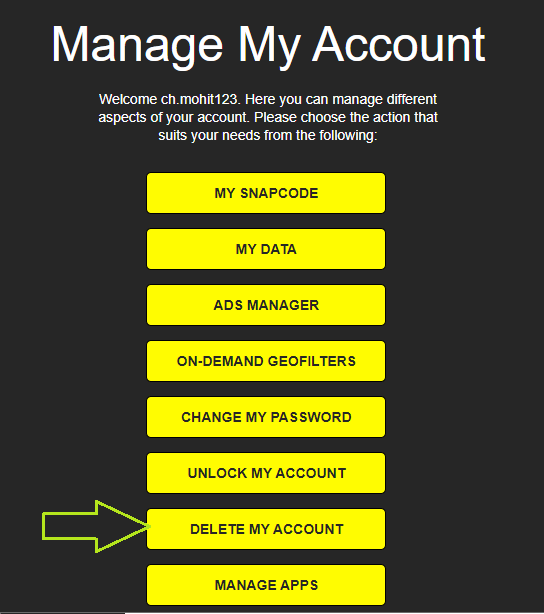
Step 2: Now, scroll the page to the bottom and click on the “Delete My Account” option and go to the next step.
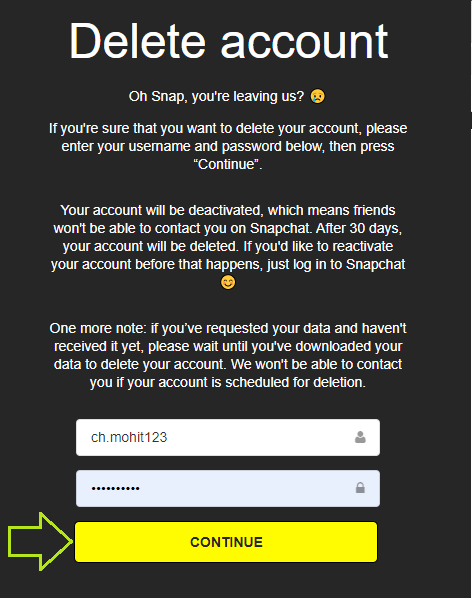
Step 3: Next, enter the username and password and then click on the “Continue” option to delete your Snapchat Account.
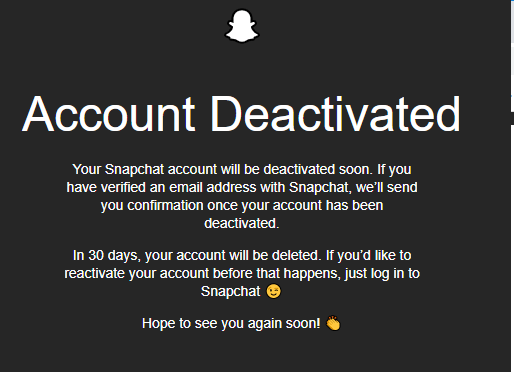
Step 4: Now, your account is deactivated from Snapchat. If you want to reactivate your account, you have to login within 30 days.
How to delete or deactivate Snapchat Account on App?

If you are using the Snapchat app, you are required to use another way to delete the Snapchat account on the app. To delete or deactivate the Snapchat account from the app, follow the following steps:

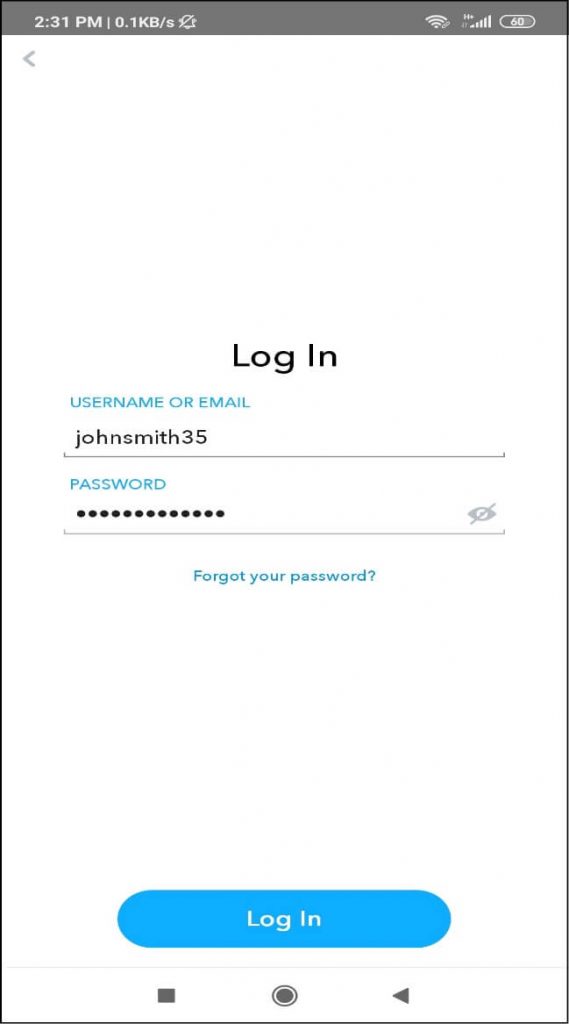
Step 1: Firstly, open the Snapchat account on the mobile phone, either it is an Android or iPhone.

Step 2: Click in the “login” button to open the account.
How to delete Snapchat Account

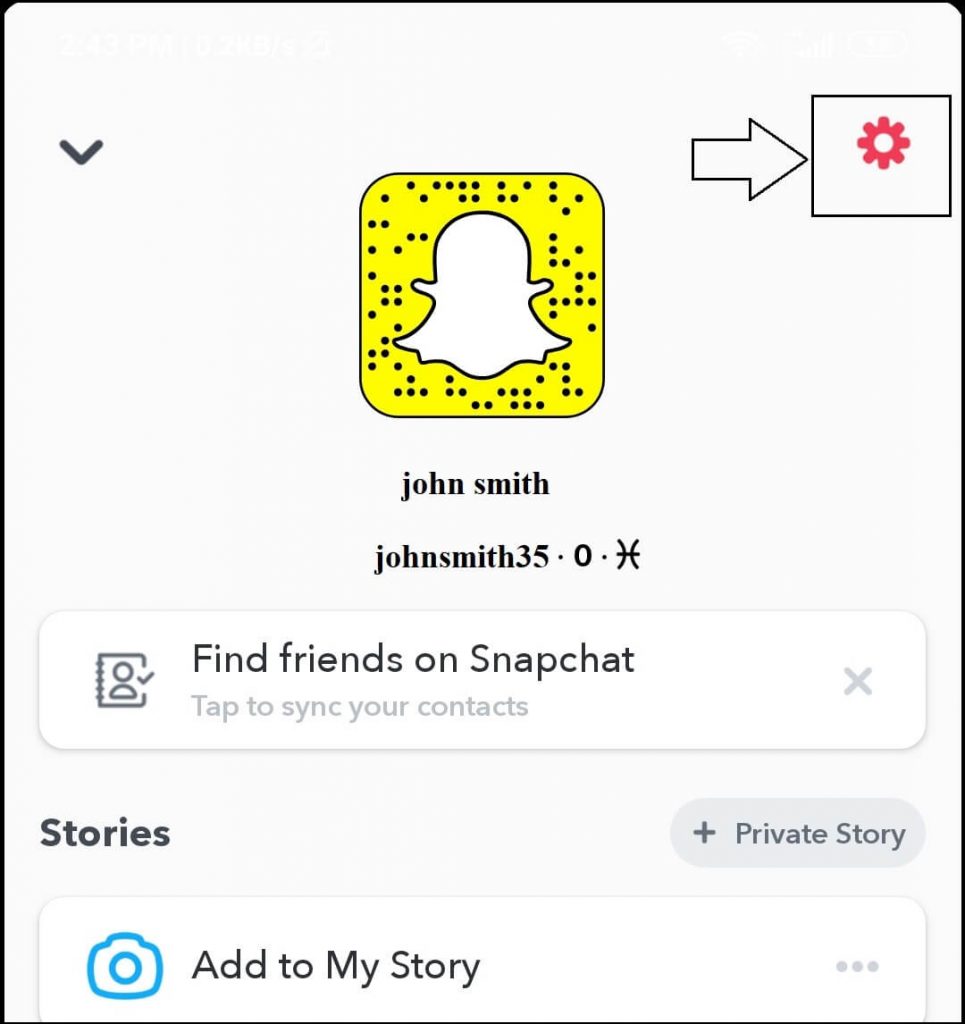
Step 3: Click on the “Profile” icon, which is displayed at the top left corner.

Step 4: Now, click on the “Setting” icon, which is displayed at the top right corner of the screen.
How to delete Snapchat Account

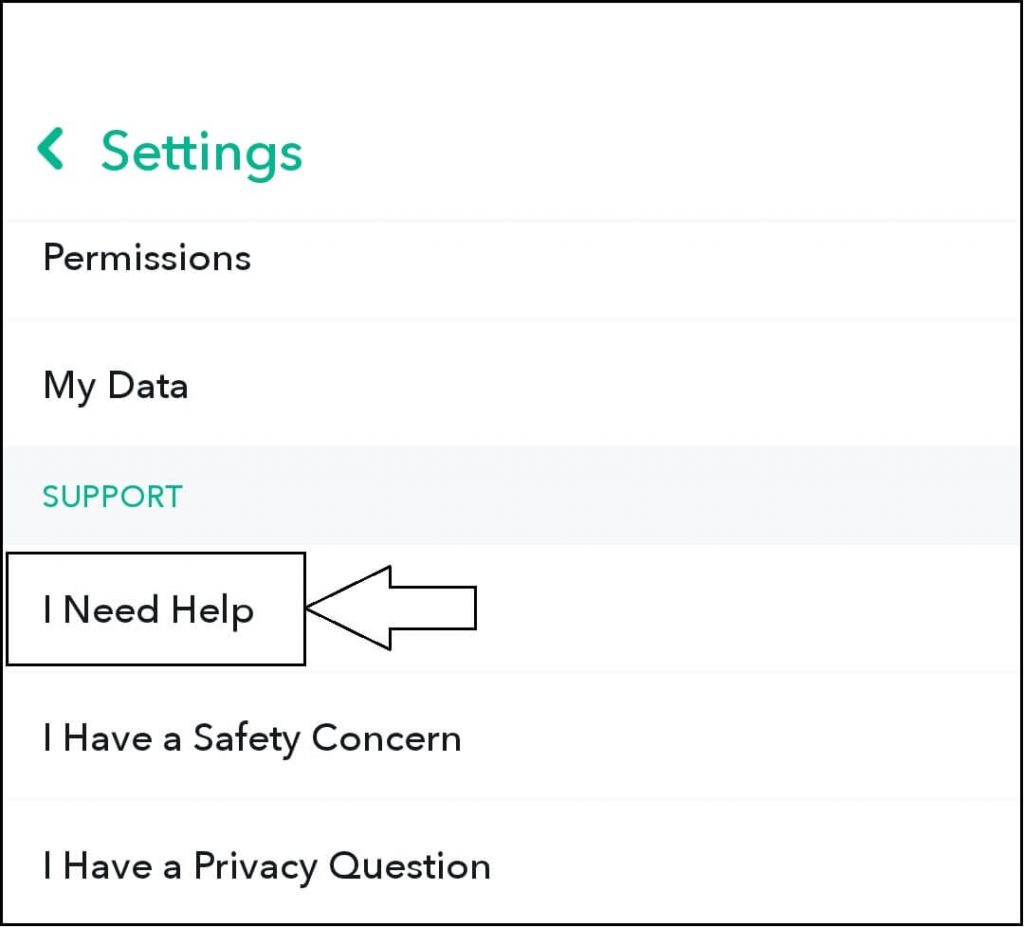
Step 5: After clicking on the setting icon, scroll the page down. After scrolling the page, select the “Support” and choose the “I Need Help” option.
How to delete Snapchat Account

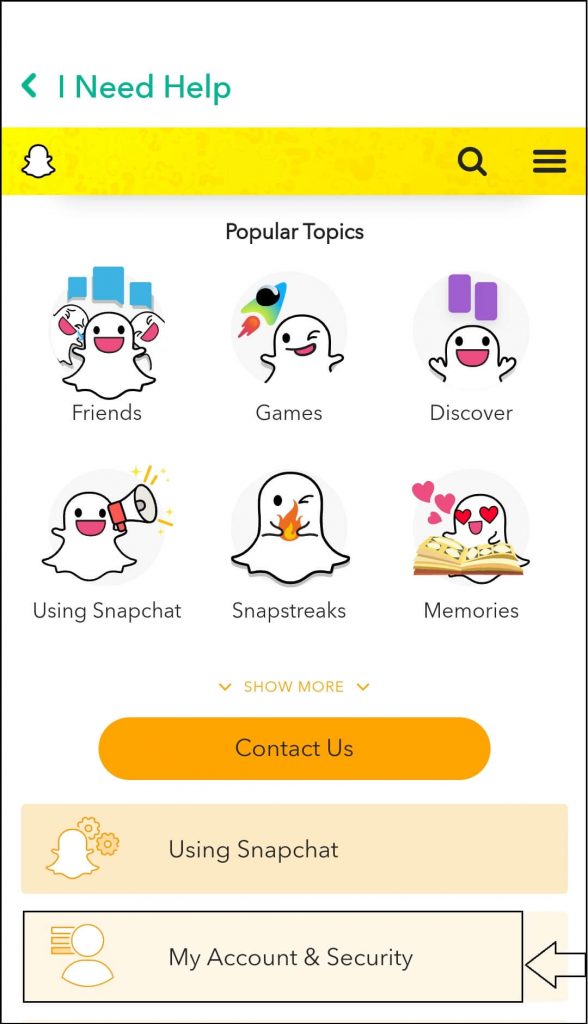
Step 6: After this, select the “My Account and Security” option.
How to delete Snapchat Account

Step 7: After clicking on the “My Account and Security” option, select the “Account Information” option.
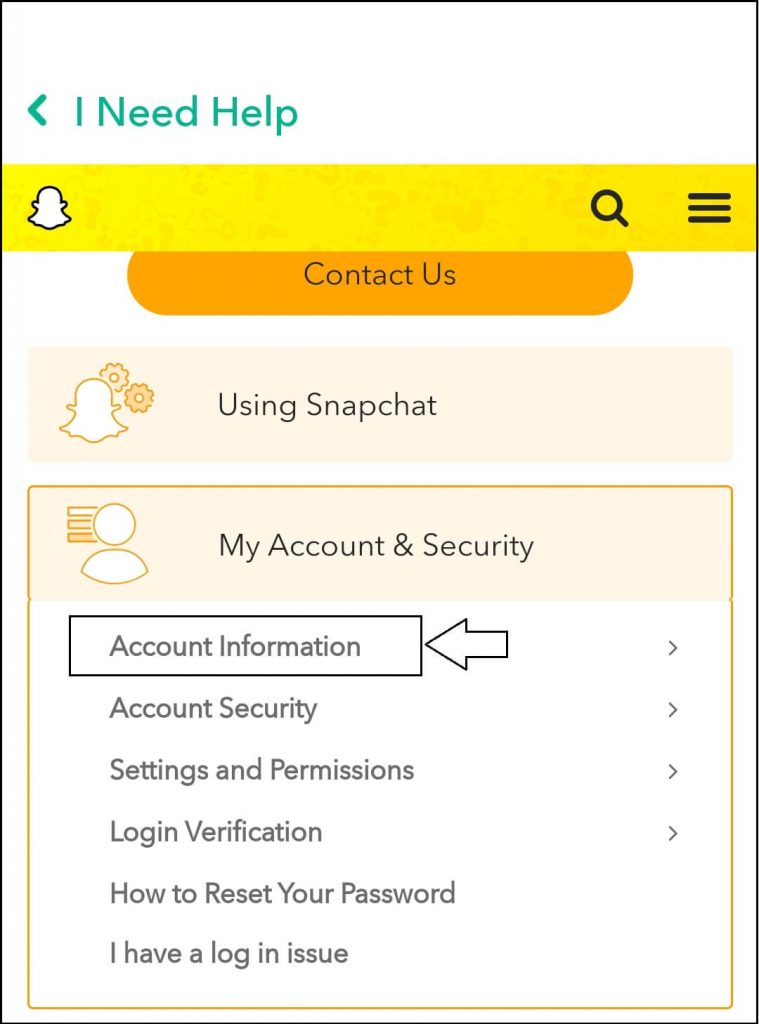
How to delete Snapchat Account

Step 8: After that, select the “Delete My Account” option and go to the next step.           
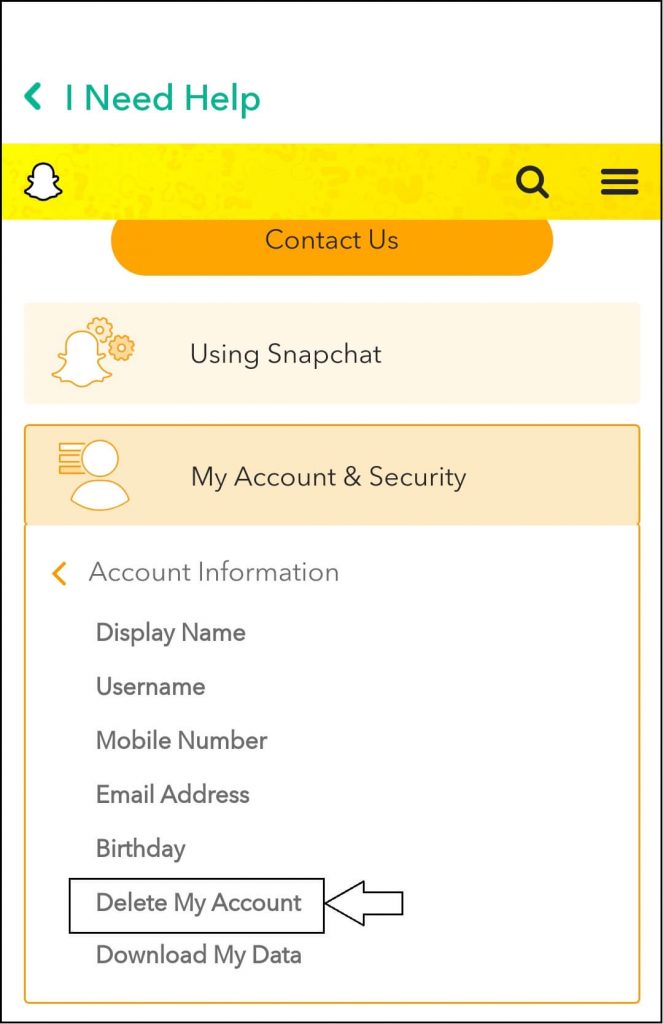
How to delete Snapchat Account

Step 9: After you click on the “Delete My Account” option, click on the “Account Portal” link from the passage and go to the next step.
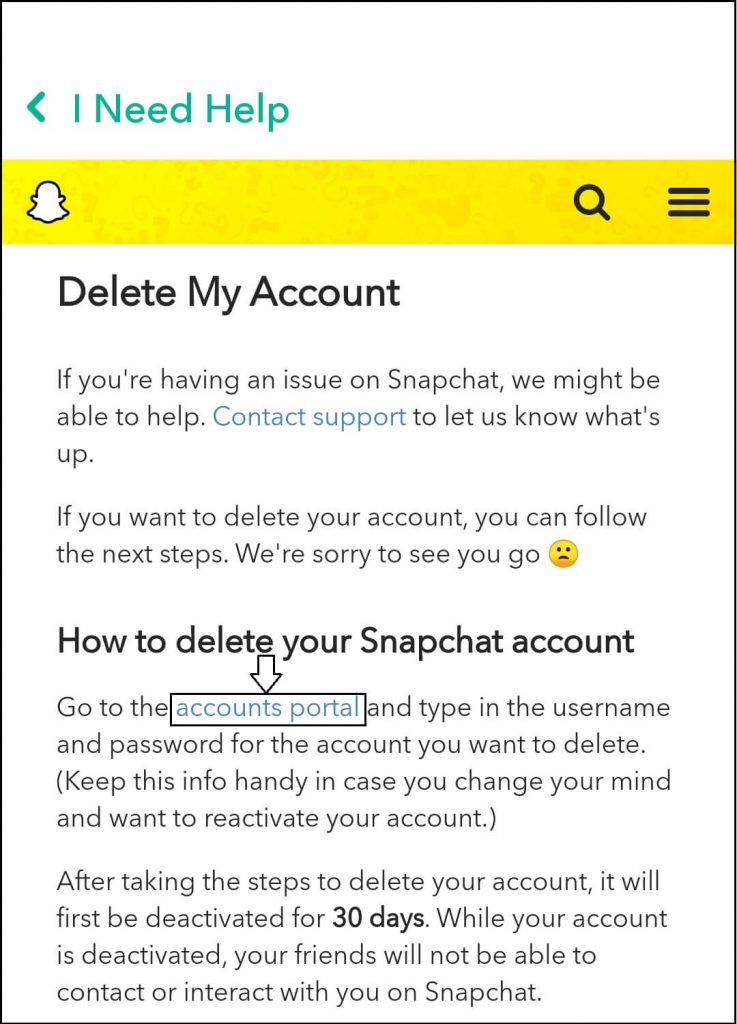
How to delete Snapchat Account

Step 10: Here, enter the username and password and then click on the continue button to delete the Snapchat account.
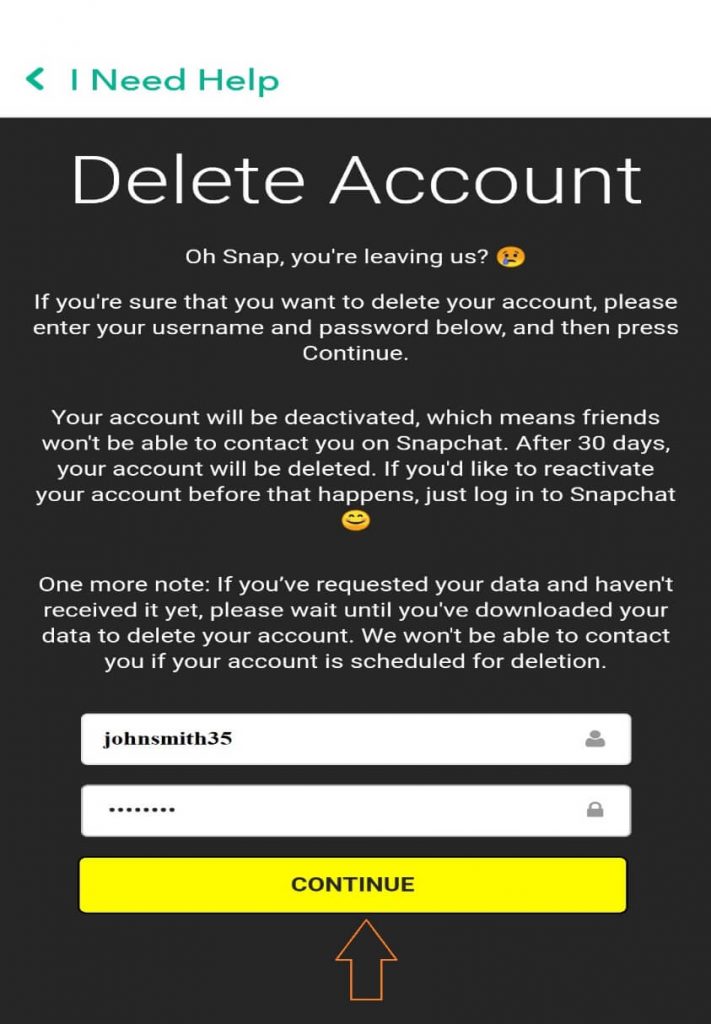
How to delete Snapchat Account

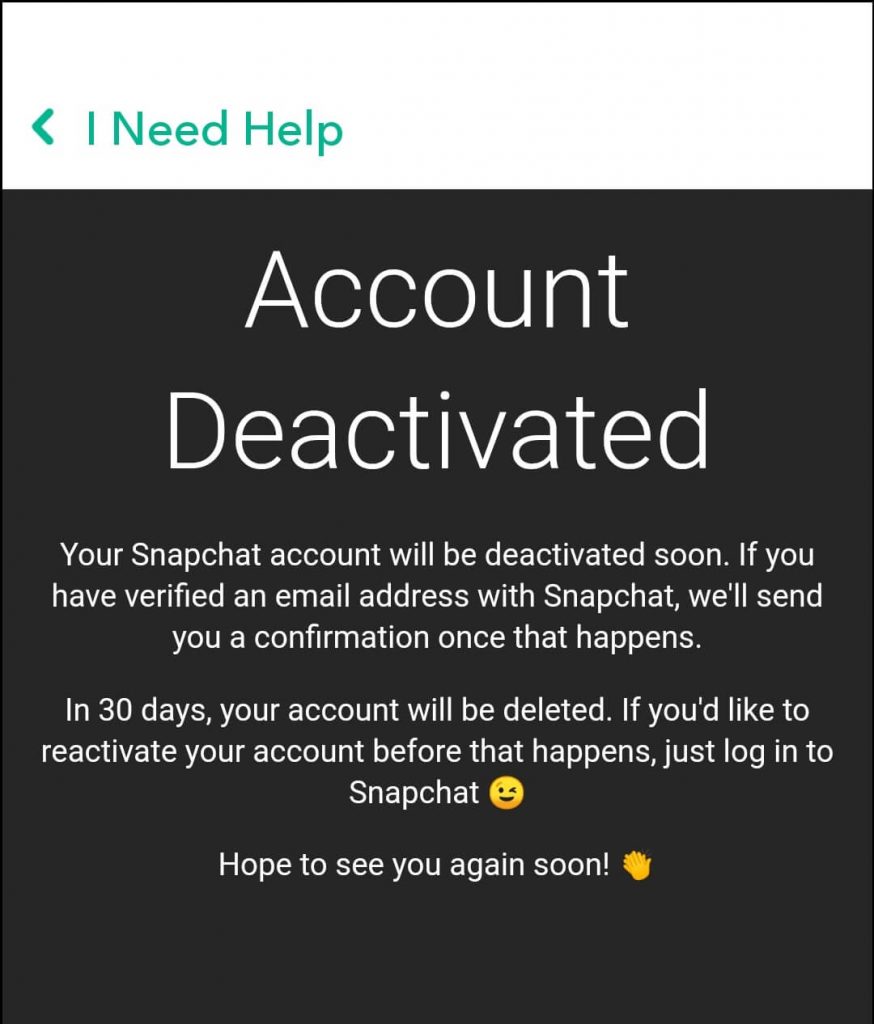
Step 11: Now, your Snapchat account is deactivated from the Snapchat.
How to delete Snapchat Account

If you want to reactivate your Snapchat account, you can log in to the account by username and password within 30 days. After 30 days, your account will be deleted permanently, and you can’t be log in your account again.


Related Topics

How to Create Folders in Gmail

How to Create Folders in Gmail Gmail is a leading email service provider and is used by 1.5 billion-plus active users worldwide. All Gmail professional users receive at least dozens of...

6 minutes read.

How to Cancel Netflix

How to Cancel Netflix Netflix Netflix is a service that lets its members watch a variety of television shows, movies, documentaries, and web series who purchase its subscription. You can enjoy unlimited ad-free...

3 minutes read.

How to find your Computer’s specs?

How to find your computer’s specs The computer specs include the details for every single component in your computer, including your CPU, hard drive space, and even the little things like...

7 minutes read.

How to schedule an email in Gmail?

How to schedule an email in Gmail Imagine scenarios where you send an important message to one of your international clients, and you know the time difference is significant. Earlier, you...

7 minutes read.

How to Find Divisors of a Number?

A number that equally divides a larger integer is referred to as a divisor or factor. By simply listing all the possible methods to multiply two numbers together to obtain...

3 minutes read.

How to write a cover letter

How to write a cover letter The letter that you include with your job application is known as a cover letter. One is suggested to always include a cover letter with your job application...

5 minutes read.

How to delete a page in Microsoft Word?

What is Microsoft Word? Microsoft word is a word processing program, which is developed by Microsoft. It was initially launched on 25 October 1983 and has since been modified many times. Generally, Microsoft Word...

2 minutes read.

What does RAM do on a computer?

What does RAM do on a computer? Many of us might have heard the word RAM in our daily life but do not know what it does except the fact that...

10 minutes read.

How to add contacts to Gmail?

How to add contacts to Gmail? Managing your inbox is a tiresome task, but one way to make it effortless and easier is to gain an add on the benefit of...

5 minutes read.

How to take a Screenshot on computer?

How to take a Screenshot on computer The ScreenShot feature is widely used to procure the content of the screen as an image. This feature was introduced in the late ’90s,...

8 minutes read.

How to add Signature to your Mail

How to add Signature to your Mail Gmail has formed an inevitable aura around the business world. Gmail was launched in the year 2004 as an email service provider with very...

7 minutes read.

How to change Computer Name?

How to change computer name Today computers are all around us and have become an indispensable part of our lives. Every computer generally has a name attached to it. There might...

6 minutes read.

How to Check String is Alphanumeric or Not Using Regular Expression

If we have a string and want to know whether it is either alphanumeric or not, we can do it using Regular Expression(regex). What is Regular Expression? A Regular Expressionor regexis a...

3 minutes read.

How to take a screenshot on the iPhone?

How to take a screenshot on the iPhone? A screenshot is an excellent thing to quickly save your screen content, which is open on your screen. You can share your favorite videos, high scores...

4 minutes read.

How to cancel amazon prime?

How to cancel amazon prime? Amazon Prime is a subscription that offers variety of services with it. The advantage of amazon prime is that you can expect hassle-free shipping within two days, access to...

3 minutes read.

How to delete Instagram account?

What is Instagram? Instagram is used for sharing the images and videos on social networking websites through various platforms such as iOS, Android, Windows Phones, and Desktop. In 2010, Instagram was...

3 minutes read.

How to delete Gmail Account?

What is Gmail? Gmail is a free mobile and web-based email service introduced by Google on April 1, 2004. Gmail is used for personal to business purposes. It allows users to...

2 minutes read.

How to accelerate the speed of loading images on any website?

No website can be successful without attractive and relevant images or pictures. In the current time, the users want speedy information about their searches on the internet browser. The image...

3 minutes read.

How to change the name in Gmail

How to change the name in Gmail Frequently asked questions: How I can change my Gmail nameSteps to change the name of Gmail accountStep to change to the name of Gmail on...

3 minutes read.

How to block emails on Gmail?

How to block emails on Gmail? Email or electronic mail is shared on the internet, including content, website URL, signature and different forms of attachments (unlike images, mp4, mp3, Pdf, excel,...

7 minutes read.