
VBA Regex Pattern Validation
VBA Regex Pattern Validation
The key purpose of using Regex in VBA was to validate the data and extract the same category of data. There are certain formats that are standard and are followed worldwide. Following those standards, we can extract and list all the values from the excel datasheet just within one click. Below are the few common regex validation patterns used in day to day activities.
- Email Validation using Regex
In email validation, two things are constant, i.e. ‘@’ and ‘.’. With the help of these two characters we have defined the regex pattern. In the first place, we can have as many characters, it will be followed by ‘@’, then again we will have characters (unlike Gmail) followed by ‘.’ and at last ending it characters (com/in/co.in).
Regex Syntax:
[a-zA-Z0-9_.+-]+@[a-zA-Z0-9-]+\.[a-zA-Z0-9-.]
Program:
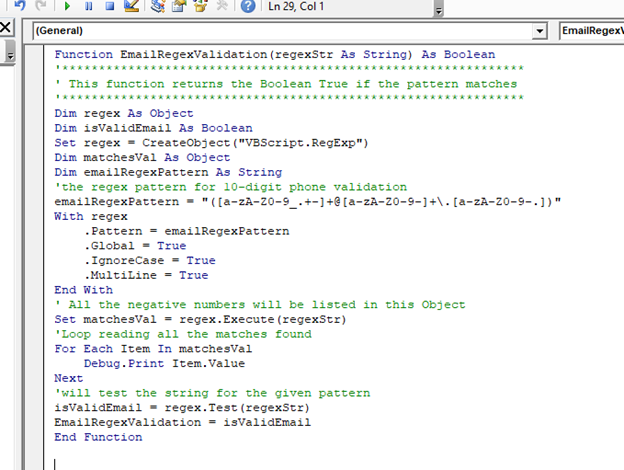
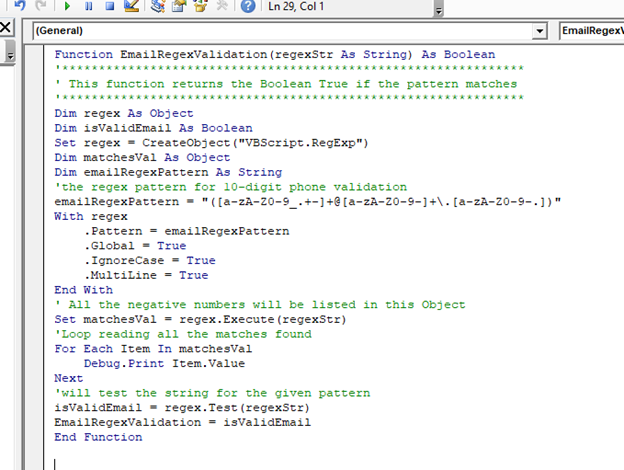
Function EmailRegexValidation(regexStr As String) As Boolean
'***************************************************************
' This function returns the Boolean True if the pattern matches
'***************************************************************
Dim regex As Object
Dim isValidEmail As Boolean
Set regex = CreateObject("VBScript.RegExp")
Dim matchesVal As Object
Dim emailRegexPattern As String
'the regex pattern for 10-digit phone validation
emailRegexPattern = "([a-zA-Z0-9_.+-]+@[a-zA-Z0-9-]+\.[a-zA-Z0-9-.])"
With regex
    .Pattern = emailRegexPattern
    .Global = True
    .IgnoreCase = True
    .MultiLine = True
End With
' All the negative numbers will be listed in this Object
Set matchesVal = regex.Execute(regexStr)
'Loop reading all the matches found
For Each Item In matchesVal
    Debug.Print Item.Value
Next
'will test the string for the given pattern
isValidEmail = regex.Test(regexStr)
EmailRegexValidation = isValidEmail
End Function
Output:

2. Regex Validation Pattern for Alphanumeric Strings
It must have a combination of alphabets and numbers. It will mostly be used in passwords and hence, alphanumeric strings are classified as Strong passwords.
Regex Syntax:
^((?=.*[a-zA-Z])(?=.*[0-9])(?=.{5,}))
Program:
Function AlphaNumericRegexValidation (regexStr As String) As Boolean
'***************************************************************
' This function returns the boolean True the pattern matches
'***************************************************************
Dim regex As Object
Set regex = CreateObject("VBScript.RegExp")
Dim matchesVal As Object
Dim phoneNumberRegexPattern As String
'Defining the regex pattern to extract or validate alpha numeric
alphaNumericRegexPattern = "^((?=.*[a-zA-Z])(?=.*[0-9])(?=.{5,}))"
With regex
    .Pattern = alphaNumericRegexPattern
    .Global = True
    .IgnoreCase = True
    .MultiLine = True
End With
' All the negative numbers will be listed in this Object
Set matchesVal = regex.Execute(regexStr)
'Loop reading all the matches found
For Each Item In matchesVal
    Debug.Print Item.Value
Next
End Function
3. RegEx Pattern for Positive numbers
It will check for the number which is greater than 0.
Regex Syntax:
^([+]?\d+([.]\d+))
Program:
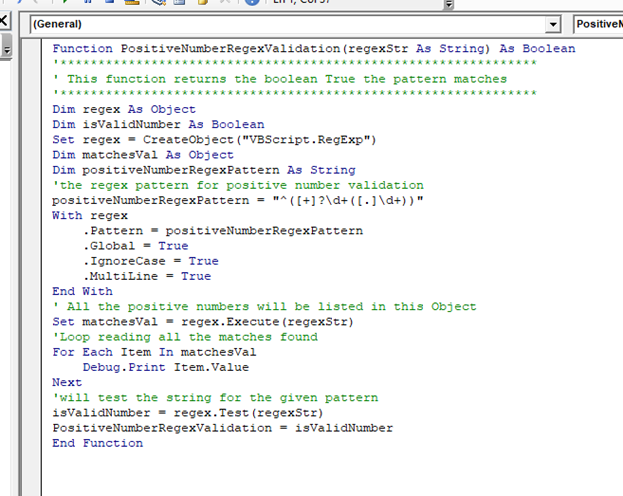
Function PositiveNumberRegexValidation(regexStr As String) As Boolean
'***************************************************************
' This function returns the boolean True the pattern matches
'***************************************************************
Dim regex As Object
Dim isValidNumber As Boolean
Set regex = CreateObject("VBScript.RegExp")
Dim matchesVal As Object
Dim positiveNumberRegexPattern As String
'the regex pattern for positive number validation
positiveNumberRegexPattern = "^([+]?\d+([.]\d+))"
With regex
    .Pattern = positiveNumberRegexPattern
    .Global = True
    .IgnoreCase = True
    .MultiLine = True
End With
' All the positive numbers will be listed in this Object
Set matchesVal = regex.Execute(regexStr)
'Loop reading all the matches found
For Each Item In matchesVal
    Debug.Print Item.Value
Next
'will test the string for the given pattern
isValidNumber = regex.Test(regexStr)
PositiveNumberRegexValidation = isValidNumber
End Function
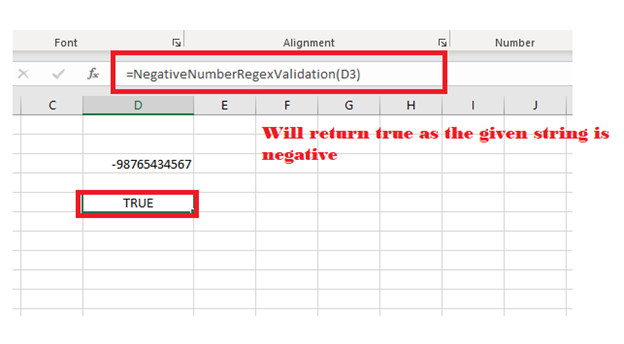
4. RegEx Validation for Negative numbers (num < 0)
It will check for the number which is smaller than 0.
Regex Syntax:
^(\-\d+([.]?\d+))
Program:
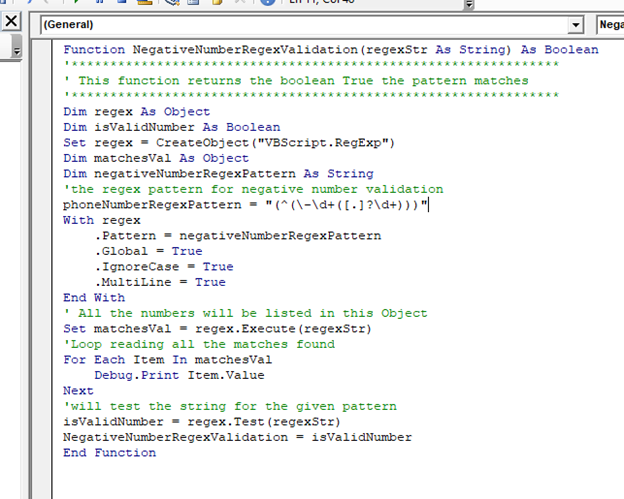
Function NegativeNumberRegexValidation(regexStr As String) As Boolean
'***************************************************************
' This function returns the boolean True the pattern matches
'***************************************************************
Dim regex As Object
Dim isValidNumber As Boolean
Set regex = CreateObject("VBScript.RegExp")
Dim matchesVal As Object
Dim negativeNumberRegexPattern As String
'the regex pattern for negative number validation
negativeNumberRegexPattern = "(^(\-\d+([.]?\d+)))"
With regex
    .Pattern = negativeNumberRegexPattern
    .Global = True
    .IgnoreCase = True
    .MultiLine = True
End With
' All the numbers will be listed in this Object
Set matchesVal = regex.Execute(regexStr)
'Loop reading all the matches found
For Each Item In matchesVal
    Debug.Print Item.Value
Next
'will test the string for the given pattern
isValidNumber = regex.Test(regexStr)
NegativeNumberRegexValidation = isValidNumber
End Function
Output
5. RegEx Pattern for 10-digit telephone number [not starting with Zero]
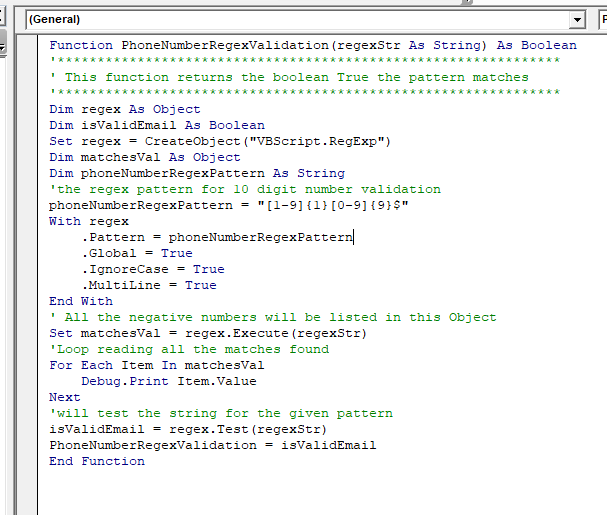
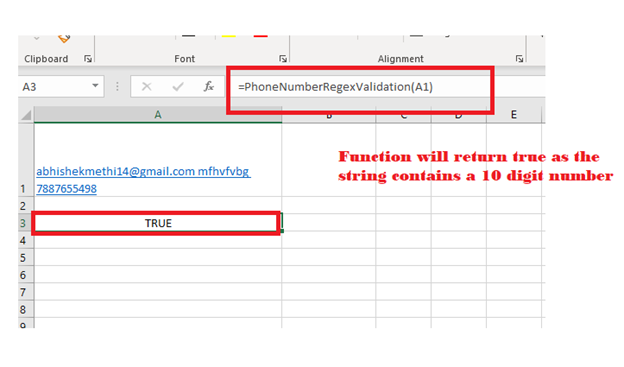
It will check for a 10-digit telephonic number. As the first digit can never be 0, so it will check the number from 1-9, and for the next 9 digits, it can take values from 0-9.
Regex Syntax:
[1-9]{1}[0-9]{9}$
Program:
Function PhoneNumberRegexValidation(regexStr As String) As Boolean
'***************************************************************
' This function returns the Boolean True if the pattern matches
'***************************************************************
Dim regex As Object
Dim isValidEmail As Boolean
Set regex = CreateObject("VBScript.RegExp")
Dim matchesVal As Object
Dim phoneNumberRegexPattern As String
'the regex pattern for 10-digit phone validation
phoneNumberRegexPattern = "[1-9]{1}[0-9]{9}$"
With regex
    .Pattern = phoneNumberRegexPattern
    .Global = True
    .IgnoreCase = True
    .MultiLine = True
End With
' All the negative numbers will be listed in this Object
Set matchesVal = regex.Execute(regexStr)
'Loop reading all the matches found
For Each Item In matchesVal
    Debug.Print Item.Value
Next
'will test the string for the given pattern
isValidEmail = regex.Test(regexStr)
PhoneNumberRegexValidation = isValidEmail
End Function
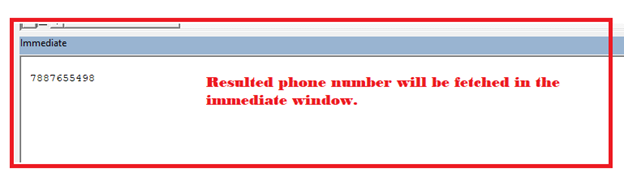
Output
6. RegEx Pattern for Phone with a country code format
It same unlike the above syntax except in this we have added the ‘+’ character and allocated two more digits, which can be from 0-9.
Regex Syntax:
[+]{1}[0-9]{2}[-]{1}[1-9]{1}[0-9]{9}$
Program:
Function PhoneNumberRegexValidation(regexStr As String) As Boolean
'***************************************************************
' This function returns the boolean True the pattern matches
'***************************************************************
Dim regex As Object
Dim isValidEmail As Boolean
Set regex = CreateObject("VBScript.RegExp")
Dim matchesVal As Object
Dim phoneNumberRegexPattern As String
'the regex pattern for 12 digit phonenumber (along with country code) validation
phoneNumberRegexPattern = "[+]{1}[0-9]{2}[-]{1}[1-9]{1}[0-9]{9}$"
With regex
    .Pattern = phoneNumberRegexPattern
    .Global = True
    .IgnoreCase = True
    .MultiLine = True
End With
' All the numbers will be listed in this Object
Set matchesVal = regex.Execute(regexStr)
'Loop reading all the matches found
For Each Item In matchesVal
    Debug.Print Item.Value
Next
'will test the string for the given pattern
isValidEmail = regex.Test(regexStr)
PhoneNumberRegexValidation = isValidEmail
End Function
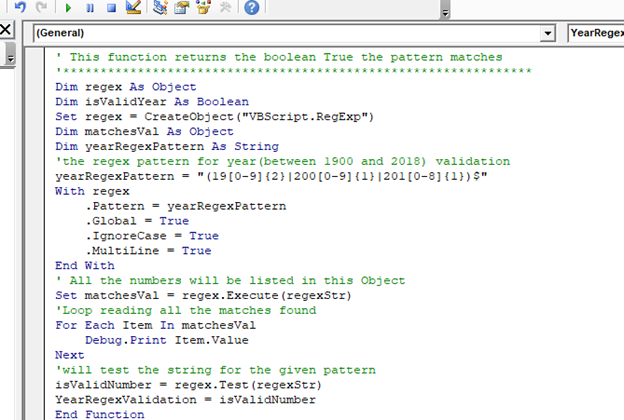
7. RegEx Pattern for Year between 1900 and 2018
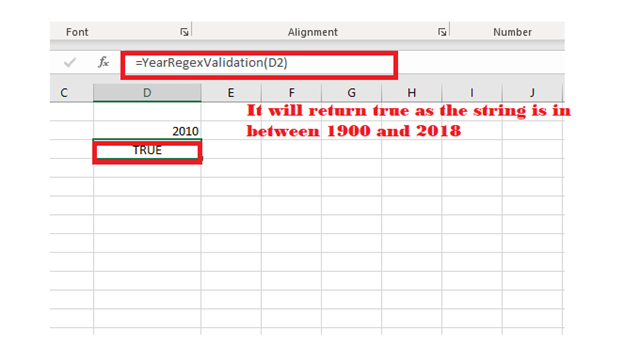
This is helpful to check if the specified year lies in between the range of 1900 – 2018.
Regex Syntax:
(19[0-9]{2}|200[0-9]{1}|201[0-8]{1})$
Program:
Function YearRegexValidation(regexStr As String) As Boolean
'***************************************************************
' This function returns the boolean True the pattern matches
'***************************************************************
Dim regex As Object
Dim isValidYear As Boolean
Set regex = CreateObject("VBScript.RegExp")
Dim matchesVal As Object
Dim yearRegexPattern As String
'the regex pattern for year(between 1900 and 2018) validation
yearRegexPattern = "(19[0-9]{2}|200[0-9]{1}|201[0-8]{1})$"
With regex
    .Pattern = yearRegexPattern
    .Global = True
    .IgnoreCase = True
    .MultiLine = True
End With
' All the numbers will be listed in this Object
Set matchesVal = regex.Execute(regexStr)
'Loop reading all the matches found
For Each Item In matchesVal
    Debug.Print Item.Value
Next
'will test the string for the given pattern
isValidNumber = regex.Test(regexStr)
YearRegexValidation = isValidNumber
End Function
Output:
Some Other useful Regex Patterns
- Password validation using Regex
- Strong Password: It consists at least one small letter, one capital letter, one symbol, and one number, and it should be 8 chars long.
Regex Syntax:
^(?=.*[a-z])(?=.*[A-Z])(?=.*[0-9])(?=.*[!@#\$%\^&\*])(?=.{8,})
- Medium password: It consists one capital, one small letter, and one numeric field, and total 6 chars long.
Regex Syntax:
^((?=.*[a-z])(?=.*[A-Z])(?=.*[0-9])(?=.{6,}))
- Simple password: It takes at least one alphabet, and one numeric field [alphanumeric], and the total length should be 5 characters long.
Regex Syntax:
^((?=.*[a-zA-Z])(?=.*[0-9])(?=.{5,}))
- RegEx Pattern for Date format : DD/mm/yyyy
Regex Syntax:
^((0[1-9]|[1-9]|[12][0-9]|3[0-1])\/(0[1-9]|[1-9]|1[0-2])\/([12]\d{3}))
- Regex Pattern for NL Postal Code
Regex Syntax:
\d{4}[ ]*([aA-zZ]{2})$
- Regex Pattern for US Postal Code format
Regex Syntax:
^\d{5}(?:[-\s]\d{4})?$
- RegEx Pattern for Website URL
(https?:\/\/(?:www\.|(?!www))[a-zA-Z0-9][a-zA-Z0-9-]+[a-zA-Z0-9]\.[^\s]{2,}|www\.[a-zA-Z0-9][a-zA-Z0-9-]+[a-zA-Z0-9]\.[^\s]{2,}|https?:\/\/(?:www\.|(?!www))[a-zA-Z0-9]\.[^\s]{2,}|www\.[a-zA-Z0-9]\.[^\s]{2,})