Excel VBA DateValue Function
The DateValue function in VBA returns a VBA Date from the given String representation of a date wherein the time information is ignored. It is unable to interpret dates that include the text description of the weekday (Sunday, Monday, etc).
Syntax
DateValue (Date)
Parameter
Date (required) – This parameter represents a valid String representation of date/time.
Return
This function returns a VBA Date from a supplied String representation of a date.
Example 1
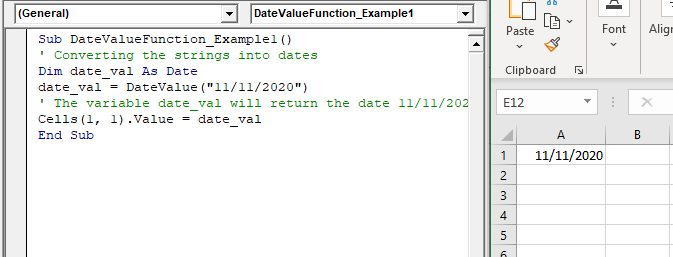
Sub DateValueFunction_Example1()
 ' Converting the strings into dates
 Dim date_val As Date
 date_val = DateValue("11/11/2020")
 ' The variable date_val will return the date 11/11/2020
 Cells(1, 1).Value = date_val
 End Sub
Output
11/11/2020
Example 2
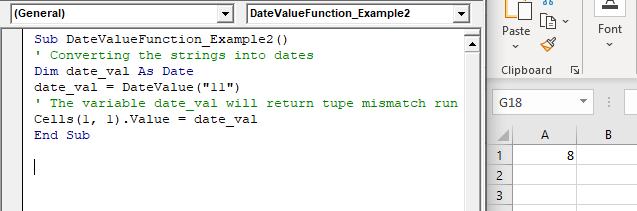
Sub DateValueFunction_Example2()
 ' Converting the strings into dates
 Dim date_val As Date
 date_val = DateValue("11")
 ' The variable date_val will return tupe mismatch run time error
 Cells(1, 1).Value = date_val
 End Sub
Output