Excel VBA Right Function
VBA Right Function: The Right function in VBA returns a substring from the end of the given string.
Syntax
Right (Str, Length)
Parameter
Str (required) – This parameter represents the string from which you want to extract a substring.
Length (required) -This parameter represents the length of the substring.
Return
This function returns a substring from the end of the given string.
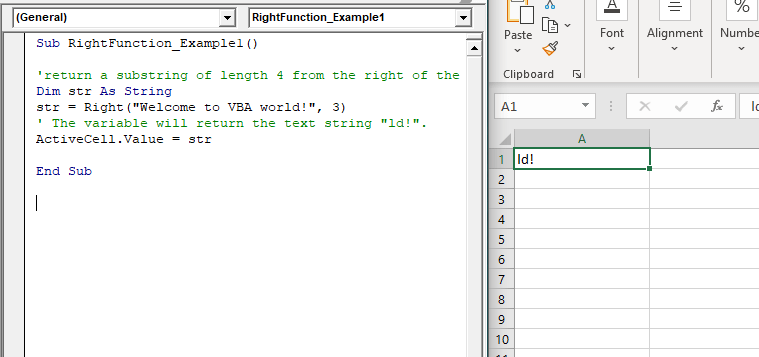
Example 1
Sub RightFunction_Example1()
 'return a substring of length 4 from the right of the string.
 Dim str As String
 str = Right("Welcome to VBA world!", 3)
 ' The variable will return the text string "ld!".
 ActiveCell.Value = str
 End Sub
Output
ld!
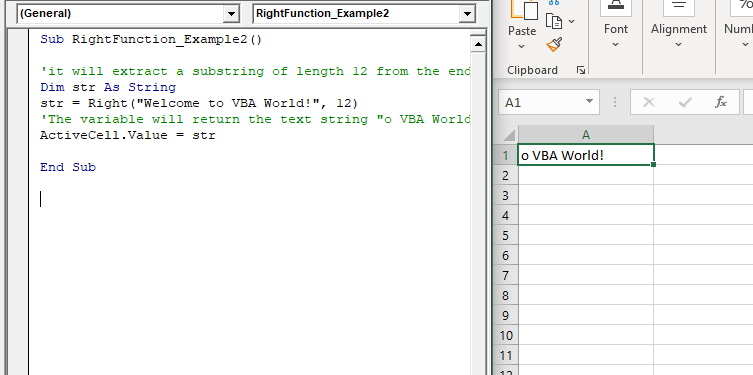
Example 2
Sub RightFunction_Example2()
 'it will extract a substring of length 12 from the end of the string
 Dim str As String
 str = Right("Welcome to VBA World!", 12)
 'The variable will return the text string "o VBA World!".
 ActiveCell.Value = str
 End Sub
Output
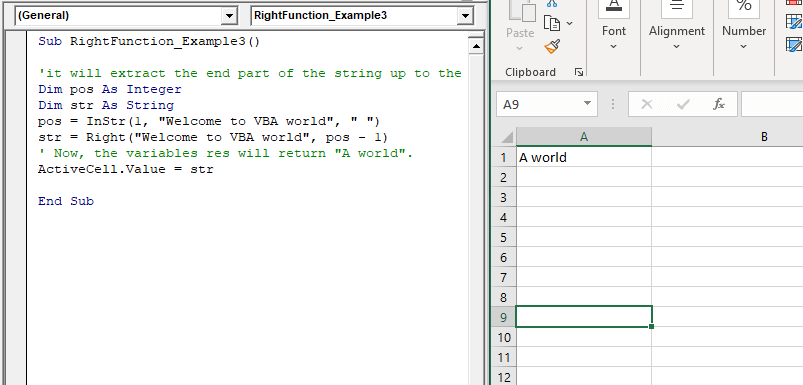
Example 3
Sub RightFunction_Example3()
 'it will extract the end part of the string up to the first space.
 Dim pos As Integer
 Dim str As String
 pos = InStr(1, "Welcome to VBA world", " ")
 str = Right("Welcome to VBA world", pos - 1)
 ' Now, the variables res will return "A world".
 ActiveCell.Value = str
 End Sub
Output
A world