×

Excel VBA GoTo Statement

GoTo Statement

he GoTo statement branches unconditionally to a specified line in a procedure. It is used to transfer the program control to a new statement, which is headed by a label. It sends your program wherever you want. The statement is useful in controlling program flow, and it’s easy to create.

GoTo statement cannot be used to branch from outside a For...Next, For Each...Next, With...End With, SyncLock...End SyncLock, Try...Catch...Finally, or Using...End Using construction to a label inside.

GoTo statements are used when you wish to force the user to select any specific option. It functions as a loop and repeats the same stamen again and again unless the user uses another option.

Syntax

GoTo line

Parameter

Line (required) – This parameter represents any line label.

Example 1

Sub Goto_Exercise()
 Jmp:
 MB = MsgBox("Do you like Excel?", vbYesNo)
     If MB = vbYes Then
         MsgBox "Wow! I also like working on Excel!"
     Else
         MsgBox "Ohh! Try once and you will surely like it."
     GoTo Jmp:
     End If
 End Sub 

Output

Press F5 to run the output. As soon as, VBA code run, a msgbox will pop up, asking a question, “Do you like VBA?” with buttons, Yes or No option (as shown below).
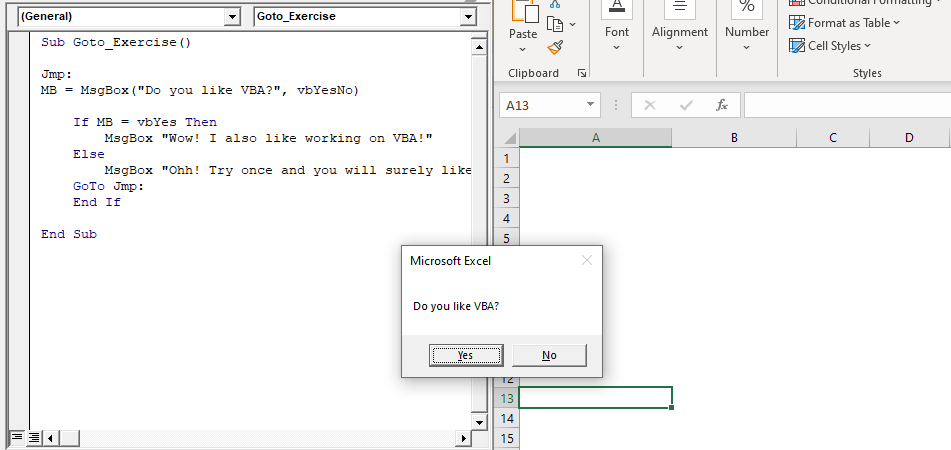
GoTo Statement vba

We will choose the “No” option. Another msgbox pops up.
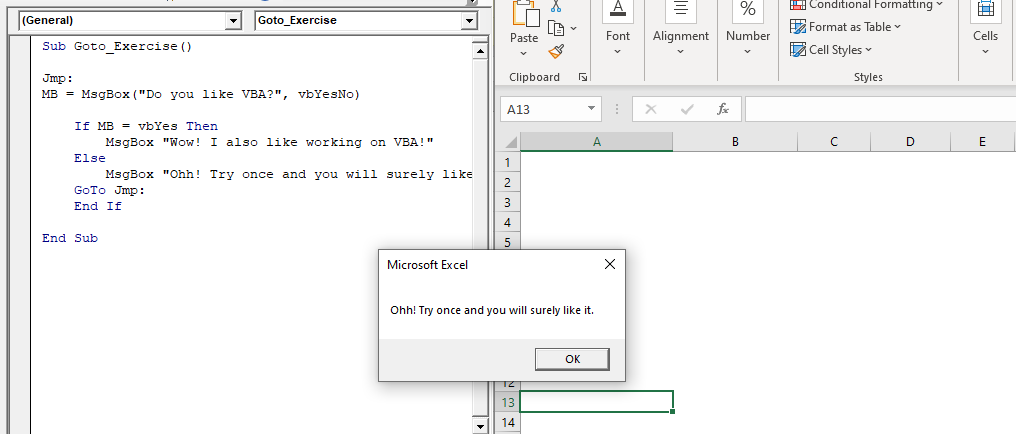
Another msgbox pops up

As soon as you will click on OK. The program jumps again to the first Msgbox, stating, “Do you like VBA?”. This will continue if you will click on No option. If you select the Yes option, another Msgbox will pop up (as shown below).
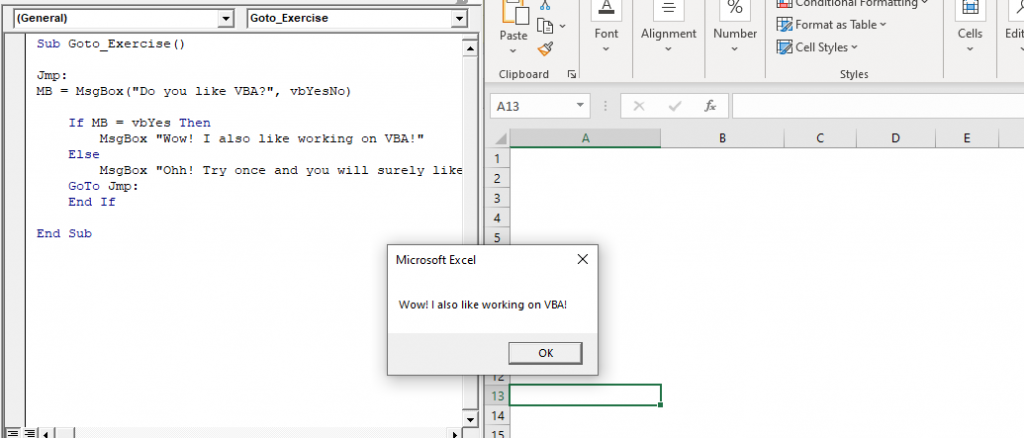
Msgbox, stating

As soon as you click OK, the program terminates.

While entering any password, if you type the wrong password, you notice the Input box appears over again till the time you enter the correct one. This can be done with VBA GOTO as well.

Example 2

Sub Goto_Exercise2()
 IB_Name = InputBox("Enter your Name: ")
 Jmp:
 IB_Pass = InputBox("Enter your password")
     'if the password does not match with Bill Gates
     'it will goto Wrong Pass section
     If IB_Pass <> "Bill Gates" Then GoTo WrongPass
         MsgBox "Welcome " + IB_Name + "You are eligible to run the program"
     Exit Sub    
 WrongPass:
     MsgBox "Sorry! Try again, Username and password do not match!"
     GoTo Jmp
 End Sub 

Output

As you will run the code. An InputBox will pop out, asking for your name. Type your name and click OK.
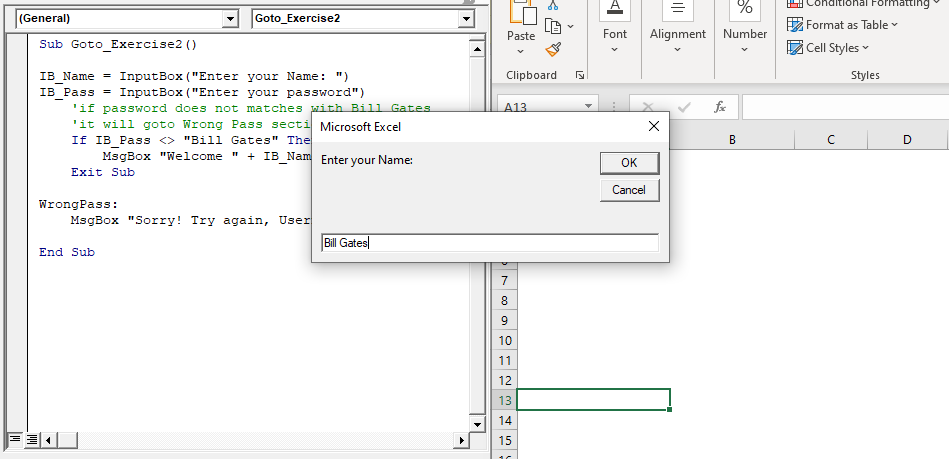
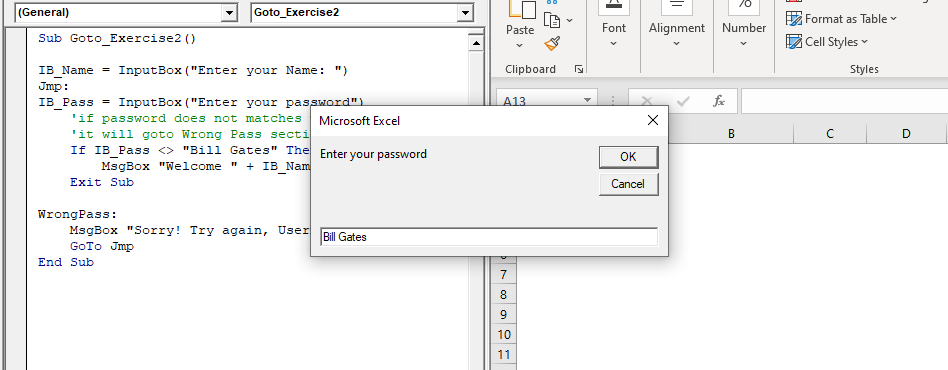
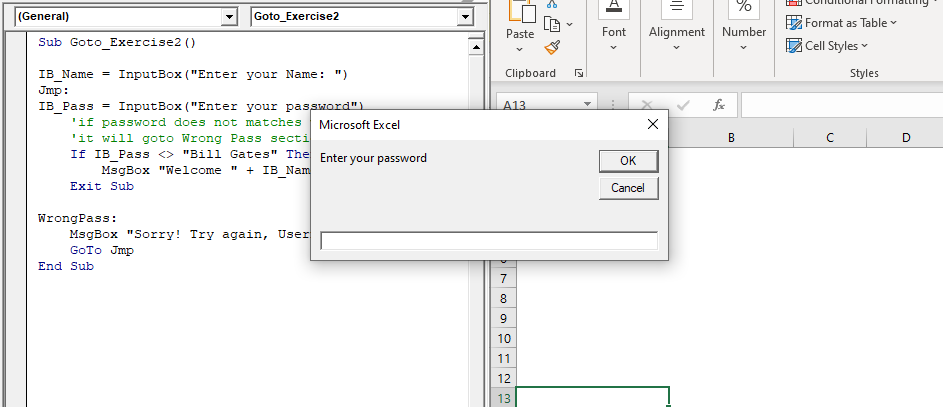
Once you submit the name, another box appears asking for your password.
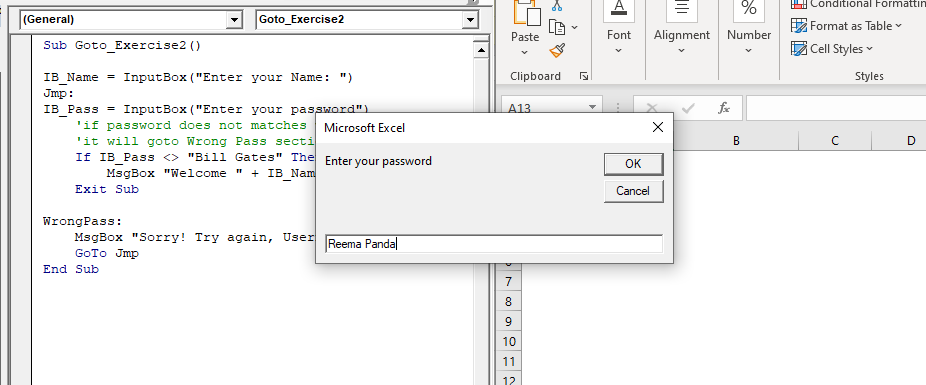
you submit the name

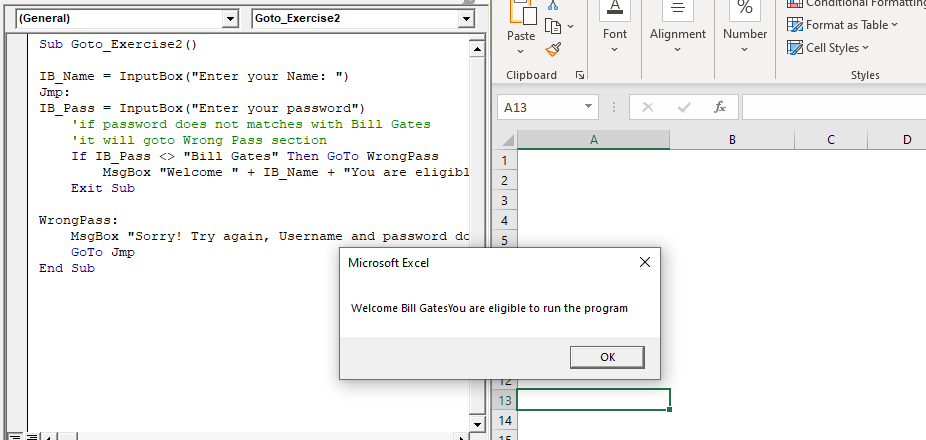
If your password matches with “Bill Gates” a MsgBox will appear stating your eligibility. Else for the wrong password, it will intimidate you and again ask for the right password.
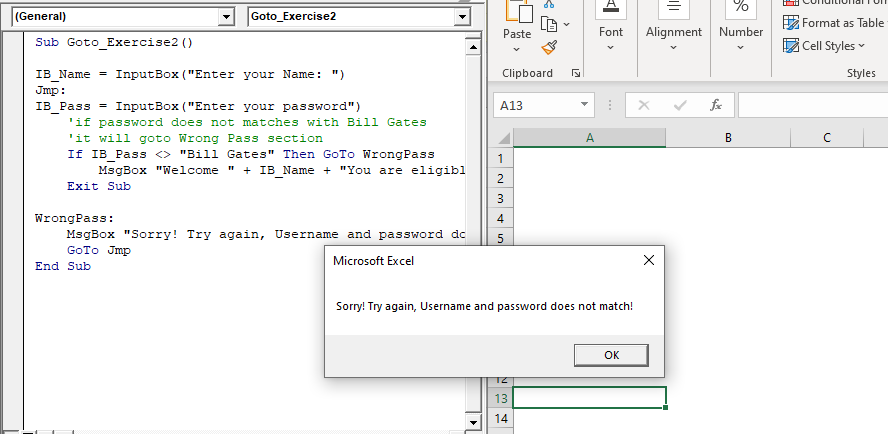
MsgBox will appear stating your eligibility
excel vba go to statement
excel vba go to statement1
VBA Excel Go to Statement

Related Topics

Excel VBA DateSerial Function

The DateSerial function in VBA returns a Date from a supplied year, month, and day number. Syntax DateSerial (Year, Month, Day) Parameter Year (required) – This parameter represents an integer signifying the year. Month (required) – This parameter...

2 minutes read.

Excel VBA Array Function

VBA Array Function: The Array function in VBA generates an array containing the given set of values. Syntax Array (Arglist) Parameter Arglist (required) – This parameter the list of values that you want to make...

2 minutes read.

Excel VBA: Do Until….Loop

DO UNTIL….Loop The “Do Until” Loop is same unlike DO WHILE statement just that it will keep on looping till the condition is not met. This loop is used to repeat a set...

4 minutes read.

Excel VBA DateValue Function

The DateValue function in VBA returns a VBA Date from the given String representation of a date wherein the time information is ignored. It is unable to interpret dates that include the...

1 minute read.

Excel VBA StrComp Function

VBA StrComp Function: The StrComp function in VBA compares two strings and returns an integer value displaying the result of the comparison. Syntax StrComp (String1, String2, [Compare]) Parameter String1 (required)- This parameter represents the first string to...

2 minutes read.

Excel VBA IsMissing Function

VBA IsMissing Function: The IsMissing function in VBA checks if any parameter to a procedure is missing or not. It returns a Boolean value True if the specified parameter has not been...

1 minute read.

Excel VBA CBool Function

VBA CBool Function: The CBool function in VBA calculates an expression and returns the result as a Boolean data type. Syntax CBool (Expression) Parameter Expression (required) – This parameter represents the expression that that you want...

1 minute read.

Scope in Visual Basics

Definition of Scope The scope of any programming language implies the area of code where the variables will be identified, accessed, and used. Every variable has a scope associated with it. The scope of...

4 minutes read.

Excel VBA- Pivot Table Fields

VBA- Pivot Table Fields: The Pivot Fields collection contains all the fields from the data source, including any calculated fields. The main aspect of adding a field is its Position...

4 minutes read.

Excel VBA Choose Function

VBA Choose Function: The Choose function in VBA chooses function selects the corresponding value from a list of arguments depending as per the specified index. Syntax Choose (Index, [Choice-1], [Choice-2], ...) Parameter Index (required) – This...

2 minutes read.

Excel VBA GoTo Statement

GoTo Statement he GoTo statement branches unconditionally to a specified line in a procedure. It is used to transfer the program control to a new statement, which is headed by a label. It sends...

2 minutes read.

Introduction to Visual Basic Editor Window

How to enable the Developer Ribbon Tab? In order to work with VBA, users need to make a small change in Excel to display a new tab (Developer) at the top of the...

5 minutes read.

Excel VBA: Select … Case Statement

Select … Case Statement When a group of statements is executed, depending upon the value of an Expression, then Switch Case is used.  If you have several conditions to check, then the If condition...

4 minutes read.

ActiveX Controls

ActiveX Controls are one of the most used Excel Controls to automate applications with Excel VBA. It has the same controls, unlike Form Controls (Command Button, combo box, checkbox, etc.), but it...

3 minutes read.

VBA Cell

What is VBA cell? Cells is one of the elements (workbook, worksheet, range) in Excel VBA, which refers to cells of the Excel worksheet.  In VBA, the cell is also a property...

5 minutes read.

Excel VBA Day Function

The function Day in VBA returns the day number (from 1 to 31) for the given date value. Syntax Day (Date) Parameter Date (required) – This parameter represents the date. Return This function returns the day...

1 minute read.

Excel VBA CByte Function

VBA CByte Function: The CByte function in VBA converts an expression into a Byte data type. Syntax CByte (Expression) Parameter Expression (required) - This parameter represents the expression that that you want to convert to...

1 minute read.

VBA UBound

VBA UBound  The UBound or Upper Bound function in VBA is used to specify the length of an array and returns the highest subscript for a dimension for the specified array. It is...

3 minutes read.

Excel VBA DateDiff Function

The DateDiff function in VBA returns a Long data value representing the number of intervals between two specified dates/times where the type of interval is supplied by the user. Syntax DateDiff (Interval, Date1, Date2, [FirstDayOfWeek], [FirstWeekOfYear]) Parameter Interval (required)...

2 minutes read.

Excel VBA StrReverse Function

The StrReverse function returns a String after reversing the given String. Syntax StrReverse (Expression) Parameter Expression (required) – This parameter represents the String that you want to reverse. Return This function returns a String after reversing the given String. Example...

1 minute read.