×

VBA VBScript Regex Methods Regex

VBA VBScript Regex Methods Regex

The VBA Regex supports 3 methods which are as follows:

  1. Execute
  2. Replace
  3. Text
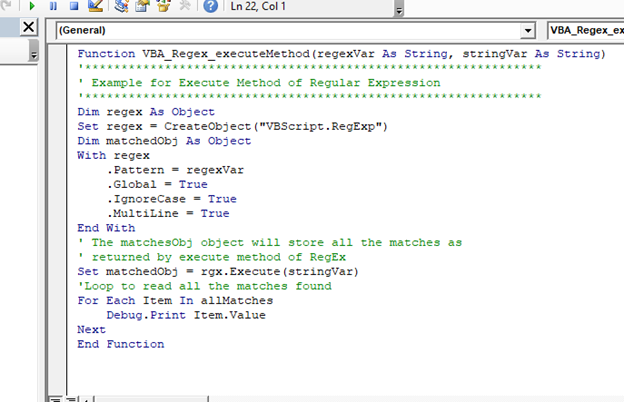
  1. Execute

The execute method is used to extract a match from the given based on the defined matching Regex pattern. It returns an Object which retains all the matches, unlike an Array.

In the below program we have created a Function to collect all the matches found in the given string  which will match the regex Pattern string and will return an object holding all the matches found in the string (unlike an array). At last, we have looped through the returned object to read all the matches found.

Syntax

Execute (String value)

Program:

Function VBA_Regex_executeMethod(regexVar As String, stringVar As String)
'***************************************************************
' Example for Execute Method of Regular Expression
'***************************************************************
Dim regex As Object
Set regex = CreateObject("VBScript.RegExp")
Dim matchedObj As Object
With regex
    .Pattern = regexVar
    .Global = True
    .IgnoreCase = True
    .MultiLine = True
End With
' The matchesObj object will store all the matches as
' returned by execute method of RegEx
Set matchedObj = rgx.Execute(stringVar)
'Loop to read all the matches found
For Each Item In allMatches
    Debug.Print Item.Value
Next
End Function
VBA VBScript Regex Methods Regex

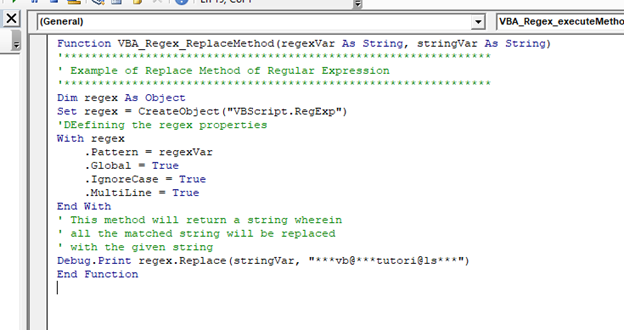
2. Replace

The Replace method is used to search a character or string based on a defined pattern, and if the pattern is found, it is replaced with a new string or character as defined by the user (i.e the replacement string takes the place of each matched string). If the regex pattern is not matched with the string, the string remains unchanged. This method returns a new string with all the matched string replaced with provided string and replaces all strings that match a regular expression pattern with a specified replacement string.

In the below program, we have created a Function to replace all the matches found in each string, which matches the regex Pattern - with a given string. This program will return a new string where all the matches are replaced with the given string.

Syntax

Replace (string input, string replacement)

Program:

Function VBA_Regex_ReplaceMethod(regexVar As String, stringVar As String)
'***************************************************************
' Example of Replace Method of Regular Expression
'***************************************************************
Dim regex As Object
Set regex = CreateObject("VBScript.RegExp")
'DEefining the regex properties
With regex
    .Pattern = regexVar
    .Global = True
    .IgnoreCase = True
    .MultiLine = True
End With
' This method will return a string wherein
' all the matched string will be replaced
' with the given string
Debug.Print regex.Replace(stringVar, "***vb@***tutori@ls***")
End Function
VBA VBScript Regex Methods Regex

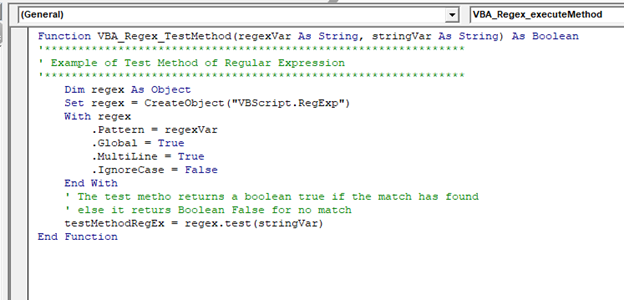
3. Test Method

This method is used to find whether a Regex pattern is matched in a given string. This method returns a Boolean value True if the match is found else it returns a Boolean False.

In the below example, we have created a function to check if the specified String matches with the given regex pattern and return Boolean - True or False based on the match found result.

Syntax

Test (String value)

Program:

Function VBA_Regex_TestMethod(regexVar As String, stringVar As String) As Boolean
'***************************************************************
' Example of Test Method of Regular Expression
'***************************************************************
    Dim regex As Object
    Set regex = CreateObject("VBScript.RegExp")
    With regex
        .Pattern = regexVar
        .Global = True
        .MultiLine = True
        .IgnoreCase = False
    End With
    ' The test metho returns a boolean true if the match has found
    ' else it returs Boolean False for no match
    testMethodRegEx = regex.test(stringVar)
End Function
VBA VBScript Regex Methods Regex

Related Topics

Userform Events

What are Events? Anything you do in to trigger an excel file is an event (an action). Example: If you want a greeting message ‘Good Day’ whenever an excel file is...

7 minutes read.

VBA Cell

What is VBA cell? Cells is one of the elements (workbook, worksheet, range) in Excel VBA, which refers to cells of the Excel worksheet.  In VBA, the cell is also a property...

5 minutes read.

VBA Type Mismatch Error

What is a Type Mismatch Error? VBA Type Mismatch Error is a run time error in excel, which often occurs when the data types contained in a VBA code are not matched...

3 minutes read.

Excel VBA TimeValue Function

Excel VBA TimeValue Function: The TimeValue function in VBA returns a Time from the specified String interpretation of a time /date where the date information for the given string is...

1 minute read.

Excel VBA CLng Function

VBA CLng Function: The CLng function in VBA converts an expression into a Long data type. It returns a long value ranging between -2,147,483,648 and 2,147,483,647. Syntax CLng (Expression) Parameter Expression (required) – This...

1 minute read.

Excel VBA UCase Function

The UCase function in VBA converts a String into upper case text. Syntax UCase (String) Parameter String (required) – This parameter represents the string that you want to convert to upper case. Return This function returns a string...

1 minute read.

Excel VBA IsDate Function

VBA IsDate Function: The IsDate function in VBA returns a Boolean value indicating whether the given expression is interpreted as a VBA Date or not. Syntax IsDate (Expression) Parameter Expression (required) – This parameter...

1 minute read.

Excel VBA: Select … Case Statement

Select … Case Statement When a group of statements is executed, depending upon the value of an Expression, then Switch Case is used.  If you have several conditions to check, then the If condition...

4 minutes read.

Excel VBA CCur Function

The CCur function in VBA is used to convert an expression into a Currency data type. It can take a maximum of 15 digits to the left of the decimal place and...

1 minute read.

Miscellaneous Exercise of conditional statements and Loop

We have the already worked with syntax and examples of conditional statements and loops in the previous tutorials. In this tutorial, we will learn how to work with both together.  We will explain...

3 minutes read.

Excel VBA Fix Function

VBA Fix Function: The Fix function in VBA truncates the given number to an integer and returns the rounded off integer number. This function both positive and negative numbers to zero. Syntax Fix...

1 minute read.

VBA VBScript Regex Methods Regex

VBA VBScript Regex Methods Regex The VBA Regex supports 3 methods which are as follows: ExecuteReplaceText Execute The execute method is used to extract a match from the given based on the defined matching...

3 minutes read.

VBA Object Required

What is Object Required Error? VBA Object Required is a run time error which occurs when the user does not define a valid object qualifier, or the assigned object doesn’t exist in the...

6 minutes read.

Steps to Create a Chart in VBA

Steps to Create a Chart Charts are created either by directly working with the chart variable object that defines the chart data or by ChartObject method. In order to get to...

3 minutes read.

Excel VBA CStr Function

VBA CStr Function: The CStr function in VBA converts an expression into a string data type. Syntax CStr (Expression) Parameter Expression (required) – This parameter represents the expression that you want to convert to a...

1 minute read.

Excel VBA Weekday Function

Excel VBA Weekday Function: The TimeValue function in VBA returns an integer (1 to 7), signifying the day of the week for the specified date. Syntax Weekday (Date, [FirstDayOfWeek]) Parameter Date (required) – This parameter...

2 minutes read.

Excel VBA FormatNumber Function

VBA FormatNumber Function: The FormatNumber function in VBA is used to apply a number format to a numeric expression, and it returns the result as a string. Syntax FormatNumber (Expression, [NumDigitsAfterDecimal], [IncludeLeadingDigit], [UseParensForNegativeNumbers], [GroupDigits]) Parameter Expression (required)...

2 minutes read.

Excel VBA CInt Function

VBA CInt Function: The VBA Cint function converts the specified expression into an Integer. Syntax Cint (Expression) Parameter Expression (required) – This parameter represents the expression that you want to convert to an Integer wherein...

1 minute read.

Excel VBA Len Function

VBA Len Function: The Len function in VBA returns the number of characters in a supplied string or the number of bytes required to store a supplied variable. Syntax Len (Expression) Parameter Expression (required)-...

1 minute read.

Excel VBA Str Function

VBA Str Function: The Str function in VBA converts the given number into a string representation of that number. Syntax Str (Number) Parameter Number (required) – This parameter represents the numeric value that you want...

1 minute read.