
×

VBA Type Mismatch Error

What is a Type Mismatch Error?

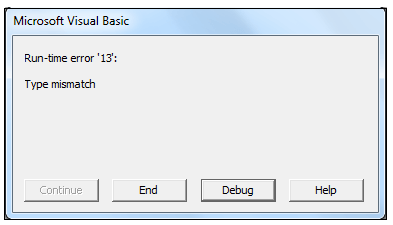
VBA Type Mismatch Error is a run time error in excel, which often occurs when the data types contained in a VBA code are not matched in the correct order. This error is also known as run time error 13 or the number 13 error in the error’s category.
VBA Type Mismatch Error

In VBA, whenever this error occurs, a dialog box pops up stating as "run-time error 13: Type mismatch".

Reasons for its occurrence

Below are some causes for which the Excel type mismatch error generally occurs:

  1. The specified variable has been assigned to different data type and the data type is not matched in the correct order.
  2. If your Ms Excel application has damaged or has been installed incompletely.
  3. If there is any disagreement between the operating system and the Excel application
  4. If a user clicks on a missing menu function or a macro in an Excel file.
  5. If the malicious Virus/malware attack damages the Excel code
  6. Conflict with other programs while VBA Excel file is open

Advantages

  • The advantages of the Type mismatch error are as follows:
  • It alerts the user about the positioning of the mistake where it occurred in the VBA code.
  • The user gets to know about the point of error even before the compilation of the code.

Example

Code:

Sub TypeMisMatch_Example()
 'Declaring the variable
 Dim x As Byte
 'assigning a value to variable 'x'
 x = "Hello World"
 'using the message box to display the variable value
 MsgBox x
 End Sub 

Let’s us analyze step-step the above VBA code:

Step 1: Open the developer window by using the shortcut keywords Alt +F11.

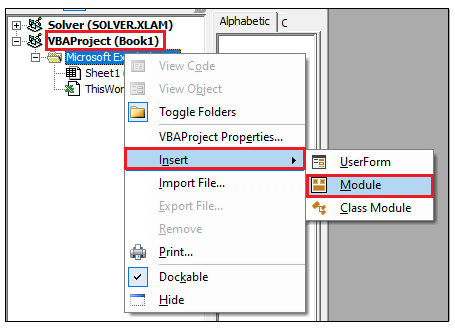
Step 2: Create a module by right-clicking on the VBA Project-> Click on Insert-> Click on Module.
VBA Type Mismatch Error

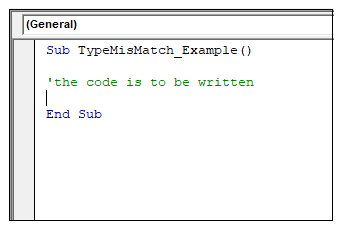
Step 3: In the Module window, introduce the sub-block, followed by your macro name.
VBA Type Mismatch Error

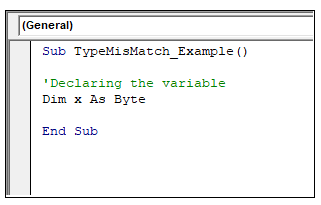
Step 4: Declare your variable with the required data type. For instance, in the below reference, we have declared the variable ‘x’ as Byte.
VBA Type Mismatch Error

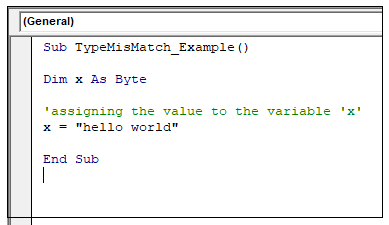
Step 5: Next, we must assign the value for the variable ‘x’. Unlike, we have assigned the value for ‘x’ as “Hello World!”.
VBA Type Mismatch Error

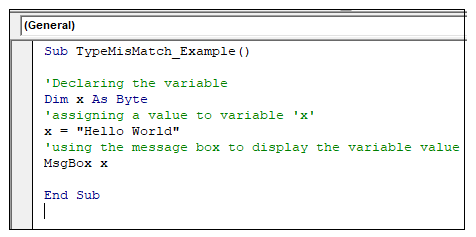
Step 6: the last step is to call the MsgBox so as we can store the value of x and can display variable content within it.
VBA Type Mismatch Error

Output

Step 7: Execute the above code either by pressing the F5 shortcut key or by clicking on the Run button.

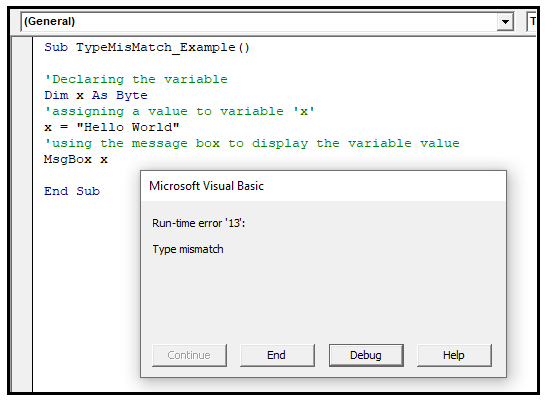
Step 8: You will notice that the Excel VBA will throw a runtime error dialogue box stating: run-time error 13: Type mismatch".
VBA Type Mismatch Error

The reason for the above error is that the Byte data type cannot hold the string or text value (Byte x = “Hello Word”), so the VBA macro throws a Type Mismatch Error.

Debug

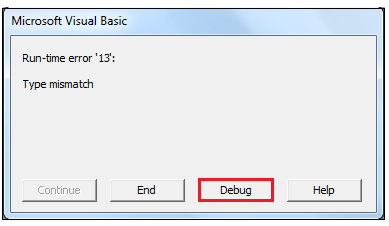
Step 9: In the Microsoft Visual Basic dialogue box, click on the Debug option.
VBA Type Mismatch Error

Step 10: The VBA will highlight the code consisting of the mismatch error.
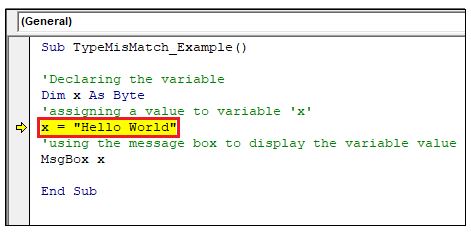
VBA Type Mismatch Error

Step 11: Resolve it (with int variable x assign an integer value) and again run the program.
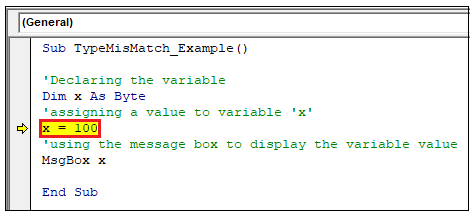
VBA Type Mismatch Error

Step 12: The program will run successfully, displaying the message box.
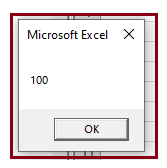
VBA Type Mismatch Error

Type Mismatch Example 2

Code:

Sub TypeMisMatch_Example2()
 'Declaring the variables
 Dim x As Byte
 Dim y As String
 Dim z As Integer
 'assigning the values to variables 'x' and 'y'
 x = 100 
 y = "Fifty"
 'adding both the variables
 z = x + y
 'using the message box to display the addition output
 MsgBox z
 End Sub 
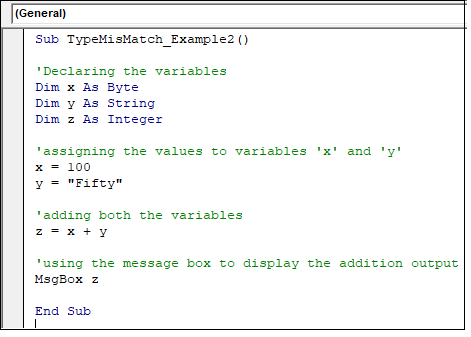
VBA Type Mismatch Error

The above code would also throw a mismatch error as we are adding values of different data types (byte x+ string y). Thus, violating the VBA data type correct manner.

Output
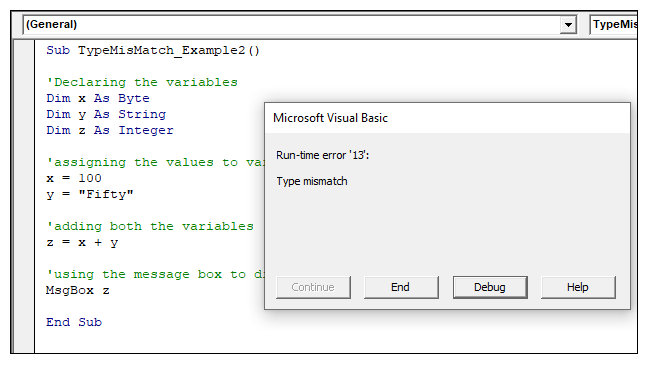
VBA Type Mismatch Error

Debug

Debug and again run the code for error free output.
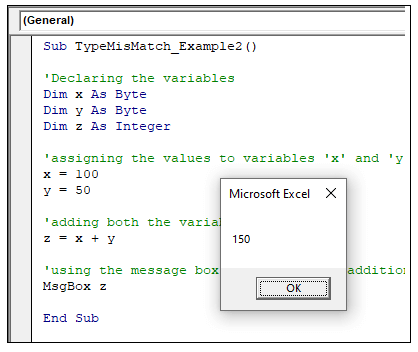
VBA Type Mismatch Error

Related Topics

Miscellaneous Exercise of conditional statements and Loop

We have the already worked with syntax and examples of conditional statements and loops in the previous tutorials. In this tutorial, we will learn how to work with both together.  We will explain...

3 minutes read.

Excel VBA InStrRev Function

VBA InStrRev Function: The InStrRev function in Excel VBA returns an integer representing the position of a substring within the specified string if the substring is fount else it returns...

2 minutes read.

Excel VBA StrComp Function

VBA StrComp Function: The StrComp function in VBA compares two strings and returns an integer value displaying the result of the comparison. Syntax StrComp (String1, String2, [Compare]) Parameter String1 (required)- This parameter represents the first string to...

2 minutes read.

Excel VBA Left Function

VBA Left Function: The Left function in VBA returns a substring from the start of the specified string. Syntax Left (Str, Length) Parameter Str (required) – This parameter represents the string that you want to extract...

1 minute read.

Excel VBA FormatNumber Function

VBA FormatNumber Function: The FormatNumber function in VBA is used to apply a number format to a numeric expression, and it returns the result as a string. Syntax FormatNumber (Expression, [NumDigitsAfterDecimal], [IncludeLeadingDigit], [UseParensForNegativeNumbers], [GroupDigits]) Parameter Expression (required)...

2 minutes read.

Excel VBA : With End-with Constructs

With End-with Constructs The With-End With construct enables the user to perform multiple operations on a single object. If you are going to perform several different actions on the same object and typing the same...

4 minutes read.

Excel VBA Error Handling

What is Errors and Types of Error? Errors are conditions that resist the flow of the program or enables a problem while running any programming. There are three types of errors in VBA...

5 minutes read.

Excel VBA: IF THEN Statement

VBA Excel: IF THEN StatementThis conditional statement enables you to check one condition and on the basis of that then run one or multiple statements if the condition holds. If...

1 minute read.

Excel VBA CVar Function

VBA CVar Function: The CVar function in VBA converts an expression into a Variant data type. Syntax CVar (Expression) Parameter Expression (required) – This parameter represents the expression that that you want to convert...

1 minute read.

CodeIgniter File Uploading Class

The Codeigniter provides a file Uploading library class which is used to upload any file such as images, pdf, mp3, etc. to the codeigniter’s application. It also allows to set various preferences such...

5 minutes read.

Excel VBA User-Defined Functions

User-Defined Functions One of the advantages of VBA is that you can create your own functions using macros. These functions can be called and used as other functions in excel and use them. You can...

3 minutes read.

VBA runtime error 1004

What is 1004 error?  VBA 1004 Error, also known as object-defined or application-defined, is a runtime error in VBA, usually, if the specified range does not exist in the worksheet or if the Application...

6 minutes read.

Excel VBA Len Function

VBA Len Function: The Len function in VBA returns the number of characters in a supplied string or the number of bytes required to store a supplied variable. Syntax Len (Expression) Parameter Expression (required)-...

1 minute read.

CodeIgniter Architecture

Here we will understand the architecture and working of the CodeIgniter application, which helps you to elaborate all steps in simple ways. As the above image represents that whenever a request comes from the...

2 minutes read.

Excel VBA Sqr Function

VBA Sqr Function: The Sqr function in VBA returns the square root for the specified number. Syntax Sqr (Number) Parameter Number (required) – This parameter represents a positive numeric value that you want to calculate...

1 minute read.

Excel VBA Right Function

VBA Right Function: The Right function in VBA returns a substring from the end of the given string. Syntax Right (Str, Length) Parameter Str (required) – This parameter represents the string from which you want to...

1 minute read.

VBA Subscript out of Range

What is Subscript out of Range? The VBA Subscript out of Range error (which is also called as Run-Time Error 9) mostly triggers when the user selects any cell, sheet, or workbook which does...

5 minutes read.

Excel VBA IsMissing Function

VBA IsMissing Function: The IsMissing function in VBA checks if any parameter to a procedure is missing or not. It returns a Boolean value True if the specified parameter has not been...

1 minute read.

Excel VBA Sgn Function

VBA Sgn Function: The Sgn function in VBA returns an integer (+1, 0, or -1), stating the arithmetic sign for the specified number. Syntax Sgn (Number) Parameter Number (required) –This parameter represents the number that...

1 minute read.

Looping in VBA

Looping in VBA There are many situations where a programmer needs to execute a block of the repetitive code number of times. Writing the same statement will make the program tedious and monotonous....

3 minutes read.