CodeIgniter File Helper
The file helper function is used to perform various tasks with files such as accessing files, writing data to files, deleting files, and more.
Loading the File Helper
Before using the file helper, you must load the helper in the controller's files.
Syntax
$this->load->helper(‘file’);
The function of File Helpers
- read_file(): It is used to read the contents of a files from the server that is stored in the root folder.
Syntax
$data = file_get_contents('./filepath/’);
Or
$data = read_file( ‘./filepath/’); //
deprecated function
Before using the read function, you should create a folder named Files. In this folder create a file and write some text into it that can display on the local server.
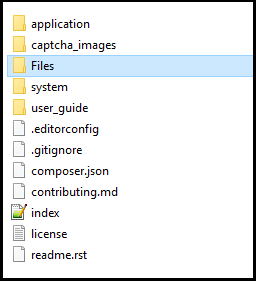
In our case, we have created a file named myfile.txt file in the CodeIgniter-3.1.11/Files folder. In the files, we have written the following text.
Hello Friends, Welcome to the tutorial and example. You can develop a web application in CodeIgniter.
Example: Create a Tests.php file in application/controller folder and write the following program.
Tests.php
<?php
 class Tests extends CI_Controller
  {
     public function readFiles() // define readFiles() function that call on the url
     {
        $this->load->helper('files');  // loading the files helper
         echo "<title> Tutorial And Example </title>";
   $data = './files/myfile.txt'; // it is the path of the text files
     $show = file_get_contents($data); // here $data is called for fetching the files message
     echo ($show);
 }
 }
 ?>
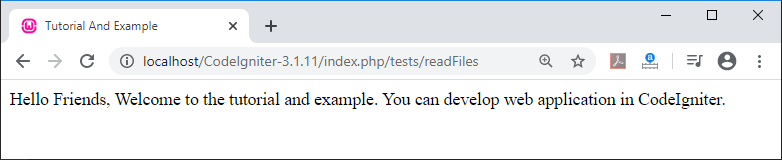
When you execute the above program in localhost by invoking the URL localhost/CodeIgniter-3.1.11/index.php/tests/readFiles, it shows the content of the file, as shown below.
2. write_file(): It is used to update or modify an existing file that calls to the server by defining a path.
Syntax
write_file( $path, $data [, $mode = ‘wb’ ]);
- $path: It defines the path of the file.
- $data: It defines the new data that we want to update.
- $mode: It defines the mode of the file whether the file is allowed to be read or write. By default, it is set to ‘wb’.
Example: Now create a Tests.php file in application/controller folder and write the following program.
Tests.php
<?php
 class Tests extends CI_Controller
  {
     public function writeFiles() // define writeFiles() function that call on the url
     {
        $this->load->helper('files');  // loading the files helper
         echo "<title> Tutorial And Example </title>";
   $datas = './files/myfile.txt'; // path of the file
  $message = 'Everyone should know how to program a computer, because it teaches you ave to think!';
 $disp = write_file($datas, $message);
 if (!($disp))
 {
         echo 'File could not be updated';
 }
 else
 {
         echo 'File has been updated!';
 }
 }
 }
 ?>
When you execute the above program in localhost by invoking the URL localhost/CodeIgniter-3.1.11/index.php/tests/writeFiles It shows the message File has been updated! as shown below.

Now open myfile.txt from the CodeIgniter-3.1.11/Files/, it shows the updated text as shown below:

Note: The write_file() function is used to write content to the specified path. If the file does not exist in the defined path, it creates a new file, automatically. So, you have to make small changes in the path like './files/myfile1.txt'. Then it will show a new file in the defined path as ‘myfile1.txt’.
3. delete_files(): It is used to delete the existing files from the system.
Syntax
delete_files( $path [ $del_dir = FALSE [
$htdocs = FALSE ] ]);
Parameters
- $path: It defines the path of the file that we want to delete.
- $del_dir: You can set it to true, if you want to delete the folder or the directory, else set false.
- $htdocs: It uses Boolean value for skipping the deletion of .htaccess and index.php files or not.
Example: Create a Tests.php file in application/controller folder and write the following program.
Tests.php
<?php
 class Tests extends CI_Controller
  {
     public function deleteFiles() // define deleteFiles() function that call on the url
     {
        $this->load->helper('files');  // loading the files helper
         echo "<title> Tutorial And Example </title>";
   $datas = './files/';   // it is the path of the files
    $del = delete_files($datas);
    echo "File has been deleted".$del;
 }
 }
 ?>
When you execute the above program in localhost by invoking the URL localhost/CodeIgniter-3.1.11/index.php/tests/deleteFiles, it shows the output, as shown below.
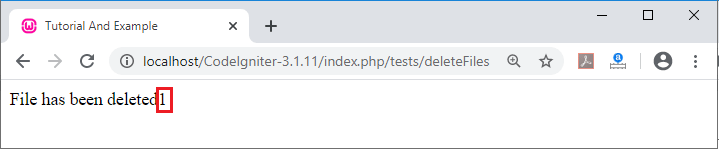
In the above image, 1 denotes that the file has been deleted successfully. Otherwise, it shows 0, it means your file hasnot been deleted. If you want to delete the folder or directory with files, use the syntax, given below:
$datas = ‘./files/’;
$del = delete_files( $datas, True);
4. get_filenames(): As the name suggests, it fetches all the files names on the local server that you have defined in the root folder.
Syntax
get_filenames( $source_dir [, $include_path
= FALSE ]);
- $source_dir: It takes the path of the folder for shows all the filenames of the defined path in the local server.
- $include_path: It uses the Boolean value to show the complete path of the files. The FALSE value represents the current path of the files, whereas TRUE value shows the complete path of the file.
Example: Create a Tests.php file in application/controller folder and write the following program.
Tests.php
<?php
 class Tests extends CI_Controller
  {
     public function getFiles() // define getFiles() function that call on the url
     {
        $this->load->helper('files');  // loading the files helper
         echo "<title> Tutorial And Example </title>";
 $get= get_filenames('./application/views/', FALSE);  // it shows all the files of views folder
 echo "<pre>";
 print_r($get); // call $get variable
 }
 }
 ?>
When you execute the above program in localhost by invoking the URL localhost/CodeIgniter-3.1.11/index.php/tests/getFiles, it shows the output, as shown below.
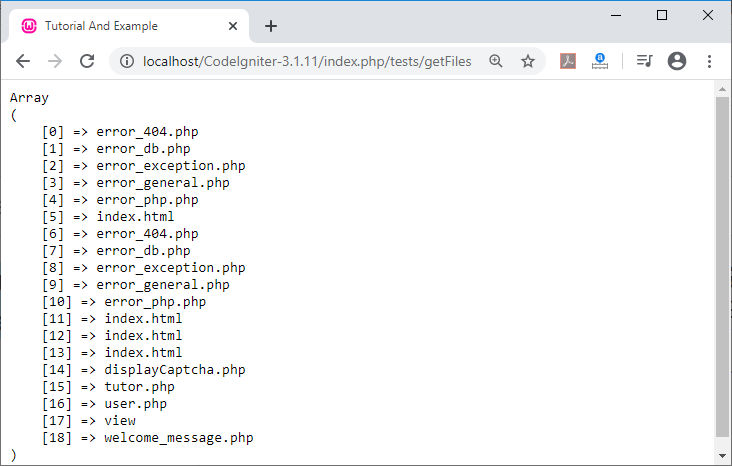
5. get_dir_file_info(): This function is used to get a complete description of all files in a folder or directory.
Syntax
get_dir_file_info(
$source_dir, $top_level_only);
- $source_dir: It shows the directory path which you want to display on the server.
- $top_level_only (boolean): It shows the data of a particular folder.
Example: Create a Tests.php file in application/controller folder and write the following program.
Tests.php
<?php
 class Tests extends CI_Controller
  {
     public function getdirFiles() // define getdirFiles() function that call on the url
     {
        $this->load->helper('files');  // loading the files helper
         echo "<title> Tutorial And Example </title>";
 $fetch = get_dir_file_info('./application/controllers', FALSE); /*it shows all the files inside the controllers folder */
 echo "<pre>";
 print_r($fetch);
 }
 }
 ?>
When you execute the above program in localhost by invoking the URL localhost/CodeIgniter-3.1.11/index.php/tests/getdirFiles, it shows the output, as shown below.
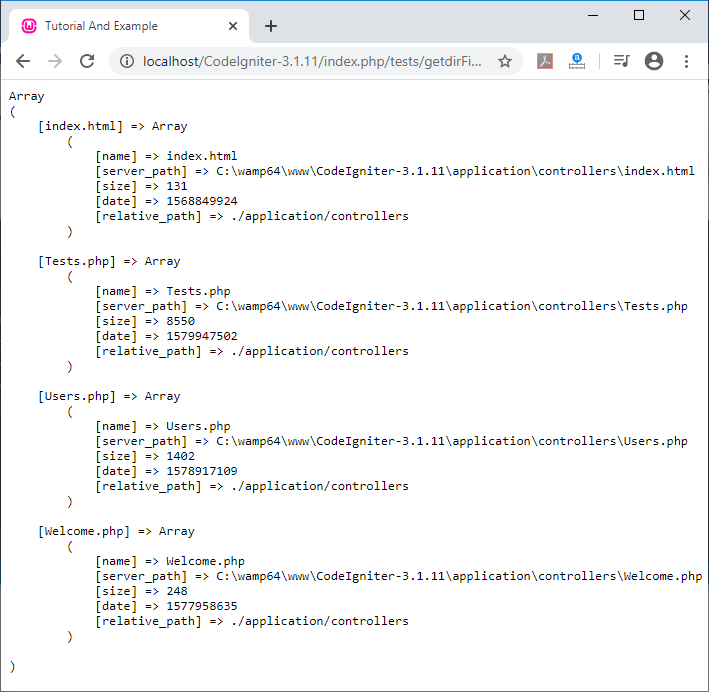
The above image shows all the details about the folder or directory such as file names, server, size of files, date and the path of the files.
6. get_file_info(): It is used to show the details of the particular file such as file name, server, date, size and the path. It takes path of file as input from.
Syntax
get_file_info(
$file [, $returned_values = array( ‘name’, ‘server_path’, ‘size’, ‘date’) ]);
- $file: It shows the particular file path in the system.
- $returned_values (array): It defines the type of information you want to retrieve from server such as name, server, size and date.
Example: Create a Tests.php file in application/controller folder and write the following program.
Tests.php
<?php
 class Tests extends CI_Controller
  {
     public function getInfo() // define getInfo() function that call on the url
     {
        $this->load->helper('files');  // loading the files helper
         echo "<title> Tutorial And Example </title>";
 $datas = get_file_info('./application/controllers/tests.php'); /* it shows the define file on the server */
 echo "<pre>";
 print_r($datas);
 }
 }
 ?>
When you execute the above program in localhost by invoking the URL localhost/CodeIgniter-3.1.11/index.php/tests/getInfo, it shows the details of the file tests.php, as shown below.
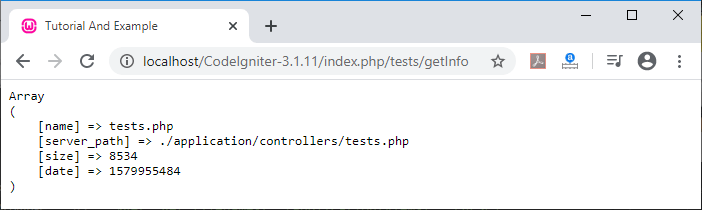
7. get_mime_by_extension(): It defines the extension of the file. It takes file name (with extension) as input and return the type of mime file.
Syntax
get_mime_by_extension( $filename );
$filename: It defines the file name with extension.
Example: Create a Tests.php file in application/controller folder and write the following program.
Tests.php
<?php
 class Tests extends CI_Controller
  {
     public function getMime() // define getMime() function that call on the url
     {
        $this->load->helper('files');  // loading the files helper
         echo "<title> Tutorial And Example </title>";
 $file1 = 'delete.doc';
 echo "<b>" .$file1. "</b>". ' is defined to mime type of <b>'.get_mime_by_extension($file1). "</b>". "<br>";
 $file = 'codeigniter.jpg';
 echo "<b>". $file. "</b>". ' is defined to mime type of '.get_mime_by_extension($file);
 }
 }
 ?>
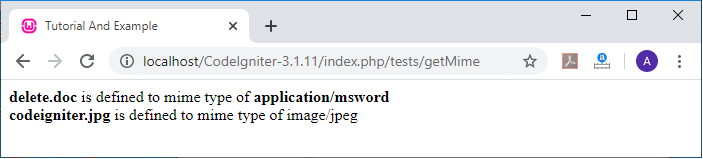
When you execute the above program in localhost by invoking the URL localhost/CodeIgniter-3.1.11/index.php/tests/getMime, it shows the output, as shown below.