
×

Ionic Range

The Range slider lets users choose from a range of values by moving the slider knob. You can accept two knobs, but by default, one-knob controls the range value.

Range labels

You can put down on either side of the range by adding the element slot = "start" or slot = "end". The element should not be an ionic label, which can be added to any element to place it to the left or right of the range.

Minimum and Maximum Values

Minimum and Maximum values can be passed by using the range through the min and max properties, respectively. By default, the range sets for min = 0 and max = 100.

Steps and Snaps

The step property defines the value explanation of the range's value. It may be helpful to set the step when the value is not increments of 1. Setting up the step property will show tick marks on the range for every step. The Snaps property can be configured to automatically move the knob to the closest tick mark based on the step property value.

Dual Knobs

If setting the dual knobs property to true on the range component, it will enable two knobs on the range. If the range has two knobs, the value will be an object containing two features, i.e., lower and upper.

 The following example shows the ionic range:

Example:


  Range 


  Adjust Display 


Output: After executing this code, you will get the output, which is shown in the below screenshot.
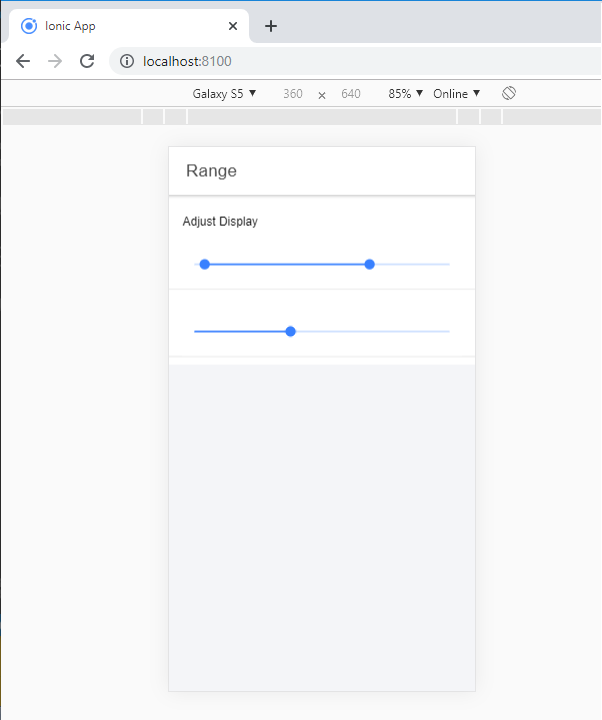
Ionic Range

Adding icons to the range

The ionic range will usually need to show the data clearly. You need to add an icon before and after the range input to set them on both sides of the range element.

Example: This example shows how you can add the icons in the range.


  Range 


  Adjust Display 


Output: After executing this code, you will get the output, which is shown in the below screenshot.
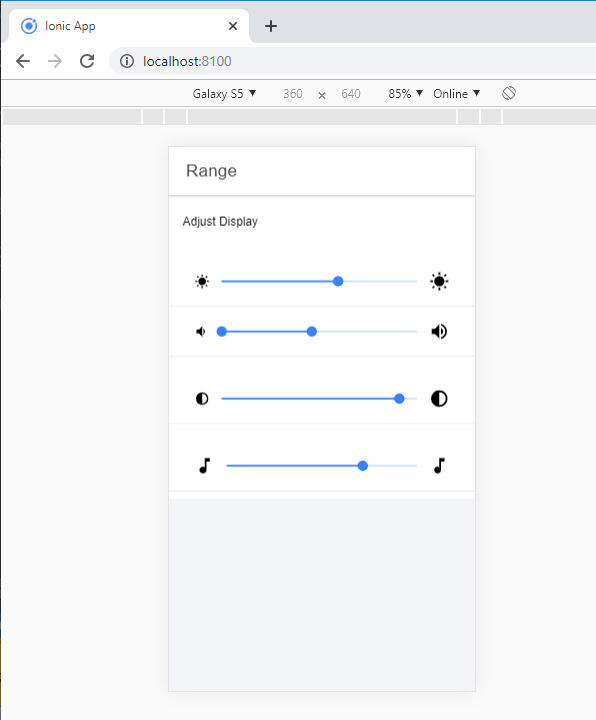
Ionic Range 1

Styling Range

It can style the range by using the color property. The following example shows how to use colors in the ionic range component.

Example:


  Range 


  Adjust Display 


Output: After executing this code, you will get the output, which is shown in the below screenshot.
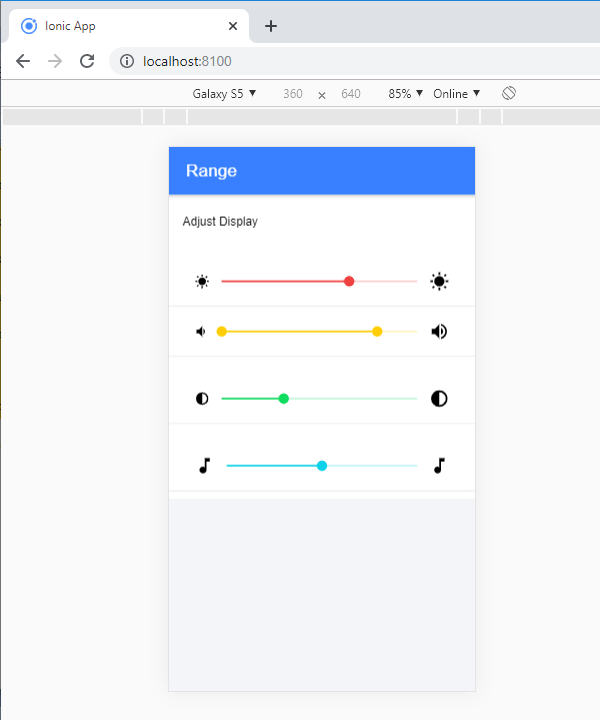
Ionic Range 2

Related Topics

Ionic List

Ionic List The ionic list is created of several rows of items that can contain text, buttons, thumbnails, keys, icons, and more. Lists are one of the essential components in any web or...

4 minutes read.

Ionic Popover

The Ionic popover is a small dialog box that displays at the top of the screen. It can be used for anything, but it is usually used for a button, an action,...

4 minutes read.

Ionic Grid

The Ionic grid is a very powerful mobile-first flexbox system for building the custom layouts. It is a CSS feature supported by all devices that ionic supports. The Ionic grid is composed of...

11 minutes read.

Ionic framework Installation

Installation of Ionic Before proceeding with the ionic application, you'll need to install node.js and NPM (Node Package Manager), the code editor, and Ionic CLI. Installation of node.js and NPM These are the primary...

5 minutes read.

Features of Ionic Framework

The Ionic Framework is based on the AngularJS framework that permits a programmer to use a combination of many other programming languages, like HTML5, CSS, and JavaScript. Some of the...

4 minutes read.

Ionic Infinite Scroll

The infinite scroll permits you to perform an action when the user scrolls a particular content from the bottom or top of the page. When you display the large collection of data...

3 minutes read.

Ionic Camera

Hybrid mobile applications can make very quickly, but sometimes it becomes a challenge to get the features that access the hardware such as GPS, storage, file storage, cameras, and networks. Cordova offers plugins...

4 minutes read.

Ionic Navigation and Routing

The latest version (ionic 4) of the ionic framework, no longer limited to the angular. In Ionic 4, you can create an ionic project in different front-end frameworks such as Vue.js, React.js, and...

6 minutes read.

Ionic vs Xamarin

Ionic vs Xamarin Ionic and Xamarin are both the most popular frameworks used to develop a hybrid mobile application. Both frameworks are used in large enterprises by the developers. Here, we will discuss the...

4 minutes read.

Ionic Spinner

The ionic spinner component provides the various SVG (Scalable Vector Graphic) spinners. Ionic spinners are the visual indicators that display the app which is loading content or performing another process that the user...

5 minutes read.

Ionic Tabs

The ionic tabs mostly used for mobile navigation. It means that tabs are placed at the top of the display on android devices, while at the bottom on IOS. It does not provide...

2 minutes read.

Ionic Modal

Ionic modal is displayed as a temporary UI that slides into the screen. The ionic modal is a dialog box that is displayed at the top of the app’s content, and it...

5 minutes read.

History of Ionic

It is a complete open-source platform for hybrid mobile application development created by Ben Sperry, Max Lynch, and Adam Bradley of Drifty Co. in 2013. The first alpha version of the framework was...

2 minutes read.

Ionic Actionsheet

Ionic Actionsheet The Action sheet is a dialog box that displays a group of options. It is shown on the top of the application content and must be dismissed manually before the user can resume...

3 minutes read.

Ionic progress bar

The ionic progress bar element is a horizontal progress bar used to visualize the progression of operation and activity. You can use the <ion-progress-bar> component to create a progress bar in the ionic...

4 minutes read.

Ionic Editors

Editors are software programs that permit the users to create and edit the text files. In the development field, editors are usually used to create the source code editors that includes many specific...

3 minutes read.

Ionic Toggle

The toggle is the same as the HTML checkbox entry, but it looks different and easier to use on a touchscreen device. It is an input component that holds the boolean value. Toggle...

2 minutes read.

Ionic Colors

Ionic Colors Before we start with the actual elements available in the Ionic frame, let's understand a little bit how Ionic uses colors for different elements. Ionic Color Classes Ionic framework is a set of nine predefined...

3 minutes read.

Ionic Loading

The ionic loader is an overlay that can be used to indicate activity, the user interaction while blocking. The ionic loader shows on the top of the app content, and it can...

5 minutes read.

Ionic Reorder

The Ionic offers the <ion-reorder> component to reordering features. Ionic reorder component adds the Drag and Drop feature to list items, in which the user can change the order of the items. Reorder...

3 minutes read.