
×

Ionic Contents

Ionic Contents

The content component provides an easy-to-use content area with some useful ways to control the scrollable region. There should be only one content in one view.

Content, along with several other Ionic elements, can be optimized to modify its padding, margin, and more by using the global styles given in the CSS Utilities or by styling them individually using the CSS and the available CSS Custom Properties.

Almost every mobile application contains some essential elements. Typically, these items include a header and footer that will cover the top and bottom of the screen. All other elements will be placed between these two. Ionic provides an element of ion-content that acts as a container that will wrap all the other elements we want to create. The given below example shows the ionic content in the Ionic application.

Example:


  Ionic Content 


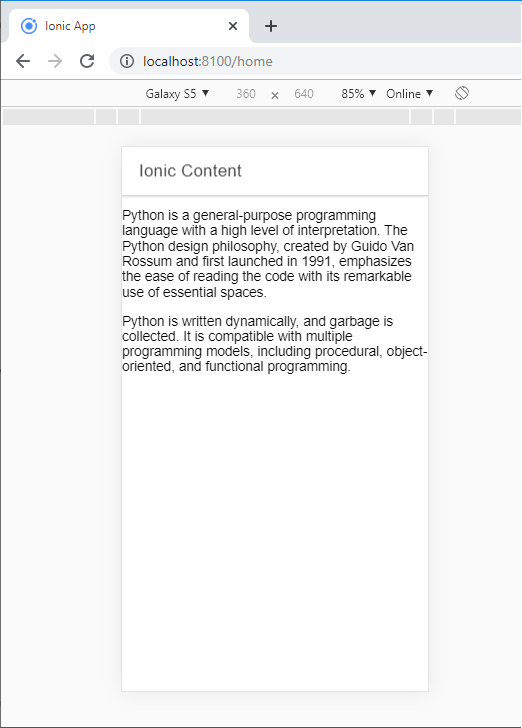
Python is a general-purpose programming language with a high level of interpretation. The Python design philosophy, created by Guido Van Rossum and first launched in 1991, emphasizes the ease of reading the code with its remarkable use of essential spaces.

Python is written dynamically, and garbage is collected. It is compatible with multiple programming models, including procedural, object-oriented, and functional programming.

Output: When you run the given code, then you will get this output, which is shown in the screenshot.
Ionic Contents

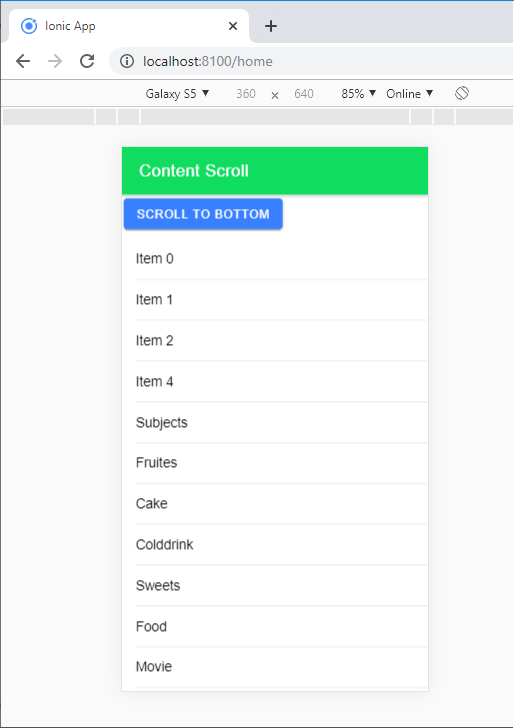
Ionic Content Scrolling: Many types of scrolling are used in the ion-content component. Ion-Content-Scrolling is used to scroll the screen top to bottom and bottom to top with the help of the scroll button. If you want to use the ionic content scroll, then you require to enable the scroll event by setting the [scrollEvents] = "true."

  • IonScrollStart: It used when the scroll started.
  • IonScrollEnd: It used when the scroll ended. 

Example: This example shows how you can include the scroll button in the ionic content.

Home.page.html


  Content Scroll 


  Scroll To Bottom 


  {{ item.value }} 


  Scroll To Top 


Home.page.ts

import { Component, ViewChild } from '@angular/core'; 
 import { IonContent, } from '@ionic/angular'; 
 @Component({ 
  selector: 'app-home', 
  templateUrl: 'home.page.html', 
  styleUrls: ['home.page.scss'], 
 }) 
 export class HomePage { 
  @ViewChild(IonContent, {static: false}) content: IonContent;  
  dummyList: any; 
  constructor( 
  ) { 
  this.dummyList = [ 
  { 
  value: 'Item 0',  
  }, { 
  value: 'Item 1', 
  }, { 
  value: 'Item 2', 
  }, { 
  value: 'Item 4', 
  }, { 
  value: 'Subjects', 
  }, { 
  value: 'Fruites', 
  }, { 
  value: 'Cake', 
  }, { 
  value: 'Colddrink', 
  }, { 
  value: 'Sweets', 
  }, { 
  value: 'Food', 
  }, { 
  value: 'Movie', 
  }, { 
  value: 'Songs', 
  }, { 
  value: 'Games',  
  }, { 
  value: 'Phones', 
  }, { 
  value: 'Market', 
  }, { 
  value: 'Train', 
  }, { 
  value: 'College',  
  }, { 
  value: 'Dish', 
  }, { 
  value: 'City', 
  }, { 
  value: 'Country', 
  }, {  
  value: 'Travells', 
  }
  ]; 
  } 
  logScrollStart() { 
  console.log('logScrollStart : Scroll Starts'); 
  } 
  logScrolling() {  
  console.log('logScrolling : Scrolling'); 
  } 
  logScrollEnd() { 
  console.log('logScrollEnd : Scroll Ends'); 
  } 
  ScrollToBottom() { 
  this.content.scrollToBottom(800); 
  } 
  ScrollToTop() { 
  this.content.scrollToTop(800); 
  } 
  }  

Output: When you run the given code, then you will get this output, which is shown in the screenshot.
Ionic Contents2

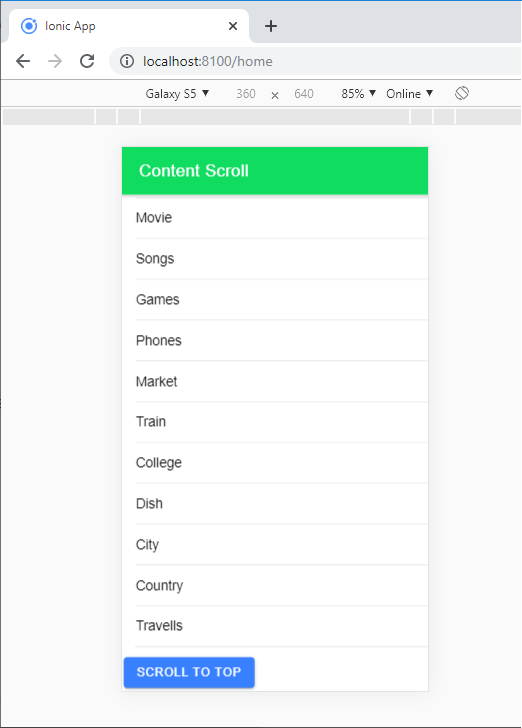
When you click on the Scroll to Bottom button, then it scrolls down the page, and if you click on the Scroll to Top Button, then it goes up. The given screenshot shows the output.
When you click on the Scroll to Bottom button

Related Topics

Ionic Alert

Ionic Alert An Alert is a dialog box that presents the users with important information, or it stores the data from the user by using the inputs. Alerts are a great way to provide...

5 minutes read.

Ionic vs Xamarin

Ionic vs Xamarin Ionic and Xamarin are both the most popular frameworks used to develop a hybrid mobile application. Both frameworks are used in large enterprises by the developers. Here, we will discuss the...

4 minutes read.

Ionic Editors

Editors are software programs that permit the users to create and edit the text files. In the development field, editors are usually used to create the source code editors that includes many specific...

3 minutes read.

Ionic Infinite Scroll

The infinite scroll permits you to perform an action when the user scrolls a particular content from the bottom or top of the page. When you display the large collection of data...

3 minutes read.

Ionic Refresher

Refresher means updating the currently showing page so that the user can see the latest view. It is also known as re-loading in web technology. It provides a pull- to-refresh feature on a...

4 minutes read.

Ionic Date Time

Ionic Date Time The DateTime component is used to display an interface that makes it simple for users to select dates and times. Tapping on <ion-datetime> will display a slider up from the...

4 minutes read.

Ionic Contents

Ionic Contents The content component provides an easy-to-use content area with some useful ways to control the scrollable region. There should be only one content in one view. Content, along with several other Ionic...

2 minutes read.

Ionic-fab Button

Ionic-fab Button The Ionic FABs (Floating Action Buttons) are standard material design compounds. It is a container element that contains one or more fab buttons. They are required to be placed in a fixed position,...

2 minutes read.

Ionic Reorder

The Ionic offers the <ion-reorder> component to reordering features. Ionic reorder component adds the Drag and Drop feature to list items, in which the user can change the order of the items. Reorder...

3 minutes read.

Ionic Menu

The Ionic menu is the side-menu navigation that can be slide in from the side of the current view. By default, the menu slides in from the left side, but the side...

7 minutes read.

Ionic Popover

The Ionic popover is a small dialog box that displays at the top of the screen. It can be used for anything, but it is usually used for a button, an action,...

4 minutes read.

Ionic Splash Screen

The Apache Cordova plugin helps to displays and hides a splash screen during the application launch. The Ionic Splash Screen is similar to a home page on a website. The ionic splash...

2 minutes read.

Ionic vs Apache Cordova

Ionic Vs Apache Cordova Ionic and Cordova are two popular technology going on in the market for mobile application development. The combination of these two technologies creates a development platform that is known as...

3 minutes read.

Ionic Checkbox

Ionic Checkbox Ionic Checkbox is nearly the same as a toggle. It can be placed in an ionic element or used as a separate checkbox. It is designed differently for every platform, such...

2 minutes read.

Ionic vs PhoneGap

Ionic Vs PhoneGap Ionic and PhoneGap are both used to develop the mobile application. Both Frameworks are used in large enterprises by the developers. Here, we are going to compare the important differences between ionic...

3 minutes read.

Ionic Colors

Ionic Colors Before we start with the actual elements available in the Ionic frame, let's understand a little bit how Ionic uses colors for different elements. Ionic Color Classes Ionic framework is a set of nine predefined...

3 minutes read.

Ionic Radio

Ionic Radio The radio button is the type of input component that has a Boolean value. The Ionic radio button has a different pattern on every platform, as well as other Ionic components....

2 minutes read.

Ionic Navigation and Routing

The latest version (ionic 4) of the ionic framework, no longer limited to the angular. In Ionic 4, you can create an ionic project in different front-end frameworks such as Vue.js, React.js, and...

6 minutes read.

Ionic Select

The Ion Selection component is similar to the HTML <select> element. However, the Ionic Selection component makes it easy for users to categorize and choose the preferred option or other options. You must...

3 minutes read.

Ionic Loading

The ionic loader is an overlay that can be used to indicate activity, the user interaction while blocking. The ionic loader shows on the top of the app content, and it can...

5 minutes read.