
Features of Ionic Framework
The Ionic Framework is based on the AngularJS framework that permits a programmer to use a combination of many other programming languages, like HTML5, CSS, and JavaScript. Some of the important features of the Ionic Framework are as follows:
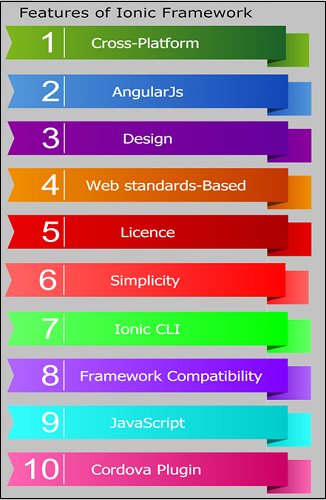
- Cross-Platform: It is the cross-platform framework that built mobile apps, which runs on multiple platforms, such as Android, native iOS, and Windows phones. It can be created and deploy on any platform. It allows us to write once and runs everywhere.
- AngularJS: Ionic framework uses the AngularJS MVC (Model-View-Controller) architecture to develop an attractive mobile application.
- Design: It permits the user to create a simple, clean, and functional mobile application. It is designed to work and display smartly on different platforms. The Ionic Framework begins with pre-designed elements, interactive paradigms, typography, and a gorgeous base theme.
- Web Standards-based: The development of an Ionic application is based on the reliable and standardized web technologies HTML, CSS, JavaScript, using the latest web APIs like Shadow DOM and Custom Elements. Due to this, Ionic components have a stable API, which allows the developer to run the application on different platforms such as iOS, Android, and Windows Phones.
- License: Ionic Framework is the free and open-source project, which is licensed under MIT.
- Simplicity: The Ionic Framework is very easy to learn and use. It develops a mobile application that can be accessed on different platforms easily.
- Ionic CLI: The Ionic Command Line Interface (CLI) is the primary tool, which is used during the app development process. The Ionic CLI contains several commands that are crucial to Ionic development like start, create, serve, and run. Ionic includes commands such as emulate and info, which may be helpful for some circumstances in the application.
- Framework Compatibility: It was re-engineered by the ionic team so that it can work as a JavaScript web component library. The ionic framework can be used in most popular front-end frameworks, including React.js and Vue.js.
- JavaScript: Ionic components expand the JavaScript capabilities to include all mobile elements that cannot be achieved with HTML and CSS alone.
- Cordova Plugin: Cordova plugin provides the API to use the native device functions with JavaScript.
Features of V4+ Ionic Framework
Ionic is one of the popular frameworks available for developing hybrid applications. There are three components: first is the Sass-based UI framework, the second is the angular framework, and the third is the interpreter. This framework is adopted by many developers because it has some amazing CSS components.
Ionic V4+ is released in 2019, which is mostly used to create mobile apps and PWAs (progressive web apps) with JavaScript. With the release of the fourth version, it became more popular, and the developers loved it more. New features revolve around performance, build-time improvements, compatibility with multiple frames, and powerful capabilities to create new themes and documents. Well, the latest update not only facilitates migration but also provides the tool through which to work becomes easy and without problems.
Some new features are introduced in Ionic V4+ and are explained below:
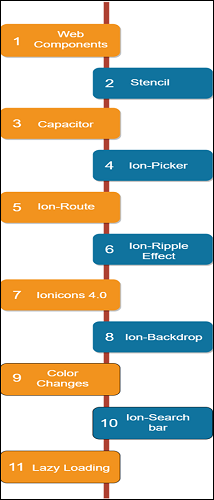
- Web Components: A web component is a group of web platform APIs. These APIs include components such as shadow DOM and custom elements that have been starts adopted by the developers. It used less code to create the browser handle bundle. It also increases the improvement of the load time and performance for PWAs. It allows the developer to create custom and reusable HTML tags for use in web applications and web pages.
- Stencil: Stencil is a new web component compiler introduced by the Ionic team to create standards for interacting with the web servers. It also uses additional APIs such as Virtual DOM, Typescript JSX, etc.
- Capacitor: The Capacitor, which is a cross-platform API and code extension layer, assists in calling native SDKs from web code. It can also create a custom native plugin whenever the application is required. The Capacitor provides progressive web applications (PWAs) support to the developer in creating and deploying the apps to the app store.
- Ion-picker: Ion-picker is used to display a row of buttons and columns at the top of the application content as well as at the bottom of the viewport.
- Ion-Route: Ion-Route will select a component and provide it to the browser when the URL gets matched with the URL property.
- Ion-Ripple Effect: Ion-Ripple effect mostly adds the impact of the ripple reaction of material design. It is designed to be non-invasive, efficient, and can be used without adding any additional DOM to the elements. It works without reducing JavaScript to make CSS implementation easier.
- Ionicons 4.0: These icons are specially designed for use in Android, iOS, web, and desktop apps. SVG's web source and support are available and distributed as reduced-size web components and renewable icon shapes that display the latest material design styles and trends in iOS.
- Ion-Backdrop: Ion-Backdrop is the full-screen component that interferes with other components. They are placed over other content so you can ignore the other component.
- Color Changes: There are lots of color changes in the ionic framework. It changed the default color from the framework and added some new default colors.
- Ion-Search bar: The Ion-Search bar is used to search collections using the text field. There are nine different styles of the Ionic search bar that make the app look pretty.
- Lazy Loading: Lazy Loading is the design pattern in the Ionic Framework, which is used to distinguish the initialization of the components when it is required. It will help to improve application performance and reduce the application load time by splitting it into multiple packages.