
×

Ionic Input

Ionic Input

Inputs are necessary to collect and process user inputs securely. To be easy for users to communicate, they must follow the process and communication guidelines for each platform. It is a container for an HTML input element with a custom style and additional functionality. It accepts most of the same features as HTML input, but works well on desktops and integrates with the keyboard on mobile devices.

It is intended only for text type inputs, such as "text", "password", "email", "number", "search", "phone" and "URL". It supports all regular text input events, including keyup, keydown, keypress, and more.

Several features can be used to design styles and different input fields, which are listed below.

  • Fixed Inline Labels
  • Inset Labels
  • Floating Labels
  • Placeholder Labels
  • Inline Label
  • Stacked Labels

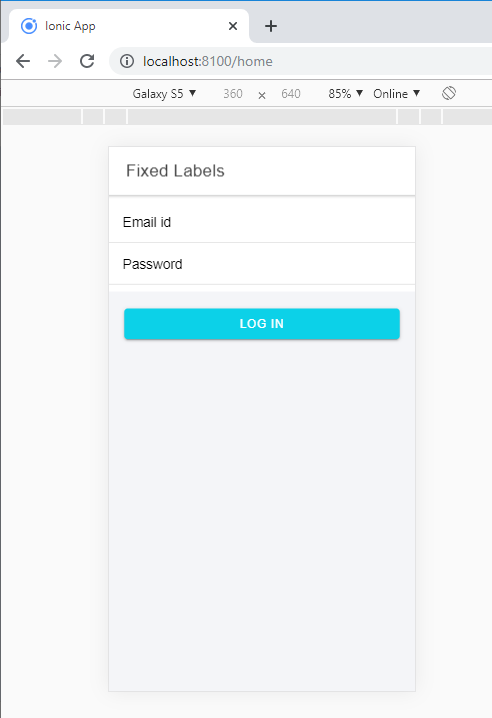
Fixed Inline Labels: Use fixed to place the label on the left side of the input element. When text is input, then the label does not hide. You can also use placeholder text along with a fixed label. You can add the fixed property with <ion-label> component.

Example: This example explains how you can use the fixed inline labels in ionic application.


Fixed Labels


  Email id


  Password


Log In

Output: After executing this code, you will get the output, as shown below.
Ionic Input

Inset Labels: It will fill each input element 100% of the width of its parent elements. Create the input inset by inserting the inset attribute to the <ion-list> element.

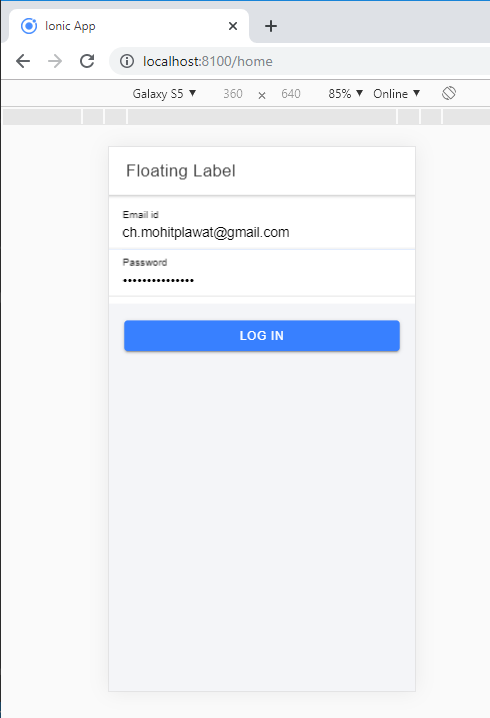
Floating Labels: Floating labels are those labels that animate or float up when the entry is selected. You can add the floating property with the using of <ion-label> component. The following syntax explains how you can use the floating labels in the ionic application.

username

Example:


  Floating Label 


  Email id 


  Password 


Log In

Output: After executing this code, you will get the output, as shown below.
Inset Labels

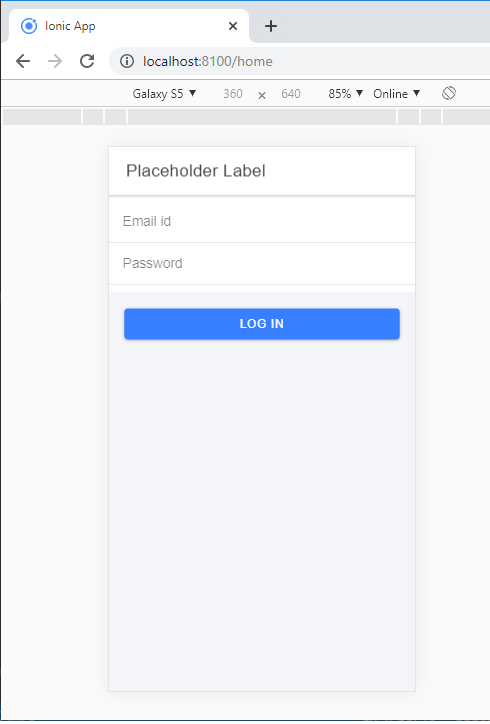
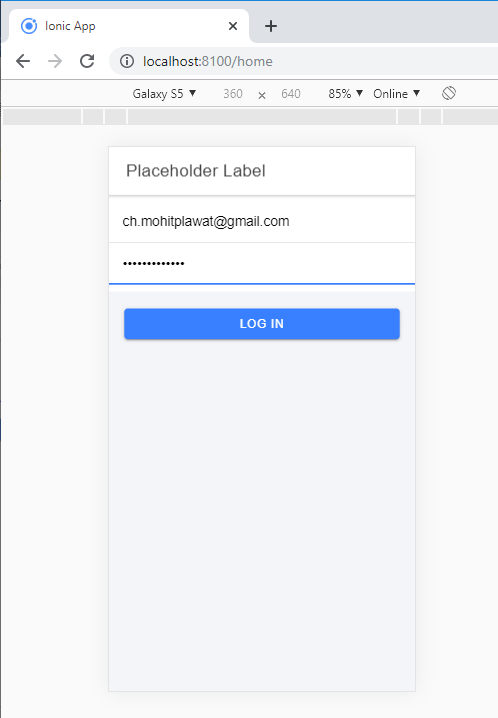
Placeholder Labels: To affect the input's label, you can add the placeholder attribute to an <input> element. The placeholder label is hidden when you entered the text in the input. You can add the placeholder label with the use of <ion-label> element.

Example: This example explains how you can use the placeholder label in the ionic application.


  Placeholder Label 


Log In

Output: After executing this code, you will get the output, as shown below.
Placeholder Labels

When you entered the text, then the placeholder is hidden, as shown below.
placeholder is hidden,

Inline Labels: Without any attribute <ion-label> element is known as Inline Labels. When the text is input, then the label does not hide. You can also use placeholder text along with an Inline label.

Example: This example explains how you can use the inline label in the ionic application.


  Inline Label 


  Email id or Mobile No


  Password


Log In

Output: After executing this code, you will get the output, as shown below.
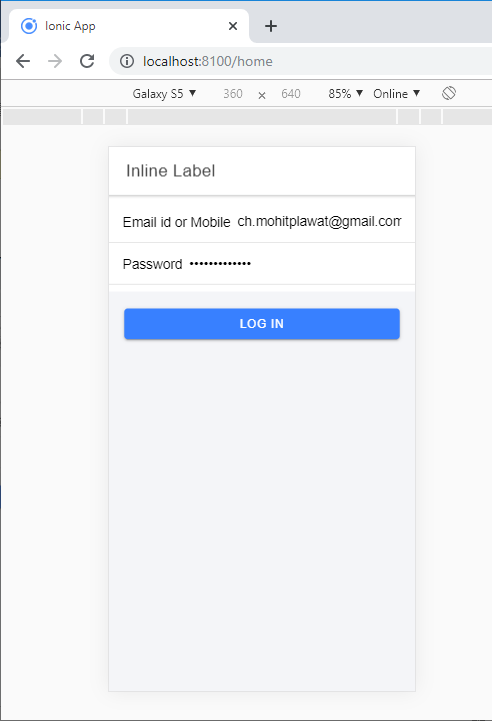
Inline Labels

Stacked Labels: It will always show at the top of the input. You can add the stacked attribute by using the <ion-label> element. You can also use placeholder text along with a Stacked label.

Example: This example explains how you can use the stacked label in the ionic application.


  Stacked Label 


  Email id


  Password


Log In

Output: After executing this code, you will get the output, as shown below.
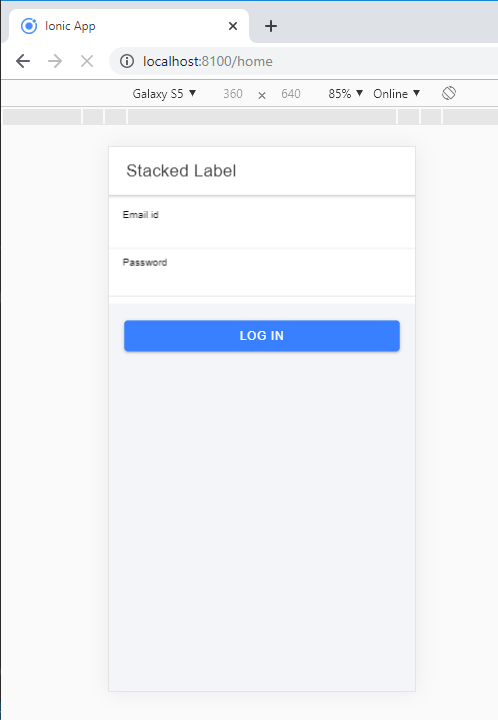
Stacked Labels

Multi-line text input: The textarea component is used for multi-line text input in the ionic application. You can use the <ion-textarea> component for input text. The native Textarea component represented within the <ion-textarea>. It permits to control the user experience and interactivity of the textarea component that makes it better.

The Ionic Textarea does not support loading its quality from the inner content as opposed to the native Textarea feature. The value of the Textarea must be set in the value attribute.

Besides the Ionic properties, the Textarea element accepts the essential Textarea attributes.

Example: This example explains how you can use the multi-line text input in the ionic application.


  Multi-Line Text Input 


  Summary


  Comment


  Description


  Details


Output: After executing this code, you will get the output, as shown below.
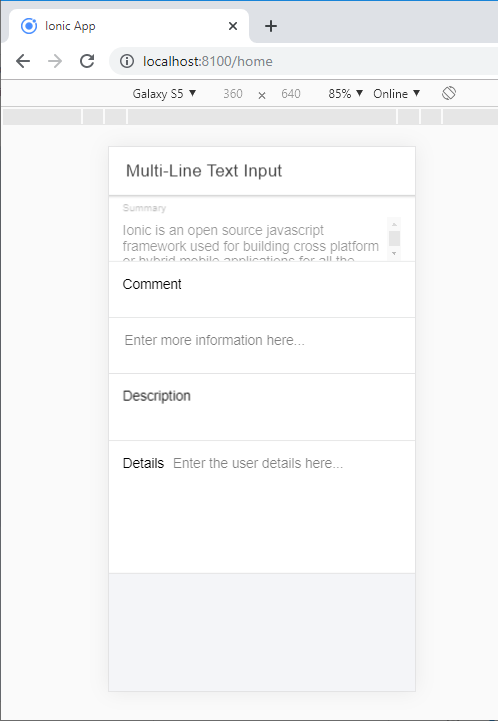
 The textarea compon

Related Topics

Ionic Popover

The Ionic popover is a small dialog box that displays at the top of the screen. It can be used for anything, but it is usually used for a button, an action,...

4 minutes read.

Ionic Range

The Range slider lets users choose from a range of values by moving the slider knob. You can accept two knobs, but by default, one-knob controls the range value. Range labels You can put down on...

2 minutes read.

Ionic framework Installation

Installation of Ionic Before proceeding with the ionic application, you'll need to install node.js and NPM (Node Package Manager), the code editor, and Ionic CLI. Installation of node.js and NPM These are the primary...

5 minutes read.

Ionic Cards

Ionic Cards: Ionic cards are a standard part of the user interface that acts as an entry point for more specific information. These are the best components for displaying information...

4 minutes read.

Ionic Geolocation

In today’s time, the mobile location plays an essential role in the mobile application. The Ionic Cordova geolocation plugin provides information about the location of the device, like as latitude and longitude. The...

5 minutes read.

Ionic Tutorial for Beginners

What is Ionic? Ionic is an open-source framework that is used for the development of mobile applications. It is also used to build android applications, iOS, applications, desktop applications, and web applications using web...

4 minutes read.

Difference between Ionic 4 and Ionic 3

The ionic framework is an open-source platform that is used to develop mobile applications. It is also used to build android applications, desktop applications, iOS, and web applications using web technologies like HTML,...

5 minutes read.

Ionic vs Apache Cordova

Ionic Vs Apache Cordova Ionic and Cordova are two popular technology going on in the market for mobile application development. The combination of these two technologies creates a development platform that is known as...

3 minutes read.

Ionic Chip

Ionic chip displays the complex entities in small entities in small blocks, such as the contacts. Ionic chip has several types of elements like avatars, thumbnails, text, and icons. It is a bubble-like...

3 minutes read.

Ionic Checkbox

Ionic Checkbox Ionic Checkbox is nearly the same as a toggle. It can be placed in an ionic element or used as a separate checkbox. It is designed differently for every platform, such...

2 minutes read.

Ionic Radio

Ionic Radio The radio button is the type of input component that has a Boolean value. The Ionic radio button has a different pattern on every platform, as well as other Ionic components....

2 minutes read.

Features of Ionic Framework

The Ionic Framework is based on the AngularJS framework that permits a programmer to use a combination of many other programming languages, like HTML5, CSS, and JavaScript. Some of the...

4 minutes read.

Ionic List

Ionic List The ionic list is created of several rows of items that can contain text, buttons, thumbnails, keys, icons, and more. Lists are one of the essential components in any web or...

4 minutes read.

Ionic Alert

Ionic Alert An Alert is a dialog box that presents the users with important information, or it stores the data from the user by using the inputs. Alerts are a great way to provide...

5 minutes read.

History of Ionic

It is a complete open-source platform for hybrid mobile application development created by Ben Sperry, Max Lynch, and Adam Bradley of Drifty Co. in 2013. The first alpha version of the framework was...

2 minutes read.

Ionic Slides

The ionic slides component is the multi-section container. You can swipe or drag any segment between them. This contains any number of slides components. Slides help it easy to make galleries, tutorials, and...

2 minutes read.

Ionic Actionsheet

Ionic Actionsheet The Action sheet is a dialog box that displays a group of options. It is shown on the top of the application content and must be dismissed manually before the user can resume...

3 minutes read.

Ionic Contents

Ionic Contents The content component provides an easy-to-use content area with some useful ways to control the scrollable region. There should be only one content in one view. Content, along with several other Ionic...

2 minutes read.

Ionic Camera

Hybrid mobile applications can make very quickly, but sometimes it becomes a challenge to get the features that access the hardware such as GPS, storage, file storage, cameras, and networks. Cordova offers plugins...

4 minutes read.

Ionic Editors

Editors are software programs that permit the users to create and edit the text files. In the development field, editors are usually used to create the source code editors that includes many specific...

3 minutes read.