
CodeIgniter Output class
Output class
The CodeIgniter framework contains a core class that is an Output class. It includes the various functions that are used to send the final web page to the requesting browser. In some situations, it works transparently without the intervention of the user such as, when a Loader class is used to load a view file, it automatically passed control to the Output class. Further, it can be called automatically by the Codeigniter to load at the system execution, that’s you don’t need to load an output class in the application manually. Furthermore, it can also be useful for caching web pages.
Class References
There are various class references available in the output class:
- $parse_exec_vars: A parse variable is used to enable or disable the elapsed time and memory usage in pseudo-variables.
Syntax
parse_exex_vars = TRUE;
To disable the $parse variable in the CodeIgniter by setting the FALSE Property to the controller.
$this->output->parse_exec_vars = FALSE;
Create a controller file Output_controller.php and save it in application/controller/Output_controller.php. After that, write the following program in the controller file.
Output_controller.php
<?php
 defined('BASEPATH') OR exit( 'No direct script access allowed');
 class Output_controller extends CI_Controller
 {
 public function parse_data()
 {
 echo “<title> Tutorial and Example </title>”;
 echo $this->output->parse_exec_vars = true;
 echo "parse variable is Enabled";
 }
 }
 ?>
To run the program in the localhost by invoking the URL localhost/CodeIgniter-3.1.11/index.php/Output_controller/parse_data function; it shows the output, as shown below.

- set_ouput(): As the name defines, a set_output() function is used to set the final output string on the web page manually.
Syntax
$this->output->set_output( $string );
Create a controller file Output_controller.php and save it in application/controller/Output_controller.php. After that, write the following program in the controller file.
Output_controller.php
<?php
 defined('BASEPATH') OR exit( 'No direct script access allowed');
 class Output_controller extends CI_Controller
 {
 public function setoutput()
 {
     echo "<title> Tutorial and Example </title>";
 $string = "Welcome to the Tutorial and Example to learn the Codeigniter";
 $my_data = $this->output->set_output($string);
 }
 }
 ?>
To run the program in the localhost by invoking the URL localhost/CodeIgniter-3.1.11/index.php/Output_controller/parse_data function; it shows the output, as shown below:

- set_content_type(): It is a function that allows you to set the mime type of the requested web page for serving the JSON data, XML, audio, JPEG, doc, etc. in the Codeigniter application.
Syntax
set_content_type ($mime_type [, $charset = NULL ]);
It has two parameters:
$mime_type: It defines the mime type such as JPG, docx, etc.
$charset: It defines the character set in the web page such as UTF – 8 and more.
Example 1. Create a controller file Output_controller.php and save it in application/controller/Output_controller.php. After that, write the following program in the controller file.
Output_controller.php
<?php
 defined('BASEPATH') OR exit( 'No direct script access allowed');
 class Output_controller extends CI_Controller
 {
 public function setcontent()
 {
 $this->output
 ->set_content_type( 'application/json', 'utf-8' )
 ->set_output(json_encode( array('topic' => 'Codeigniter Tutorial')));
 }
 }
 ?>
To run the program in the localhost by invoking the URL localhost/CodeIgniter-3.1.11/index.php/Output_controller/setcontent function; it shows the output, as shown below.

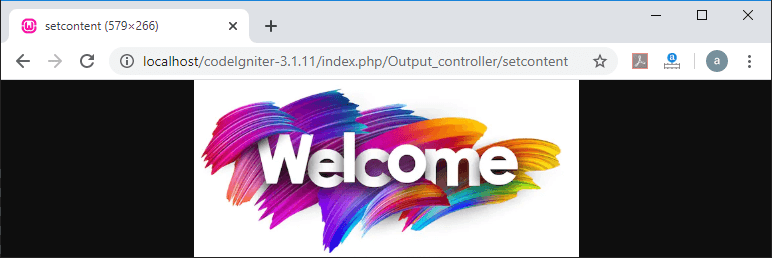
Example 2. To shows an image on the web page.
Output_controller.php
<?php
 defined('BASEPATH') OR exit( 'No direct script access allowed');
 class Output_controller extends CI_Controller
 {
 public function setcontent()
 $this->output
 ->set_content_type('png')
 ->set_output(file_get_contents( 'images/welcome.png' ));
 }
 }
 ?>
To run the program in the localhost by invoking the URL localhost/CodeIgniter-3.1.11/index.php/Output_controller/setcontent function; it shows the output, as shown below.
- get_content_type(): A get_content_type() function is used to display the http type content (text/html, CSS, etc.) that are currently in use to the web application, excluding the character set value.
Syntax
$this->ouput->get_content_type():
Example:
Output_controller.php
<?php
 defined('BASEPATH') OR exit( 'No direct script access allowed');
 class Output_controller extends CI_Controller
 {
 public function setcontent()
 echo “<title> tutorial and Example </title>;
 $mime = $this->output->get_content_type();
 echo $mime;
 }
 }
 ?>
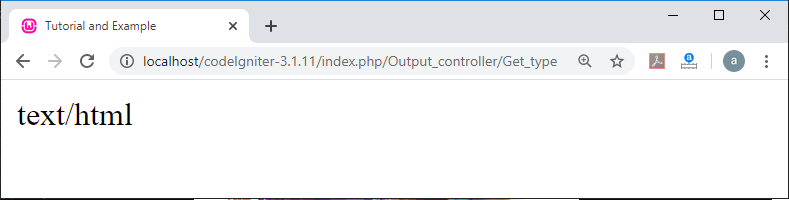
To run the program in the localhost by invoking the URL localhost/CodeIgniter-3.1.11/index.php/Output_controller/Get_type function; it shows the output, as shown below.
- get_header(): It is used to returns the requested HTTP header type and the set character value to the web pages, or if the requested header is not set, it returns the NULL value.
Syntax
get_header ($header);
$header: It defines the HTTP header name.
Example:
Output_controller.php
<?php
 defined('BASEPATH') OR exit( 'No direct script access allowed');
 class Output_controller extends CI_Controller
 {
 public function content_type()
 {
 $this->output->set_content_type( ‘text/html’, ‘UTF-8’ );
 Echo $this->output->get_header( ‘content-type’ );
 }
 }
 ?>
To run the program in the localhost by invoking the URL localhost/CodeIgniter-3.1.11/index.php/Output_controller/content_type function; it shows the output, as shown below.

- get_output(): As the name suggests, a get_output() function is used to manually fetch any output data that has been previously sent for the storage in the output class.
Syntax
$data = $this->output->get_output();
Example: Create a controller file Output_controller.php and save it in application/controller/Output_controller.php. After that, write the following program in the controller file.
Output_controller.php
<?php
 defined('BASEPATH') OR exit( 'No direct script access allowed');
 class Output_controller extends CI_Controller
 {
 public function fetch_data()
 {
 echo “<title> Tutorial and Example </title>”;
 $this->load->view (‘display’);
 $string = $this->output->get_output();
 echo $string;
 }
 }
 ?>
Create a view file display.php and save it in application/view/display.php. After that, write the following program in the controller file.
display.php
<h3> Welcome to the Tutorial and Example </h3>
To run the program in the localhost by invoking the URL localhost/CodeIgniter-3.1.11/index.php/Output_controller/fetch_data function; it shows the output, as shown below.
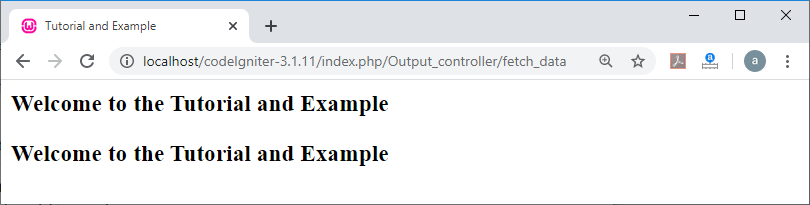
Note: This function is only to retrieve those data that are already sent to the output class by the following function, such as $this-> load-> view().
- append_output(): An append_output() function is used to append additional data to the end of the output string.
Syntax
append_output ( $output);
$output: It is a variable that contains an additional data string to append to the original output.
Example:
$string = “hello”;
$data = $this->output->append_output ($string);
print_r ($data);
- set_header(): It allows you to manually set the server header to display or render the final output or web page in the Codeigniter application.
Syntax
set_header ($header [, $replace = TRUE ] );
$header: It requires an HTTP response header.
$replace (bool): It uses a Boolean value to replace the old header value that already exists to the final output.
Example: To set the header in a finalized web page of the Codeigniter application:
Output_controller.php
<?php
 defined('BASEPATH') OR exit( 'No direct script access allowed');
 class Output_controller extends CI_Controller
 {
 public function set_header()
 {
 $this->output->set_header('HTTP/1.0 400 OK', false);
 $this->output->set_header('HTTP/1.5 105 ');
 $this->output->set_header('Last-Modified: '.gmdate('D, d M Y H:i:s').' GMT');
 echo "Header has been successfully saved";
 }
 }
 ?>
To run the program in the localhost by invoking the URL localhost/CodeIgniter-3.1.11/index.php/Output_controller/set_header function; it shows the output, as shown below.

- set_status_header(): It is used to manually set the server header status to the final web page.
Syntax
set_status_header ( [$code = 205 [, $text = ‘’] ] );
It has two parameters:
$code: It takes an integer value to determine the HTTP status code.
$text: In this parameter, you can pass the optional message.
Example: write a program to set header status in the localhost server.
Output_controller.php
<?php
 defined('BASEPATH') OR exit( 'No direct script access allowed');
 class Output_controller extends CI_Controller
 {
 public function status()
 {
 $code = 502;
 $text = "tutorialandexample.com";
 $this->output->set_status_header($code, $text);
 }
 }
 ?>
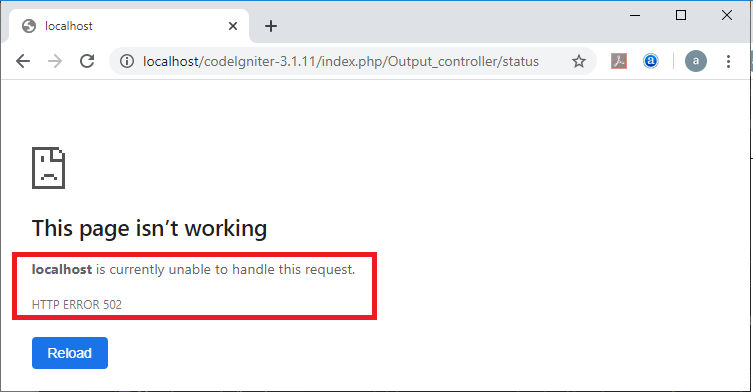
To run the program in the localhost by invoking the URL localhost/CodeIgniter-3.1.11/index.php/Output_controller/status function; it shows the output, as shown below.
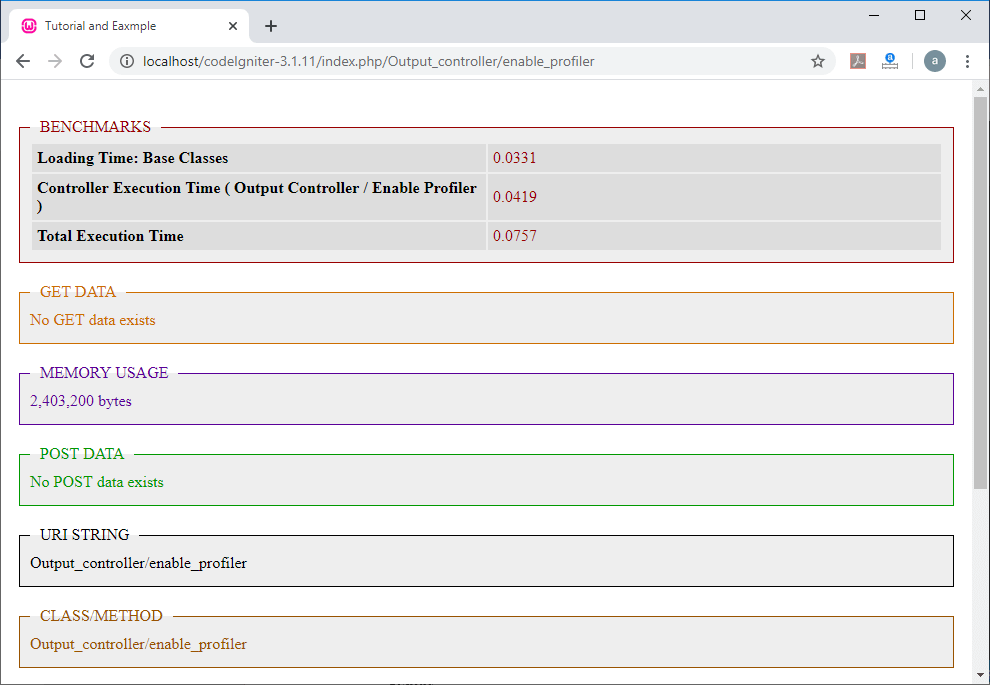
- enable_profiler(): As the name defines, an enable_profiler() function is used to enable or disable the profiler to display the benchmark or other data functionality for debugging and optimization purposes.
Syntax
enable_profiler ( [ $val = TRUE ] );
$val (bool): It uses a Boolean value to enable or disable the profiler.
Example: Create an Output_controller.php file at the application/controller/
directory and then write the following program.
Output_controller.php
<?php
 defined('BASEPATH') OR exit( 'No direct script access allowed');
 class Output_controller extends CI_Controller
 {
 public function enable_profiler()
 {
 echo "<title> Tutorial and Eaxmple </title>";
 $this->output->enable_profiler(true);
 }
 }
 ?>
To run the program in the localhost by invoking the URL localhost/CodeIgniter-3.1.11/index.php/Output_controller/enable_profiler function; it shows the output, as shown below.
- set_profiler_sections(): A set_profiler_sections() function is used to manually enabled or disabled the specific sections of the profiler.
Syntax
$sections: It defines the specific sections to enable or disable in the profiler.
Example: $this->output ->set_profiler_sections( $profiler_sections);
- cache(): A cache () function is used to store the current web page for a specified time.
Syntax
cache ($time);
$time: This field contains the cache expiration time in minutes.
Example: Create a controller file Output_controller.php and save it in application/controller/Output_controller.php. After that, write the following program in the controller file.
Output_controller.php
<?php
 defined('BASEPATH') OR exit( 'No direct script access allowed');
 class Output_controller extends CI_Controller
 {
  public function cache_time()
 {
 echo "<title> Tutorial and Eaxmple </title>";
 $int = 10;
 $this->output->cache($int);
 echo "Cache is saved for " .$int. " minutes";
 }
 }
 ?>
To run the program in the localhost by invoking the URL localhost/CodeIgniter-3.1.11/index.php/Output_controller/cache_time function; it shows the output, as shown below.

- _display(): A display () function is used to send the final output data to a browser with any server header. It is also used to stop the benchmarks time in the output class.
Syntax
_display ( [ $output = ‘’ ] );
$output: It contains an output data string to override.
Example: Create a Output_controller.php file inside the application/controller/
directory and then write the following program.
Output_controller.php
<?php
 defined('BASEPATH') OR exit( 'No direct script access allowed');
 class Output_controller extends CI_Controller
 {
 public function show()
 {
 $response = array('condition' => 'Good');
 $this->output
         ->set_status_header(403)
         ->set_content_type('application/json', 'utf-8')
         ->set_output(json_encode($response, JSON_PRETTY_PRINT |    JSON_UNESCAPED_UNICODE | JSON_UNESCAPED_SLASHES)
   ->_display();
 exit;
 }
 }
 ?>
To run the program in the localhost by invoking the URL localhost/CodeIgniter-3.1.11/index.php/Output_controller/show function; it shows the output, as shown below.
