Detect darkness Using Arduino and LDR Sensor

Detect the darkness with the help of Arduino board and LDR Sensor

In this project, Arduino and LDR Sensor turns on lights automatically,

when an LDR sensor detects darkness.

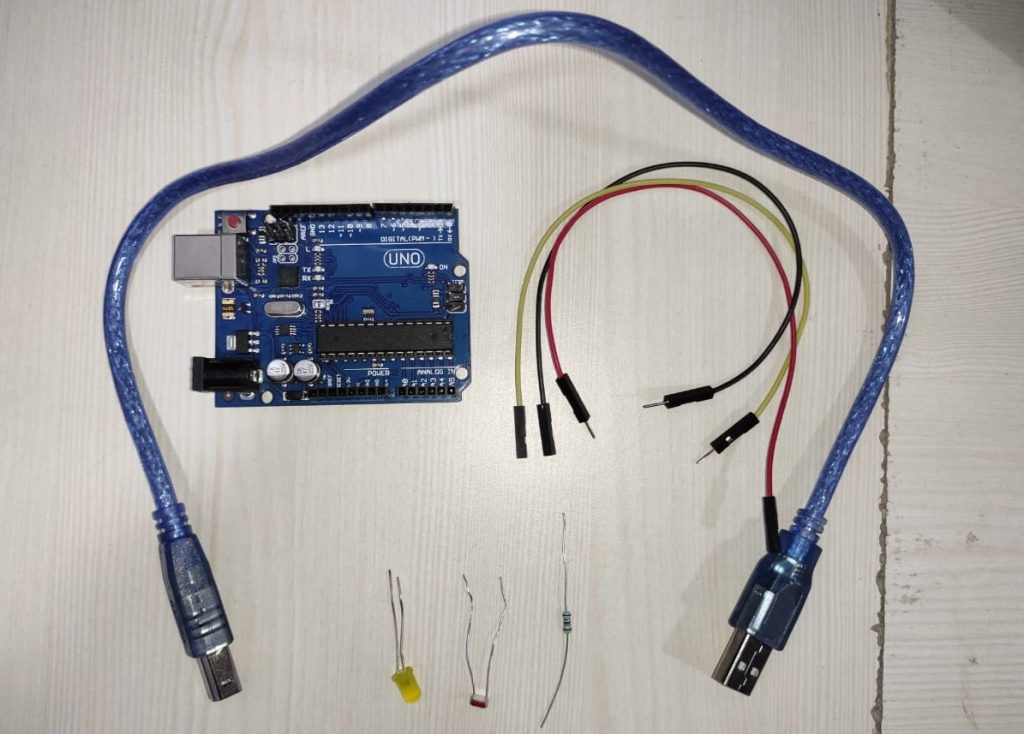
Requirements of hardware for this project:

  1. Arduino UNO board
  2. A USB cable for connecter Arduino UNO board
  3. LDR Sensor
  4. Jumper wires male to female
  5. LED light
Detect darkness Using Arduino and LDR Sensor

Requirements of software in this project:

  1. Arduino IDE (To program the Arduino board, we need to download the Arduino software.)

The Working principle the project:

The Arduino UNO board is programmed to send the data to the LDR sensor. LDR sensor detects the darkness. The LDR sensor sends the data Arduino UNO board. The code downloaded within the Arduino board verifies the received data and then it turns on or off the LED light.

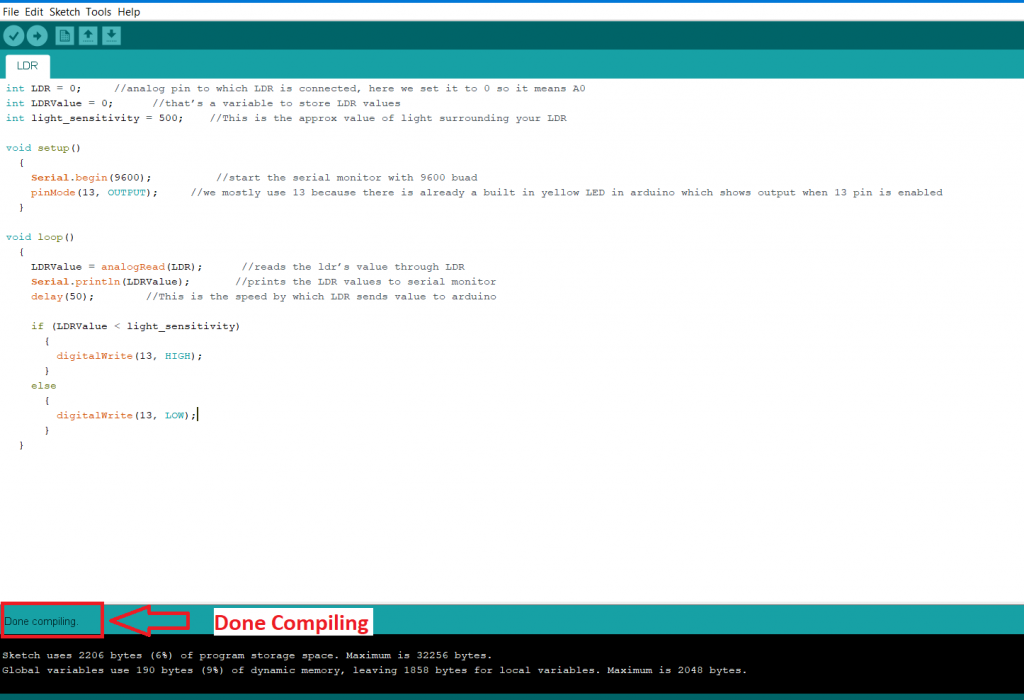
Write a program for the Arduino IDE.                        

Full code show in below: 

int LDR = 0;     
 int LDRValue = 0;      
 int light_sensitivity = 500;    
  
 void setup()
   {
     Serial.begin(9600);          
     pinMode(13, OUTPUT);     
   }
  
 void loop()
   {
     LDRValue = analogRead(LDR);       
     Serial.println(LDRValue);       
     delay(50);        
  
     if (LDRValue < light_sensitivity) 
       {
         digitalWrite(13, HIGH);
       }
     else
       {
         digitalWrite(13, LOW); 

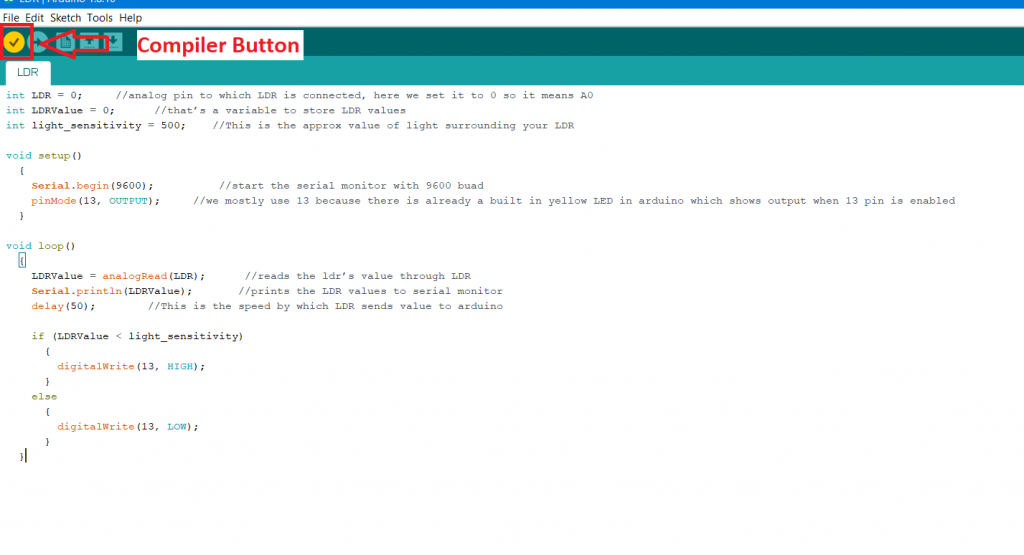
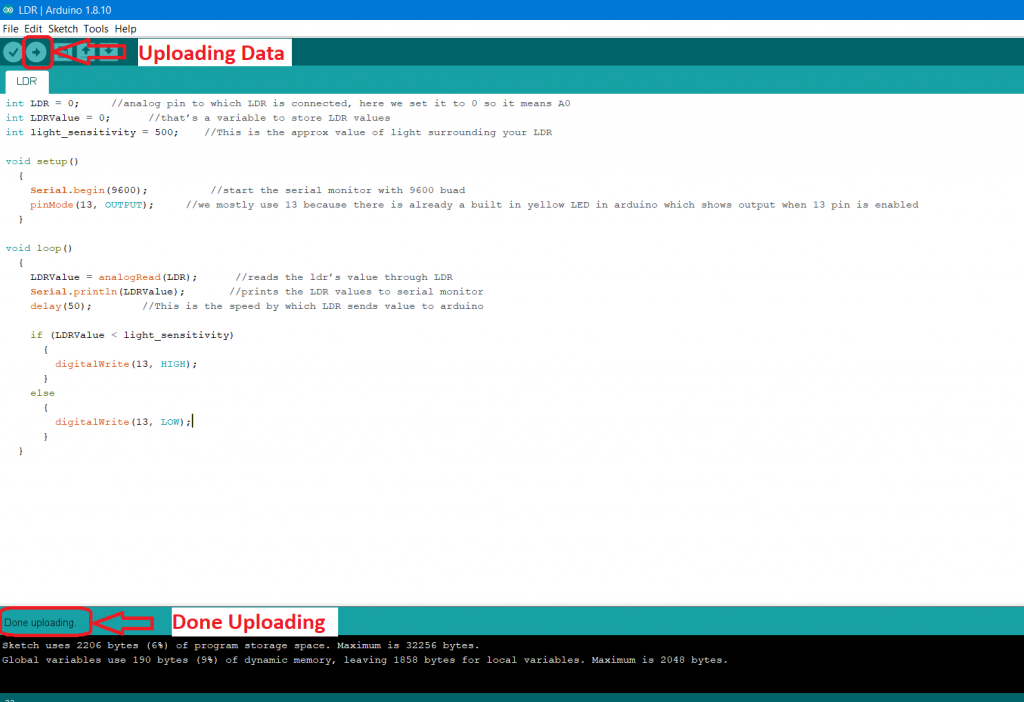
Save the program and compile the code, as shown in the following figure:
Detect darkness Using Arduino and LDR Sensor 1
Detect darkness Using Arduino and LDR Sensor 2

Connect your Arduino UNO board to your laptop or desktop computer through the Arduino UNO USB cable. Remove all other connections with the Arduino UNO board, such as the LDR Sensor and LED bulb. After that Upload the program to the Arduino UNO board. 
Detect darkness Using Arduino and LDR Sensor 3

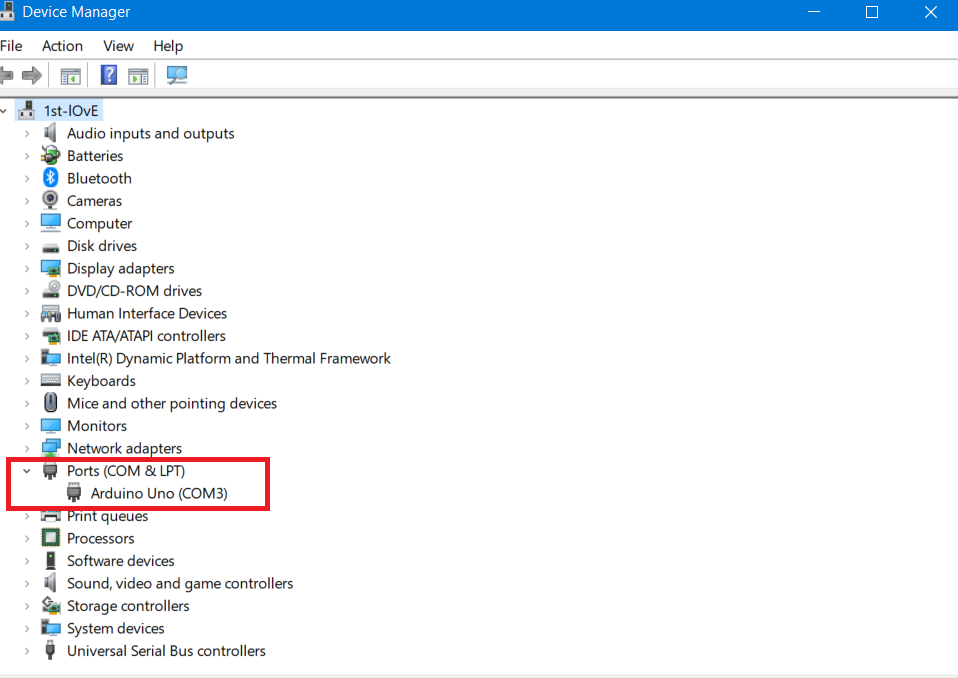
Before uploading the code to the Arduino UNO board make sure that your Arduino serial port is selected. Otherwise, an error message "Serial port not selected" is displayed on the screen.

To select your serial port in your laptop or desktop:

Open Device Manager -> Ports ->Arduino Uno, and then upload your code.
Detect darkness Using Arduino and LDR Sensor 4

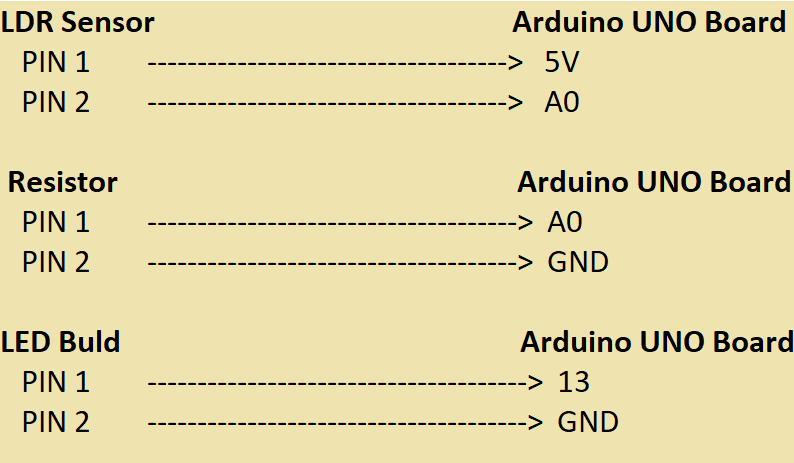
After uploading the program in the Arduino UNO board. Connect all modules with the Arduino UNO board, such as the LDR Sensor and LED bulb. The following image shows the Digital circuit Diagram.
Detect darkness Using Arduino and LDR Sensor 5

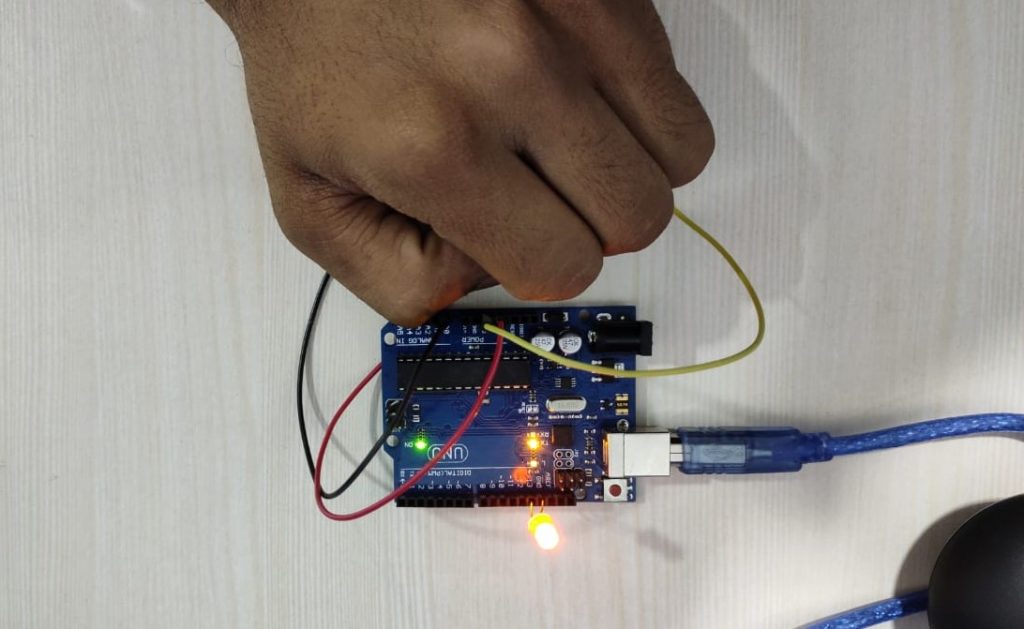
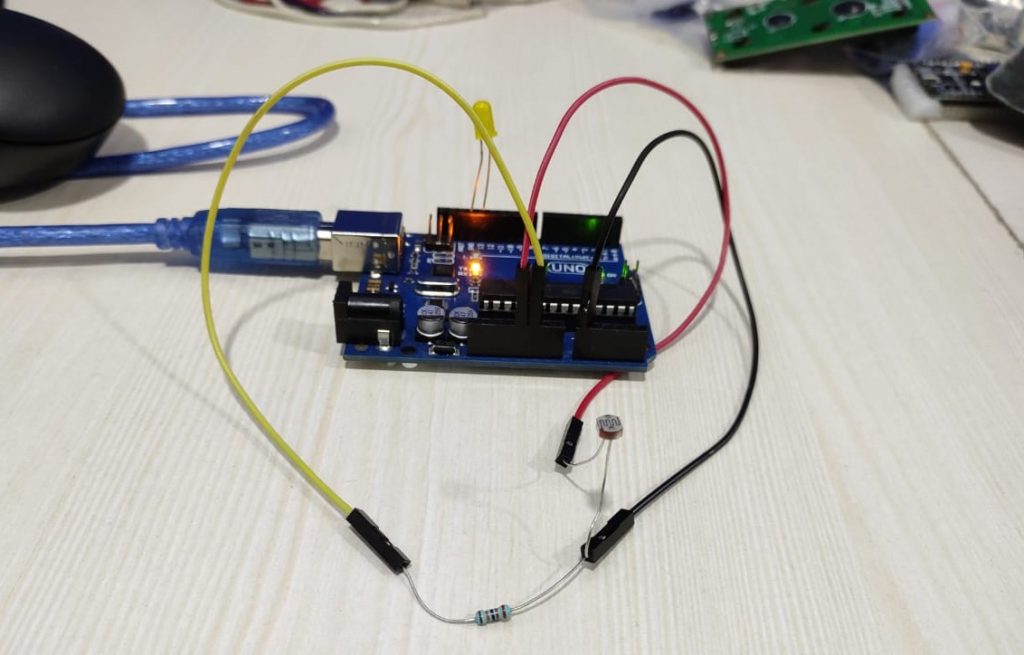
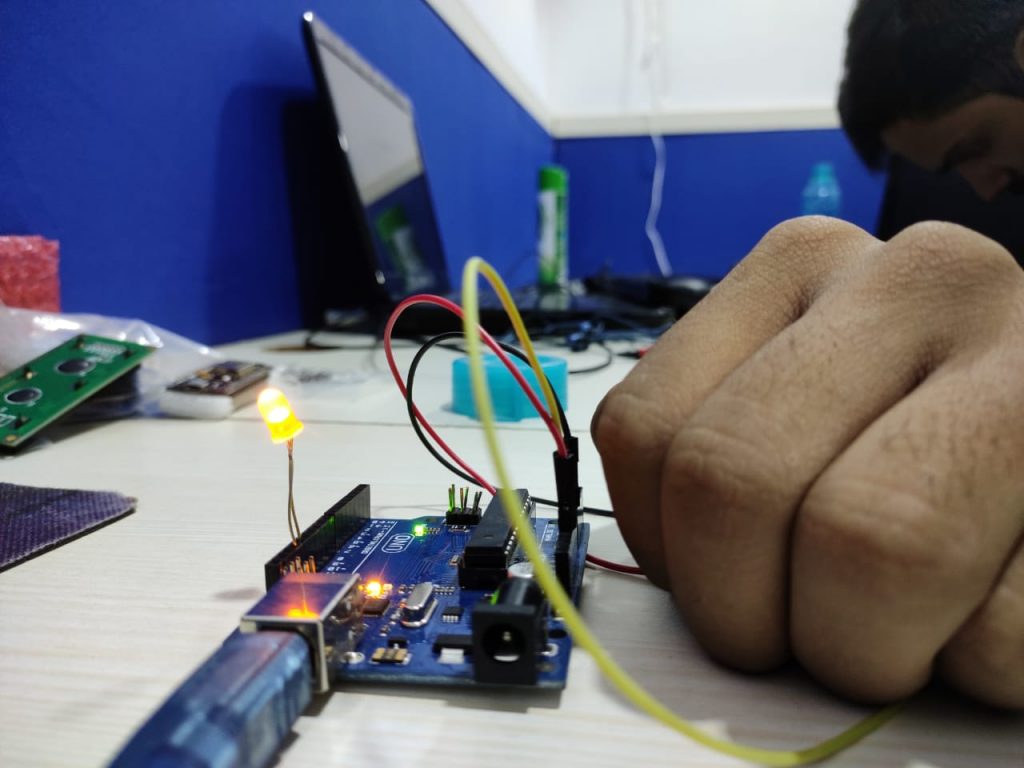
When the LDR Sensor enters in the dark area, then LED light turns on. When the LDR sensor does not enters in the dark area, then LED light turns "off", as shown in the following image.
Detect darkness Using Arduino and LDR Sensor 6
Detect darkness Using Arduino and LDR Sensor 7
Detect darkness Using Arduino and LDR Sensor 8

Related Topics

IoT GE Predix

The GE Predix stands for the General Electric Predix. GE Predix is a software platform that collects data from industrial instruments. It provides a cloud-based PaaS (platform as a service)...

1 minute read.

Detect darkness Using Arduino and LDR Sensor

Detect the darkness with the help of Arduino board and LDR Sensor In this project, Arduino and LDR Sensor turns on lights automatically, when an LDR sensor detects darkness. Requirements of hardware...

2 minutes read.

Arduino UNO Board with PIR Motion Sensor

Arduino UNO Board with PIR Motion Sensor In this project, we will create a simple circuit with an Arduino UNO and PIR motion sensor detects movement. An LED light up when the movement...

2 minutes read.

IoT Hardware

IoT hardware includes a wide range of devices, such as routing devices, bridges, sensors, etc. These IoT devices support key tasks and functions such as system activation, security, action specifications, communication, and detection...

2 minutes read.

Major Boards of IoT

Major Boards of IoT Arduino:  Arduino UNO is the popular open-source electronics platform based on easy-to-use software and hardware. It is intended for artists, hobbyists, designers, and anyone interested in building interactive objects. It...

2 minutes read.

Session Layer Protocols

1) MQTT MQTT stands for Message Queue Telemetry Transport. It was introduced by IBM in 1999 and standardized by OASIS in 2013. It is used for remote monitoring in IoT. Its...

2 minutes read.

IoT Technologies

The IoT is based on three main technologies: Hardware (includes chips and sensors)Communication (includes wireless network)  Software (includes data storage, analytics, front-end applications) The reason the Internet of Things is emerging so rapidly today...

1 minute read.

Arduino UNO Home Automation

Build a Bluetooth controlled Home Automation Setup Using Arduino UNO board and Relay module Do you want to automate your home? Have you ever wanted to control your home appliances by swipe the screen...

4 minutes read.

IoT Ecosystem

The following figure shows the seven-layer model of the IoT Ecosystem. The first layer represents the market or application domain that includes smart grid, connected home, smart health, or smart cities, etc.The second layer consists...

1 minute read.

What is an IoT Device?

A device in which a sensor is connected and able to transfer data from one device to another over the internet is called an IoT device. IoT devices consist of software, wireless sensors, actuators,...

1 minute read.

IoT Software

The IoT software addresses significant areas of networking and action through platforms, integrated systems, associated systems, and middleware. These applications are responsible for data collection, device integration, real-time analysis, and process extension in the...

1 minute read.

IoT - Platform

IoT Platform: As in IoT, all IoT devices are connected to other IoT devices and applications to transmit and receive information through protocols. There is a difference between the IoT...

2 minutes read.

Eclipse IoT

Eclipse IoT The two technologies IoT and M2M (Machine to Machine) are becoming trendy in the IT industry. The ability to connect sensors, actuators, and a wide range of devices open up a...

2 minutes read.

Contiki OS

Contiki OS Contiki is an open-source operating system (OS) that works on small, low-power microcontrollers. It allows the development of applications. The application allows efficient use of hardware while providing standardized low-power wireless communication...

2 minutes read.

Arduino UNO Distance Project

Ultrasonic Sensor HC-SR04 and Arduino to distance calculation using Processing App: Let's build an IoT project using Ultrasonic HC-SR04 Sensor and Arduino UNO to calculate the distance between the Ultra Sonic HC-SR04 device and...

2 minutes read.

IoT Tutorial

IoT stands for the Internet of Things. The term "Things" refers to objects (home appliances and devices) that we use in our daily life. These objects are accessible or connected...

4 minutes read.

IoT-ThingWorx

IoT-ThingWorx The ThingWorx is an IoT platform that helps commercial corporations assess and release the value of IoT. It promises the tools and technology necessary to developed. It implements a robust...

2 minutes read.

Components of IoT

There are the following components used in IoT: Devices and sensorsCloud ComputingUser interfaceNetworking connectionGateway Devices and sensors Devices and sensors are the components of the connectivity layer. These smart sensors continuously collect data from the...

2 minutes read.

IoT Architecture

Our approach to the IoT architecture is reflected in the IoT architecture diagram that presents the diagram of an IoT system and explains how it is connected to store, collect,...

2 minutes read.

3D Printing

3D printing is making 3D solid objects from a digital file, achieved using additive processes. In this process, an object is created by laying down successive layers of the material...

4 minutes read.