VBA Dim
What is Dim?
DIM or Dimension or Declare in Memory is a keyword that is used in VBA to declare a variable with the different data types (Integer, String, variable, Boolean, Double, etc.) and allocate the storage space as per the specified data type. With the help of Dim, we can also declare either the inbuilt class structure or can declare one created by ourselves. The variable declared with Dim can be used anywhere in the VBA code and all Dim statements are used at the beginning of each Sub or Function procedure.
In any programming language, declaring a variable means specifying the application regarding the variable that we want to use later. For instance, if we're going to declare any variable with the integer data type, it signifies we can only store integer values in it that particular variable else for any other value apart from int it would throw a type mismatch error.
In VBA, Dim statements are of four types which are as follows:
- Basic variable
- Variant
- Object
- Array
Basic variable – The Basic variable holds value at a time. It uses the commonly used data types in every programming language such as Integer, String, Long, Boolean, Double, Currency, Data, etc.,
Variant – The variant is used when the data type of the variable is not known prior and is decided by the VBA application at runtime. It is usually avoided as it takes the maximum storage space as compared to the basic variable. But still is used in many cases it is a requirement to use them.
Object – In VBA, the object variable can contain data and is associated with multiple methods and properties. The Object variable can also contain other objects. With Dim keyword, you want to use three types of objects which are as follows:
- Excel objects- Workbook, Worksheet, Sheet, and Range objects.
- User-Defined objects- Class Modules.
- External library objects- Dictionary.
Array – Array is known as a group of variables or objects and can hold more than one piece of data. With Dim keyword, you can declare the array as:
- Static Array
- Dynamic Array
Is Dim required in VBA?
In VBA, it is not mandatory to use a Dim statement. If the programmer does not use Dim, the compiler will not throw any error. You can even use the variable without declaring the Dim, and in that case, it will be automatically considered as a variant type. However, it is always it is advisable to make it a necessary practice as VBA code without Dim statements are considered as poor code and can generate many problems such as:
- All variables are by default considered as variants. A variant is set to 16 bytes, which is the most significant variable type. Thus, taking the maximum storage and increasing the compile time.
- Some variable errors will go undetected. VBA will not detect the runtime errors (i.e., Data Mismatch).
- VBA also cannot identify the compile-time errors.
- It disables the intelliSense feature (this feature will automatically display the available options for the variable where you type only the first few letters and VBA displays the list).
Syntax of Dim Variable
- BASIC VARIABLE
Syntax
Dim [variable name] As [type]
Parameters used
Variable name (required)- It represents the name of the variable and it should be as per the standard variable naming conventions.
Type (optional)- It represents the data type for the variable. The default value is Variant.
Code
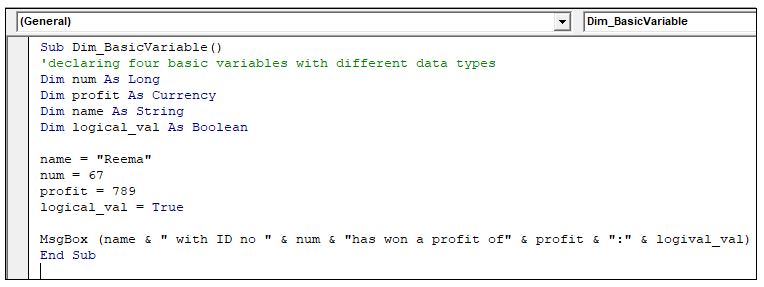
Sub Dim_BasicVariable()
 'declaring four basic variables with different data types
 Dim num As Long
 Dim profit As Currency
 Dim name As String
 Dim logical_val As Boolean
 name = "Reema"
 num = 67
 profit = 789
 logical_val = True
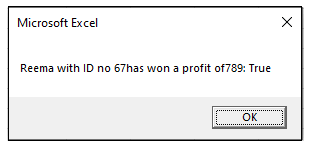
 MsgBox (name & " with ID no " & num & "has won a profit of" & profit & ":" & logival_val)
 End Sub
Output
- FIXED STRING
Syntax
Dim [variable name] As String * [size]
Parameter Used
Variable name-
Type (optional)- It represents the data type for the variable. The default value is Variant.
Size (optional)- This parameter denoted the string length.
Code
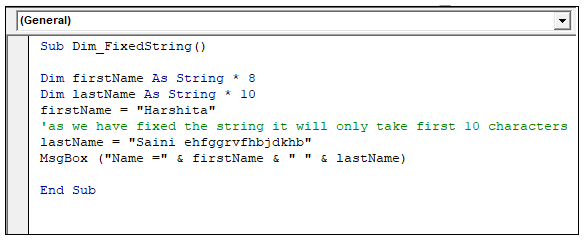
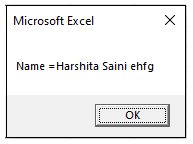
Sub Dim_FixedString()
 Dim firstName As String * 8
 Dim lastName As String * 10
 firstName = "Harshita"
 'as we have fixed the string it will only take first 10 characters
 lastName = "Saini ehfggrvfhbjdkhb"
 MsgBox ("Name =" & firstName & " " & lastName)
 End Sub
Output
- VARIANT
Syntax
Dim [variable name] As Variant
 Dim [variable name]
Parameter Used
Variable name (required)- It represents the name of the variable and it should be as per the standard variable naming conventions.
Code
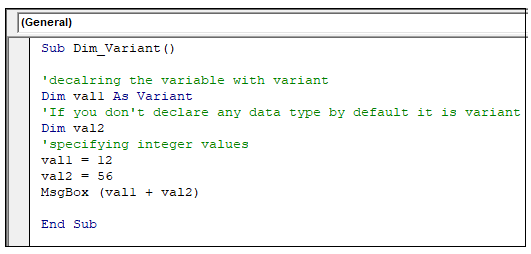
Sub Dim_Variant()
 'decalring the variable with variant
 Dim val1 As Variant
 'If you don't declare any data type by default it is variant
 Dim val2
 'specifying integer values
 val1 = 12
 val2 = 56
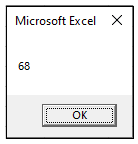
 MsgBox (val1 + val2)
 End Sub
Output
- OBJECT
Syntax
Dim [variable name] As Object
Parameter Used
Variable name (required)- It represents the name of the variable and it should be as per the standard variable naming conventions.
Type (optional)- It represents the data type for the variable. The default value is Variant.
Code
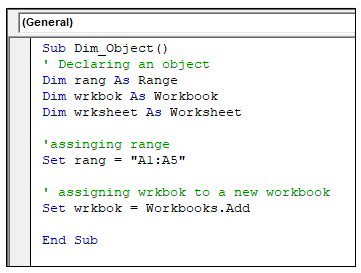
Sub Dim_Object()
 ' Declaring an object
 Dim rang As Range
 Dim wrkbok As Workbook
 Dim wrksheet As Worksheet
 'assinging range
 Set rang = "A1:A5"
 ' assigning wrkbok to a new workbook
 Set wrkbok = Workbooks.Add
 End Sub
- OBJECT USING NEW
Syntax
Dim [variable name] As New [type]
Parameter Used
Variable name (required)- It represents the name of the variable and it should be as per the standard variable naming conventions.
Type (optional)- It represents the data type for the variable. The default value is Variant.
Code
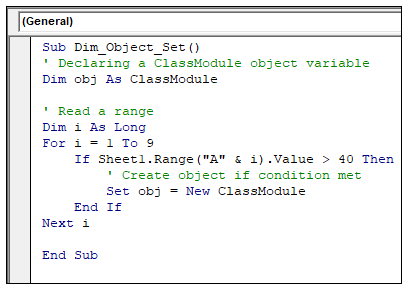
In the below code we want to read through a range of data. It will only create an object if the range value is greater than 40. At last, we will use Set to create the ClassModule object.
Sub Dim_Object_Set()
 ' Declaring a ClassModule object variable
 Dim obj As ClassModule
 ' Read a range
 Dim i As Long
 For i = 1 To 9
     If Sheet1.Range("A" & i).Value > 40 Then
         ' Create object if condition met
         Set obj = New ClassModule
     End If
 Next i
 End Sub
- OBJECT USIGN SET AND NEW
Syntax
Dim [variable name] As [object type]
 Set [variable name] = New [object type]
Parameter Used
Variable name (required)- It represents the name of the variable and it should be as per the standard variable naming conventions.
Type (optional)- It represents the data type for the variable. The default value is Variant.
Code
Sub Dim_Object ()
 ‘declaring and setting pre-defined object
 Dim obj As Collection
 Set obj = New Collection

 ‘creating and setting new class object
 Dim ob1j As ClassModule
 Set obj1 = New ClassModule
 End Sub
- STATIC ARRAY
Syntax
Dim [variable name] (first To last) As [type]
Parameter Used
Variable name (required)- It represents the name of the variable and it should be as per the standard variable naming conventions.
First (optional) – It represents the upper bound of the Array variable. The default value is 1.
Last (optional)- It represents the lower bound of the array variable. The default value is 1.
Type (optional)- It represents the data type for the variable. The default value is Variant.
Code
Sub Dim_StaticArray()
  'declaring the static array
  Dim arr(9)
  'inserting values in the array
  arr(0) = "Thomas"
  arr(1) = "Raj"
  arr(2) = "Rahul"
  arr(3) = "Frank"
  'running a loop to print the array
  For i = 0 To 3
      Cells(i + 2, 1).Value = arr(i)
  Next
  End Sub
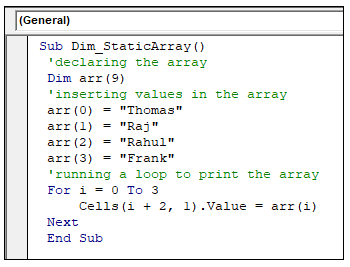
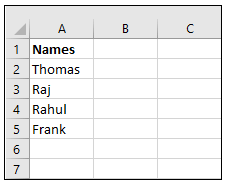
Output
- DYNAMIC ARRAY
Syntax
Dim [variable name]() As [Type]
 ReDim [variable name]([first] To [last])
Parameter Used
Variable name (required)- It represents the name of the variable and it should be as per the standard variable naming conventions.
First (optional) – It represents the upper bound of the Array variable. The default value is 1.
Last (optional)- It represents the lower bound of the array variable. The default value is 1.
Type (optional)- It represents the data type for the variable. The default value is Variant.
Code
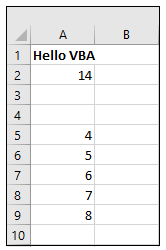
Sub Dim_DynamicArray()
      'declare the array variable
     Dim arr() As Variant
     i = 0
     'set the size of the array
     ReDim arr(6)
     arr(0) = "Hello VBA"
     arr(1) = 14
      'resize the last array dimension with ReDim
     ReDim Preserve arr(8)
     For i = 4 To 8
     arr(i) = i
     Next
     'to Fetch the output
     For i = 0 To UBound(arr)
        Cells(i + 1, 1).Value = arr(i)
     Next
  End Sub
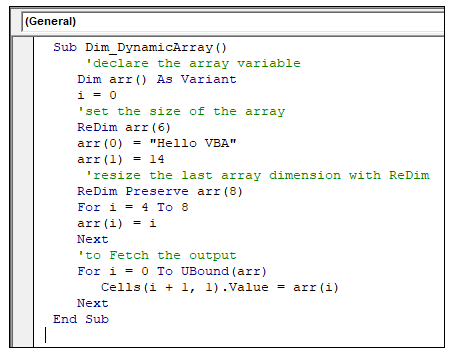
Output
- EXTERNAL LIBRARY
Syntax
Dim [variable name] As New [item]
Parameter Used
Variable name (required)- It represents the name of the variable and it should be as per the standard variable naming conventions.
Item – This parameter represents the inbuilt classes or user-designed classes.
Code:
Sub Dim_ExternalLibrary ()
 ‘Declaring the external library
 Dim dictnary As New Dictionary
 End Sub
- EXTERNAL LIBRARY USING SET
Syntax
Dim [variable name] As [item]
 Set [variable name] = New [item]
Parameter Used
Variable name (required)- It represents the name of the variable and it should be as per the standard variable naming conventions.
Item - This parameter represents the inbuilt classes or user-designed classes.
Code
Sub Dim_ExternalLibrary ()
 ‘Declaring and setting the external library
 Dim dictnary As Dictionary
 Set dictnary = New Dictonary
 End Sub
Using Dim with Multiple Variables
We can declare multiple variables in a single Dim statement. It will help you to make your code shorter. In big program, it saves your compile time.
Syntax
Dim [variable name] As [type], [variable name] As [type],..
Code
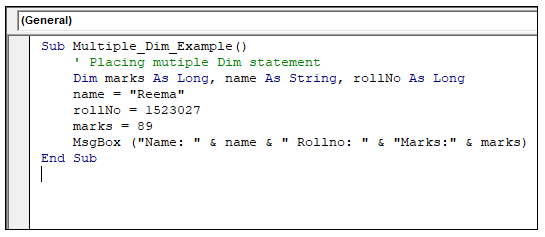
 Sub Multiple_Dim_Example()
     ' Placing mutiple Dim statement
     Dim marks As Long, name As String, rollNo As Long
     name = "Reema"
     rollNo = 1523027
     marks = 89
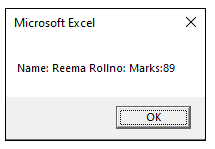
     MsgBox ("Name: " & name & " Rollno: " & "Marks:" & marks)
 End Sub
Output