
×

Excel VBA Sqr Function

VBA Sqr Function: The Sqr function in VBA returns the square root for the specified number.

Syntax

Sqr (Number)

Parameter

Number (required) – This parameter represents a positive numeric value that you want to calculate the square root.

Return

This function returns the square root for the specified number.

Example 1

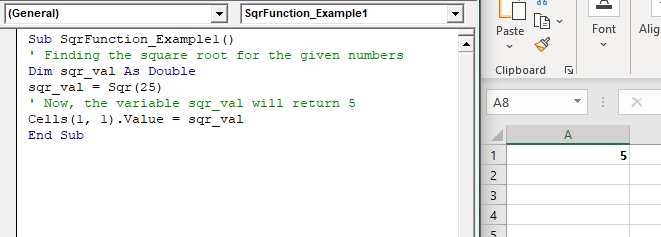
Sub SqrFunction_Example1()
 ' Finding the square root for the given numbers
 Dim sqr_val As Double
 sqr_val = Sqr(25)
 ' Now, the variable sqr_val will return 5
 Cells(1, 1).Value = sqr_val
 End Sub 

Output

5
VBA Sqr Function

Example 2

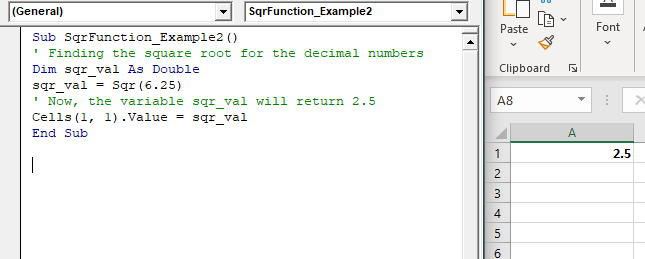
Sub SqrFunction_Example2()
 ' Finding the square root for the decimal numbers
 Dim sqr_val As Double
 sqr_val = Sqr(6.25)
 ' Now, the variable sqr_val will return 2.5
 Cells(1, 1).Value = sqr_val
 End Sub 

Output

2.5
VBA Sqr Function

Example 3

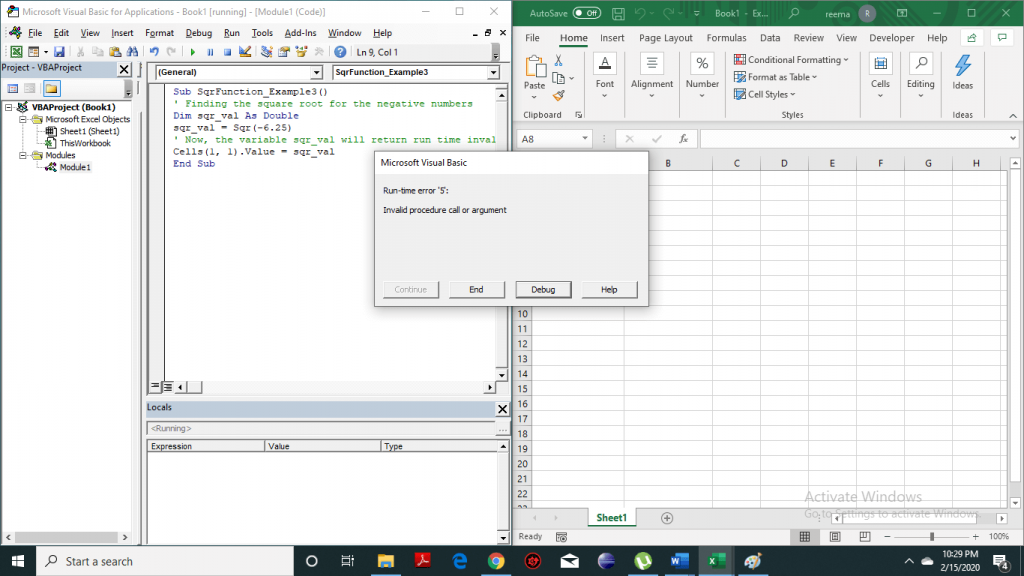
Sub SqrFunction_Example3()
 ' Finding the square root for the negative numbers
 Dim sqr_val As Double
 sqr_val = Sqr(-6.25)
 ' Now, the variable sqr_val will return run time invalid procedure error
 Cells(1, 1).Value = sqr_val
 End Sub 

Output        
VBA Sqr Function

Example 4

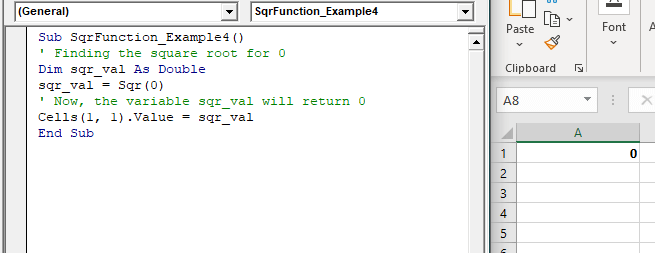
Sub SqrFunction_Example4()
 ' Finding the square root for 0
 Dim sqr_val As Double
 sqr_val = Sqr(0)
 ' Now, the variable sqr_val will return 0
 Cells(1, 1).Value = sqr_val
 End Sub 

Output

0
VBA Sqr Function

Related Topics

Excel VBA- Pivot Table Fields

VBA- Pivot Table Fields: The Pivot Fields collection contains all the fields from the data source, including any calculated fields. The main aspect of adding a field is its Position...

4 minutes read.

Excel VBA Fix Function

VBA Fix Function: The Fix function in VBA truncates the given number to an integer and returns the rounded off integer number. This function both positive and negative numbers to zero. Syntax Fix...

1 minute read.

Excel VBA Left Function

VBA Left Function: The Left function in VBA returns a substring from the start of the specified string. Syntax Left (Str, Length) Parameter Str (required) – This parameter represents the string that you want to extract...

1 minute read.

Steps to Create a Chart in VBA

Steps to Create a Chart Charts are created either by directly working with the chart variable object that defines the chart data or by ChartObject method. In order to get to...

3 minutes read.

Excel VBA For Each Loop

A For Each loop executes a statement or a group of statements for each element in an array or collection. It repeats the statement/condition/code for each element in a collection. For Each Loops loop through every...

4 minutes read.

CodeIgniter File Uploading Class

The Codeigniter provides a file Uploading library class which is used to upload any file such as images, pdf, mp3, etc. to the codeigniter’s application. It also allows to set various preferences such...

5 minutes read.

Four VBA Clear methods

Four VBA Clear methods In Microsoft Excel, many times, a situation arises where the user wants to clear the data or any specific range of data. What if the user automates this task with...

6 minutes read.

Excel VBA Atn Function

VBA Atn Function: The Atn function in VBA returns the arctangent between quadrant -?/2 and +?/2 for the specified number, in radians. Syntax Atn (Number) Parameter Number (required) – This parameter represents the number that...

1 minute read.

Excel VBA Conditional Statement

Conditional Statement in VBA Excel Conditional Statements in Excel VBA are one of the most powerful and useful features in programming, this will give you to perform comparisons to decide or...

2 minutes read.

VBA ListBox

What is a ListBox? ListBox refers to a permanently displayed control (usually box-shaped) which contains a list of objects (or attribute, or elements) from which the user can select single or multiple attributes....

8 minutes read.

Excel VBA UCase Function

The UCase function in VBA converts a String into upper case text. Syntax UCase (String) Parameter String (required) – This parameter represents the string that you want to convert to upper case. Return This function returns a string...

1 minute read.

Excel VBA Year Function

Excel VBA Year Function: The Year function in VBA returns the four-digit year for the specified date. Syntax Year (Date) Parameter Date (required) – This parameter represents the significant date. Return This function returns the four-digit year...

1 minute read.

Excel VBA Val Function

VBA Val Function: The Val function in VBA converts the given string into a numeric value. This function ignores spaces and continues to read the characters after space(s). It stops...

1 minute read.

VBA ActiveCell Property

What is the ActiveCell Property? The active cell signifies the active selected cell in the current worksheet. The Active property acts as a reference point and is used to move the cell cursor...

5 minutes read.

Excel VBA AutoFilter

One of the reasons for Excel VBA’s popularity is its capability to filter and analyze data from huge database with the help of a method known as AutoFilter. This method permits a...

4 minutes read.

Excel VBA Exp Function

VBA Exp Function: The Exp function in VBA returns the value of the exponential function ex (mathematical constant ‘e’ raised to specified power) for the given value of x. Syntax Exp (Number) Parameter Number (required) –This parameter represents...

1 minute read.

Excel VBA Weekday Function

Excel VBA Weekday Function: The TimeValue function in VBA returns an integer (1 to 7), signifying the day of the week for the specified date. Syntax Weekday (Date, [FirstDayOfWeek]) Parameter Date (required) – This parameter...

2 minutes read.

Excel VBA GoTo Statement

GoTo Statement he GoTo statement branches unconditionally to a specified line in a procedure. It is used to transfer the program control to a new statement, which is headed by a label. It sends...

2 minutes read.

Excel VBA StrReverse Function

The StrReverse function returns a String after reversing the given String. Syntax StrReverse (Expression) Parameter Expression (required) – This parameter represents the String that you want to reverse. Return This function returns a String after reversing the given String. Example...

1 minute read.

Excel VBA Month Function

The Mont function in VBA returns the month number for the specified date. Syntax Month (Date) Parameter Time (required) – This parameter represents the date. Return This function returns the month number for the specified date. Example 1 Sub MonthFunction_Example1() ...

1 minute read.