
×

How to Use Getline in C++

What is getline in C++?

Similar to the cin function, which allows the programmer to take input from the user getline() function also takes input from the user. But in this case, unlike the cin function, which takes only one line from the user, the getline function will take multiple lines from the user. Moreover, similar to the cin function, getline function is also a part of the iostream.h header file.

The syntax for the getline function:

We can declare the getline function in two ways:

  1. istream& getline( istream& is, string& str );  
    • istream& is: It is used to read the input.
    • Istream& str: It stores the input in a variable.
  2. istream& getline (istream& is, string& str, char delimiting);
    • istream& is: It is used to read the input.
    • Istream& str: It stores the input in a variable.
    • Char delimiting: This character will stop taking input when specific characters are encountered.

Examples

Now let's see a few examples of the getline function:

Before looking into the getline function example, let's see how the cin function operates

#include <iostream>
using namespace std;


// Driver Code
int main()
{
    int i;


    // Take input using cin
    cin >> i;


    // Print output
    cout << i;


    return 0;
}

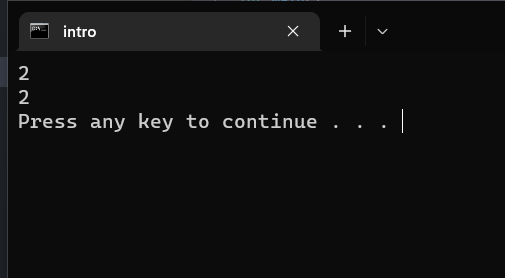
Output:
How to Use Getline In C++

Explanation:

The above code is written to demonstrate the usage of the cin function. In the above code, we have created an integer variable i, then using the cin function, we took the input from the user as we are using the cin function, so we need to include the iostream header file in the code. We can see that using the cin function, we have taken only a single line of input.

Now let's see how we can take multiple input lines using the getline function.

Example-1:

#include <iostream>
#include<string.h>
using namespace std;
int main()
{
string name; // variable declaration.
std::cout << "Enter your name :" << std::endl;
getline(cin,name); // implementing a getline() function
cout<<"\nHello "<<name;
return 0;
}

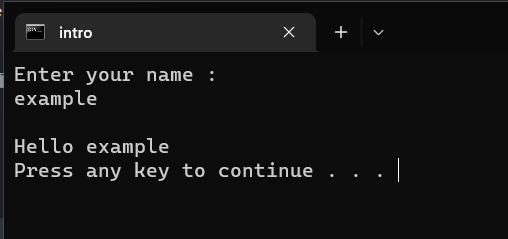
Output:
How to Use Getline In C++

Explanation:

The above code is written to demonstrate the usage of the getline function. In the above code, we have declared a string name. Then using the getline function, we have taken the input from the user. The main use of the getline function is that it can take multiple lines of input. In the next example, let's see how the getline function reacts when we give multiple lines of input and how the cin function reacts when we give multiple lines of input.

Example-2

#include <iostream>
#include<string.h>
using namespace std;
int main()
{
string sen; // variable declaration.
std::cout << "Enter any sentence :" << std::endl;
cin>>sen; // implementing a cin function
cout<<"\nHello "<<sen;
return 0;}

Output:
How to Use Getline In C++

Explanation:

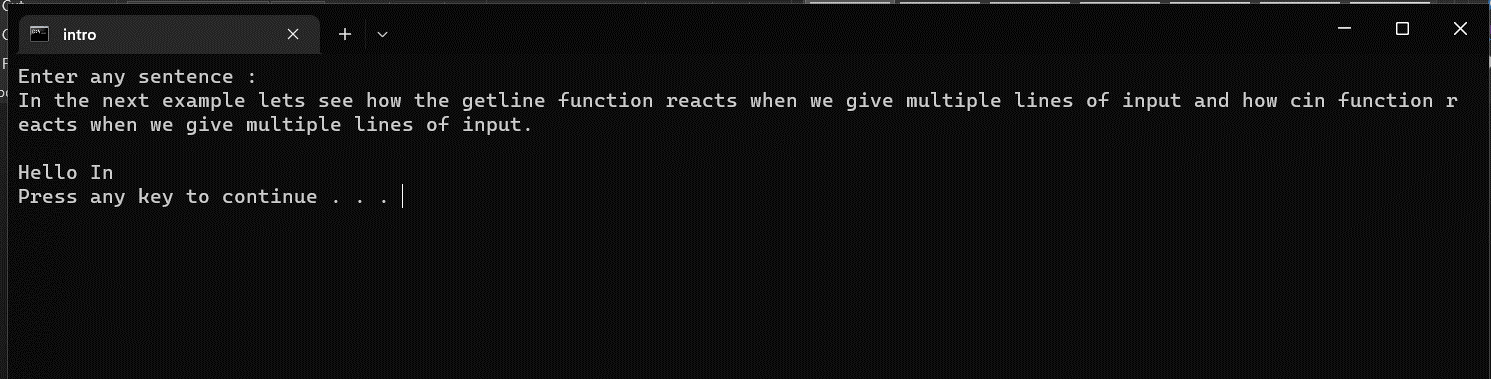
This example demonstrates how a cin function behaves when we give multiple lines of input. In the above code, we have declared a variable sen. Using the cin function, we have given the input. We can observe that we have multiple lines of input in the output, but the cin function has only taken the first word. So here we can understand that the cin function will only be the input until we give space.

Example-3

Now let's see how the getline function reacts when we give multiple lines of input:

#include <iostream>
#include<string.h>
using namespace std;
int main()
{
string sen; // variable declaration.
std::cout << "Enter any sentence :" << std::endl;
getline(cin,sen); // implementing a cin function
cout<<"\nHello "<<sen;
return 0;}

Output:
How to Use Getline In C++

Explanation:

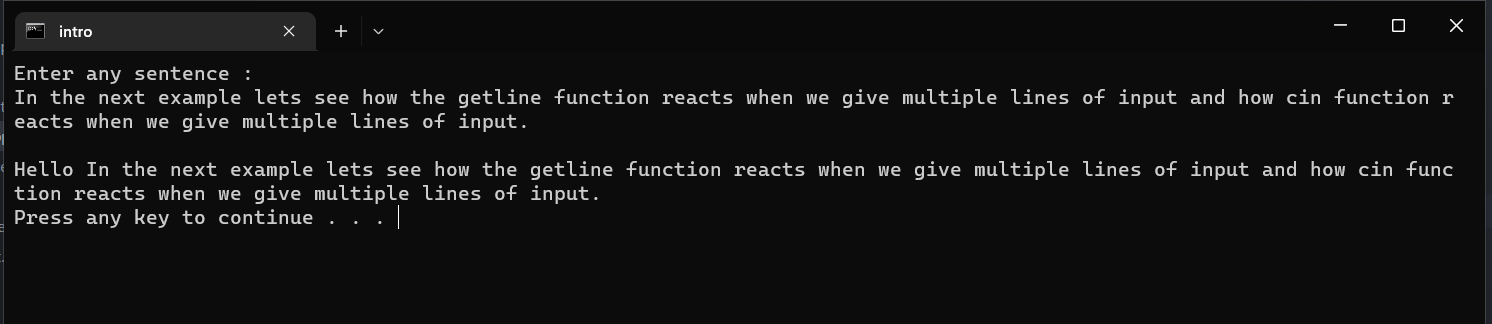
The above code is written to demonstrate how the getline function will react when given multiple lines of input. In the code, we have declared a variable set of string types then, using the getline function, we have taken the input. In the output, we can observe that we have given multiple input lines. Using the getline fucntion, all the lines are stored in the variable. So when we printed the output, the input given appeared.

Example-4:

#include <iostream>
#include<string.h>
using namespace std;
int main()
{
string name; // variable declaration
std::cout << "Enter your name :" << std::endl;
getline(cin,name,' '); // implementing getline() function with a delimiting character.
cout<<"\nname is :"<<name;
}

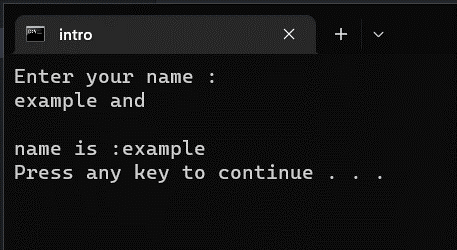
Output:
How to Use Getline In C++

Explanation:

While discussing the syntax for the getline function, we have seen that we can give the delimiting character in the parameter. Here in the code, we have given space as the delimiting character so the getline function will stop taking the input when the space occurs in the input. In the output, we can see that after the example word, we have given space, so the getline function stopped taking the input, which we can see when we printed the variable.


Related Topics

How to make a password program in C++

Before understanding the password program, one must know about a password and why it is required. Password: A password is a word that permits access to somewhere or something. A password...

4 minutes read.

Lexicographically Next Permutation in C++

In this tutorial, we'll look at how to use C++ to generate the lexicographically next permutation of a string. The lexicographically next permutation is the larger permutation. "ACB," for example,...

3 minutes read.

Classes and Objects in C++

When it comes to object-oriented programming, objects are the basic building blocks. Memory is taken up by objects, which contain data and methods or functions that operate on it. On...

3 minutes read.

C++ add two numbers using the function

Here we will learn how to add two numbers by creating function in C++. Let’s learn this with help of example. Code: - #include <iostream> using namespace std; int add_two_no(int a, int b); int main(){   int...

1 minute read.

Difference between OOP and POP in C++

Object-Oriented Programming (OOP) Prioritizes data over methods (functions) and treats data as an essential component of program development.  OOP prohibits the free flow of data throughout the system. Tighter ties to data manipulation...

4 minutes read.

C++ Bidirectional Iterators

Iterators : Iterators serve as a link between algorithms and STL containers, allowing the data inside the container to be modified. They let you to iterate through the container, access and...

3 minutes read.

Advanced C++ with Boost Library

The goal of the Boost Libraries is to be widely applicable and used in a variety of applications. For instance, they can in handy when working with huge numbers whose...

4 minutes read.

Decimal to Binary in C++

What is the meaning of Decimal Numbers? Decimal numbers range from 0 to 9, there are a total of ten digits between 0 and 9. Any number with more than two...

3 minutes read.

Observer Design Pattern in C++

The Observer design pattern is a behavioural design pattern that allows an object (known as the subject) to notify other objects (known as observers) when its state changes. This is...

3 minutes read.

Program to arrange an array in alternate positive and negative numbers

Let’s say, there is given an array arr, arrange the array in such a way that every positive number is followed by a negative number. If there are extra positive...

4 minutes read.

Diamond Pattern using While-loop in C++

What is while Loop? A while loop or while statement repeats all code of its body as long as a specific condition is satisfied. The loop ends if or when the...

5 minutes read.

C++ vs C#

What exactly is C++ programming? Bjorne Stroustrup is the creator of the C++ programming language. His goal was to create a powerful object-oriented programming language with the capabilities of C. It...

4 minutes read.

Precision of floating point numbers Using these functions floor(), ceil(), trunc(), round() and setprecision() in C++

Precision of floating point numbers Using these functions floor(), ceil(), trunc(), round() and setprecision() in C++ 1/2 decimal equal is 0.555555555555555555555 .... An indefinite number of lengths will require the storage...

4 minutes read.

Compile Time Polymorphism in C++

What is Polymorphism? Polymorphism refers to the existence of various forms. Polymorphism can be simply defined as a message's capacity to be presented in multiple forms. One application of polymorphism in...

4 minutes read.

C++ Multimap

Definition: In C++, a multimap is similar to a map with the additional concept, where multiple elements possess the same keys. It is also not necessary that the key values and...

4 minutes read.

Smart pointers in C++

What are Pointers ? Pointers are often used to keep track of a variable's address. A null value can be assigned to a pointer. Pass by reference can be used to...

6 minutes read.

C++ Virtual Destructor

In C++, a destructor is a class member function that is used to free up space or remove an object of the class that has gone out of scope. The...

4 minutes read.

C++ cin and cout

In this article, we will discuss the C++ cin and cout with their library and examples. C++ Standard Input/Output: User-program communication is made possible by C++’s usage of input and output (I/O)...

5 minutes read.

Approach in C++

Object oriented programming languages like Java or C++ use a bottom-up approach that identifies each object first.  In the bottom-up approach, we create a small problem first, and try to...

6 minutes read.

Malloc() and new in C++

In C ++, malloc () and new are used for the same thing. During runtime, they are used to allocate memory. Malloc () and the new, on the other hand,...

4 minutes read.