
×

How to run program in turbo c++

What is Turbo C++?

Turbo c++ is an integrated development environment (IDE) and a compiler to run C++ code. Turbo c++ helps to link the header files with the main code. This compiler is designed to run the c and c++ code. This compiler was released on May 1990.

Prerequisites

How to download the c++ compiler?

  • MinGW provides the environment to run the c++ code in any compiler.
  • Now we need to download the c++ compiler MinGW. To download the MinGW, go to www.mingw.org and then click on the download link and download the setup file.
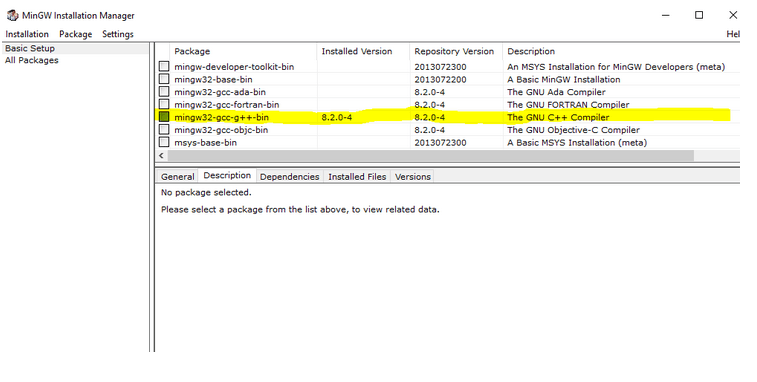
  • During installation, when the MinGW installation manager shows, click on mingw32-gcc-g++, then click on the package for installation.
How to run program in turbo c++
  • In the top left corner, click on the menu Installation  > Apply Changes
  • After completing this installation process, include the C:\MinGW\bin path in the environment variable PATH.

How to download turbo c++?

Head to the website https://developerinsider.co/download-turbo-c-for-windows-7-8-8-1-and-windows-10-32-64-bit-full-screen/ and click on the download

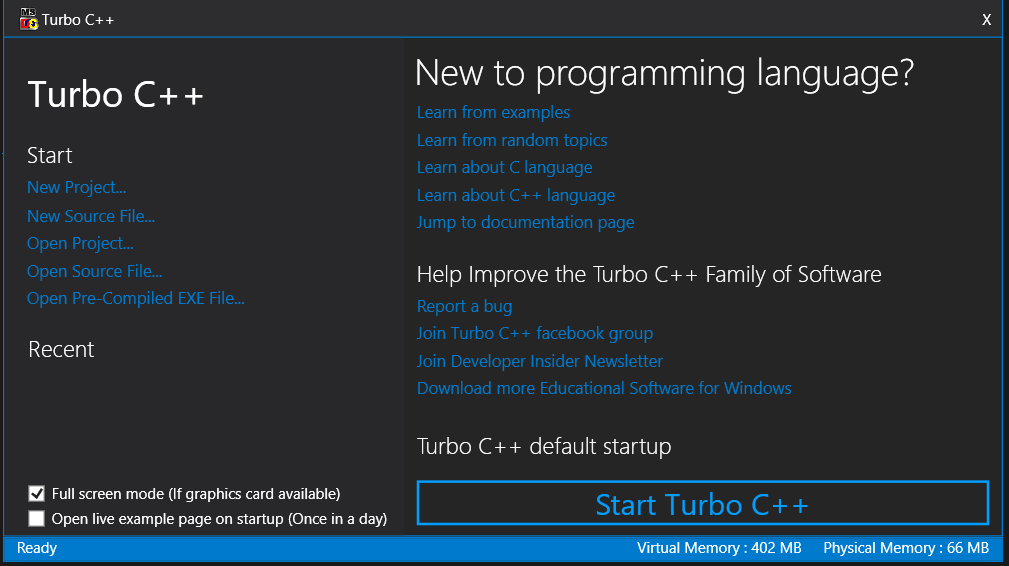
When you click on download, a zip file will extract the file. Then open the file and click on the turbo c++ file, which will install the turbo c++
How to run program in turbo c++
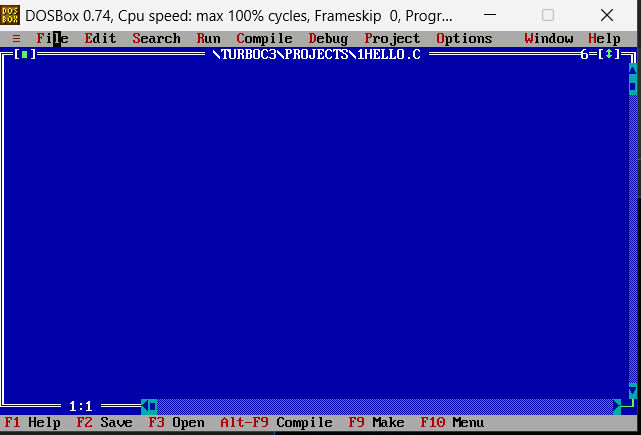
  • Click on start turbo c++, and then a blue screen will be opened
How to run program in turbo c++

Now let's see how to run a code in turbo c++:

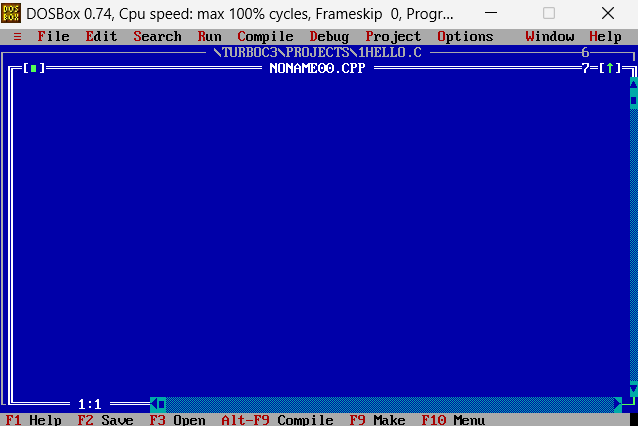
  • To write any code in turbo c++, we need to click on file and new which will open a new window that will be separated with whiteboards.
How to run program in turbo c++
  • Write the code inside the widows

Here is an example code to write inside the window:

#include <iostream.h>
#include <conio.h>
void main()
{
clrscr();
    cout << "Hello world!";
    getch();
}

Output:
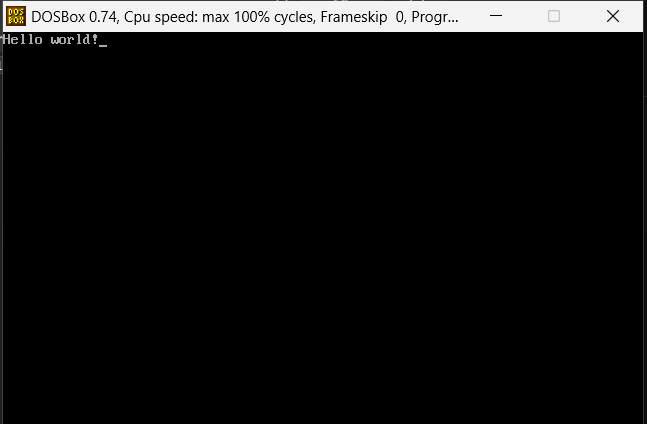
How to run program in turbo c++

How to Save File?

  • Write the above code in the turbo c++ editor, after which we need to save the file. We can proceed without saving the file, but for future use saving the file is the best practice.
  • To save the file, click on the file and then save as which will prompt you to set a name for the file.
  • Set the name with the .cpp extension, compile the code using the alt+f9 key, and check for the errors.
  • If there are no errors, then press ctrl+f9 to run the code.

Related Topics

Type conversion in C++

Type conversion is the process of changing the type of variables in a program. The ultimate goal of type conversions is to allow variables of a single data type operate with...

7 minutes read.

C++ Object Class

C++ Object Class Overview: C++ is a high-level programming language and an object-oriented programming language. An object-oriented language always has some properties of classes and objects. In this article, we...

4 minutes read.

Skyline Problem in C++

We have given n rectangular buildings in a 2-dimensional city. Here, to compute the Skyline of the given n rectangle structures in a two-dimensional metropolis while removing hidden lines, the...

3 minutes read.

How to create a table in C++

C++ is a programming language that has evolved as an improvement of c language. It includes an object-oriented archetype. C++ programming language is a compiled language that complies with the...

3 minutes read.

Reverse a String using Stack C/C++

Reverse the given string using stack. To turn "tutorialandexample" into "elpmaxednalairotut," for instance. Here is a straightforward stack-based technique for reversing strings. Algorithm: 1) Make a stack that is empty. 2) Push each character...

3 minutes read.

Returning Multiple Values from a Function using Tuple and Pair in C++

We may come across many situations where after the driver code's execution is performed in a code block, the return should be either multiple values or a single value possibly...

4 minutes read.

C++ String Class and its Applications

The String class is available in C++. The character array is represented by the C string. The string class in C++ has a few different attributes. It contains several functions...

4 minutes read.

Structure Vs Class in C++

The structure in C++ is similar to that of a class, with a few exceptions. Both the structure and the stage, the most important thing is safety. The property is...

4 minutes read.

C++ cin and cout

In this article, we will discuss the C++ cin and cout with their library and examples. C++ Standard Input/Output: User-program communication is made possible by C++’s usage of input and output (I/O)...

5 minutes read.

Reverse function in C++

The function std::reverse() is included in the standard template library of C++. It takes in a beginning and ending iterator, reversing the order. To use the reverse statement, we need...

2 minutes read.

4-Dimensional Array in C/C++

A four-dimensional (4D) array is an array of three-dimensional (3D) arrays, or in other words we can say that a 4- dimensional array is an array of arrays of arrays...

3 minutes read.

Fast Input and Output in C++

In competitive programming, it's critical to read input as quickly as possible in order to save time. "Warning: Big I / O data, be aware of certain languages (but most...

3 minutes read.

Name Mangling and extern in C++

Name Mangling and Function Overloading: Function overloading is a feature offered by C++. As long as each function accepts various parameters, we can use this to write many functions with the...

4 minutes read.

C++ Friend function

A friend function has the right to access all private and protected members of a class although it is defined outside that class' scope. Syntax class className{     ......     friend retyrn_type function_Name(argument);     .......   }   return_type function_Name(argument){     ......   } C++ friend function Example #include <iostream>   using namespace std;   class Length   {       private:           int meter;       public:           Length(): meter(5) { }           friend int addMethod(Length); //friend function declaration   };   int addMethod(Length l) // friend function definition   {       l.meter += 10; //accessing private data from non-member function       return l.meter;   }   int main()   {       Length L;       int totallength;       totallength=addMethod(L);       cout<<"Length: "<< totallength;       return 0;   } Output: Length: 15   C++ friend function...

1 minute read.

Hello World Program in C++

The steps for “Hello World” C++ program are as follows: Write a C++ code given below in an editor. Save the file with .cpp Compile the code using C++ compiler or using online...

3 minutes read.

Difference between "int main( ) and int main(void)" in C/C++

int main( ) function In the C/C++ programming language, int main() indicates a function that returns an integer at the end of the program execution. In general, a value of '0' indicates...

3 minutes read.

std::min in C++

std::min in C++ std::min is specified in the program code, used to calculate the lowest amount that has been transferred. When there's more of someone who returns first of them. It's used...

2 minutes read.

Template Specialization in C++

Template is a feature of C++. With the help of a template, we can write the code only once and use that code multiple times. For example, there is a...

4 minutes read.

Differences Between C Structures and C++ Structures

The below table clearly describes the differences between C and C++ programming languages Structures concepts where the core principle concepts like static members, data handling, pointers, access modifiers, the importance...

3 minutes read.

C++ Memory Management

Memory management is a method of controlling computer memory and allocating memory space to applications to increase overall system performance. What is the purpose of memory management? Because the array contains homogeneous...

4 minutes read.