
×

Excel VBA DateDiff Function

The DateDiff function in VBA returns a Long data value representing the number of intervals between two specified dates/times where the type of interval is supplied by the user.

Syntax

DateDiff (Interval, Date1, Date2, [FirstDayOfWeek], [FirstWeekOfYear])

Parameter

Interval (required) – This parameter represents a string specifying the interval to be used.

It can take the following values:

  • “d” - Days
  • “h” - Hours
  • “n” - Minutes
  • “m” - Months
  • “q” - Quarters
  • “s” - Seconds
  • “ww” – Weeks
  • “yyyy” - Years

Date1 (required) – This parameter represents a date value, specifying the start date/time for the calculation.

Date2 (required) – This parameter represents a date value, specifying the end date/time for the calculation.

FirstDayOfWeek (optional) – This parameter represents the weekday that should be used as the first day of the week.

It can take the following values:

  • vbUseSystemDayOfWeek - The first day of the week is as specified in your system settings. The default value is set to vbSunday.
  • vbSunday – Sunday
  • vbMonday – Monday
  • vbTuesday – Tuesday    
  • vbWednesday – Wednesday
  • vbThursday – Thursday
  • vbFriday - Friday
  • vbSaturday - Saturday

FirstWeekOfYear (optional) - This parameter represents the week that should be used as the first week of the year. The default value is set to vbFirstJan1.

It can take the following values:

  • vbSystem – It signifies the first week of the year is as specified in your system settings
  • vbFirstJan1 – It signifies the week in which Jan 1st occurs.
  • vbFirstFourDays – It signifies the first week that contains at least four days in the new year.
  • vbFirstFourDays – It signifies the first full week in the new year

Return

This function returns a Long data value representing the number of intervals between two specified dates/times.

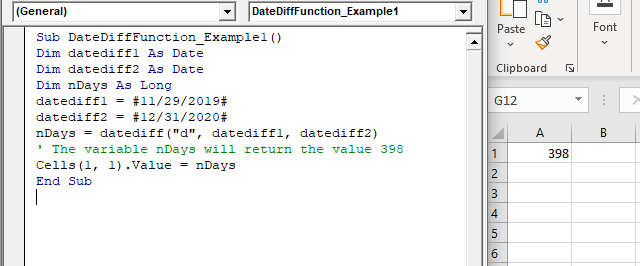
Example 1

Sub DateDiffFunction_Example1()
 Dim datediff1 As Date
 Dim datediff2 As Date
 Dim nDays As Long
 datediff1 = #11/29/2019#
 datediff2 = #12/31/2020#
 nDays = datediff("d", datediff1, datediff2) 
 ' The variable nDays will return the value 398
 Cells(1, 1).Value = nDays
 End Sub 

Output

398
VBA DateDiff Function

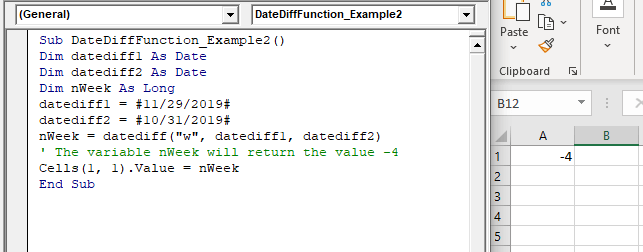
Example 2

Sub DateDiffFunction_Example2()
 Dim datediff1 As Date
 Dim datediff2 As Date
 Dim nWeek As Long
 datediff1 = #11/29/2019# 
 datediff2 = #10/31/2019#
 nWeek = datediff ("w", datediff1, datediff2)
 ' The variable nWeek will return the value -4
 Cells(1, 1).Value = nWeek
 End Sub 

Output

-4
VBA DateDiff Function

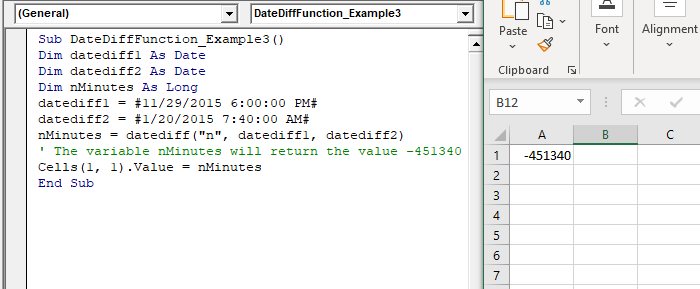
Example 3

Sub DateDiffFunction_Example3()
 Dim datediff1 As Date
 Dim datediff2 As Date
 Dim nMinutes As Long
 datediff1 = #11/29/2015 6:00:00 PM# 
 datediff2 = #1/20/2015 7:40:00 AM#
 nMinutes = datediff("n", datediff1, datediff2)
 ' The variable nMinutes will return the value -451340
 Cells(1, 1).Value = nMinutes
 End Sub 

Output

-451340
VBA DateDiff Function

Related Topics

ActiveX Controls

ActiveX Controls are one of the most used Excel Controls to automate applications with Excel VBA. It has the same controls, unlike Form Controls (Command Button, combo box, checkbox, etc.), but it...

3 minutes read.

Excel VBA Log Function

VBA Log Function: The Log function in VBA returns the natural logarithm for the specified number. Syntax Log (Number) Parameter Number (required) –This parameter represents a positive numeric value that you want to find the...

1 minute read.

Excel VBA Now Function

Excel VBA Now Function: The Now function in VBA returns the current date and time.  Syntax Now () Parameter NA Return This function returns the current date and time.  Example 1 Sub NowFunction_Example1() 'It will return...

1 minute read.

Excel VBA Hour Function

The hour function in VBA returns the hour element for the specified time. Syntax Hour (Time) Parameter Time (required) – This parameter represents the time. Return This function returns the hour element for the specified time. Example 1 Sub HourFunction_Example1() ...

1 minute read.

Excel VBA LBound Function

Excel VBA LBound Function: The LBound function in VBA returns the lowest subscript for the specified dimension in the given array. Syntax LBound (ArrayName, [Dimension]) Parameter ArrayName (required) – This parameter represents an array for which...

1 minute read.

Excel VBA Chr Function

VBA Chr Function: The Chr function in VBA returns the character equivalent to a supplied character code between 0 and 255. Syntax Chr (CharCode) Parameter CharCode (required) – This parameter represents the character code for...

1 minute read.

VBA Charts

What is a Chart? A chart is used to visually show numbers or data in a spreadsheet (or spread over multiple spreadsheets) so that the end-user can look at the chart...

3 minutes read.

Excel VBA User-Defined Functions

User-Defined Functions One of the advantages of VBA is that you can create your own functions using macros. These functions can be called and used as other functions in excel and use them. You can...

3 minutes read.

VBA Global Variable

What is Global Variable? The Global Variables in VBA refers to the variables declared before the start of any macro. They are defined outside the functions and are used by all the functions or...

6 minutes read.

Declaring a Variable in VBA

Declaring a Variable A variable is broadly described as a storage location combined with a name and representing a specific value. Declaring a variable is instructing the computer to reserve space...

2 minutes read.

If ElseIf ElseIf Statement or Nested If statement in VBA

VBA Excel: If … ElseIf … ElseIf Statement or Nested If statement This function enables you to check multiple conditions and, based on that, then run one of the statement blocks present. If...

2 minutes read.

Excel VBA GoTo Statement

GoTo Statement he GoTo statement branches unconditionally to a specified line in a procedure. It is used to transfer the program control to a new statement, which is headed by a label. It sends...

2 minutes read.

Excel VBA DateSerial Function

The DateSerial function in VBA returns a Date from a supplied year, month, and day number. Syntax DateSerial (Year, Month, Day) Parameter Year (required) – This parameter represents an integer signifying the year. Month (required) – This parameter...

2 minutes read.

Excel VBA Round Function

VBA Round Function: The Round function in VBA rounds a number to a specified number of decimal places and returns the number. Syntax Round (Number, [NumDigitsAfterDecimal]) Parameter Number (required) –This parameter represents a numeric value one wants...

1 minute read.

Userform Events

What are Events? Anything you do in to trigger an excel file is an event (an action). Example: If you want a greeting message ‘Good Day’ whenever an excel file is...

7 minutes read.

Excel VBA Date Function

VBA Date Function The Date function in VBA returns the current date. Syntax Date( ) Parameter NA Return This function returns the current date. Example 1 Sub DateFunction_Example1() ' retuning the current date in the variable currentDate Dim currentDate As...

1 minute read.

VBA Updating Pivot Table

VBA- Updating Pivot Table The pivot table is an important feature to explore, summarize, and interpret the bulk amount of data. It helps data evaluating, reviewing, as well as making useful...

3 minutes read.

VBA Subscript out of Range

What is Subscript out of Range? The VBA Subscript out of Range error (which is also called as Run-Time Error 9) mostly triggers when the user selects any cell, sheet, or workbook which does...

5 minutes read.

VBA ActiveCell Property

What is the ActiveCell Property? The active cell signifies the active selected cell in the current worksheet. The Active property acts as a reference point and is used to move the cell cursor...

5 minutes read.

Excel VBA- Pivot Table Fields

VBA- Pivot Table Fields: The Pivot Fields collection contains all the fields from the data source, including any calculated fields. The main aspect of adding a field is its Position...

4 minutes read.