Excel VBA CLng Function
VBA CLng Function: The CLng function in VBA converts an expression into a Long data type. It returns a long value ranging between -2,147,483,648 and 2,147,483,647.
Syntax
CLng (Expression)
Parameter
Expression (required) – This parameter represents the expression that you want to convert to a Long where the specified expression must be ranging between -2,147,483,648 and 2,147,483,647.
Return
This function returns a Long value after converting the given expression into a long data type. It returns a long ranging between -2,147,483,648 and 2,147,483,647.
Example 1
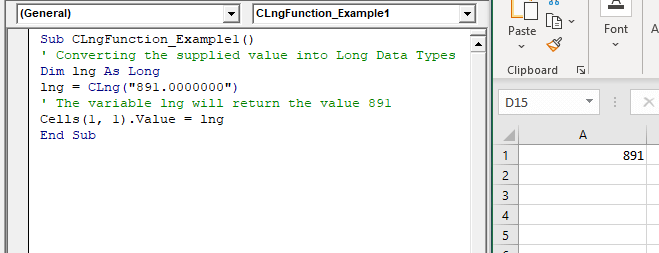
Sub CLngFunction_Example1()
 ' Converting the supplied value into Long Data Types
 Dim lng As Long
 lng = CLng("891.0000000")
 ' The variable lng will return the value 891
 Cells(1, 1).Value = lng
 End Sub
Output
Example 2
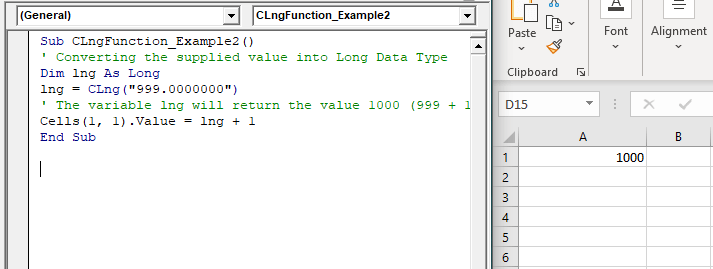
Sub CLngFunction_Example2()
 ' Converting the supplied value into Long Data Type
 Dim lng As Long
 lng = CLng("999.0000000")
 ' The variable lng will return the value 1000 (999 + 1)
 Cells(1, 1).Value = lng + 1
 End Sub
Output
1000
Example 3
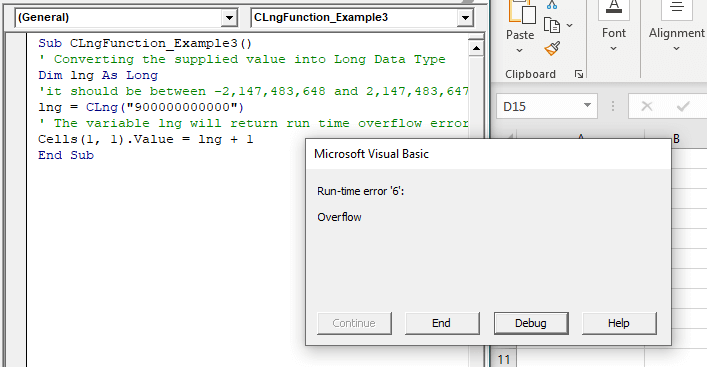
Sub CLngFunction_Example3()
 ' Converting the supplied value into Long Data Type
 Dim lng As Long
 'it should be between -2,147,483,648 and 2,147,483,647.
 lng = CLng("900000000000")
 ' The variable lng will return run time overflow error.
 Cells(1, 1).Value = lng + 1
 End Sub
Output