
×

Excel VBA FormatCurrency Function

VBA FormatCurrency Function: The FormatCurrency function in VBA is used to apply a currency format to a numeric expression and returns the result as a string.

Syntax

FormatCurrency (Expression, [NumDigitsAfterDecimal], [IncludeLeadingDigit],
[UseParensForNegativeNumbers], [GroupDigits])

Parameter

Expression (required) – This parameter represents the numeric expression that you want to format.

NumDigitsAfterDecimal (optional) – This parameter represents the number of digits that should be shown after the decimal. The default value is -1.

IncludeLeadingDigit (optional) – This parameter represents the vbTriState enumeration value, stating whether a leading zero should be shown for fractional values. The default value is set to vbUseDefault.

It can take the following values:

  • vbFalse – It does not display a leading zero.
  • vbTrue – It displays a leading zero.
  • vbUseDefault (default)– It uses the default computer settings.

UseParensForNegativeNumbers (optional) – This parameter represents the vbTriState enumeration value, stating whether negative numbers should be encased within parentheses. The default value is set to vbUseDefault.

It can take the following values:

  • vbFalse – It does not encase negative numbers in parentheses.
  • vbTrue – It encases the negative numbers in parentheses.
  • vbUseDefault (default)– It uses the default computer settings.

GroupDigits (optional) – This parameter specifies whether the number should be grouped (into thousands, etc.), using the group delimiter that is specified on the computer's regional settings. The default value is set to vbUseDefault.

It can take the following values:

  • vbFalse – It does not group digits.
  • vbTrue – It groups the digits.
  • vbUseDefault (default)– It uses the default computer settings.

Return

This function returns the result as a string after applying the currency format to the given numeric expression.

Example 1

Sub FormatCurrencyFunction_Example1()
 ' Formating numeric values as currencies.
 Dim forCar As String
 forCar = FormatCurrency(500000)
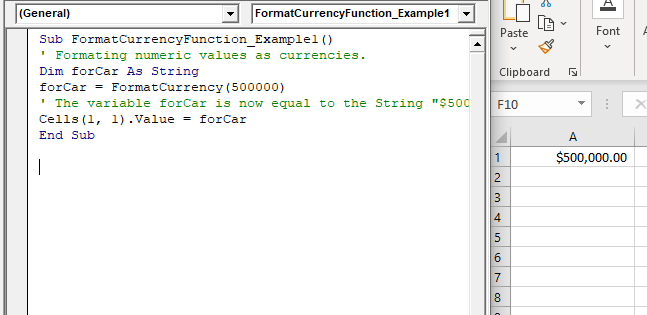
 ' The variable forCar is now equal to the String "$500,000.00".
 Cells(1, 1).Value = forCar
 End Sub 

Output

$500,000.00
VBA FormatCurrency Function

Example 2

Sub FormatCurrencyFunction_Example2()
 ' Formating numeric values as currencies.
 Dim forCar As String
 'will denote the value within parenthesis
 forCar = FormatCurrency(-500000, 2, , vbTrue, vbFalse)
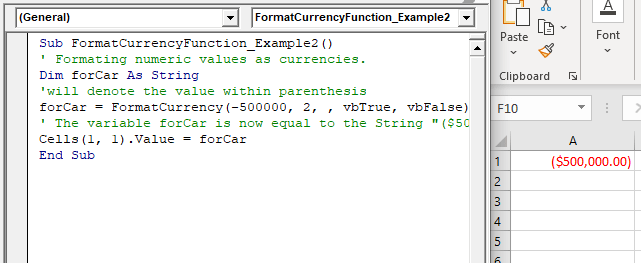
 ' The variable forCar is now equal to the String "($500,000.00)".
 Cells(1, 1).Value = forCar
 End Sub 

Output

($500,000.00)
VBA FormatCurrency Function

Example 3

Sub FormatCurrencyFunction_Example3()
 ' Formating numeric values as currencies.
 Dim forCar As String
 'passing a string
 forCar = FormatCurrency(50.89, 0)
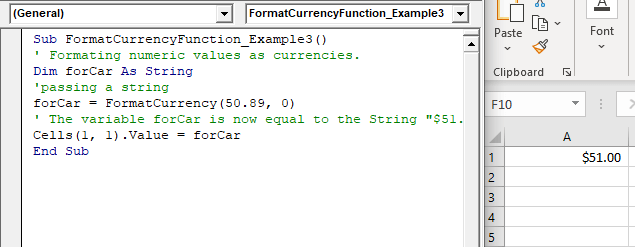
 ' The variable forCar is now equal to the String "$51.00".
 Cells(1, 1).Value = forCar
 End Sub 

Output

$51.00
VBA FormatCurrency Function

Example 4

Sub FormatCurrencyFunction_Example4()
 ' Formating numeric values as currencies.
 Dim forCar As String
 'passing a string
 forCar = FormatCurrency("50.89, 0")
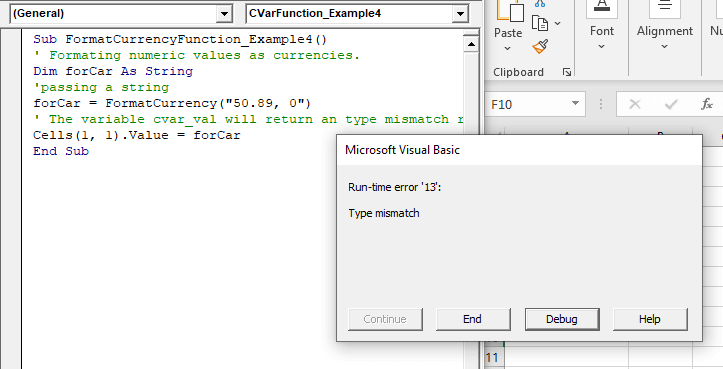
 ' The variable forCar will return a type mismatch run-time error.
 Cells(1, 1).Value = forCar 

End Sub

Output
VBA FormatCurrency Function

Related Topics

Steps to Create a Chart in VBA

Steps to Create a Chart Charts are created either by directly working with the chart variable object that defines the chart data or by ChartObject method. In order to get to...

3 minutes read.

VBA TimeSerial Function

The TimeSerial function in VBA returns a Time for the specified hour, minute, and second. Syntax TimeSerial (Hour, Minute, Second) Parameter Hour (required) – This parameter represents an integer (0 to 23), signifying the hour of the time. Minute...

2 minutes read.

VBA Charts Basic Operations

VBA Charts- Basic Operations The Chart Object in Excel VBA represents the collection of all the charts sheet present in a workbook. A chart can be either an embedded chart or a separate chart sheet. The...

6 minutes read.

Excel VBA MessageBox

Message Box The MsgBox in Excel VBA is a dialog box used to inform the users of your program by showing a custom message or get some necessary inputs such as Yes/No or...

4 minutes read.

Excel VBA Val Function

VBA Val Function: The Val function in VBA converts the given string into a numeric value. This function ignores spaces and continues to read the characters after space(s). It stops...

1 minute read.

Excel VBA DateSerial Function

The DateSerial function in VBA returns a Date from a supplied year, month, and day number. Syntax DateSerial (Year, Month, Day) Parameter Year (required) – This parameter represents an integer signifying the year. Month (required) – This parameter...

2 minutes read.

VBA Regex

What is a Regex? Regex stands for Regular Expression is basically a pattern matching strings within another string. They are supported in many languages, including .net, C++, Python, etc. They are...

5 minutes read.

Excel VBA- Pivot Table Fields

VBA- Pivot Table Fields: The Pivot Fields collection contains all the fields from the data source, including any calculated fields. The main aspect of adding a field is its Position...

4 minutes read.

Excel VBA Sgn Function

VBA Sgn Function: The Sgn function in VBA returns an integer (+1, 0, or -1), stating the arithmetic sign for the specified number. Syntax Sgn (Number) Parameter Number (required) –This parameter represents the number that...

1 minute read.

Excel VBA Atn Function

VBA Atn Function: The Atn function in VBA returns the arctangent between quadrant -?/2 and +?/2 for the specified number, in radians. Syntax Atn (Number) Parameter Number (required) – This parameter represents the number that...

1 minute read.

Excel VBA UBound Function

Excel VBA UBound Function: The UBound function in VBA returns the highest subscript for the specified dimension in the given array. Syntax UBound (ArrayName, [Dimension]) Parameter ArrayName (required) – This parameter represents an array for which...

1 minute read.

Excel VBA MonthName Function

Excel VBA MonthName Function: The MonthName function in VBA returns a string with the month name for the specified month number. Syntax MonthName (Month, [Abbreviate]) Parameter Month (required) – This parameter represents an integer between...

1 minute read.

Excel VBA Minute Function

The Minute function in VBA returns the minute component for the specified time. Syntax Minute (Time) Parameter Time (required) – This parameter represents the time. Return This function returns the minute component for the specified time. Example 1 Sub MinteFunction_Example1() ...

1 minute read.

Procedures in VBA

Procedures in VBA A procedure is a block of statements or units of computer code that performs some action. It is enclosed with a declaration statement, and its primary purpose is to carry out...

3 minutes read.

Excel VBA Tutorial

What is VBA? Introduction to Excel VBA: Visual Basic for Applications (VBA) is a programming language developed by Microsoft to automate operations in applications, such as Excel, Word, PowerPoint, etc. It...

5 minutes read.

Excel VBA StrConv Function

The StrConv function in VBA converts a string into a specified format. Syntax StrConv (String, Conversion, [LocaleID]) Parameter String (required) – This parameter represents the string to be converted. Conversion (required) – This parameter specifies the type of conversion. It can...

1 minute read.

Excel VBA WeekdayName Function

Excel VBA WeekdayName Function: The WeekdayName function in VBA returns a string containing the weekday name, for the specified integer representation of a weekday. Syntax WeekdayName (Weekday, [Abbreviate], [FirstDayOfWeek]) Parameter Weekday (required) – This parameter represents...

2 minutes read.

Excel VBA Rnd Function

VBA Rnd Function: The Rnd function in VBA returns a random number that is greater than or equal to (>=) 0 and is less than (<) 1. Syntax Rnd ([Number]) Parameter Number (optional) –This...

1 minute read.

VBA Creating, Displaying, Uploading UserForms

UserForm is a customized interface and acts as a VBA container and can add various controls as per the required functionality, each of which has certain usage and related properties. You can...

4 minutes read.

Excel VBA StrComp Function

VBA StrComp Function: The StrComp function in VBA compares two strings and returns an integer value displaying the result of the comparison. Syntax StrComp (String1, String2, [Compare]) Parameter String1 (required)- This parameter represents the first string to...

2 minutes read.