×

Excel VBA StrComp Function

VBA StrComp Function: The StrComp function in VBA compares two strings and returns an integer value displaying the result of the comparison.

Syntax

StrComp (String1, String2, [Compare])

Parameter

String1 (required)- This parameter represents the first string to be compared.

String2 (required) – This parameter represents the second the second string to be compared.

Compare (optional) - This parameter represents the type of comparison to make. The default value is vbBinaryCompare.

It can take any of the following values:

  • vbBinaryCompare (default value): To perform a binary comparison
  • vbTextCompare: To perform a text comparison
  • vbDatabaseCompare: To perform a database comparison

Return

This function integer value displaying the result of the comparison. The returned output can be of any of the following values:

  • It returns 0, if both the strings are equal.
  • It returns -1, if String1 is less than String2
  • It returns 1, if String1 is greater than String2.
  • It returns null, if both the strings are Null

Example 1

Sub StrComp_Example1()
 'Comparing the Strings (string1 and string2).
 Dim str As Integer
 'initializing the string 1
 String1 = "Joey Jonas"
 'initializing string 2
 String2 = "Joey Jonas"
 str = StrComp(String1, String2)
 ' The Integer str will return integer value 0 as both the strings are equal.
 If str = 0 Then
     MsgBox ("Both the strings are equal!")
 Else
     MsgBox ("Opps! Both the strings are unequal")
 End If
 End Sub 

Output

Both the strings are equal!
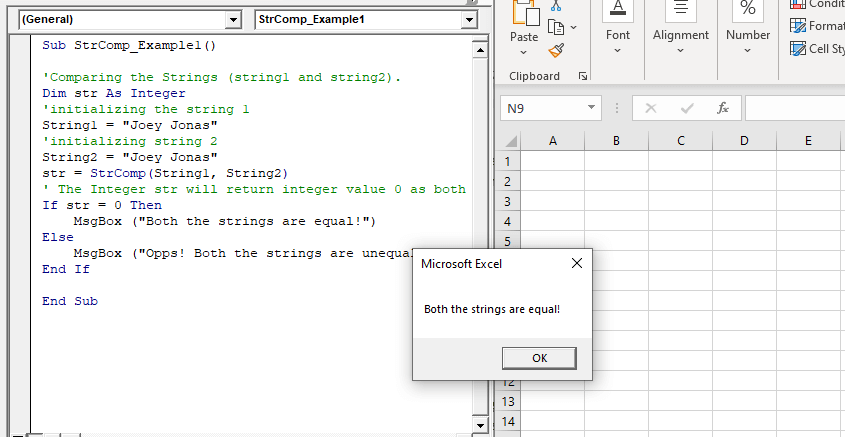
VBA StrComp Function

Example 2

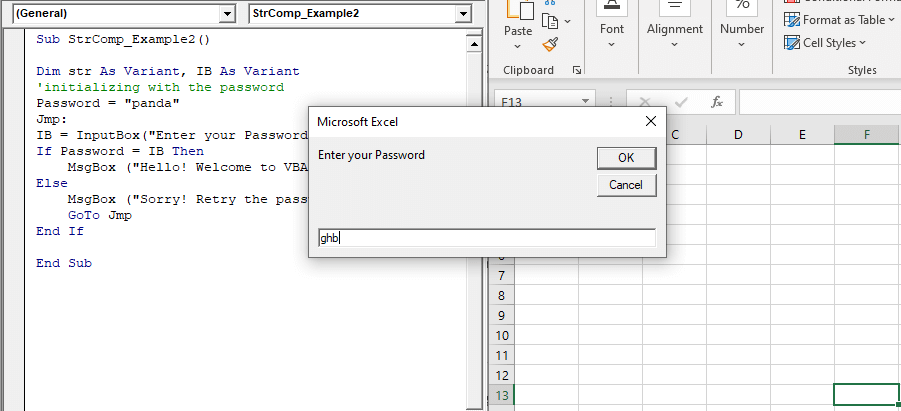
Sub StrComp_Example2()
 Dim str As Variant, IB As Variant
 'initializing with the password
 Password = "panda"
 Jmp:
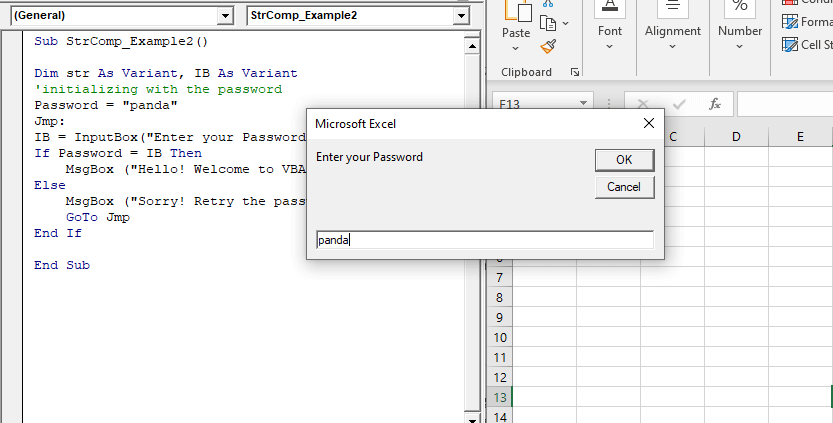
 IB = InputBox("Enter your Password")
 If Password = IB Then
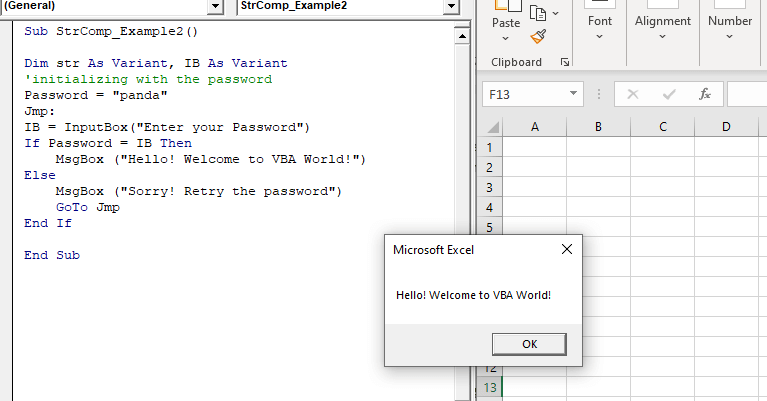
     MsgBox ("Hello! Welcome to VBA World!")
 Else
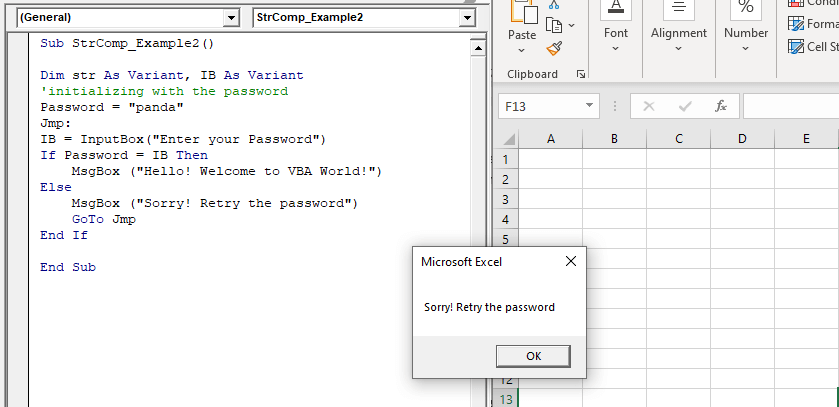
     MsgBox ("Sorry! Retry the password")
     GoTo Jmp
 End If
 End Sub 

Output
VBA StrComp Function

Related Topics

Excel VBA Join Function

Excel VBA Join Function: The Join function in VBA is used to join an array of substrings and return them all as a single string. Syntax Join (SourceArray, [Delimiter]) Parameter SourceArray (required) – This parameter...

1 minute read.

Excel VBA Day Function

The function Day in VBA returns the day number (from 1 to 31) for the given date value. Syntax Day (Date) Parameter Date (required) – This parameter represents the date. Return This function returns the day...

1 minute read.

Excel VBA CDate Function

VBA CDate Function: The CDate function in VBA converts an expression into a Date (or Time) data type. Syntax CDate (Expression) Parameter Expression (required) - This parameter represents the expression that that you want to...

1 minute read.

Excel VBA Now Function

Excel VBA Now Function: The Now function in VBA returns the current date and time.  Syntax Now () Parameter NA Return This function returns the current date and time.  Example 1 Sub NowFunction_Example1() 'It will return...

1 minute read.

CodeIgniter File Uploading Class

The Codeigniter provides a file Uploading library class which is used to upload any file such as images, pdf, mp3, etc. to the codeigniter’s application. It also allows to set various preferences such...

5 minutes read.

Excel VBA IsArray Function

VBA IsArray Function: The IsArray function in VBA returns a Boolean, showing whether the given variable is an Array or not. Syntax IsArray (VarName) Parameter VarName (required)- This parameter represents the variable that you want...

1 minute read.

VBA Type Mismatch Error

What is a Type Mismatch Error? VBA Type Mismatch Error is a run time error in excel, which often occurs when the data types contained in a VBA code are not matched...

3 minutes read.

Steps to Create a Pivot Table

Steps to Create a Pivot Table: Pivot Tables can be easily automated through VBA coding. To create a Pivot Table in VBA, follow the below step by step procedure to...

4 minutes read.

Excel VBA InputBox

Input Box The InputBox function in VBA is used to prompt the users to enter values. The user can click either the OK button or can choose the CANCEL button. If the user clicks...

3 minutes read.

Scope in Visual Basics

Definition of Scope The scope of any programming language implies the area of code where the variables will be identified, accessed, and used. Every variable has a scope associated with it. The scope of...

4 minutes read.

Excel VBA GoTo Statement

GoTo Statement he GoTo statement branches unconditionally to a specified line in a procedure. It is used to transfer the program control to a new statement, which is headed by a label. It sends...

2 minutes read.

VBA ActiveCell Property

What is the ActiveCell Property? The active cell signifies the active selected cell in the current worksheet. The Active property acts as a reference point and is used to move the cell cursor...

5 minutes read.

Excel VBA InStrRev Function

VBA InStrRev Function: The InStrRev function in Excel VBA returns an integer representing the position of a substring within the specified string if the substring is fount else it returns...

2 minutes read.

VBA Charts

What is a Chart? A chart is used to visually show numbers or data in a spreadsheet (or spread over multiple spreadsheets) so that the end-user can look at the chart...

3 minutes read.

Excel VBA Error Function

VBA Error Function: The Error function in VBA returns the error message corresponding to a supplied error code. Syntax Error ([ErrorNumber]) Parameter ErrorNumber (optional) – This parameter represents the required error number. By default, the...

1 minute read.

Excel VBA Round Function

VBA Round Function: The Round function in VBA rounds a number to a specified number of decimal places and returns the number. Syntax Round (Number, [NumDigitsAfterDecimal]) Parameter Number (required) –This parameter represents a numeric value one wants...

1 minute read.

Excel VBA Split Function

Excel VBA Split Function: The Split function in VBA is used to split a string into several substrings and return a one-dimensional array of substrings. Syntax Split (Expression, [Delimiter], [Limit], [Compare]) Parameter Expression (required) – This parameter...

2 minutes read.

Basics of Userform

A User Form is a built-in customized dialog box that fetches data from the user through a user-friendly dialog box or window that makes up part of an application's user interface. It...

9 minutes read.

Miscellaneous Exercise of conditional statements and Loop

We have the already worked with syntax and examples of conditional statements and loops in the previous tutorials. In this tutorial, we will learn how to work with both together.  We will explain...

3 minutes read.

Excel VBA Filter Function

VBA Filter Function: The Filter function in VBA returns a subset for the given string array, based on specified criteria. Syntax Filter (SourceArray, Match, [Include], [Compare]) Parameter SourceArray (required) – This parameter the array of Strings that you...

2 minutes read.