JavaFX Fill Transition
In the JavaFX application, in order to generate the fill transition, we have to apply fill transition on any particular shape. It has the ability to fill the given shape with the given color. All methods needed for this purpose are present in the javafx.animation.FillTransition class.
Properties and corresponding methods to create Fill Transition:
1. shape
This property is of object type. It is used to represent the shape that is to be filled and the setShape() method is used to set it.
2. fromValue
This property is of double type. It is used to represent the start color and the setFromValue() method is used to set it.
3. toValue
This property is of double type. It is used to represent the stop color factor and the setToValue() method is used to set it.
4. duration
This property is of the object type. It is used to represent the duration of the transition and the setDuration() method is used to set it.
JavaFX Animation - Fill Transition
Example:
import javafx.animation.FillTransition;
import javafx.application.Application;
import javafx.scene.Group;
import javafx.scene.Scene;
import javafx.scene.paint.Color;
import javafx.scene.shape.Polygon;
import javafx.stage.Stage;
import javafx.util.Duration;


public class AnimationUI extends Application {


    @Override
    public void start(Stage stage) throws Exception
    {

    Polygon newpoly = new Polygon();

    newpoly.getPoints().addAll(new Double[] {220.0,270.0,170.0,220.0,170.0,120.0,220.0,70.0,270.0,120.0,270.0,220.0});

    newpoly.setStroke(Color.BLACK);

        FillTransition newfill = new FillTransition();

        newfill.setAutoReverse(true);

        newfill.setCycleCount(50);

        newfill.setDuration(Duration.millis(1000));

        newfill.setFromValue(Color.RED);

        newfill.setToValue(Color.WHITE);

        newfill.setShape(newpoly);

        newfill.play();

        Group root = new Group();
        root.getChildren().addAll(newpoly);
         Scene scene = new Scene(root,500,450);
         stage.setScene(scene);
        stage.setTitle("JavaFx Fill Transition example");
         stage.show();
     }

    public static void main(String[] args) {
        launch(args);
    }
}
Output:
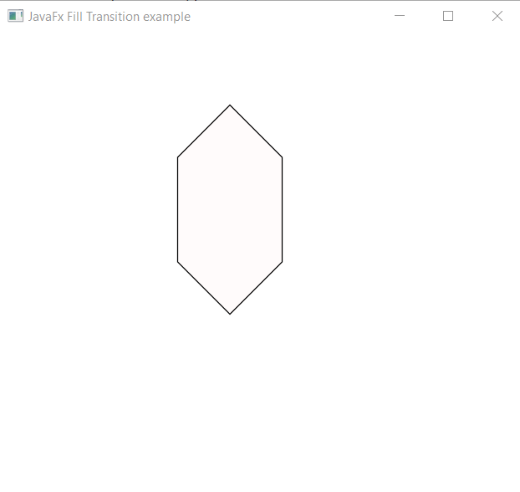
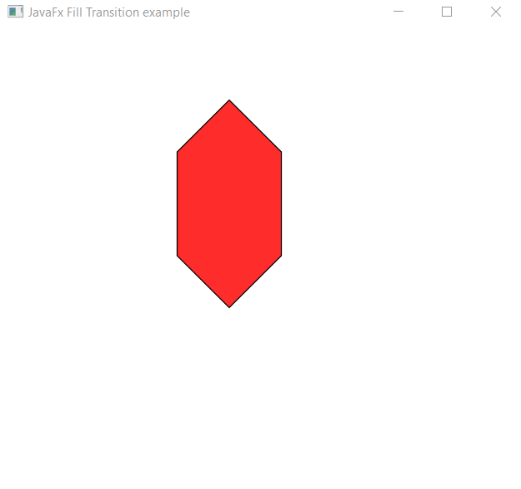
In order to create the Fill Transition in JavaFX, we have to import all the required libraries such as javafx.animation.FillTransition, javafx.application.Application, javafx.scene.Group, javafx.scene.Scene, javafx.scene.paint.Color, javafx.scene.shape.Polygon, javafx.stage.Stage, javafx.util.Duration.
Then we have created one class named AnimationUI extending the Application class. Also, we have to override the start method to provide implementation details. This method creates an object of Stage as primaryStage. For the container to hold a filling polygon, a Group object is created which is then passed to the Scene class object.
The Polygon is created with the help of the constructor and the size parameter and red color to be filled are passed in it. A fill Transition object is created and using setters various properties are set. Then it will show the filling polygon.
The stage is prepared, the title is set and the show() method is called to display output. In order to run the application, the launch(args) method is called in the main() method. In output Frame like container is displayed with the title, " JavaFX Animation - Fill Transition Example”. Also, it displays a polygon initially with white color and then get filled with red color.
JavaFX Animation -Fill Transition on Circle
Example:
import javafx.animation.FillTransition;
import javafx.application.Application;
import javafx.scene.Group;
import javafx.scene.Scene;
import javafx.scene.paint.Color;
import javafx.scene.shape.Circle;
import javafx.stage.Stage;
import javafx.util.Duration;


public class AnimationUI extends Application {


    @Override
    public void start(Stage stage) throws Exception
    {


    Circle newcir = new Circle(250,120,80);

    newcir.setFill(Color.RED);
    newcir.setStroke(Color.BLACK);

        FillTransition newfill = new FillTransition();

        newfill.setAutoReverse(true);

        newfill.setCycleCount(50);

        newfill.setDuration(Duration.millis(1000));

        newfill.setFromValue(Color.BLUE);

        newfill.setToValue(Color.WHITE);

        newfill.setShape(newcir);

        newfill.play();

        Group root = new Group();
        root.getChildren().addAll(newcir);
         Scene scene = new Scene(root,500,450);
         stage.setScene(scene);
        stage.setTitle("JavaFx Fill Transition example");
         stage.show();
     }

    public static void main(String[] args) {
        launch(args);
    }
}
Output:
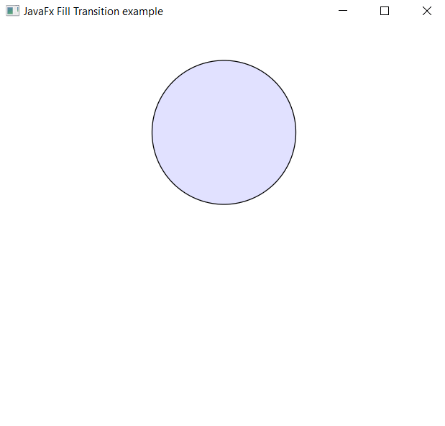
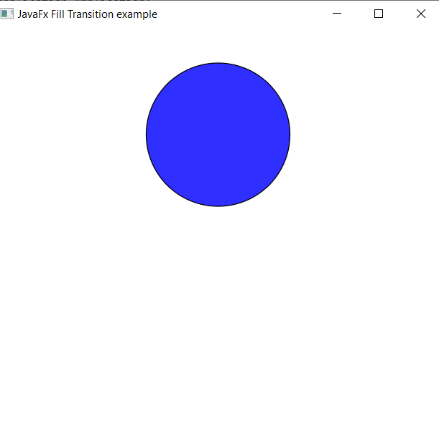
In order to create the Fill Transition on Circle in JavaFX, we have to import all the required libraries such as javafx.animation.FillTransition, javafx.application.Application, javafx.scene.Group, javafx.scene.Scene, javafx.scene.paint.Color, javafx.scene.shape.Circle, javafx.stage.Stage, javafx.util.Duration.
Then we have created one class named AnimationUI extending the Application class. Also, we have to override the start method to provide implementation details. This method creates an object of Stage as primaryStage. For the container to hold a filling circle, a Group object is created which is then passed to the Scene class object.
The Circle is created with the help of the constructor and the size parameter and blue color to be filled are passed in it. A fill Transition object is created and using setters various properties are set. Then it will show the filling circle.
The stage is prepared, the title is set and the show() method is called to display output. In order to run the application, the launch(args) method is called the main() method. In output Frame like container is displayed with the title, " JavaFX Animation - Fill Transition Example”. Also, it displays a circle initially with white color and then gets filled with blue color.