CSS Visibility
Visibility in CSS: This visibility property in CSS is employed to describe whether the components are visible or not.
Note: An invisible component also grabs the space over the page. If we use display property, we can create hidden component, which does not grab any space.
Syntax:
visibility: visible| hidden| collapse| initial| inherit;
Visibility Attributes
| Attributes | Description |
| visible | This attribute is used as a default value. The visible attribute describes that a component is visible. |
| hidden | It describes that the component is invisible (still grab the space). |
| collapse | This value is only applied to various tables. It can also be applied to remove the row and the column, but it will not disturb the layout of a table. The space grabbed by the column and row will be applicable for various other contents. When collapse value is applied to any other content, it delivers as “hidden.” |
| initial | This value is employed to set-up the visibility attribute to its default value. |
| inherit | This value can acquire this attribute from the parent element. |
Visibility Example
<!DOCTYPE html>
<html>
<head>
<style>
h1#visible
{
 visibility: visible;
}
h1#hidden
{
 visibility: hidden;
}
</style>
</head>
<body>
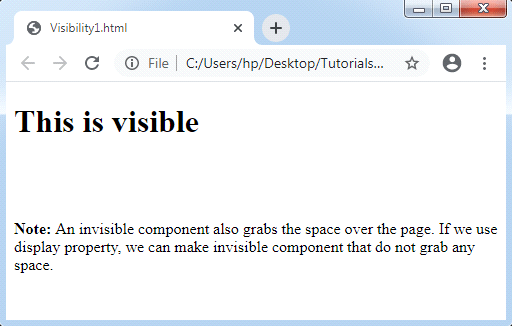
<h1 id= "visible"> This is visible </h1>
<h1 id= "hidden"> This is invisible </h1>
<p>
<strong>
Note:
</strong>
An invisible component also grabs the space over the page.
If we use display property, we can make invisible component that do not grab any space.
</p>
</body>
</html>
Output:
JavaScript Syntax:
object.style.visibility= “hidden”;
Example:
<!DOCTYPE html>
<html>
<head>
<style>
#myDIV
{
 margin: left;
 width: 400px;
 height: 200px;
 background-color: lightblue;
 border: 1px solid black;
}
</style>
</head>
<body>
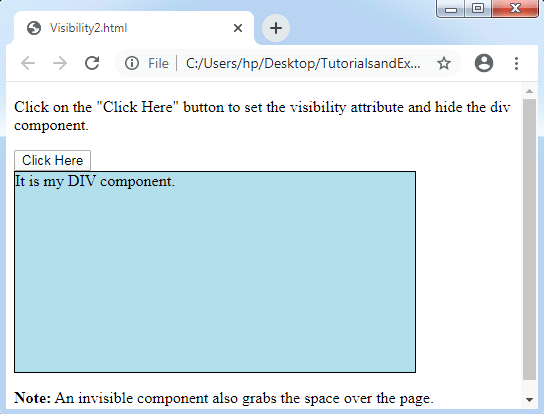
<p> Click on the "Click Here" button to set the visibility attribute and hide the div component.
</p>
<button onclick= "myFunction()">Click Here</button>
<div id="myDIV">It is my DIV component.</div>
<p><strong>Note:</strong>
An invisible component also grabs the space over the page. </p>
<script>
function myFunction() {
    document.getElementById("myDIV").style.visibility = "hidden";
}
</script>
</body>
</html>
Output: