
×

Ionic Cards

Ionic Cards: Ionic cards are a standard part of the user interface that acts as an entry point for more specific information. These are the best components for displaying information that'll feel user-friendly. It can be a single component but often consists of a header, address, title, and content. <ion-card> is broken up into many sub-components to show this.

There are many sub-components of ionic cards i.e., ion-card-content, ion-card-header, ion-card-title, ion-card-subtitle.

ion-card-content

<ion-card> is the parent component of ion-card-content, and <ion-card-content> adds some content padding. It is suggested to add any text material for a card to be stored in an ion-card-content component.

Ion-card-header

It is a header component of the ion-card, which makes a header for the cards. You can add a header inside the card by using the <ion-card-header> component.

Ion-card-title

It is a child component of the ion-card, which adds the title for the cards. You can add a title inside the card by using the <ion-card-title> component.

Ion-card-subtitle

It is a child component of the ion-card, which adds the subtitles for the cards. You can add a subtitle inside the card by using the <ion-card-subtitle> component.

Example: The below example shows how the ionic card work with its sub-component.


  Card


  Life goal
  Focus on your goal
  
  
When he can change his inner consciousness to the way he can serve others, and when he makes this the focus of his life, he will be in a position to know the true miracles in his progress towards prosperity.


Output: After executing this code, you will get the output, which is shown below.
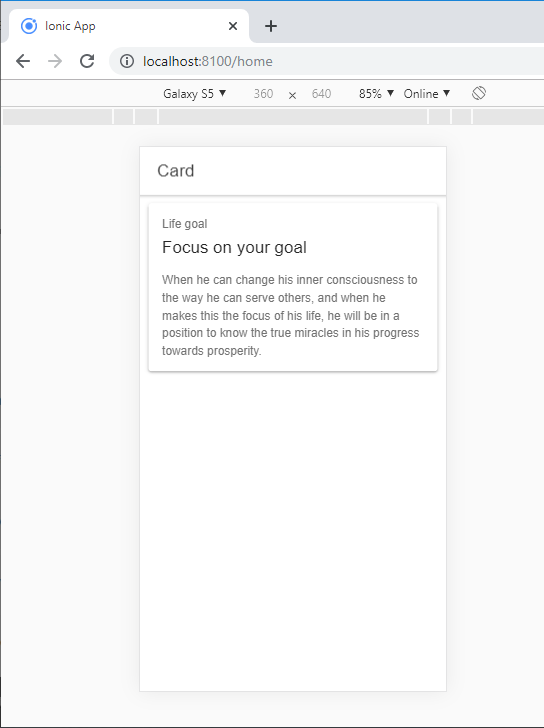
After executing this code

Card images

You can easily add your app pictures inside the cards. The ion-card will give a fixed width and variable height of the image. You can also easily add headers, menus, and other card components with image cards.

You can add the image by using the following syntax:

Example: The below example shows how images work in the ionic card.


  Card


“Beautiful things happen when you distance yourself from negativity.”
Achieving a goal “Do something every day to move toward your goal. Get going and keep going. Just do it.”

Output: After executing this code, you will get the output, which is shown below.
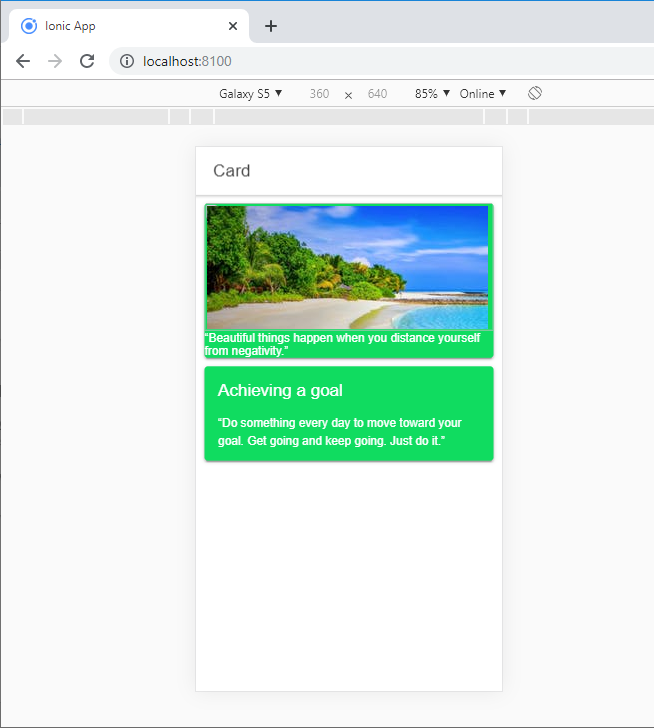
Card images

Cards list

It can contain a list of items. To show a list inside the content, you require to add the <ion-list> component.

Example:

The given below example shows how the list works in the ion-card component.

 <ion-header>
     <ion-toolbar>
       <ion-title>
         Card List
       </ion-title>
     </ion-toolbar>
   </ion-header>
   <ion-card>
       <ion-card-header>
         Explore Nearby
       </ion-card-header>
       <ion-list>
         <p><button ion-item>
           <ion-icon name="cart" item-start color="success"></ion-icon>
           Shopping Button</button></p>
           <p><button ion-item>
           <ion-icon name="cafe" item-start color="warning"></ion-icon>
             Cafe Button</button></p>
             <p><button ion-item>
           <ion-icon name="film" item-start color="danger"></ion-icon>
             movie Button</button></p>
             <p><button ion-item>
           <ion-icon name="medical" item-start color="light"></ion-icon>
           Hospital Button</button></p>
          <p><button ion-item>
               <ion-icon name="planet" item-start color="secondary"></ion-icon>
               Space Button</button></p>
           <p><button ion-item>
           <ion-icon name="beer" item-start color="tertiary"></ion-icon>
           Pub Button</button></p>
       </ion-list>
     </ion-card> 

Output: After executing this code, you will get the output, which is shown below.
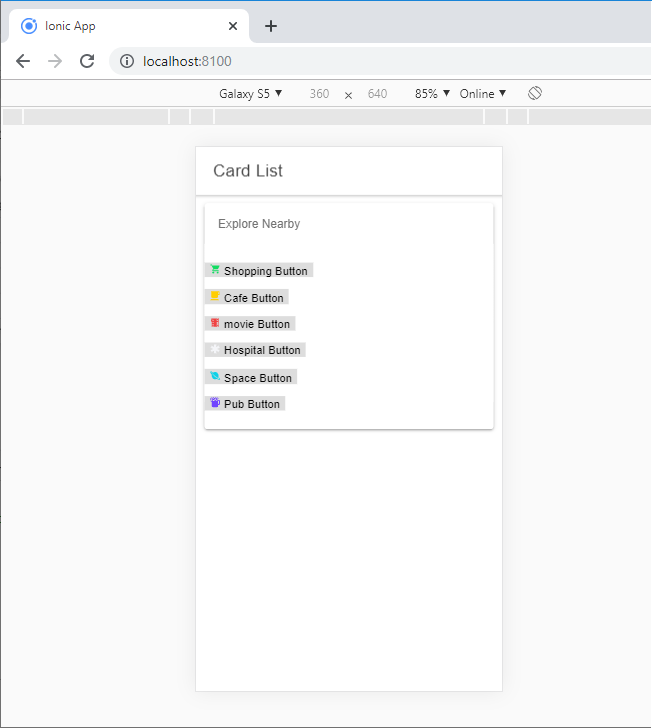
Cards list

Related Topics

Ionic Reorder

The Ionic offers the <ion-reorder> component to reordering features. Ionic reorder component adds the Drag and Drop feature to list items, in which the user can change the order of the items. Reorder...

3 minutes read.

Ionic Date Time

Ionic Date Time The DateTime component is used to display an interface that makes it simple for users to select dates and times. Tapping on <ion-datetime> will display a slider up from the...

4 minutes read.

Ionic Segment

A segment is a collection of buttons, sometimes which are known as segmented controls. The segment buttons are displayed at horizontal rows. These segment buttons can be shown in a toolbar or the...

2 minutes read.

Ionic vs React Native

Ionic Vs React Native Ionic and React Native are both common framework which is used to develop mobile applications. Here, you will know about the popular differences between the ionic and the React Native. Ionic Ionic...

3 minutes read.

Ionic Tutorial for Beginners

What is Ionic? Ionic is an open-source framework that is used for the development of mobile applications. It is also used to build android applications, iOS, applications, desktop applications, and web applications using web...

4 minutes read.

Ionic Modal

Ionic modal is displayed as a temporary UI that slides into the screen. The ionic modal is a dialog box that is displayed at the top of the app’s content, and it...

5 minutes read.

Ionic framework Installation

Installation of Ionic Before proceeding with the ionic application, you'll need to install node.js and NPM (Node Package Manager), the code editor, and Ionic CLI. Installation of node.js and NPM These are the primary...

5 minutes read.

Ionic vs Apache Cordova

Ionic Vs Apache Cordova Ionic and Cordova are two popular technology going on in the market for mobile application development. The combination of these two technologies creates a development platform that is known as...

3 minutes read.

Ionic Infinite Scroll

The infinite scroll permits you to perform an action when the user scrolls a particular content from the bottom or top of the page. When you display the large collection of data...

3 minutes read.

Ionic Navigation and Routing

The latest version (ionic 4) of the ionic framework, no longer limited to the angular. In Ionic 4, you can create an ionic project in different front-end frameworks such as Vue.js, React.js, and...

6 minutes read.

Ionic Chip

Ionic chip displays the complex entities in small entities in small blocks, such as the contacts. Ionic chip has several types of elements like avatars, thumbnails, text, and icons. It is a bubble-like...

3 minutes read.

Ionic Select

The Ion Selection component is similar to the HTML <select> element. However, the Ionic Selection component makes it easy for users to categorize and choose the preferred option or other options. You must...

3 minutes read.

Ionic Camera

Hybrid mobile applications can make very quickly, but sometimes it becomes a challenge to get the features that access the hardware such as GPS, storage, file storage, cameras, and networks. Cordova offers plugins...

4 minutes read.

Ionic Actionsheet

Ionic Actionsheet The Action sheet is a dialog box that displays a group of options. It is shown on the top of the application content and must be dismissed manually before the user can resume...

3 minutes read.

Difference between Ionic 4 and Ionic 3

The ionic framework is an open-source platform that is used to develop mobile applications. It is also used to build android applications, desktop applications, iOS, and web applications using web technologies like HTML,...

5 minutes read.

Ionic Editors

Editors are software programs that permit the users to create and edit the text files. In the development field, editors are usually used to create the source code editors that includes many specific...

3 minutes read.

Ionic Splash Screen

The Apache Cordova plugin helps to displays and hides a splash screen during the application launch. The Ionic Splash Screen is similar to a home page on a website. The ionic splash...

2 minutes read.

Ionic Range

The Range slider lets users choose from a range of values by moving the slider knob. You can accept two knobs, but by default, one-knob controls the range value. Range labels You can put down on...

2 minutes read.

Ionic Toggle

The toggle is the same as the HTML checkbox entry, but it looks different and easier to use on a touchscreen device. It is an input component that holds the boolean value. Toggle...

2 minutes read.

Ionic Alert

Ionic Alert An Alert is a dialog box that presents the users with important information, or it stores the data from the user by using the inputs. Alerts are a great way to provide...

5 minutes read.