
×

Excel VBA Replace Function

VBA Replace Function: The Replace function in VBA searches for a substring within the specified string and replaces its occurrences with a second substring.

Syntax

Replace (Expression, Find, Replace, [Start], [Count], [Compare])

Parameter

Expression (required) – This parameter represents string that you want to search.

Find (required) – It represents the substring that you want to find and replace.

Replace (required) – This parameter represents a substring that you want to replace with the Find substring. The default value is 1.

Start (optional) – This parameter represents the position within the Expression that the string should start at.

Count (optional) - It signifies the number of occurrences of the Find substring that you want to replace. The default value is -1.  

Compare (optional) - This parameter represents the type of comparison to make. The default value is vbBinaryCompare.

It can take any of the following values:

  • vbBinaryCompare (default value): To perform a binary comparison
  • vbTextCompare: To perform a text comparison
  • vbDatabaseCompare: To perform a database comparison

Return

This function returns a string after replacing the specified substring with another given substring.

Example 1

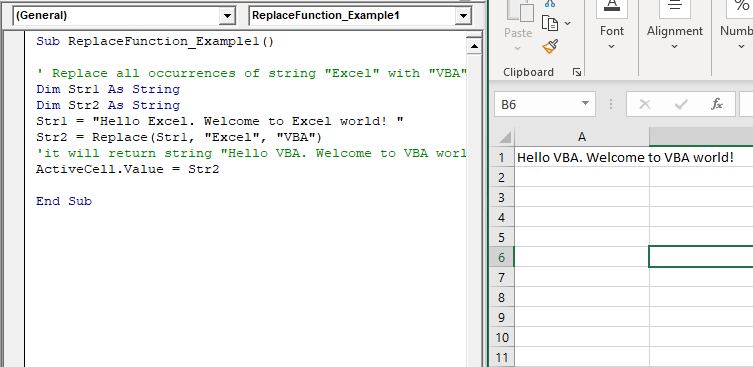
Sub ReplaceFunction_Example1()
 ' Replace all occurrences of string "Excel" with "VBA".
 Dim Str1 As String
 Dim Str2 As String
 Str1 = "Hello Excel. Welcome to Excel world! "
 Str2 = Replace(Str1, "Excel", "VBA")
 'it will return string "Hello VBA. Welcome to VBA world! "
 ActiveCell.Value = Str2
 End Sub 

Output

Hello VBA. Welcome to VBA world!
Example 2

Sub ReplaceFunction_Example1()
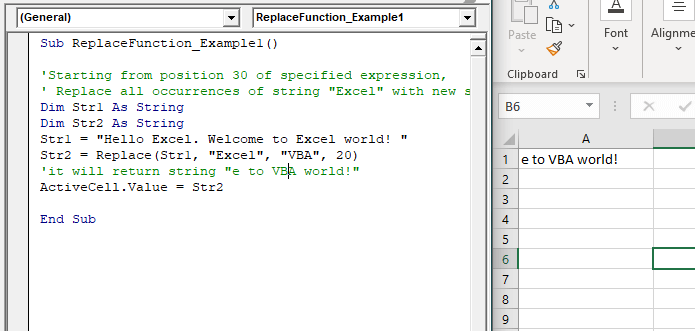
 'Starting from position 30 of specified expression,
 ' Replace all occurrences of string "Excel" with new string "VBA".
 Dim Str1 As String
 Dim Str2 As String
 Str1 = "Hello Excel. Welcome to Excel world! "
 Str2 = Replace(Str1, "Excel", "VBA", 20)
 'it will return string "e to VBA world!" 
 ActiveCell.Value = Str2
 End Sub 

Output

e to VBA world!
Example 3

Sub ReplaceFunction_Example1()
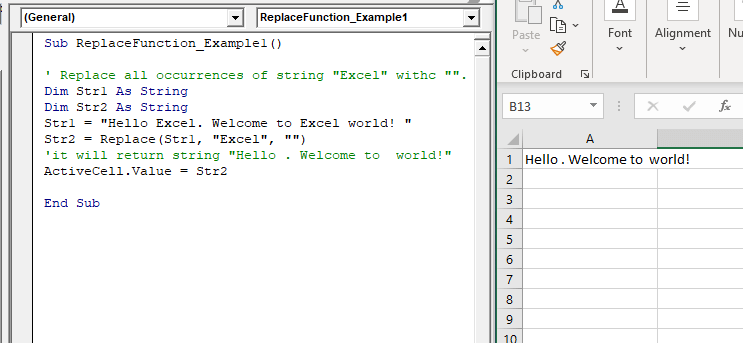
 ' Replace all occurrences of string "Excel" withc "".
 Dim Str1 As String
 Dim Str2 As String
 Str1 = "Hello Excel. Welcome to Excel world! "
 Str2 = Replace(Str1, "Excel", "")
 'it will return string "Hello . Welcome to  world!"
 ActiveCell.Value = Str2
 End Sub 

Output

Hello . Welcome to world!

Related Topics

Excel VBA Date Function

VBA Date Function The Date function in VBA returns the current date. Syntax Date( ) Parameter NA Return This function returns the current date. Example 1 Sub DateFunction_Example1() ' retuning the current date in the variable currentDate Dim currentDate As...

1 minute read.

Excel VBA: DO WHILE….Loop

DO WHILE….Loop The “Do While” Loop is the same, unlike the FOR statement, just that it will keep on looping till the specified condition is true. It is used when we want to...

3 minutes read.

Excel VBA CDbl Function

VBA CDbl Function: The CDbl function in VBA converts an expression into a Double data type. Syntax CDbl (Expression) Parameter Expression (required) - This parameter represents the expression that that you want to convert to...

1 minute read.

Excel VBA Timer Function

Excel VBA Timer Function: The Timer function in VBA returns a Single data type, evaluating the number of seconds that have elapsed since midnight of the current day. Syntax Timer () Parameter NA Return This...

1 minute read.

Excel VBA Format Function

VBA Format Function The format function in VBA applies a specified format to an expression and returns the result as a string. Syntax Format (Expression, [Format], [FirstDayOfWeek] , [FirstWeekOfYear] ) Parameter Expression (required)- This parameter represents the expression that you want to format. Format...

3 minutes read.

Excel VBA UCase Function

The UCase function in VBA converts a String into upper case text. Syntax UCase (String) Parameter String (required) – This parameter represents the string that you want to convert to upper case. Return This function returns a string...

1 minute read.

VBA Pivot Table

What is a Pivot Table? One of the most powerful features of Excel VBA is the Pivot Table. A pivot table is a VBA tool that is used to create summary...

3 minutes read.

Excel VBA GoTo Statement

GoTo Statement he GoTo statement branches unconditionally to a specified line in a procedure. It is used to transfer the program control to a new statement, which is headed by a label. It sends...

2 minutes read.

Excel VBA String Function

The String function in VBA creates a String, consisting of several repeated characters. Syntax String (Number, Character) Parameter Number (required) – This parameter represents the number of characters in the returned String. Character (required) – This parameter...

1 minute read.

Excel VBA FormatDateTime Function

VBA FormatDateTime Function: The FormatDateTime function in VBA returns the result as a string after applying a date and/or time format to the supplied expression. Syntax FormatDateTime (Expression, [NamedFormat]) Parameter Expression (specified) – This parameter...

2 minutes read.

VBA Charts

What is a Chart? A chart is used to visually show numbers or data in a spreadsheet (or spread over multiple spreadsheets) so that the end-user can look at the chart...

3 minutes read.

Excel VBA: IF THEN Statement

VBA Excel: IF THEN StatementThis conditional statement enables you to check one condition and on the basis of that then run one or multiple statements if the condition holds. If...

1 minute read.

Excel VBA Split Function

Excel VBA Split Function: The Split function in VBA is used to split a string into several substrings and return a one-dimensional array of substrings. Syntax Split (Expression, [Delimiter], [Limit], [Compare]) Parameter Expression (required) – This parameter...

2 minutes read.

Excel VBA Trim Function

The Trim function in VBA removes the leading and trailing spaces from the specified string. Syntax Trim (String) Parameter String (required) – This parameter represents the string from which you want to remove the leading and...

1 minute read.

Excel VBA CInt Function

VBA CInt Function: The VBA Cint function converts the specified expression into an Integer. Syntax Cint (Expression) Parameter Expression (required) – This parameter represents the expression that you want to convert to an Integer wherein...

1 minute read.

VBA Charts Basic Operations

VBA Charts- Basic Operations The Chart Object in Excel VBA represents the collection of all the charts sheet present in a workbook. A chart can be either an embedded chart or a separate chart sheet. The...

6 minutes read.

Excel VBA Conditional Statement

Conditional Statement in VBA Excel Conditional Statements in Excel VBA are one of the most powerful and useful features in programming, this will give you to perform comparisons to decide or...

2 minutes read.

Excel VBA : With End-with Constructs

With End-with Constructs The With-End With construct enables the user to perform multiple operations on a single object. If you are going to perform several different actions on the same object and typing the same...

4 minutes read.

Excel VBA Rnd Function

VBA Rnd Function: The Rnd function in VBA returns a random number that is greater than or equal to (>=) 0 and is less than (<) 1. Syntax Rnd ([Number]) Parameter Number (optional) –This...

1 minute read.

Excel VBA Left Function

VBA Left Function: The Left function in VBA returns a substring from the start of the specified string. Syntax Left (Str, Length) Parameter Str (required) – This parameter represents the string that you want to extract...

1 minute read.