Excel VBA CDec Function
VBA CDec Function: The CDec function in VBA converts an expression into a Decimal data type.
Syntax
CDec (Expression)
Parameter
Expression (required) – This parameter represents the expression that you want to convert to a Decimal.
Return
This function returns a decimal figure after converting the specified expression into a decimal data type.
Example 1
Sub CDecFunction_Example1()
 ' Converting the string and numeric values into Decimals
 Dim dec As Variant
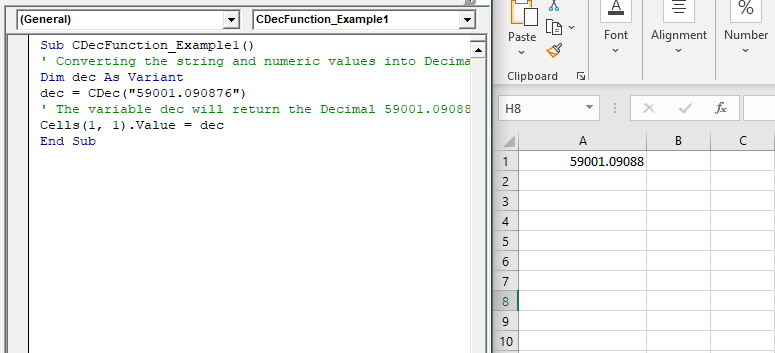
 dec = CDec("59001.090876")
 ' The variable dec will return the Decimal 59001.09088
 Cells(1, 1).Value = dec
 End Sub
Output
59001.09088
Example 2
Sub CDecFunction_Example2()
 ' Converting the string and numeric values into Decimals
 Dim dec As Variant
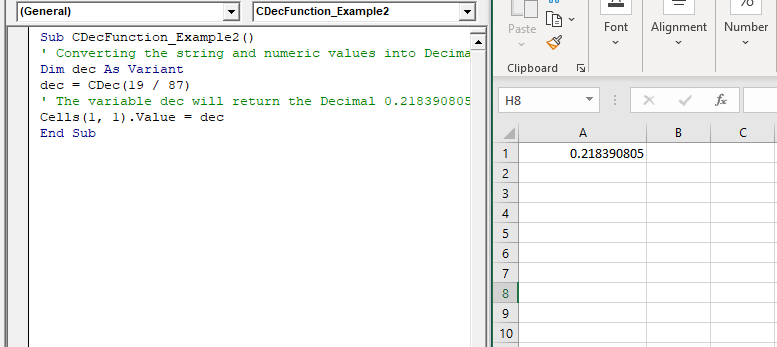
 dec = CDec(19 / 87)
 ' The variable dec will return the Decimal 0.218390805
 Cells(1, 1).Value = dec
 End Sub
Output
0.218390805
Example 3
Sub CDecFunction_Example3()
 ' Converting the string and numeric values into Decimals
 Dim dec As Variant
 'passing only string values
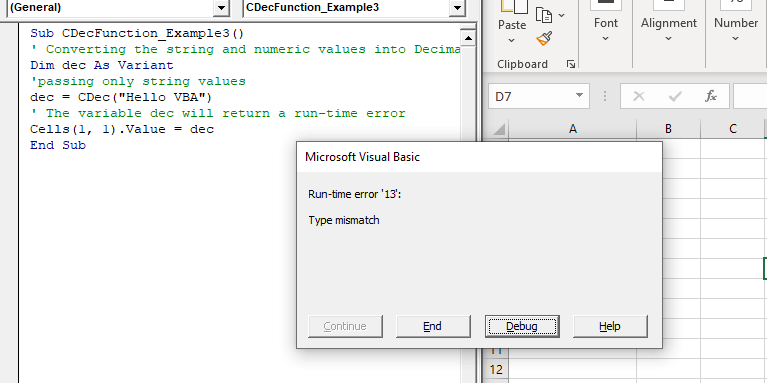
 dec = CDec("Hello VBA")
 ' The variable dec will return a run-time error
 Cells(1, 1).Value = dec
 End Sub
Output